
Introduction
This manual provides detailed instructions for the installation, operation, and maintenance of the PPOZYLPC DDS662 110V Single Phase LCD Digital Energy Meter. This device is designed to measure active energy (kWh), voltage, current, power, frequency, and power factor in a single-phase, two-wire AC circuit. Please read this manual thoroughly before installation and use to ensure safe and correct operation.

Figure 1: Front view of the PPOZYLPC DDS662 Digital Energy Meter. This image shows the LCD display indicating kWh consumption and the model number DDS662.
Safety Information
- Installation and maintenance should only be performed by qualified electricians.
- Ensure power is disconnected before any installation or wiring work.
- Do not operate the meter in environments with excessive moisture, dust, or corrosive gases.
- Verify correct wiring connections to prevent damage to the meter or electrical system.
- The meter is designed for indoor use only.
Specifications
| Parameter | Value |
|---|---|
| Model | DDS662 |
| Rated Voltage | 110V AC |
| Rated Current | 5(80)A |
| Frequency | 50Hz |
| Impulse Constant | 1600imp/kWh |
| Accuracy Class | IEC62053-21 |
| Display | LCD Digital Display |
| Installation | 35mm DIN Rail |
| Dimensions (Approx.) | 36.3mm (W) x 78.5mm (H) x 65.8mm (D) |
| Weight | 111 Grams |

Figure 2: Approximate dimensions of the energy meter. Note that this image also illustrates the wiring diagram.
Setup and Installation
- Mounting: Install the meter onto a standard 35mm DIN rail. Ensure it is securely fastened.
- Wiring:
Refer to the wiring diagram below. Connect the live (L) and neutral (N) wires according to the markings on the meter. The input and output terminals are clearly labeled.
Figure 3: Wiring diagram for the single-phase 2-wire energy meter. Ensure input and output connections are made correctly to the Live (L) and Neutral (N) terminals as indicated.
- Connect the incoming Live wire to terminal 1 (L-IN).
- Connect the incoming Neutral wire to terminal 3 (N-IN).
- Connect the outgoing Live wire to terminal 2 (L-OUT).
- Connect the outgoing Neutral wire to terminal 4 (N-OUT).
Caution: Incorrect wiring can lead to meter malfunction or electrical hazards. Double-check all connections before applying power.
- Power On: After verifying all connections, restore power to the circuit. The LCD display should illuminate.
Operating Instructions
The DDS662 meter automatically displays various electrical parameters on its LCD screen. The primary display shows the total active energy consumption in kWh.
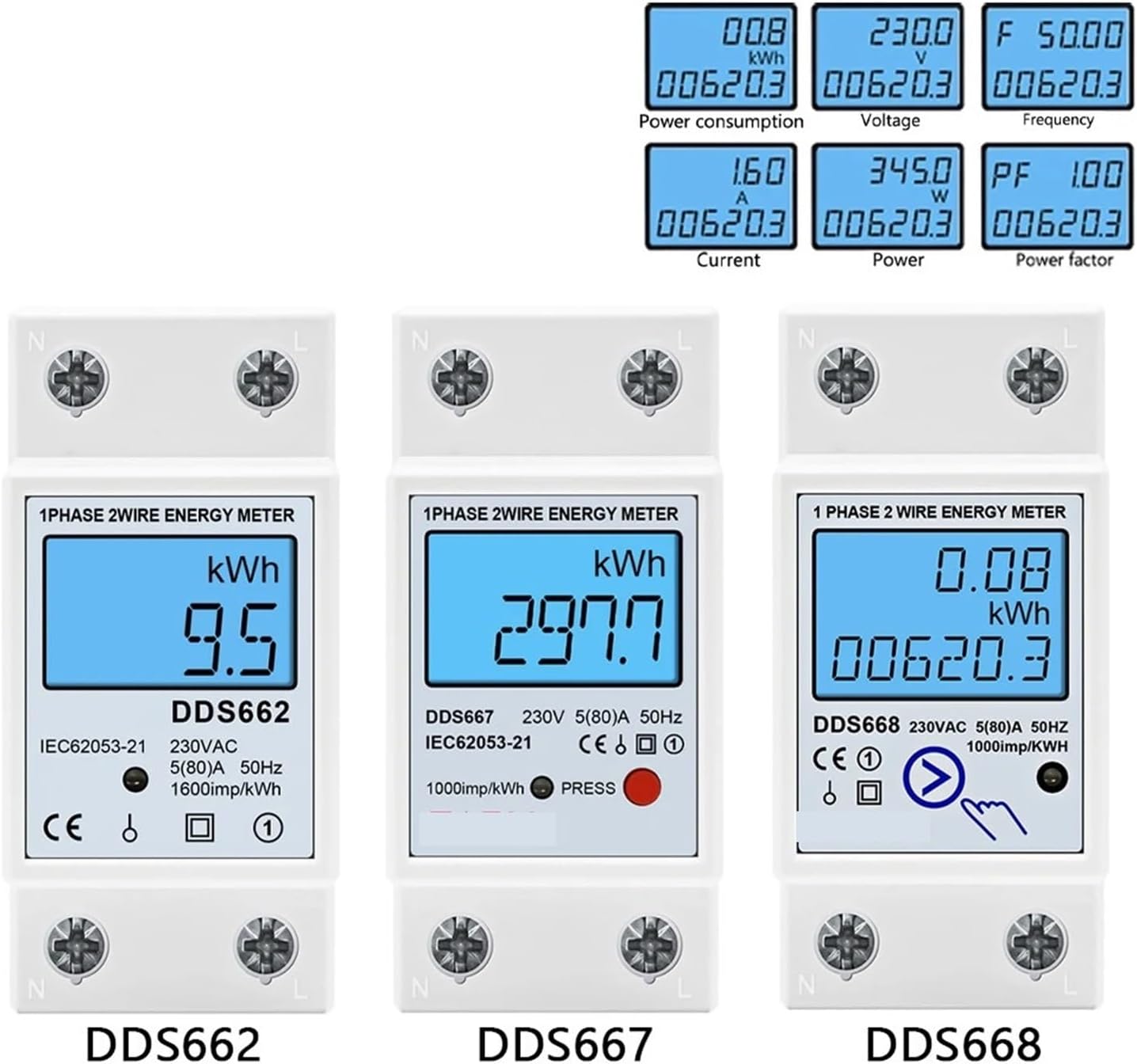
Figure 4: Examples of display readings including Power Consumption (kWh), Voltage (V), Frequency (Hz), Current (A), Power (W), and Power Factor (PF).
- Energy Measurement (kWh): The main display shows the accumulated active energy consumption in kilowatt-hours (kWh). This value continuously increases as power is consumed.
- Parameter Cycling: The meter automatically cycles through different parameters such as Voltage (V), Current (A), Active Power (W), Frequency (Hz), and Power Factor (PF). The specific order and duration of each display may vary.
- Resetting kWh: The DDS662 model features a reset function for the kWh reading. To reset the accumulated kWh to zero, locate the reset button (often indicated by a small icon or recessed button) and press it according to the device's specific mechanism. This is typically done by pressing and holding for a few seconds. Refer to the meter's front panel for the exact reset indicator.
Maintenance
- Cleaning: Use a soft, dry cloth to clean the meter's exterior. Do not use abrasive cleaners, solvents, or liquids directly on the device.
- Environmental Conditions: Ensure the operating environment remains within the specified temperature and humidity ranges to prolong the meter's lifespan.
- Inspection: Periodically inspect the wiring connections for any signs of loosening or damage.
Troubleshooting
- No Display:
Check if power is supplied to the circuit. Verify all wiring connections are secure and correct. Ensure the voltage is within the meter's operating range (110V AC).
- Incorrect Readings:
Confirm that the meter is correctly wired according to the diagram. Ensure the load is connected properly. If readings appear consistently inaccurate, the meter may require professional inspection.
- Meter Not Accumulating kWh:
Verify that there is an active load connected and drawing power. Check wiring for proper current flow. If the issue persists, contact technical support.
Warranty and Support
For warranty information, please refer to the terms and conditions provided by your retailer or the manufacturer at the time of purchase. For technical support or service inquiries, please contact the seller directly through the platform where the product was purchased.
Manufacturer: PPOZYLPC
Model: DDS662