
HiFuture HEO3
HiFuture OlymBuds3 Wireless Earbuds User Manual
Model: HEO3
1. Product Overview
The HiFuture OlymBuds3 are comfort-fit wireless earbuds designed to deliver a high-quality audio experience with powerful bass and enhanced precision. These lightweight earbuds offer seamless connectivity and extended playtime, making them suitable for various daily activities.

Image: HiFuture OlymBuds3 earbuds resting inside their open charging case, showcasing their compact design.
Key Features:
- Resounding Bass: Enhanced audio with louder and clearer sound, and precise bass.
- Lightweight Design: Extremely portable and comfortable for extended wear.
- Wireless 5.3 Connectivity: Fast and stable pairing in less than 2 seconds.
- Extended Playtime: Up to 25 hours of total playtime with the charging case.
- IPX5 Waterproof: Protection against sweat and light splashes.
- 6mm Driver: Delivers powerful and clear audio quality.
- Smart Touch Controls: Intuitive controls for music and calls.
- AI Voice Assistant: Support for voice commands.

Image: A visual representation of the key features of the OlymBuds3, including the earbuds and charging case.
2. Setup
2.1 Charging the Earbuds and Case
Before first use, fully charge the OlymBuds3 and their charging case. The case acts as a portable charger for the earbuds.
- Place the earbuds into the charging case, ensuring they are correctly seated.
- Connect the charging case to a USB power source using a compatible charging cable.
- The indicator light on the case will show charging status. A full charge provides up to 25 hours of total playtime.
2.2 Pairing with Your Device
The OlymBuds3 utilize Wireless 5.3 technology for quick and stable connections.
- Ensure the earbuds are charged and inside the charging case.
- Open the charging case lid. The earbuds will automatically enter pairing mode, and an indicator light on the earbuds may flash.
- On your device (smartphone, tablet, etc.), go to the Wireless settings and turn Wireless on.
- Search for available devices and select "HiFuture OlymBuds3" from the list.
- Once selected, the earbuds will connect in less than 2 seconds, and you will hear a confirmation tone.

Image: A smartphone displaying a successful Wireless 5.3 connection to "HiFuture OlymBuds3", with the earbuds and case nearby.
2.3 Wearing the Earbuds
The OlymBuds3 are designed for a comfort fit. Gently insert each earbud into your ear canal and rotate slightly until it feels secure and comfortable. Ensure the earbud is snug to optimize sound quality and bass performance.
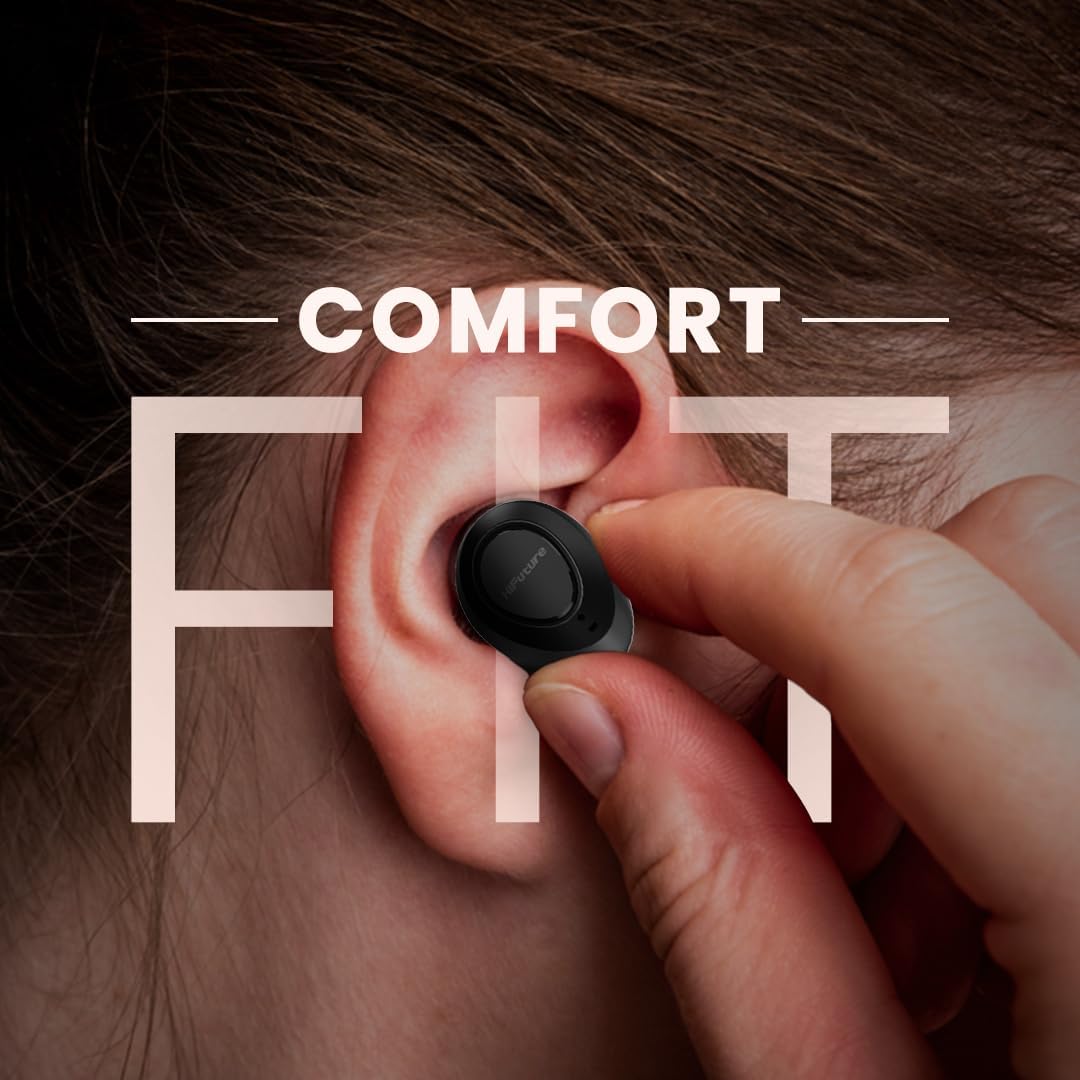
Image: A hand gently placing an earbud into an ear, demonstrating the comfort fit design.
3. Operating Instructions
The OlymBuds3 feature intuitive smart touch controls on each earbud.
3.1 Music Playback Controls
- Play/Pause: Single tap on either earbud.
- Next Track: Double tap on the right earbud.
- Previous Track: Double tap on the left earbud.
- Volume Up: Triple tap on the right earbud.
- Volume Down: Triple tap on the left earbud.
3.2 Call Management
- Answer/End Call: Single tap on either earbud during an incoming call or active call.
- Reject Call: Press and hold either earbud for 2 seconds during an incoming call.
3.3 AI Voice Assistant
- Activate Voice Assistant: Press and hold either earbud for 3 seconds. This will activate your device's default AI voice assistant (e.g., Siri, Google Assistant).
4. Maintenance
4.1 Cleaning
Regular cleaning helps maintain sound quality and hygiene.
- Use a soft, dry, lint-free cloth to wipe the earbuds and charging case.
- For earwax or debris in the earbud nozzles, use a small, soft brush or cotton swab. Avoid using sharp objects.
- Do not use abrasive cleaners, alcohol, or chemical solvents.
4.2 Water Resistance (IPX5)
The OlymBuds3 are rated IPX5 waterproof, meaning they are protected against low-pressure water jets from any direction. This makes them resistant to sweat and light rain or splashes.
- Do not submerge the earbuds in water.
- Do not expose them to high-pressure water streams.
- Ensure the earbuds are dry before placing them back into the charging case to prevent damage to the charging contacts.
4.3 Storage
When not in use, store the earbuds in their charging case to protect them from dust, damage, and to keep them charged.
5. Troubleshooting
If you encounter issues with your OlymBuds3, try the following solutions:
5.1 Earbuds Not Pairing or Connecting
- Ensure both earbuds are charged.
- Place both earbuds back into the charging case, close the lid, wait a few seconds, then open the lid again.
- Turn off and then on your device's Wireless.
- Forget "HiFuture OlymBuds3" from your device's Wireless settings and attempt to pair again.
- Ensure no other Wireless devices are interfering.
5.2 No Sound or Low Volume
- Check the volume level on both your device and the earbuds.
- Ensure the earbuds are properly seated in your ears.
- Clean any debris from the earbud nozzles.
- Reconnect the earbuds to your device.
5.3 Charging Issues
- Ensure the charging cable is securely connected to both the case and the power source.
- Try a different charging cable and/or power adapter.
- Ensure the charging contacts on the earbuds and inside the case are clean and free of debris.
6. Specifications
| Feature | Detail |
|---|---|
| Model Number | HEO3 |
| Brand | HiFuture |
| Connectivity | Wireless 5.3 |
| Playtime | Up to 25 hours (with charging case) |
| Driver Size | 6mm |
| Water Resistance | IPX5 |
| Controls | Smart Touch Controls |
| Voice Assistant | AI Voice Assistant Support |
| Color | White |
| Ear Placement | In Ear |
| Form Factor | In Ear |
| Package Dimensions | 13.2 x 11 x 4.6 cm |
| Item Weight | 180 g |
7. Warranty Information
For detailed warranty information regarding your HiFuture OlymBuds3, please refer to the warranty card included with your product or visit the official HiFuture website. Warranty terms and conditions may vary by region and retailer.
Extended warranty options may be available from your retailer at the time of purchase.
8. Customer Support
If you require further assistance or have questions not covered in this manual, please contact HiFuture customer support or the retailer from whom you purchased the product.
You can often find support contact details on the official HiFuture website or through your purchase documentation.
Note: Always refer to the latest information provided by the manufacturer for the most accurate and up-to-date support details.
Related documentsHEO3

Ask a question about this manual
Ask about setup, troubleshooting, compatibility, parts, safety, or missing instructions. Manuals+ will review the question and use this page’s manual context to help answer it.