
1. Introduction
This manual provides essential instructions for the proper use and maintenance of your DUPULEE HY320 Projector Lens Protector Cover. This accessory is designed to safeguard the lens of your HY320 projector from dust, scratches, and minor impacts, thereby extending its lifespan and maintaining optimal image quality. Please read this manual thoroughly before use.
Product Features:
- Premium Quality Material: Crafted from high-grade materials for durability.
- Custom Fit: Specifically tailored for the HY320 projector lens.
- Dustproof & Anti-Scratch: Provides protection against environmental elements and physical damage.
- Easy Installation & Removal: Designed for user convenience.
- Lightweight & Portable: Adds minimal bulk to your projector.

Figure 1: Key features of the DUPULEE HY320 Projector Lens Protector Cover.
2. What's in the Box
- 1 x DUPULEE HY320 Projector Lens Protector Cover
3. Setup and Installation
The DUPULEE HY320 Projector Lens Protector Cover is designed for simple and quick installation. Follow these steps to properly attach the cover to your HY320 projector.
- Ensure your HY320 projector is powered off and cooled down before handling.
- Gently align the lens protector cover with the front lens of your HY320 projector. The cover is custom-molded to fit the specific contours of the HY320 lens housing.
- Press the cover firmly but gently onto the lens. You should feel a secure, snug fit. Do not force the cover if it does not align easily.
- Verify that the cover is seated evenly and completely around the lens, providing full protection.
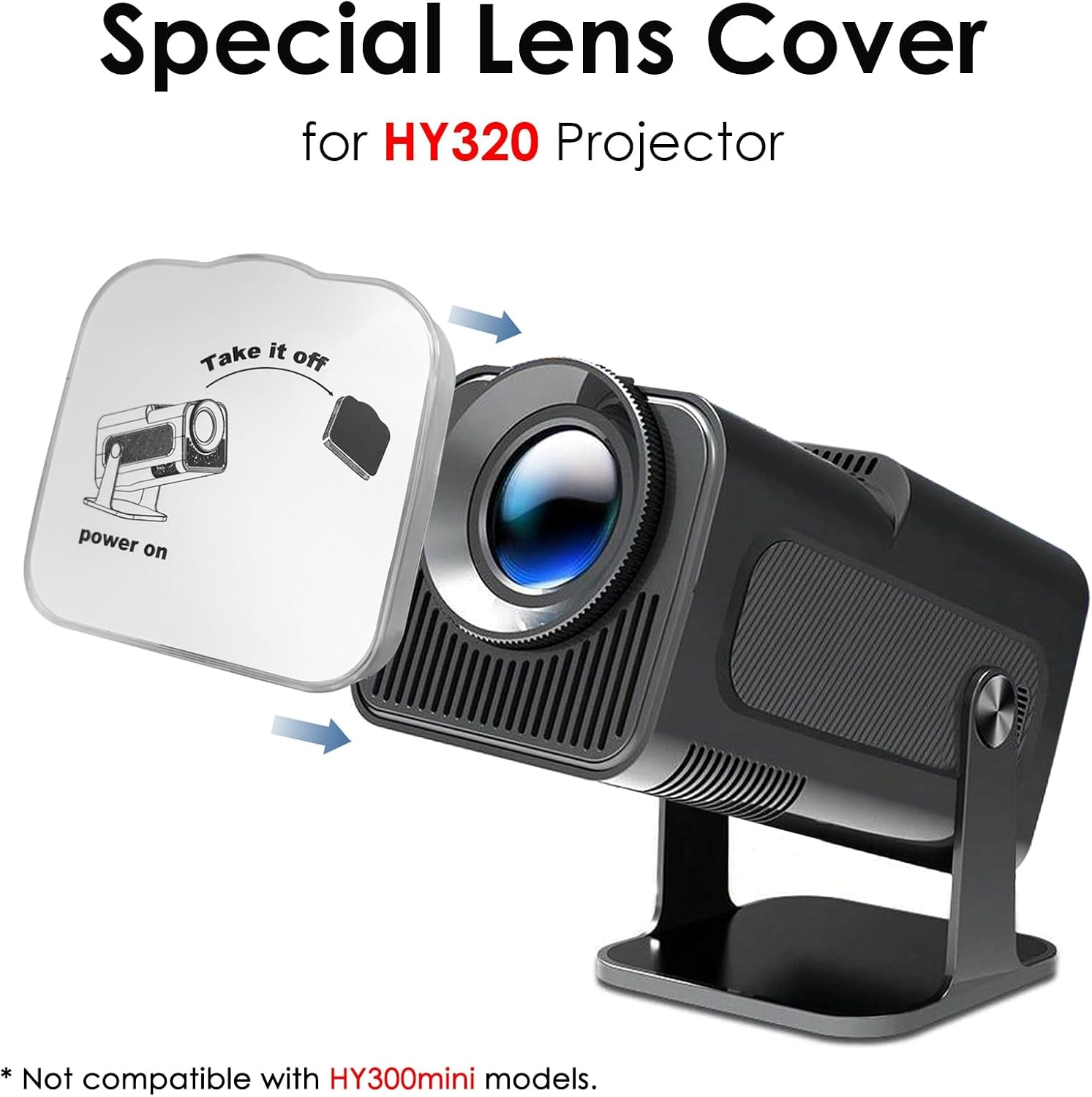
Figure 2: Step-by-step guide for installing the lens protector cover.
4. Operating the Lens Cover
The lens cover is intended for use when the projector is not in operation, during storage, or when transporting the device. It acts as a physical barrier against potential damage.
When to Use:
- Storage: Always place the cover on the lens when storing the projector to prevent dust accumulation and accidental scratches.
- Transport: Secure the cover on the lens before moving the projector to protect it from bumps and debris.
- Non-Operation: When the projector is not in active use, covering the lens helps maintain its cleanliness and integrity.
Removal:
To use your projector, simply grasp the edges of the lens cover and gently pull it away from the lens. Store the cover in a safe, clean place to prevent it from getting lost or damaged.

Figure 3: The lens cover provides effective dust protection for the projector lens.
5. Maintenance
Proper maintenance of your lens protector cover ensures its effectiveness and longevity.
Cleaning the Cover:
- Wipe the cover with a soft, dry, lint-free cloth to remove dust and fingerprints.
- For stubborn marks, lightly dampen the cloth with water. Avoid using harsh chemicals or abrasive cleaners, as these can damage the material.
- Ensure the cover is completely dry before placing it back on the projector lens.
Storage:
When not in use, store the lens cover in a clean, dry environment away from direct sunlight and extreme temperatures.
6. Troubleshooting
If you encounter any issues with your DUPULEE HY320 Projector Lens Protector Cover, please refer to the following common solutions.
Issue: The lens cover does not fit or falls off easily.
- Solution 1: Verify Projector Model. This lens cover is specifically designed for the HY320 projector. It is not compatible with other models, including the HY300mini. Please ensure you have the correct projector model.
- Solution 2: Check for Obstructions. Ensure there is no debris, dust, or other objects on the projector lens or the inside of the cover that might prevent a secure fit.
- Solution 3: Proper Alignment. Re-align the cover carefully with the lens and apply gentle, even pressure to ensure it snaps into place.
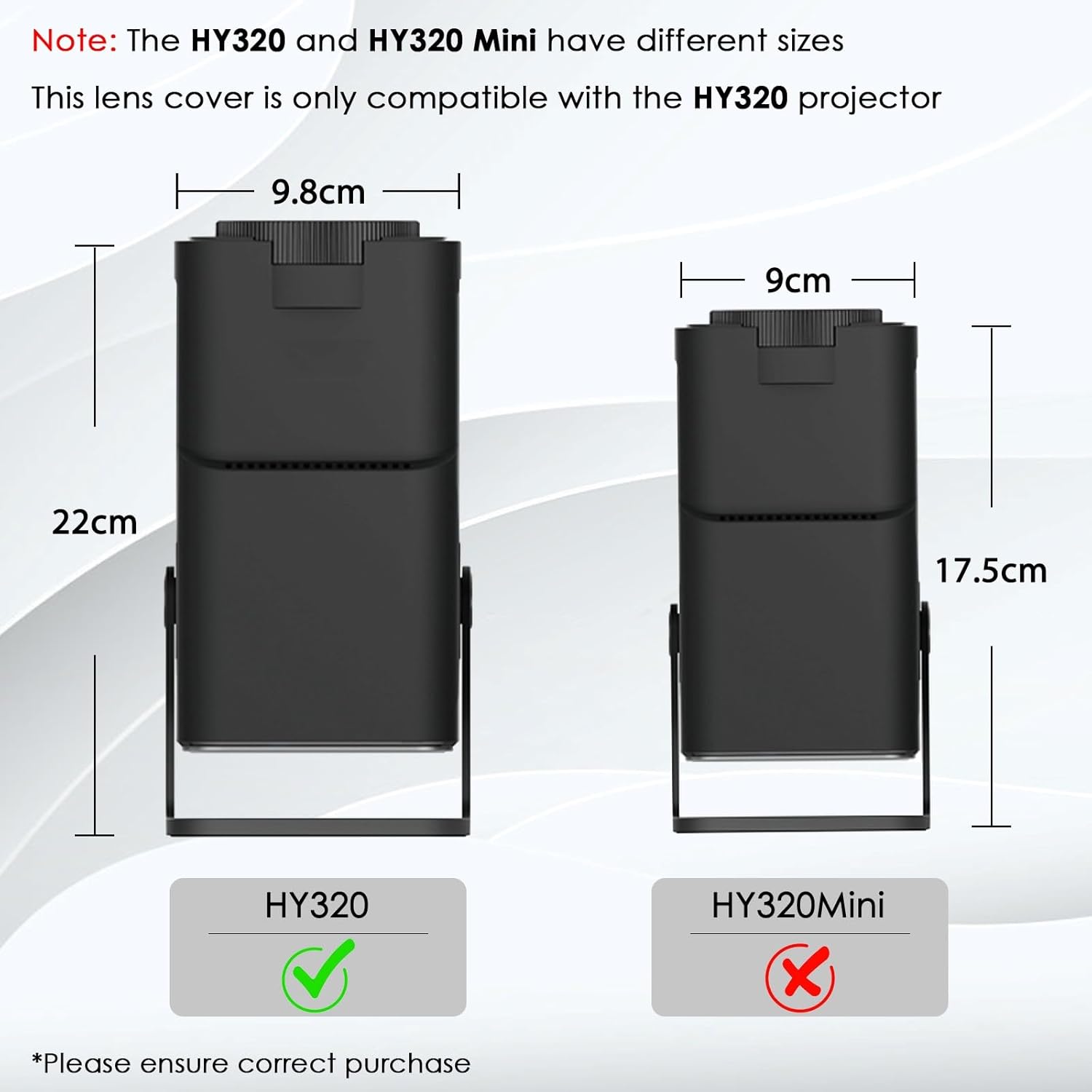
Figure 4: Compatibility note: The lens cover is exclusively for the HY320 projector, not the HY320 Mini.
7. Specifications
Detailed specifications for the DUPULEE HY320 Projector Lens Protector Cover.
| Feature | Description |
|---|---|
| Brand | DUPULEE |
| Model Name | HY320 Projector Lens Cover |
| Compatibility | Specifically for HY320 Projector (Not HY300mini) |
| Special Features | Dust-Proof, Lightweight, Portable, Anti-Scratch |
| Material | High-grade durable material |
| Dimensions (Approx.) | 3.94" x 3.94" x 0.71" (10cm x 10cm x 1.8cm) |
| Color | Translucent White (as pictured) |
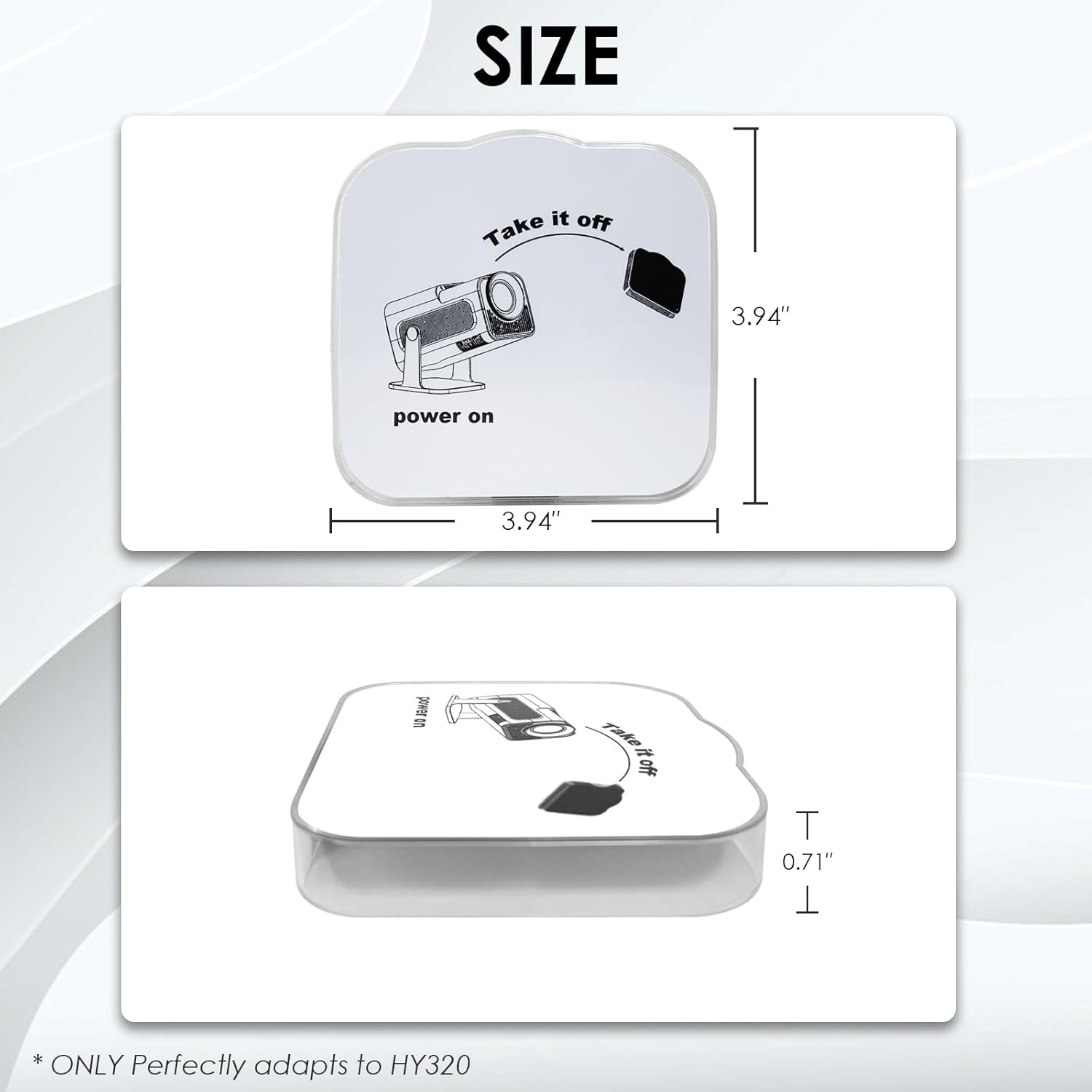
Figure 5: Approximate dimensions of the lens protector cover.
8. Warranty Information
This DUPULEE HY320 Projector Lens Protector Cover comes with a 1-Year Manufacturer Warranty from the date of purchase. This warranty covers defects in materials and workmanship under normal use. It does not cover damage caused by misuse, accidents, unauthorized modifications, or normal wear and tear.
Please retain your proof of purchase for warranty claims.
9. Support
For further assistance, technical support, or warranty inquiries regarding your DUPULEE HY320 Projector Lens Protector Cover, please contact DUPULEE customer service through the retailer where you purchased the product or visit the official DUPULEE website for contact information.
When contacting support, please have your product model (HY320) and purchase details ready.