
Introduction
Thank you for choosing the Locksworth AZ1687 8-Sheet Micro Cut Paper Shredder. This manual provides essential information for the safe and efficient operation, maintenance, and troubleshooting of your new shredder. Please read these instructions carefully before use and retain them for future reference.
This micro-cut shredder is designed for home and small office use, offering P-4 high-security shredding for confidential documents, credit cards, and staples. Its compact design and user-friendly features ensure convenient and secure document disposal.
Safety Instructions
WARNING: Failure to follow these safety instructions may result in injury or damage to the shredder.
- Keep children and pets away from the shredder. The shredder has sharp blades and moving parts that can cause injury.
- Keep loose clothing, jewelry, hair, and hands away from the paper feed opening.
- Do not spray any flammable products or lubricants into the shredder.
- Do not shred adhesive labels, continuous forms, or plastic sheets other than credit cards.
- Always unplug the shredder when not in use or before cleaning, moving, or emptying the wastebasket.
- Do not operate the shredder if the power cord is damaged. Contact customer support for assistance.
- Do not exceed the maximum sheet capacity of 8 sheets of 20lb (75gsm) paper per pass to prevent jams and motor strain.
- Avoid continuous operation beyond 2 minutes to prevent overheating. Allow the shredder to cool down if thermal protection activates.
Product Overview
The Locksworth AZ1687 shredder features a compact design with a visual window to monitor shredded waste levels. It includes a powerful rotary cutter for micro-cut shredding and an integrated handle for easy portability.

Image: Front view of the Locksworth AZ1687 shredder, highlighting its compact design.

Image: Close-up view of the shredder's feed slot, showing the powerful rotary cutter in action.

Image: The shredder's 4-gallon (15-liter) wastebasket, indicating its capacity for shredded materials.
Setup
- Unpacking: Carefully remove the shredder from its packaging.
- Placement: Place the shredder on a flat, stable surface. Ensure the wastebasket is correctly seated under the shredder head.
- Power Connection: Plug the power cord into a standard 120V AC outlet.
- Control Switch: Locate the control switch on top of the shredder. It typically has positions for FWD (Forward), AUTO, OFF, and REV (Reverse).
Operating Instructions
Powering On/Off
- To turn on the shredder, slide the control switch to the AUTO position. The shredder is now in standby mode.
- To turn off the shredder, slide the control switch to the OFF position.
Shredding Paper
- Ensure the shredder is in AUTO mode.
- Insert up to 8 sheets of paper (20lb/75gsm) straight into the paper feed slot. The shredder will automatically start and stop once the paper has passed through.
- For optimal performance and to prevent jams, avoid feeding more than the recommended sheet capacity.

Image: Demonstrates how to feed paper into the shredder's slot.

Image: Visual representation of feeding 8 sheets of paper into the shredder.
Shredding Credit Cards and Staples
The shredder is capable of shredding credit cards and small staples. Insert one credit card at a time into the designated slot (if available, otherwise use the main paper feed slot). For staples, ensure they are small and flat against the paper.
Auto Start/Stop and Reverse Function
- AUTO: When the switch is in the AUTO position, the shredder will automatically start when paper is detected and stop when shredding is complete.
- REV (Reverse): If a paper jam occurs, slide the switch to the REV position to reverse the shredding mechanism and clear the jam.
- FWD (Forward): In some cases, the FWD position can be used to force paper through, but REV is generally safer for clearing jams.
Video: Official product video demonstrating the shredder's operation, including paper feeding and micro-cut output.
Thermal Protection
The shredder is equipped with a thermal protection system to prevent overheating. If the shredder operates continuously for too long (approximately 2 minutes) or is overloaded, it will automatically shut off. Allow the shredder to cool down for at least 30 minutes before resuming operation. This extends the lifespan of the motor.

Image: Illustrates the shredder's overheat protection and anti-jam features for safe operation.
Maintenance
Emptying the Wastebasket
Regularly check the visual window on the wastebasket. When it appears full, unplug the shredder and carefully lift the shredder head off the wastebasket. Dispose of the shredded material and replace the shredder head securely.
Cleaning
To clean the outer casing of the shredder, gently wipe it with a soft cloth slightly dampened with soapy water or a mild detergent. Do not use abrasive cleaners or solvents. Ensure no liquid enters the shredder mechanism.
Lubrication
For optimal performance and longevity, it is recommended to lubricate the shredder blades periodically, especially after emptying the wastebasket several times or if shredding performance decreases. Use specialized shredder oil sheets or liquid shredder oil applied to a sheet of paper and fed through the shredder.
Troubleshooting
| Problem | Possible Cause | Solution |
|---|---|---|
| Shredder does not turn on. | Not plugged in; Power switch in OFF position; Overheat protection activated; Wastebasket not properly seated. | Ensure power cord is securely plugged in. Set switch to AUTO. Allow 30 minutes for cooling if overheated. Re-seat the wastebasket correctly. |
| Paper jam. | Too much paper inserted; Paper not fed straight; Staples/clips not removed (if not designed for them). | Slide switch to REV to clear. If unsuccessful, unplug, remove shredder head, and carefully clear paper from blades. Plug in and try again. |
| Shredder stops during operation. | Overheat protection activated; Wastebasket full. | Allow shredder to cool down for 30 minutes. Empty the wastebasket. |
| Shredder is noisy or slow. | Blades need lubrication; Overloaded. | Lubricate blades with shredder oil. Reduce the number of sheets fed at once. |
Specifications
- Model Number: AZ1687
- Cut Type: Micro Cut
- Shred Size: Approximately 0.15 x 0.5 inches (4 x 12 mm)
- Security Level: P-4
- Sheet Capacity: 8 sheets (20lb/75gsm paper)
- Shreds: Paper, Credit Cards, Small Staples
- Wastebasket Capacity: 4 Gallons (15 Liters)
- Operation Mode: Automatic
- Power Source: Corded Electric
- Item Dimensions (D x W x H): 14.21" x 7.87" x 12.79"
- Enclosure Material: Plastic
- Special Features: Thermal Protection, Auto Start/Stop, Manual Reverse, Portable

Image: Diagram showing the dimensions (depth, width, height) of the shredder.
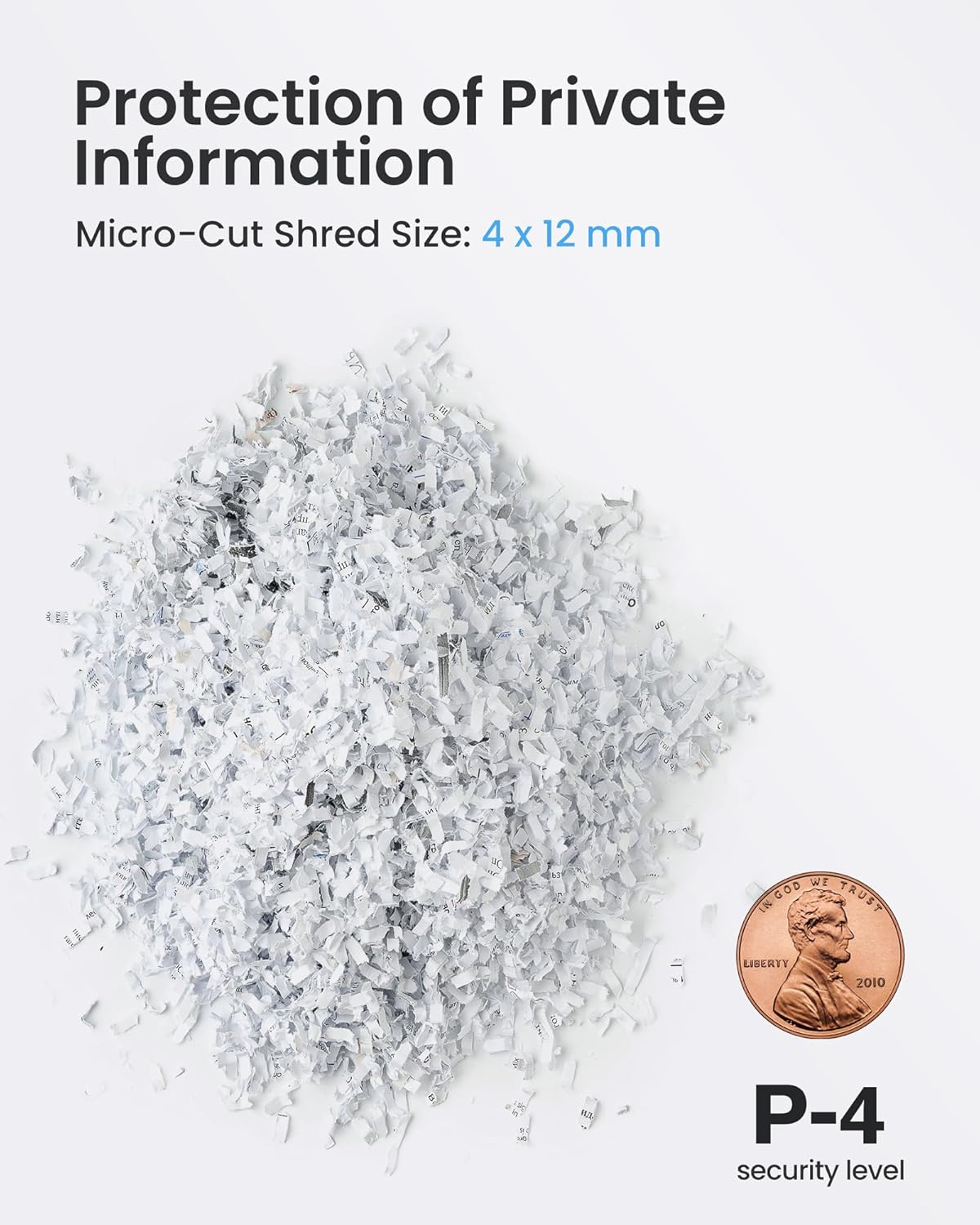
Image: Close-up of micro-cut shredded paper, illustrating the small particle size and P-4 security level.
Warranty and Support
Warranty: This Locksworth shredder comes with a 1-year warranty from the date of purchase, covering defects in materials and workmanship under normal use. Please retain your proof of purchase for warranty claims.
Customer Support: For technical assistance, troubleshooting, or warranty inquiries, please contact Locksworth customer support through the retailer where the product was purchased or visit the official Locksworth website for contact information.
Please have your model number (AZ1687) and purchase date available when contacting support.