
1. Product Overview
The GAMEMAX SFX 650W Full Modular 80 Plus Gold Power Supply (GS-650G) is designed to provide stable and efficient power for your computer system, especially for small form factor (SFX) builds. Featuring 80 Plus Gold certification, full modularity, and robust protection mechanisms, this PSU ensures reliable performance.
Key Features:
- 80 Plus Gold Certified: Achieves 90% efficiency or higher under typical loads, reducing energy waste and heat.
- Full Modular Design: Allows for custom cable management, improving airflow and reducing clutter within your PC case.
- ATX 3.0 & PCIe 5.0 Ready: Designed to support the latest hardware standards. (Note: A 12VHPWR cable is not included).
- Japanese 105°C Capacitors: Ensures unwavering product quality and performance stability.
- Ultra Quiet FDB Fan: Provides efficient cooling with minimal noise.
- Robust Protection: Includes safeguards against Over-Voltage (OVP), Under-Voltage (UVP), Over-Power (OPP), Short-Circuit (SCP), Over-Current (OCP), and Over-Temperature (OTP).
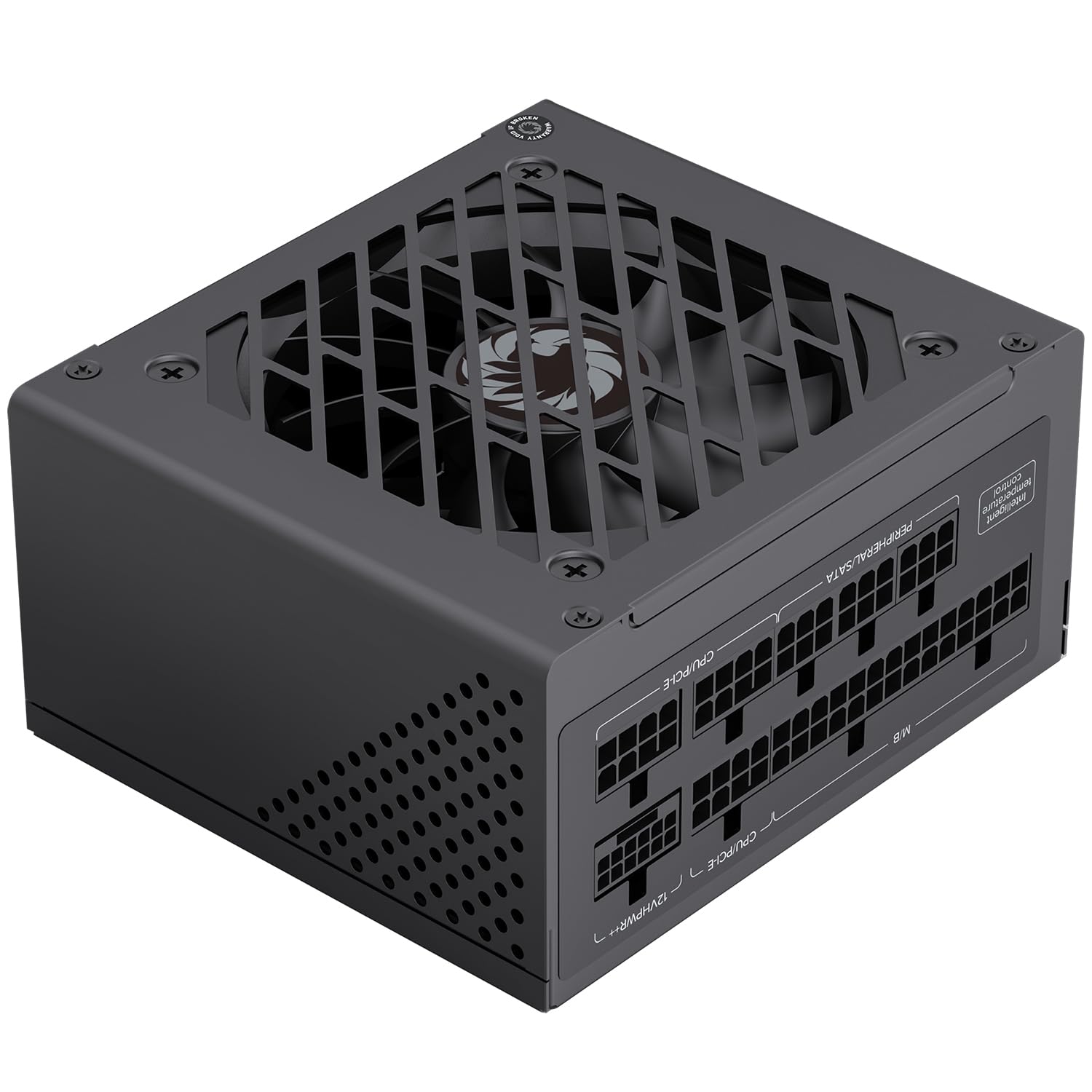
Figure 1: General view of the GAMEMAX SFX 650W Full Modular Power Supply (GS-650G).
2. Safety Information
Please read and understand all safety instructions before installing or operating the power supply. Failure to do so may result in personal injury or damage to your equipment.
- Always disconnect the power cord from the wall outlet before installing, removing, or cleaning the power supply.
- Do not open the power supply casing. High voltages are present inside, and there are no user-serviceable parts. Opening the unit will void the warranty.
- Ensure the power supply is installed in a well-ventilated area, free from excessive heat, humidity, or dust.
- Use only the modular cables provided with this power supply. Using incompatible cables may cause damage to the PSU or connected components.
- Connect the power supply to a grounded electrical outlet.
- Avoid placing objects on the power supply or blocking its ventilation openings.
3. Package Contents
Verify that all items are present in the package:
- GAMEMAX SFX 650W Full Modular Power Supply (GS-650G)
- Modular Cable Set (24-pin ATX, 8-pin CPU, PCIe, SATA, IDE)
- AC Power Cord
- Mounting Screws
- User Manual (this document)
4. Installation Guide
4.1 Physical Installation
- Ensure your computer is powered off and the power cord is disconnected from the wall outlet.
- Open your computer case.
- Locate the SFX power supply mounting area in your case.
- Carefully slide the GAMEMAX GS-650G PSU into the designated slot.
- Secure the power supply to the case using the provided mounting screws.
4.2 Cable Connection
The full modular design allows you to connect only the cables necessary for your system, reducing clutter and improving airflow. Refer to your motherboard and component manuals for specific connection points.
- 24-pin ATX Motherboard Cable: Connects to the main power connector on your motherboard.
- 8-pin (4+4-pin) CPU Cable: Connects to the CPU power connector on your motherboard.
- PCIe Cables (6+2-pin): Connects to graphics cards requiring PCIe power. This PSU is PCIe 5.0 ready.
- SATA Cables: Connects to SATA devices such as SSDs, HDDs, and optical drives.
- IDE/Molex Cables: Connects to older peripherals or case fans.

Figure 2: Diagram illustrating the various modular cables and their approximate lengths.

Figure 3: The power supply is designed to be ATX 3.1 and PCIe 5.1 ready, supporting modern components.
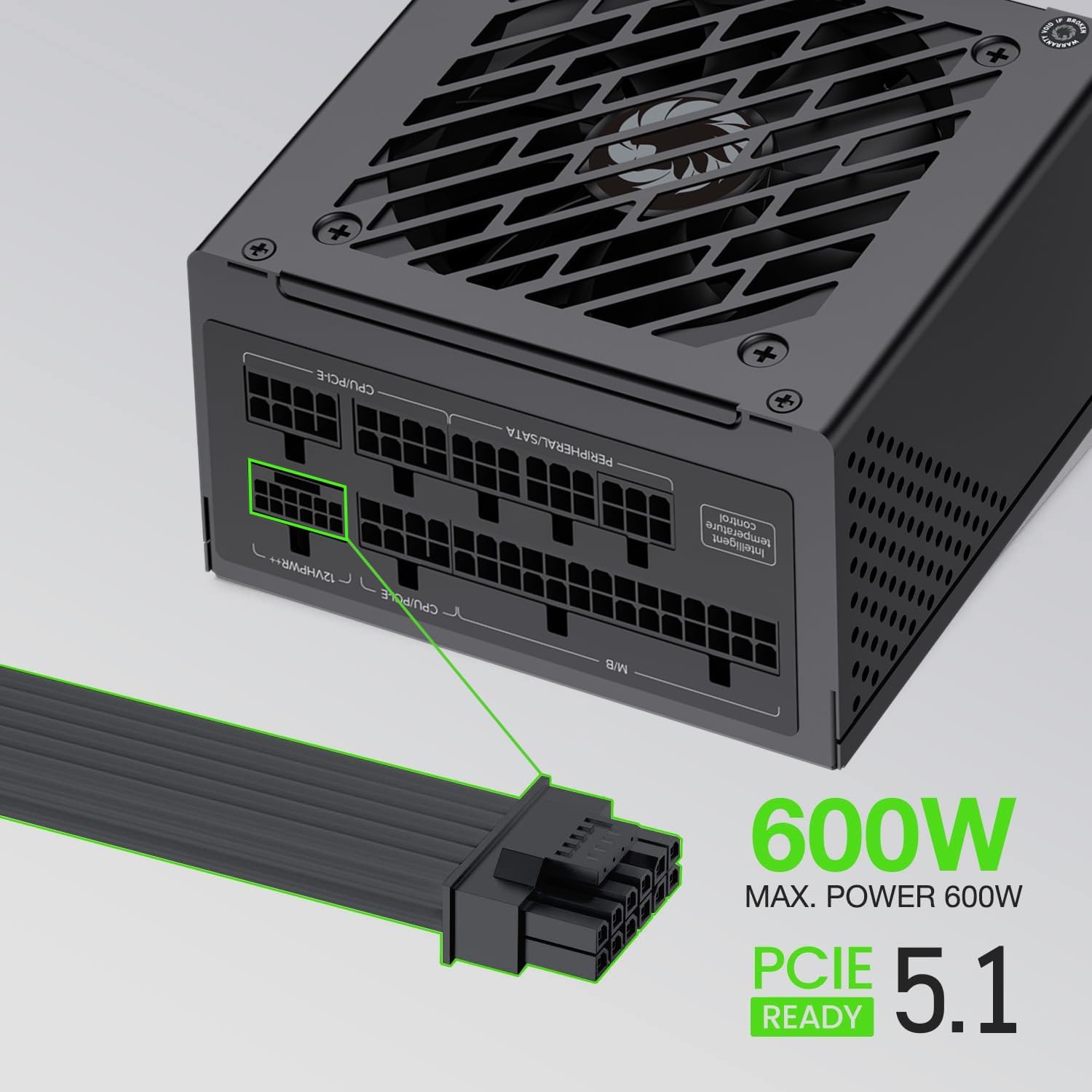
Figure 4: The power supply supports up to 600W maximum power for PCIe 5.1 connections.
5. Operation
5.1 Initial Power-On
- After all components are securely connected, ensure the power switch on the back of the PSU is in the 'OFF' (0) position.
- Connect the AC power cord to the PSU and then to a grounded wall outlet.
- Flip the power switch on the PSU to the 'ON' (I) position.
- Press the power button on your computer case to start your system.
5.2 Normal Operation
During normal operation, the GAMEMAX GS-650G power supply will provide stable power to your system. The FDB fan is designed to operate quietly, adjusting its speed based on the internal temperature to maintain optimal cooling without excessive noise.

Figure 5: The power supply features an excellent cooling fan for efficient heat dissipation.
5.3 Protection Features
The GAMEMAX GS-650G is equipped with multiple protection circuits to safeguard your system:
- OVP (Over-Voltage Protection): Shuts down the PSU if output voltages exceed a safe level.
- UVP (Under-Voltage Protection): Shuts down the PSU if output voltages drop below a safe level.
- OPP (Over-Power Protection): Shuts down the PSU if the total power draw exceeds its maximum capacity.
- SCP (Short-Circuit Protection): Shuts down the PSU in case of a short circuit on any output rail.
- OCP (Over-Current Protection): Shuts down the PSU if current on a single output rail exceeds a safe level.
- OTP (Over-Temperature Protection): Shuts down the PSU if internal temperatures become too high.
6. Maintenance
Proper maintenance ensures the longevity and optimal performance of your power supply.
- Dust Removal: Periodically clean the exterior of the power supply and its fan grille using compressed air to prevent dust buildup. Ensure the system is powered off and unplugged before cleaning.
- Cable Management: Ensure cables are neatly routed and do not obstruct airflow within the case.
- Environmental Conditions: Operate the PSU within recommended temperature and humidity ranges to prevent premature wear.
7. Troubleshooting
If you encounter issues with your power supply, refer to the following common troubleshooting steps:
- No Power:
- Check if the AC power cord is securely connected to both the PSU and the wall outlet.
- Ensure the power switch on the back of the PSU is in the 'ON' (I) position.
- Verify that the wall outlet is functional by plugging in another device.
- Confirm all modular cables are correctly and firmly seated in both the PSU and the components.
- System Shuts Down Unexpectedly:
- This could indicate an activation of one of the PSU's protection features (OVP, OPP, OTP). Ensure adequate ventilation and that your system's power draw does not exceed the PSU's capacity.
- Check for any loose cable connections.
- Unusual Noise:
- Ensure no cables are obstructing the PSU fan.
- Clean any dust buildup from the fan and grille.
If problems persist after performing these steps, please contact customer support.
8. Technical Specifications
| Feature | Specification |
|---|---|
| Brand | GAMEMAX |
| Model | GS-650G |
| Form Factor | SFX |
| Output Wattage | 650 Watts |
| Efficiency Certification | 80 Plus Gold |
| Modularity | Full Modular |
| Cooling Method | Air (FDB Fan) |
| Fan Count | 1 |
| Capacitors | Main Japanese 105°C, Solid Capacitors |
| Input Voltage | 100-120 Volts (AC) |
| Compatible Devices | Desktop Computer, High-end Graphics Cards, Small Form Factor Cases |
| Protection Features | OVP, UVP, OPP, SCP, OCP, OTP |
| Item Weight | 1.7 Kilograms |

Figure 6: Efficiency curve demonstrating 80 Plus Gold certification performance.
9. Warranty Information
GAMEMAX products are manufactured to the highest quality standards. This power supply is covered by a limited warranty from the date of purchase. Please refer to the official GAMEMAX website or your retailer for specific warranty terms and conditions, as these may vary by region.
Keep your proof of purchase (receipt or invoice) for warranty claims.
10. Customer Support
For technical assistance, product inquiries, or warranty support, please contact GAMEMAX customer service through their official channels.
- Visit the official GAMEMAX website for support resources, FAQs, and contact information.
- You can also visit the GAMEMAX Store on Amazon for additional product information.


