
RANVOO PH3
RANVOO AirJet X3 Electric Toothbrush User Manual
Model: PH3
Introduction
The RANVOO AirJet X3 Electric Toothbrush combines sonic brushing with water flossing technology for comprehensive oral hygiene. This manual provides instructions for proper use, maintenance, and care of your device.
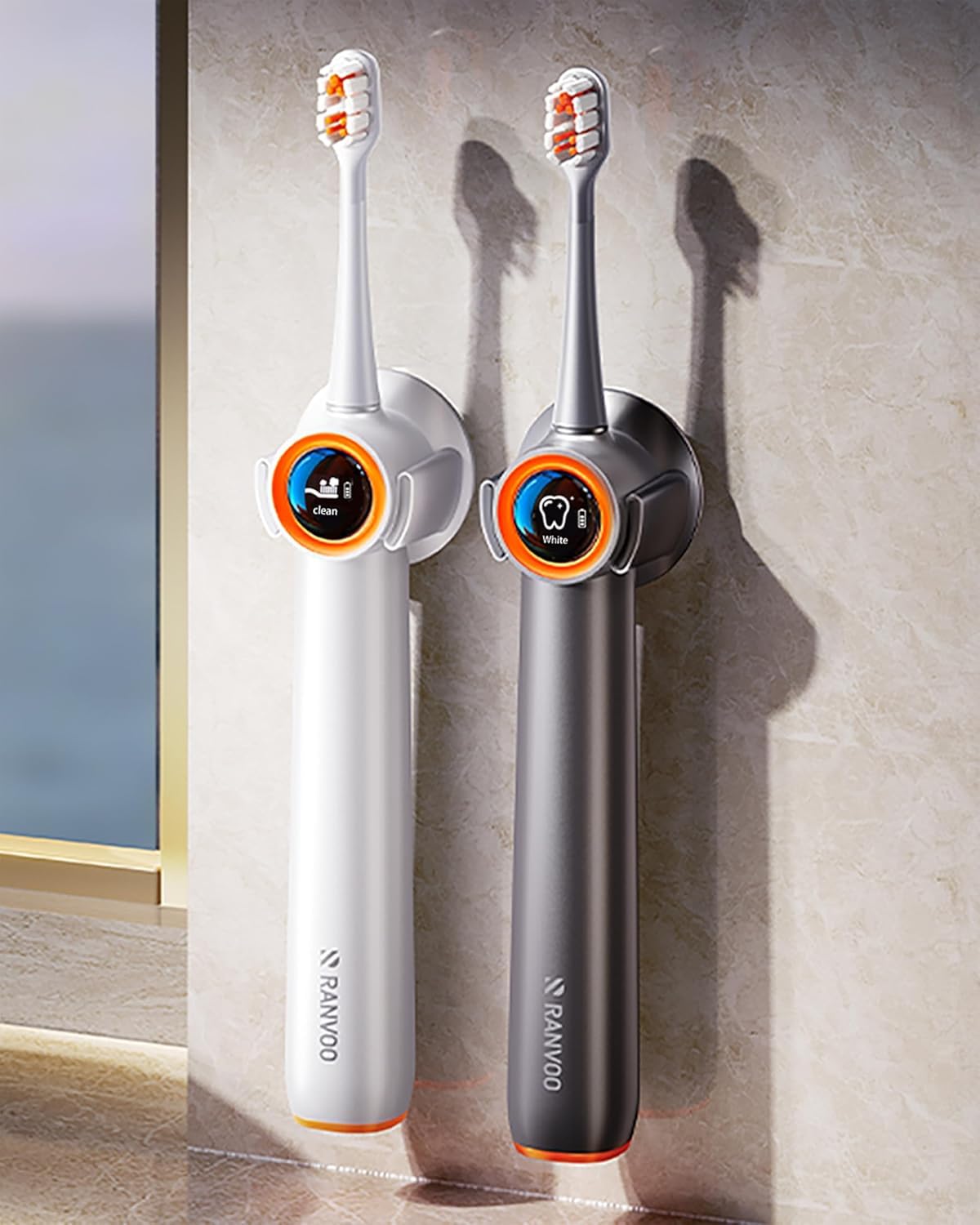
Image: The RANVOO AirJet X3 Electric Toothbrush in white, showcasing its sleek design.
What's in the Box
Verify that all components are present in your package:
- RANVOO AirJet X3 Electric Toothbrush (1 unit)
- Magnetic Wall-mounted Charger (detachable) (1 unit)
- User Manual (this document)
- Replacement Conoda Bubble Brush Heads (2 units)

Image: The RANVOO AirJet X3 Electric Toothbrush and its accessories, including the magnetic wall charger and two replacement brush heads, presented in its gift box packaging.
Product Features
- BubbleJet Technology: Utilizes sonic vibration and bubble jet system for plaque removal and interdental cleaning.
- High-Efficiency Cleaning: 22,000 vibrations per minute with 99% tapered bristles and a 24mm large brush head for thorough cleaning.
- Gentle Gum Care: 12° micro-angle sweep vibration and ultra-soft 0.01mm sharpened bristles suitable for sensitive gums.
- Multiple Modes: Three brushing modes: Gentle Gum Protection, Strong Cleaning, and Whitening.
- Long Battery Life: 1600mAh battery provides up to 60 days of use on a single charge.
- Magnetic Wall Charger: Detachable magnetic charger for convenient storage and automatic recharging.
- Waterproof Pressure-Sensitive Screen: Allows mode switching and power control with wet hands.
- Travel Lock: Prevents accidental activation during travel.
- Durable Design: Handle made from aviation material with DuPont special bristles for extended brush head life.

Image: Overview of the RANVOO AirJet X3's advanced features, highlighting its 2-in-1 flossing and brushing capabilities.
Setup
- Charge the Toothbrush:
Before first use, fully charge the toothbrush. Connect the magnetic wall charger to a power source. Place the toothbrush onto the magnetic charger. The screen will indicate charging status. A full charge can last up to 60 days.

Image: The RANVOO AirJet X3 toothbrush being charged on its magnetic wall mount.
- Attach the Brush Head:
Align the brush head with the shaft of the toothbrush handle and push it down until it clicks into place. Ensure it is securely attached.

Image: A close-up of the RANVOO AirJet X3 toothbrush handle with a brush head attached.
Operating Instructions
- Wet Brush Head and Apply Toothpaste:
Wet the bristles of the brush head and apply a small amount of toothpaste.
- Power On and Select Mode:
Press the power button once to turn on the toothbrush. Within 3 seconds of powering on, press and hold the power button to cycle through the three modes: Clean, Whiten, and Gentle. Release the button when your desired mode is selected.
- Clean Mode: For deep plaque removal and daily routine.
- Whiten Mode: For stain removal and polishing.
- Gentle Mode: For sensitive gums or during healing periods.

Image: The toothbrush display showing the 'Clean' mode and timer.
- Brushing Technique:
Place the brush head against your teeth at a slight angle towards the gumline. Move the brush slowly across your teeth, allowing the bristles and bubble jet to clean each surface. The toothbrush features a 2-minute timer and a 30-second zone switching reminder to ensure optimal brushing across all areas of your mouth.
Video: Demonstrates the innovative brushing and flushing action of the RANVOO AirJet X3 Electric Toothbrush.
- Power Off:
After 3 seconds of operation in a selected mode, a single press of the power button will turn off the device.
- Travel Lock:
To activate the travel lock, press and hold the power button for 3 seconds while the toothbrush is off. This prevents accidental activation during transport. Repeat the process to deactivate the travel lock.

Image: Activating the travel lock by pressing the power button for 3 seconds.
Maintenance
- Cleaning the Toothbrush:
After each use, rinse the brush head thoroughly under running water. Wipe the handle with a damp cloth. The toothbrush is IPX7 rated for waterproofing, allowing it to be rinsed or used in the shower.

Image: The RANVOO AirJet X3 toothbrush demonstrating its IPX7 waterproof capabilities.
- Replacing Brush Heads:
For optimal oral hygiene, replace the brush head every 3-6 months, or sooner if the bristles appear worn. To remove, pull the brush head straight off the handle. To attach a new one, align and push until it clicks.

Image: Example of Gum Sensitive Care Bristles brush heads.
Troubleshooting
| Problem | Possible Cause | Solution |
|---|---|---|
| Toothbrush does not turn on. | Low battery or travel lock is active. | Charge the toothbrush. Deactivate travel lock by pressing and holding the power button for 3 seconds. |
| Weak vibration or bubble jet. | Low battery or brush head not properly attached. | Charge the toothbrush. Ensure the brush head is securely attached. |
| Toothbrush turns off unexpectedly. | Battery is depleted. | Recharge the toothbrush. |
Specifications
- Model Number: PH3
- Dimensions: 10.3 x 1.3 x 1.2 inches
- Weight: 150 Grams
- Battery: 1600mAh (1 9V battery included)
- Power Source: Battery Powered
- Vibrations: 22,000 per minute
- Bristle Material: Nylon gum protection bristles (DuPont)
- Handle Material: Acrylonitrile Butadiene Styrene (ABS)
- Waterproof Rating: IPX7
- Operation Mode: Touchscreen
- Number of Settings: 3 (Clean, Whiten, Gentle)
Safety Information
CAUTION:
- Not suitable for children. Keep out of reach of children.
- This product contains small parts that may pose a choking hazard if swallowed.
- Do not use for purposes other than oral hygiene.
- Always supervise children when using this product.
- Replace the toothbrush head every 3-6 months for optimal oral hygiene.
Statements regarding dietary supplements have not been evaluated by the FDA and are not intended to diagnose, treat, cure, or prevent any disease or health condition.
Warranty and Support
The RANVOO AirJet X3 Electric Toothbrush comes with a 10-year warranty. For any product-related inquiries or support, please contact RANVOO customer service.
- Warranty Period: 10 Years
- Free Trial Offer: 30-day
- Replacement Service: Additional 2-Year
- Returns: Free for non-human defects
- Customer Support: 24/7 via email support@ranvoo.com

Image: RANVOO customer support contact information.
Related documentsPH3


Ask a question about this manual
Ask about setup, troubleshooting, compatibility, parts, safety, or missing instructions. Manuals+ will review the question and use this page’s manual context to help answer it.