
1. Introduction
Welcome to the Parsonver Smart Watch (Model FF2) user manual. This guide provides comprehensive instructions for setting up, operating, and maintaining your new smart watch. The Parsonver FF2 is a versatile fitness activity tracker designed to enhance your daily life and fitness journey with its advanced features and robust design.
Key features include 5ATM water resistance, over 110 sports modes, 24-hour health monitoring (heart rate, sleep, SpO2, stress), smart notifications, and a vibrant 1.8-inch HD touchscreen.

Figure 1: Parsonver Smart Watch (Model FF2) Overview.
2. What's in the Box
- 1x Parsonver Smart Watch (Model FF2)
- 1x Magnetic Charging Cable
- 1x User Manual (this document)

Figure 2: Package Contents.
3. Setup
3.1 Initial Charging
Before first use, fully charge your Parsonver Smart Watch. Connect the magnetic charging cable to the charging points on the back of the watch and plug the USB end into a compatible power adapter (not included) or a computer USB port. A full charge typically takes approximately 2 hours.
3.2 App Installation and Pairing
To unlock the full potential of your smart watch, download and install the companion app on your smartphone. The watch is compatible with Android 6.0+ and iOS 9.0+ devices.
- Scan the QR code in the included quick start guide or search for the official Parsonver app in your smartphone's app store (Google Play Store for Android, Apple App Store for iOS).
- Install the app and open it.
- Ensure Bluetooth is enabled on your smartphone.
- Follow the in-app instructions to pair your watch. The app will guide you through the pairing process, which usually involves selecting your device from a list of nearby Bluetooth devices.
- Once paired, synchronize your watch with the app to update time, date, and transfer initial data.
4. Operating Instructions
4.1 Touchscreen Navigation
The Parsonver FF2 features a responsive 1.8-inch HD full touchscreen for intuitive navigation.
- Swipe Up/Down: Scroll through menus and notifications.
- Swipe Left/Right: Access quick functions, widgets, or different data screens.
- Tap: Select an item or confirm an action.
- Press and Hold: Customize watch faces on the home screen.

Figure 3: Vibrant HD Touchscreen.
4.2 Button Functionality
The physical button on the side of the watch serves multiple purposes:
- Short Press: Wake up the screen, return to the previous screen, or go to the home screen.
- Long Press: Power on/off the device.
4.3 Wrist-Raise Wake-Up
The watch supports a wrist-raise feature that automatically wakes up the screen when you lift your wrist to view the time. This feature can be enabled or disabled in the app settings.
5. Health Monitoring
The Parsonver FF2 provides comprehensive 24-hour health monitoring features to help you stay informed about your well-being.

Figure 4: 24-Hour Health Monitoring.
5.1 Heart Rate Monitoring
The watch continuously tracks your heart rate. View real-time data on the watch or detailed historical data in the companion app. Ensure the watch is worn snugly on your wrist for accurate readings.

Figure 5: Heart Rate Monitoring in action.
5.2 Blood Oxygen (SpO2) Monitoring
Monitor your blood oxygen saturation levels with the optical sensor. Access this feature from the watch menu to take on-demand measurements or view trends in the app.

Figure 6: Blood Oxygen Monitoring.
5.3 Sleep Tracking
The watch automatically tracks your sleep patterns, including deep sleep, light sleep, REM, and awake times. Review your sleep quality and insights in the app to improve your rest.

Figure 7: Sleep Monitoring.
5.4 Stress Monitoring
The watch can monitor your stress levels throughout the day. Use the app to view your stress trends and identify potential triggers.

Figure 8: Stress Monitoring.
5.5 Women's Health Monitoring
For female users, the app offers menstrual cycle tracking, allowing you to log periods, predict ovulation, and receive relevant reminders.

Figure 9: Women's Health Monitoring.
6. Sports Modes and Activity Tracking
The Parsonver FF2 supports over 110 sports modes and provides comprehensive activity tracking.

Figure 10: 110+ Sports Modes and Activity Tracking.
6.1 Activating a Sports Mode
To start a workout, navigate to the 'Workout' or 'Sports' section on your watch, select your desired activity (e.g., Running, Cycling, Swimming), and tap to begin. The watch will track relevant metrics for that activity.
6.2 All-Day Activity Tracking
The watch automatically tracks your daily steps, distance, calories burned, and active minutes. This data is synchronized with the app for detailed analysis and progress tracking.

Figure 11: All-Day Activity Tracking.
6.3 Swimming Tracking (5ATM Waterproof)
The Parsonver FF2 is 5ATM waterproof, allowing it to withstand pressures equivalent to a depth of 50 meters. It automatically tracks various swimming styles (Butterfly, Backstroke, Breaststroke, Freestyle) and provides metrics like stroke count, rate, and SWOLF.
Important: Avoid using buttons underwater. Do not wear the watch in hot baths, saunas, or steam rooms, as extreme temperatures and steam can compromise the water resistance.
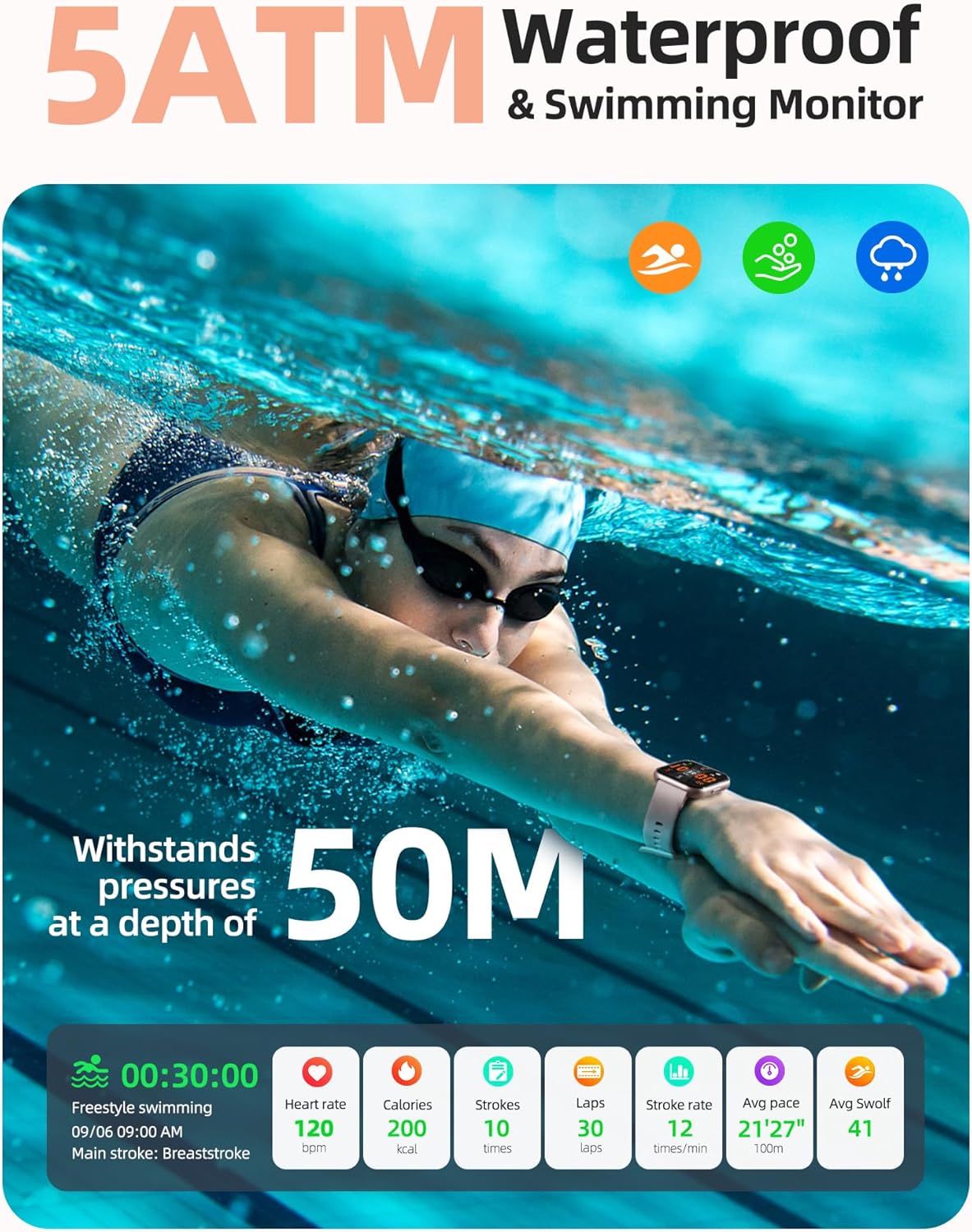
Figure 12: 5ATM Waterproof and Swimming Monitor.
Video 1: Demonstrates the Parsonver Smart Watch's 5ATM waterproof capabilities and suitability for swimming.
Video 2: Showcases the Parsonver Smart Watch's performance during swimming and training activities, highlighting its waterproof design.
Video 3: Illustrates the robust waterproof testing of the Parsonver Smart Watch, demonstrating its durability in various water conditions.
7. Smart Notifications
Stay connected by receiving call, text, and app notifications directly on your wrist. Ensure your watch is paired with your smartphone and app notifications are enabled.
- Incoming Calls: View caller ID and reject calls directly from the watch. (Note: Direct answering or replying is not available.)
- Messages: Receive SMS, emails, and alerts from apps like WhatsApp, LinkedIn, Instagram, and Twitter.

Figure 13: Message Notifications.
8. Customization
8.1 Watch Faces
Personalize your watch with over 200 customizable watch faces available through the companion app. You can also upload your own photos to create unique watch faces.

Figure 14: 200+ Customized Watch Faces.
8.2 Replaceable Straps
The Parsonver FF2 uses universal 22mm watch straps, allowing you to easily change and customize your watch's appearance to match your style.

Figure 15: Universal Replaceable 22mm Watch Strap.
9. Battery and Charging
The Parsonver FF2 is equipped with a 320 mAh battery, offering extended usage on a single charge.
- Charging Time: Approximately 2 hours for a full charge.
- Working Time: Up to 7 days of typical use.
- Standby Time: Up to 40 days.
Use the provided magnetic charging cable to charge your device. Align the magnetic pins with the charging contacts on the back of the watch.

Figure 16: Battery Life and Charging.
10. Maintenance
- Cleaning: Wipe the watch and strap regularly with a soft, damp cloth. Avoid harsh chemicals or abrasive materials.
- Water Exposure: While 5ATM waterproof, avoid prolonged exposure to hot water, steam, or high-pressure water jets. Dry the watch thoroughly after swimming or exposure to water.
- Storage: Store the watch in a cool, dry place when not in use.
11. Troubleshooting
| Problem | Possible Solution |
|---|---|
| Watch not turning on | Ensure the watch is fully charged. Press and hold the side button for several seconds. |
| Unable to pair with phone | Ensure Bluetooth is on, the app is open, and the watch is within range. Restart both the watch and phone. Check app permissions. |
| Inaccurate health data | Ensure the watch is worn snugly on your wrist, not too loose or too tight. Clean the sensor on the back of the watch. |
| Notifications not appearing | Check app notification settings on your phone and within the Parsonver app. Ensure the watch is connected via Bluetooth. |
| Touchscreen unresponsive | Restart the watch. Ensure the screen is clean and dry. |
12. Specifications
| Feature | Detail |
|---|---|
| Model Number | FF2 |
| Screen Size | 1.8 Inches HD Full Touch Screen |
| Water Resistance | 5ATM (50 meters) |
| Battery Capacity | 320 mAh |
| Battery Life (Typical Use) | Up to 7 days |
| Standby Time | Up to 40 days |
| Connectivity | Bluetooth |
| Compatibility | Android 6.0+ / iOS 9.0+ |
| Weight | 37 Grams (1.31 ounces) |
| Product Dimensions | 9.72 x 1.5 x 0.47 inches |
| Health Monitoring | Heart Rate, SpO2, Sleep, Stress, Women's Health |
| Sports Modes | 110+ (including swimming) |
| GPS | Via Smartphone |

Figure 17: Product Dimensions.
13. Warranty and Support
Parsonver is committed to providing high-quality products and excellent customer service. Your Parsonver Smart Watch is covered by a manufacturer's warranty. Please refer to the warranty card included with your product for specific terms and conditions.
For any questions, technical assistance, or support, please contact Parsonver customer service. You can find contact information on the official Parsonver website or through the companion app.

Figure 18: 24/7 Online Support.


