
1. Product Overview
The RoWood MR01S Electric Marble Run Model Kit is a dynamic 3D puzzle designed for individuals aged 14 and up. Constructed from durable ABS material, this kit allows you to build a miniature cyberpunk-themed world featuring an electric marble lift, intricate tracks, and interactive lighting effects. The model offers both dynamic marble circulation and static display modes with customizable lighting.
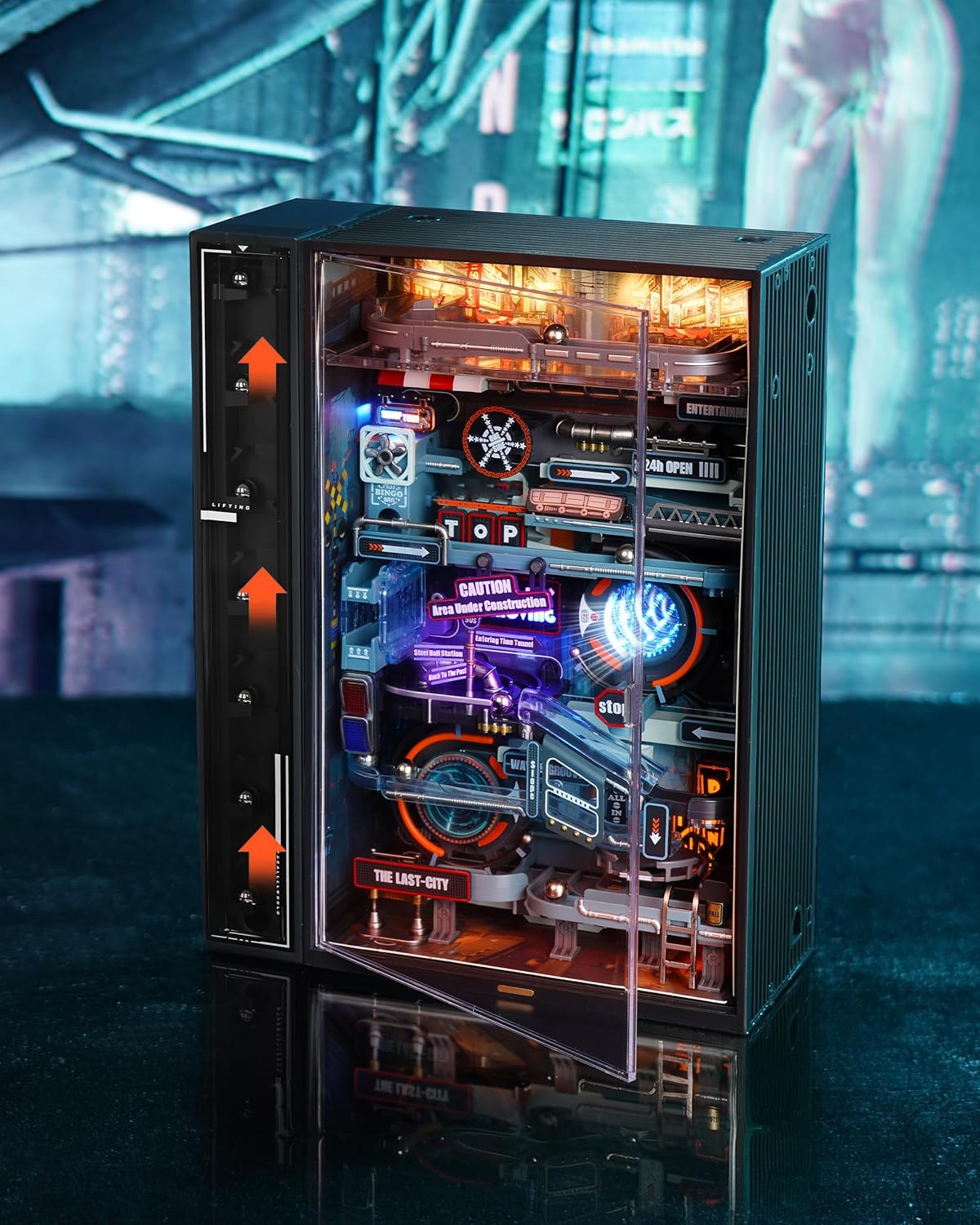
Figure 1: Fully assembled RoWood MR01S Electric Marble Run Model Kit.

Figure 2: Close-up of the miniature parallel world, highlighting the Sky City Expressway, Bus Street Sharp Bend, Factory District, and Spiral Acceleration Jump.
2. What's Included
Your RoWood MR01S kit contains:
- Approximately 130 precision-crafted ABS plastic pieces for modular assembly.
- An electric motor for the marble lifting mechanism.
- USB external interface for power.
- Infrared sensor for interactive lighting.
- High-transparency PET panel for dust protection.
- Steel balls for the marble run.
- Detailed instruction manual.
- Necessary assembly tools.
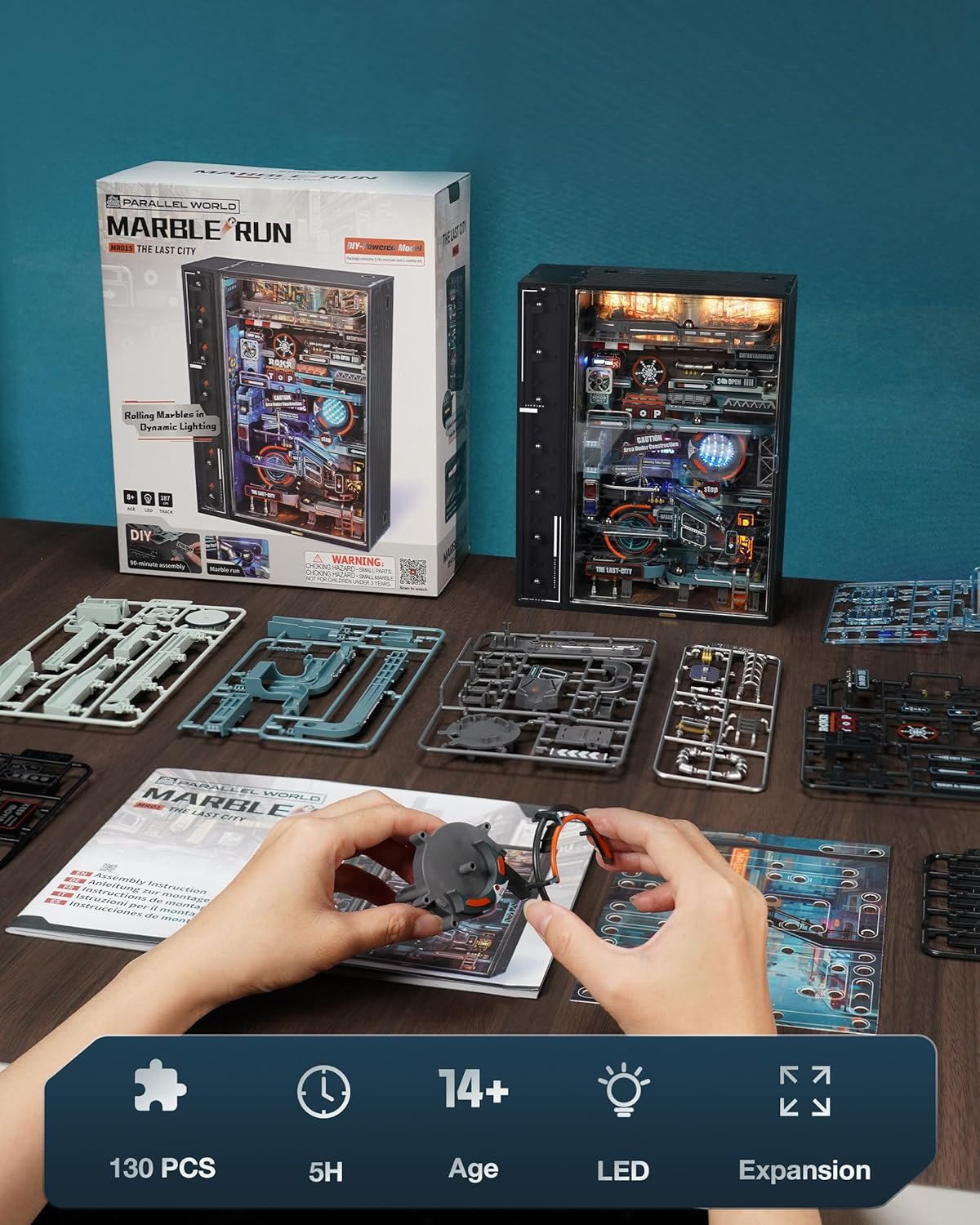
Figure 3: All components included in the RoWood MR01S kit.
3. Safety Information
Please read and understand all instructions before assembly and operation. This product contains small parts and is not suitable for children under 14 years of age due to choking hazards. Keep all packaging materials away from children. Use only the provided or recommended power sources. Do not attempt to modify the electrical components.
4. Setup & Assembly
Assembly of the RoWood MR01S kit typically takes approximately 5 hours. Follow the detailed step-by-step instructions provided in the included manual. Pay close attention to the diagrams and part numbers for accurate construction.
4.1 Modular Assembly
The kit features a modular design, where individual sections are built and then combined. Ensure each piece is securely fitted to prevent operational issues.

Figure 4: Example of modular assembly during construction.
4.2 Electrical Connections
The electric motor and lighting system require careful connection. The instructions will guide you through connecting the color-coded wires to their respective ports. The unit is powered via a USB external interface. While a USB cable is included, some users may find a longer cable more convenient for placement.
4.3 Route Design
During assembly, you will have the option to choose from four different marble route designs (A, B, C, and D), allowing for customization of the marble's path.
Video 1: An overview of the RoWood Building Sets Parallel World, demonstrating the assembly process and final product.
5. Operating Instructions
Once assembled and connected to a USB power source, the RoWood MR01S offers two operating modes controlled by a touch button located at the bottom of the unit.
5.1 Powering On and Marble Placement
Plug the USB cable into the input port on the back of the unit and connect it to a suitable USB power adapter (not included). Place the steel marbles into the designated entry point at the top of the track.
5.2 Mode Selection
- First Touch: Shuttle Mode - The electric motor activates, lifting the marbles, and all lights illuminate, creating a dynamic display.
- Second Touch: Viewing Mode - The electric motor pauses, but the lights remain on, offering a static illuminated display. The lights feature 10 different colors and an infrared sensor that flashes lights when a ball passes by a sign.
- Third Touch: Power Off - The unit powers down, turning off both the motor and the lights.

Figure 5: The model showcasing its diverse lighting effects.

Figure 6: Visual guide for selecting operating modes using the touch button.
Video 2: Demonstration of the RoWood Marble Run Parallel World in operation, showing marbles circulating and lights active.
6. Maintenance
To ensure the longevity and optimal performance of your RoWood MR01S kit, follow these maintenance guidelines:
- Dust Protection: The kit includes a high-transparency PET panel to protect the intricate internal mechanisms from dust. Keep this panel in place when not actively interacting with the model.
- Cleaning: Use a soft, dry cloth to gently wipe down the exterior and clear panels. Avoid abrasive cleaners or solvents that could damage the plastic. For internal dust, use compressed air carefully.
- Storage: Store the model in a cool, dry place away from direct sunlight and extreme temperatures.

Figure 7: The high-transparency PET panel helps keep the model dust-free.
7. Troubleshooting
If you encounter any issues with your RoWood MR01S kit, refer to the following common problems and solutions:
- Marbles not lifting or getting stuck:
- Ensure all lift components are correctly assembled and aligned according to the instructions. Misaligned gears or parts can cause the lift to jam.
- Check for any debris or foreign objects obstructing the marble path or the lift mechanism.
- Lights not working or flickering:
- Verify all electrical connections are secure and correctly plugged in.
- Ensure the USB power source is providing sufficient power. Some USB adapters may not supply enough current for optimal operation. Try a different USB port or adapter.
- Unit not powering on:
- Confirm the USB cable is fully inserted into both the unit and the power source.
- Press the touch button at the bottom of the unit to cycle through the modes (off > motor+lights > lights only > off).
For persistent issues not covered here, please contact RoWood customer support.
8. Specifications
| Product Dimensions | 7.08 x 3.03 x 0.04 inches |
| Item Weight | 3.23 pounds |
| Item Model Number | MR01S |
| Manufacturer Recommended Age | 14 years and up |
| Material | ABS Plastic |
| Power Source | USB (cable included, adapter not included) |
| Track Length | 186.7 cm (overall) |
9. Expansion Options
The RoWood MR01S is designed to be expandable. You can connect multiple units to create larger, more complex marble run systems. This allows for horizontal, vertical, or even four-way expansions, enhancing the play experience. Additional models must be purchased separately.

Figure 8: Various configurations possible by connecting multiple RoWood MR01S units.
10. Warranty & Support
RoWood is dedicated to providing high-quality products and comprehensive after-sales service. If you have any questions about your product, require free part replacement, or need further assistance, please contact RoWood customer support directly. Refer to the product packaging or the official RoWood website for contact information.