
1. Introduction and Overview
The Dripex LED Lighted Makeup Mirror is a versatile 5-in-1 vanity mirror designed to enhance your makeup application and daily routine. It features a high-definition mirror, adjustable LED lighting with three color modes, integrated Bluetooth speakers, a 12V 2A USB output port for charging electronic devices, and a convenient hands-free phone stand. Its robust metal frame and 360° rotatable design ensure stability and optimal viewing angles for various uses.
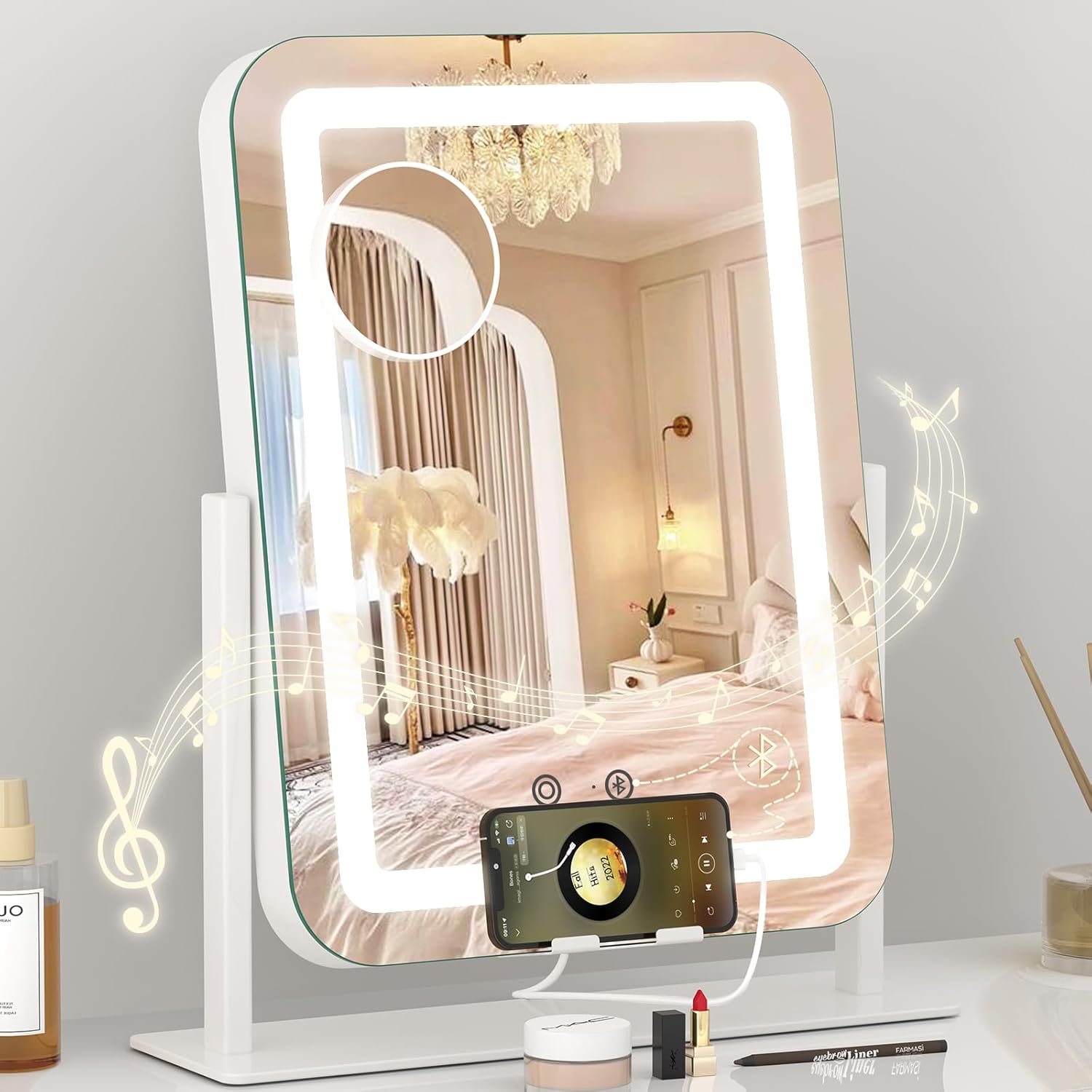
Figure 1: Dripex LED Lighted Makeup Mirror in use.
2. Key Features
- HD Mirror & 3-Color Dimmable LED Lights: Provides clear reflection with adjustable brightness (10% to 100%) and three color temperatures (6000K cold, 4000K natural, 3000K warm) to suit different lighting needs.
- Integrated Bluetooth Speakers: Connect your mobile phone via Bluetooth to enjoy music or audio while getting ready.
- USB Charging Port: A 12V 2A USB output port allows convenient charging of electronic devices, ensuring your phone stays powered during makeup tutorials or calls.
- Hands-Free Phone Holder: Built-in stand on the base securely holds your phone, freeing your hands for other tasks.
- 360° Rotation Design: The mirror can be rotated 360 degrees to find the most comfortable and effective viewing angle.
- Detachable 10X Magnifying Mirror: A small, round 10x magnification mirror with suction cups is included for detailed tasks like eyeliner application or eyebrow grooming.
- Durable Construction: Features an aluminum alloy frame and base, explosion-proof tempered glass, and eye-protection LED light strip for safety and longevity.
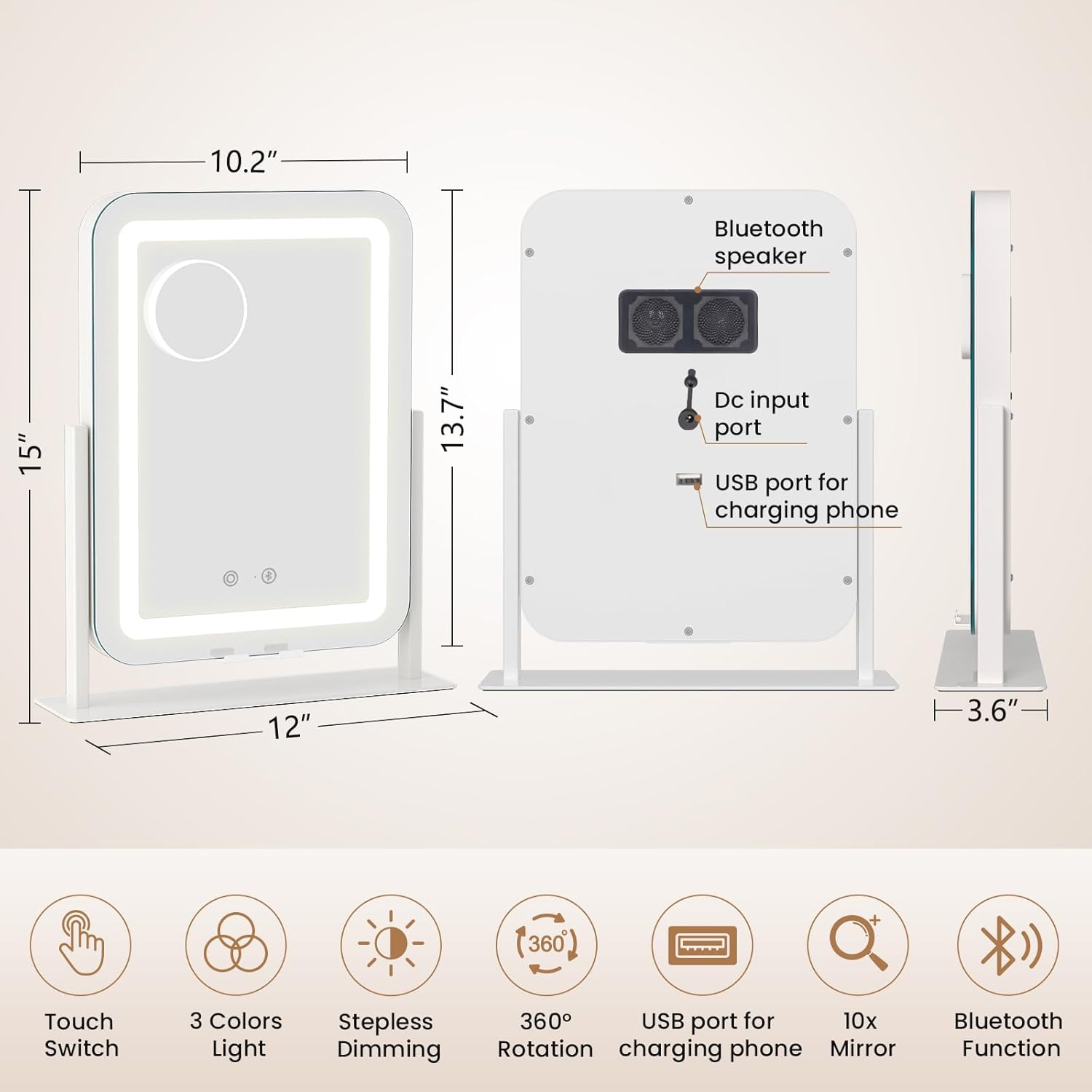
Figure 2: Product dimensions and key features overview.

Figure 3: Design and material highlights.
3. Setup Instructions
- Unpacking: Carefully remove all components from the packaging. Ensure you have the mirror unit, the base, and the power adapter.
- Assembly:
- Align the mirror unit with the slots on the base.
- Gently slide the mirror into the base until it is securely seated.
- Ensure the mirror is stable on a flat surface.
- Power Connection: Locate the DC input port on the back of the mirror. Connect the provided power adapter to this port and then plug the adapter into a standard electrical outlet. The mirror requires continuous power to operate its features.

Figure 4: Visual guide for mirror assembly.
4. Operating Instructions
4.1. Powering On/Off and Light Control
- Power On/Off: The mirror powers on automatically when plugged in. To turn the lights on or off, short press the circular touch button located on the front of the mirror.
- Change Light Color: Short press the circular touch button repeatedly to cycle through the three light color modes: Cold Light (6000K), Natural Light (4000K), and Warm Light (3000K).
- Adjust Brightness: Long press the circular touch button to steplessly adjust the brightness from 10% to 100%. Release the button when the desired brightness level is reached.

Figure 5: Light color and brightness adjustment.
4.2. Bluetooth Speaker Operation
- Activate Bluetooth: Short press the Bluetooth icon touch button on the front of the mirror to activate Bluetooth pairing mode. You will hear an audible prompt.
- Pairing: On your mobile device, go to Bluetooth settings and select "Dripex Mirror" (or similar name) from the list of available devices. Once connected, you will hear a confirmation sound.
- Playing Audio: Play music or any audio from your connected device, and it will stream through the mirror's built-in speakers.
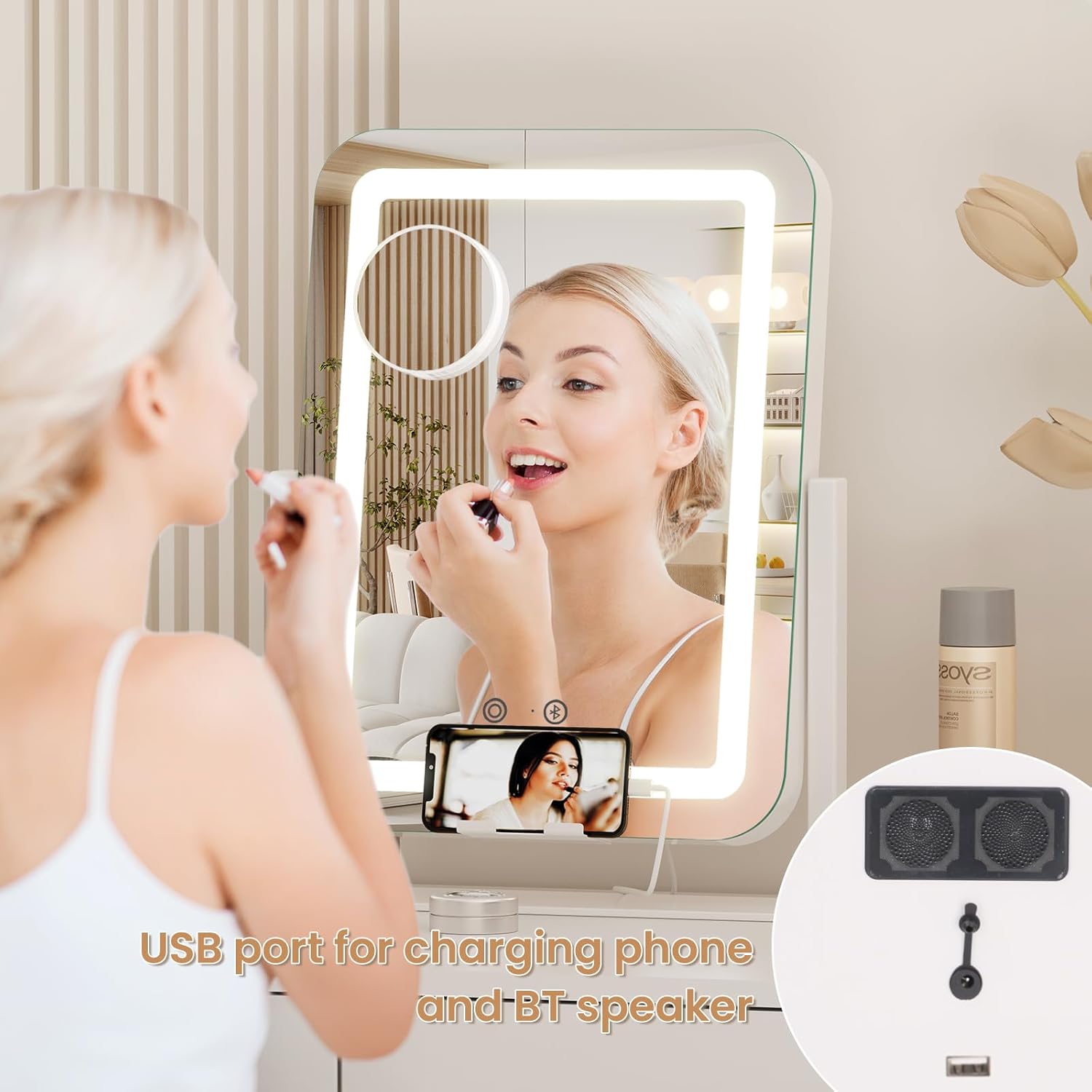
Figure 6: Bluetooth speaker and USB charging port.
4.3. USB Charging Port
- To charge your electronic device, connect your device's USB charging cable to the USB output port located on the back of the mirror.
- Ensure the mirror is plugged into a power outlet for the USB charging function to work.
4.4. Phone Holder
- Place your smartphone securely in the integrated phone holder slot at the base of the mirror for hands-free viewing.
4.5. 10X Magnifying Mirror
- The detachable 10X magnifying mirror comes with suction cups. Attach it to any part of the main mirror surface for magnified viewing during detailed tasks.
5. Maintenance
- Cleaning: To clean the mirror surface and frame, use a soft, lint-free cloth. For stubborn smudges or fingerprints, lightly dampen the cloth with a mild glass cleaner or water. Avoid abrasive cleaners or harsh chemicals that could damage the mirror's finish or LED components.
- Handling: The mirror is made with tempered glass but is still fragile. Handle with care to prevent breakage. Avoid dropping or subjecting the mirror to strong impacts.
- Storage: When not in use for extended periods, store the mirror in a dry, cool place away from direct sunlight and extreme temperatures.
6. Troubleshooting
| Problem | Possible Cause | Solution |
|---|---|---|
| Lights not turning on. | Mirror not plugged in or power outlet issue. | Ensure the power adapter is securely plugged into both the mirror and a working electrical outlet. Try a different outlet. |
| Lights are too dim or too bright. | Brightness level needs adjustment. | Long press the circular touch button to adjust brightness to your preference. |
| Bluetooth not connecting. | Bluetooth not activated on mirror or device. | Short press the Bluetooth icon touch button on the mirror. Ensure Bluetooth is enabled on your mobile device and it's within range. Forget and re-pair the device if necessary. |
| USB charging not working. | Mirror not powered or cable issue. | Ensure the mirror is plugged into a power outlet. Check the USB cable for damage and try a different cable or device. |
| Speakers are not loud enough. | Volume on connected device is low. | Increase the volume on your connected mobile device. |
7. Specifications
| Feature | Detail |
|---|---|
| Brand | Dripex |
| Model Number | DV |
| Product Dimensions | 15"L x 12"W |
| Color | White-usb Charging-bt Speaker |
| Frame Material | Metal (Aluminum Alloy) |
| Mirror Material | Explosion-proof Tempered Glass |
| Lighting Type | LED (CRI>90 eye protection) |
| Light Colors | 3 (6000K Cold, 4000K Natural, 3000K Warm) |
| Brightness Adjustment | 10% to 100% (Stepless Dimming) |
| USB Output | 12V 2A |
| Special Features | Built-In Bluetooth Speaker, Phone Holder, 10X Magnifying Mirror, 360° Rotation |
| Item Weight | 5.88 pounds |
8. Warranty and Support
Dripex products are manufactured with quality and customer satisfaction in mind. This product is covered by a standard manufacturer's warranty against defects in materials and workmanship. For specific warranty details, please refer to the product packaging or contact the seller directly.
If you encounter any issues with your mirror, such as breakage or other quality problems, please contact the seller immediately for assistance and a resolution. Do not attempt to repair the mirror yourself, as this may void the warranty and could lead to further damage or injury.
For further support or inquiries, please visit the official Dripex store on Amazon: Dripex Store