
1. Introduction
This manual provides detailed instructions for the setup, operation, and maintenance of your Dayllon Digital Sports Watch, Model 8001-1. Please read this manual thoroughly to ensure proper use and to maximize the lifespan of your watch. This watch features a digital display, stopwatch, alarm, LED backlight, and water resistance suitable for daily activities.
2. Product Overview and Components
Familiarize yourself with the watch's buttons and display areas. The watch features four primary buttons and a clear digital display.
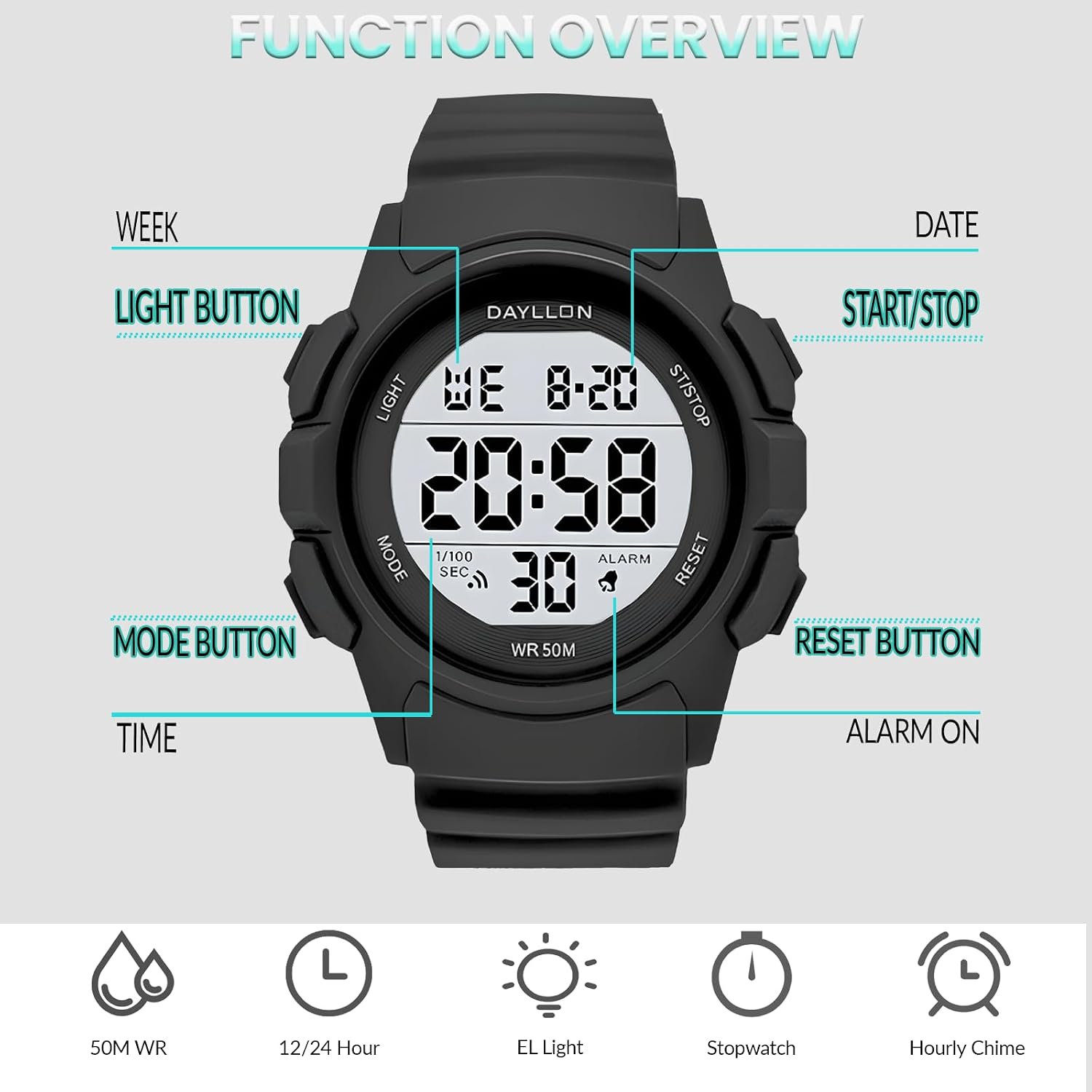
Image 2.1: Front view of the Dayllon Digital Sports Watch, highlighting the 'LIGHT', 'MODE', 'ST/STOP', and 'RESET' buttons, along with indicators for Week, Date, Time, 1/100 Second, and Alarm.
- LIGHT Button (Top Left): Activates the LED backlight for visibility in low-light conditions.
- MODE Button (Bottom Left): Cycles through different operational modes (Time, Stopwatch, Alarm).
- ST/STOP Button (Top Right): Used to start/stop functions in Stopwatch mode and to turn the alarm on/off.
- RESET Button (Bottom Right): Used to reset values or confirm settings during adjustment.
3. Setup: Setting Time and Date
Follow these steps to set the current time and date on your watch.
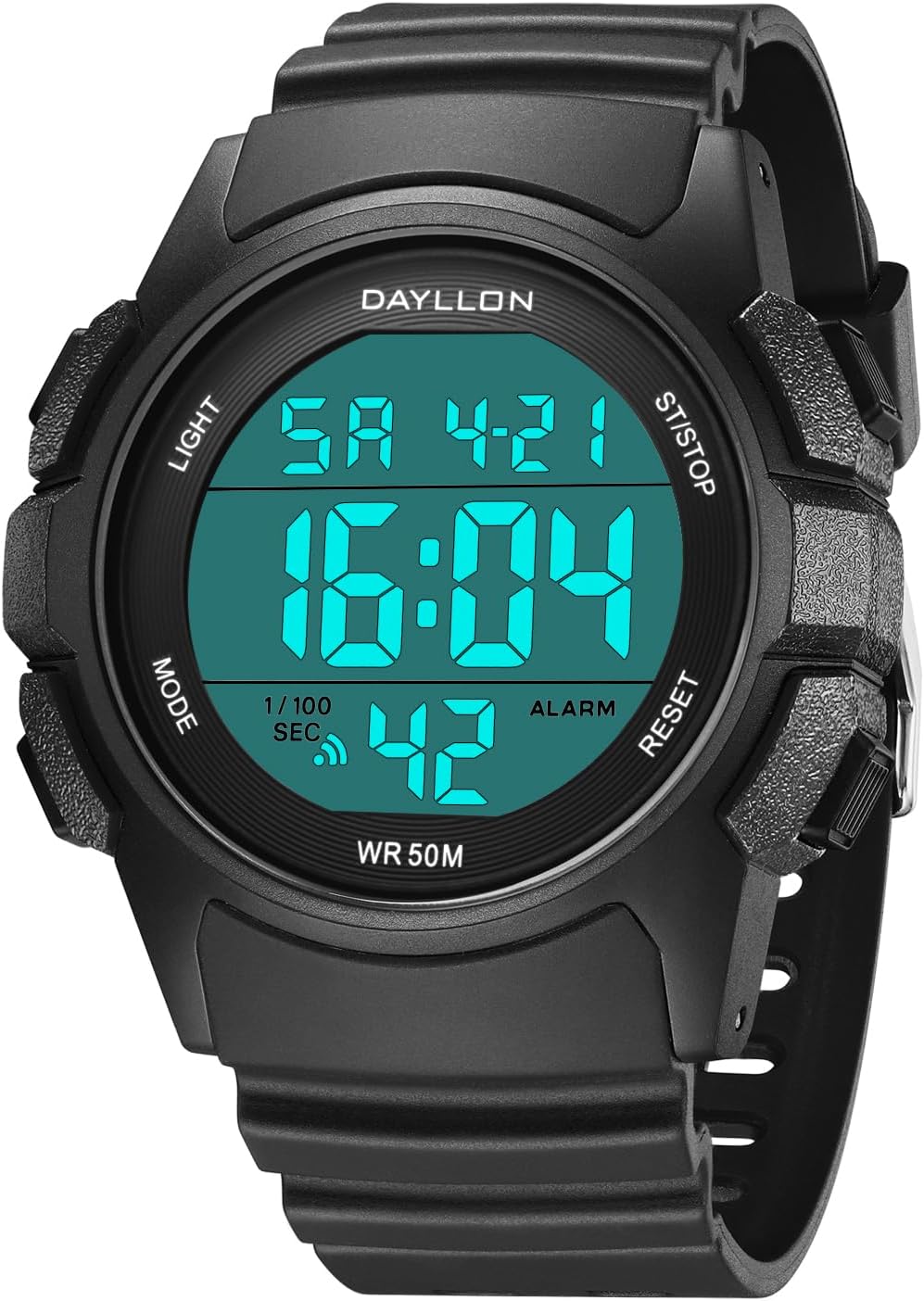
Image 3.1: The main display of the watch showing the time, day, and date.
- From the normal time display mode, press the MODE button three times to enter the Time Setting mode. The seconds digits will begin to flash.
- Press the RESET button to cycle through the settings: Seconds → Hour → Minute → Month → Date → Day of Week.
- While a digit is flashing, use the ST/STOP button to adjust the value. Hold the button to change values faster.
- To switch between 12-hour and 24-hour format, adjust the hour setting past 12 or 24. The 'PM' indicator will appear for 12-hour format afternoon times.
- Once all settings are correct, press the MODE button to exit the Time Setting mode and return to the normal time display.
4. Operating Modes
Your Dayllon Digital Sports Watch offers multiple functions accessible via the MODE button.

Image 4.1: Visual representation of the watch's multifunction capabilities.
4.1. Time Display Mode
This is the default mode, displaying the current time, day, and date. Press the LIGHT button to activate the backlight for a few seconds.
4.2. Stopwatch Mode
The stopwatch function allows you to measure elapsed time.
- From the normal time display, press the MODE button once to enter Stopwatch mode. The display will show '00:00:00'.
- Press the ST/STOP button to start the stopwatch.
- Press the ST/STOP button again to stop the stopwatch.
- To reset the stopwatch to zero, press the RESET button while the stopwatch is stopped.
- To record a split time, press the RESET button while the stopwatch is running. The display will show the split time. Press RESET again to return to the running stopwatch.
- Press the MODE button to exit Stopwatch mode.
4.3. Alarm Mode
Set an alarm to sound at a specific time.
- From the normal time display, press the MODE button twice to enter Alarm mode. The alarm time will be displayed.
- Press the RESET button to select the hour or minute digits for adjustment. The selected digits will flash.
- Use the ST/STOP button to adjust the flashing digits to your desired alarm time.
- Press the MODE button to exit Alarm setting mode.
- To turn the alarm ON/OFF, press the ST/STOP button while in Alarm mode (without flashing digits). An alarm icon will appear/disappear on the display.
- To activate/deactivate the hourly chime, press the RESET button while in Alarm mode (without flashing digits). A chime icon will appear/disappear.
4.4. LED Backlight
The LED backlight illuminates the display for easy reading in dark environments.

Image 4.2: The watch display with and without the EL (Electro-Luminescent) backlight activated.
Press the LIGHT button at any time to activate the backlight. The light will remain on for a few seconds before automatically turning off.
5. Water Resistance
Your Dayllon Digital Sports Watch is designed with 5 ATM (50 meters) water resistance.

Image 5.1: The watch demonstrating its 50M daily waterproof capability.
- This watch is suitable for hand washing, rain exposure, car washing, sweating, and brief immersion in water.
- It is generally suitable for swimming in shallow water and cold showers.
- Important: Do not press any buttons while the watch is submerged in water.
- Avoid: Exposure to hot water, steam, or prolonged immersion, as this can compromise the water resistance seals.
6. Maintenance
Proper care will ensure the longevity and performance of your watch.

Image 6.1: Detailed view of watch components, including the resin glass, strap, clasp, and case back.
- Cleaning: Wipe the watch case and strap regularly with a soft, damp cloth. For stubborn dirt, use a mild soap solution and rinse thoroughly, then dry completely. Avoid harsh chemicals or abrasive materials.
- Storage: When not in use, store the watch in a cool, dry place away from direct sunlight and extreme temperatures.
- Battery: The watch uses a standard watch battery (e.g., CR2025, as indicated on the case back). When the display becomes dim or the watch stops functioning, the battery may need replacement. It is recommended to have the battery replaced by a qualified watch technician to ensure the water resistance seal is properly maintained.
- Impact: Avoid strong impacts or dropping the watch, as this can damage internal components or the resin glass.
7. Troubleshooting
If you encounter issues with your watch, refer to the following common problems and solutions.
- Display is blank or dim:
Solution: The battery may be low or depleted. Replace the battery. - Buttons are unresponsive:
Solution: Ensure the watch is not in a locked mode (if applicable, though this model does not have a specific lock). If unresponsive, try removing and reinserting the battery (professional assistance recommended) to reset the watch. - Time is inaccurate:
Solution: Re-set the time following the instructions in Section 3. If inaccuracy persists after a battery change, contact customer support. - Water inside the watch:
Solution: Immediately stop using the watch and seek professional repair. Water damage is typically not covered under warranty if precautions were not followed.
8. Specifications
Key technical specifications for the Dayllon Digital Sports Watch Model 8001-1.

Image 8.1: Comprehensive product parameters and dimensions.
| Feature | Specification |
|---|---|
| Brand | Dayllon |
| Model Number | 8001-1 |
| Movement | Digital |
| Case Material | ABS Resin |
| Band Material | TPU/PU |
| Buckle Material | Stainless Steel |
| Mirror Material | Highly Transparent Resin |
| Water Resistance | 5 ATM (50 Meters) |
| Case Width | 48mm (1.9 inches) |
| Case Thickness | 12mm (0.47 inches) |
| Band Width | 24mm (0.94 inches) |
| Band Length | 250mm (9.84 inches) |
| Wearing Size (Perimeter) | 150mm - 220mm (5.90 - 8.66 inches) |
| Product Weight | 56g (0.12 lbs) |
| Battery Type | CR2025 (as indicated on case back) |
9. Warranty and Support
Dayllon provides a 12-month after-sales service for this product. If you encounter any quality problems or have suggestions regarding the watch's use, please contact Dayllon customer support. For assistance, refer to the contact information provided with your purchase or visit the official Dayllon store on Amazon.