
1. Important Safety Information
Please read and understand all instructions before assembly and use. Keep this manual for future reference.
- Always follow the assembly instructions carefully.
- Keep the charging station dry and do not overload it.
- Secure the table to the wall to prevent tip-over, especially when small children or pets are present.
- Keep the drawer closed when not in use to prevent accidents.
2. Product Overview
The Irontar 17.7'' Wide Rattan Nightstand is designed to provide convenient storage and charging capabilities for your bedroom or living space. This set includes two nightstands, each featuring a spacious drawer with a rattan front, an open storage shelf, and an integrated charging station.
Key features include:
- Integrated charging station with 2 AC outlets and 2 USB ports.
- One spacious drawer for concealed storage.
- One open shelf for easy access items.
- Sturdy construction with solid legs.

Image 2.1: The Irontar Rattan Nightstand with its drawer and open shelf visible.
3. Package Contents
Ensure all components are present before beginning assembly. If any parts are missing or damaged, please contact customer support.
- 2 x Irontar Rattan Nightstands (disassembled)
- 1 x Assembly Guide
- 1 x Installation Tool (e.g., Allen wrench)
- All necessary hardware (screws, dowels, etc.)
4. Assembly Instructions
Assembly is required for this product. Please refer to the detailed, step-by-step assembly instructions and numbered accessories included in your package. A screwdriver is recommended for assembly.
- Unpack all components and verify against the parts list in the assembly guide.
- Follow the numerical sequence provided in the assembly guide to attach the legs, frame, drawer slides, and charging station.
- Install the drawer and its handle.
- Ensure all screws and fasteners are securely tightened.

Image 4.1: Dimensional diagram of the nightstand, useful for assembly planning.
5. Operating Instructions
5.1 Using the Charging Station
The integrated charging station is located on the top surface of the nightstand. It provides convenient power access for your electronic devices.
- Plug the nightstand's power cord into a standard wall outlet.
- The charging station features 2 standard AC outlets (120V/12A) and 2 USB ports (5V/2A).
- Connect your devices to the appropriate outlets or USB ports for charging.

Image 5.1: Detail of the charging station with AC and USB ports.
5.2 Using the Drawer
The spacious drawer provides concealed storage for personal items, keeping your tabletop clutter-free.
- Pull the handle to open the drawer.
- Store items such as chargers, books, or other personal belongings.
- Push the drawer firmly to close it completely.
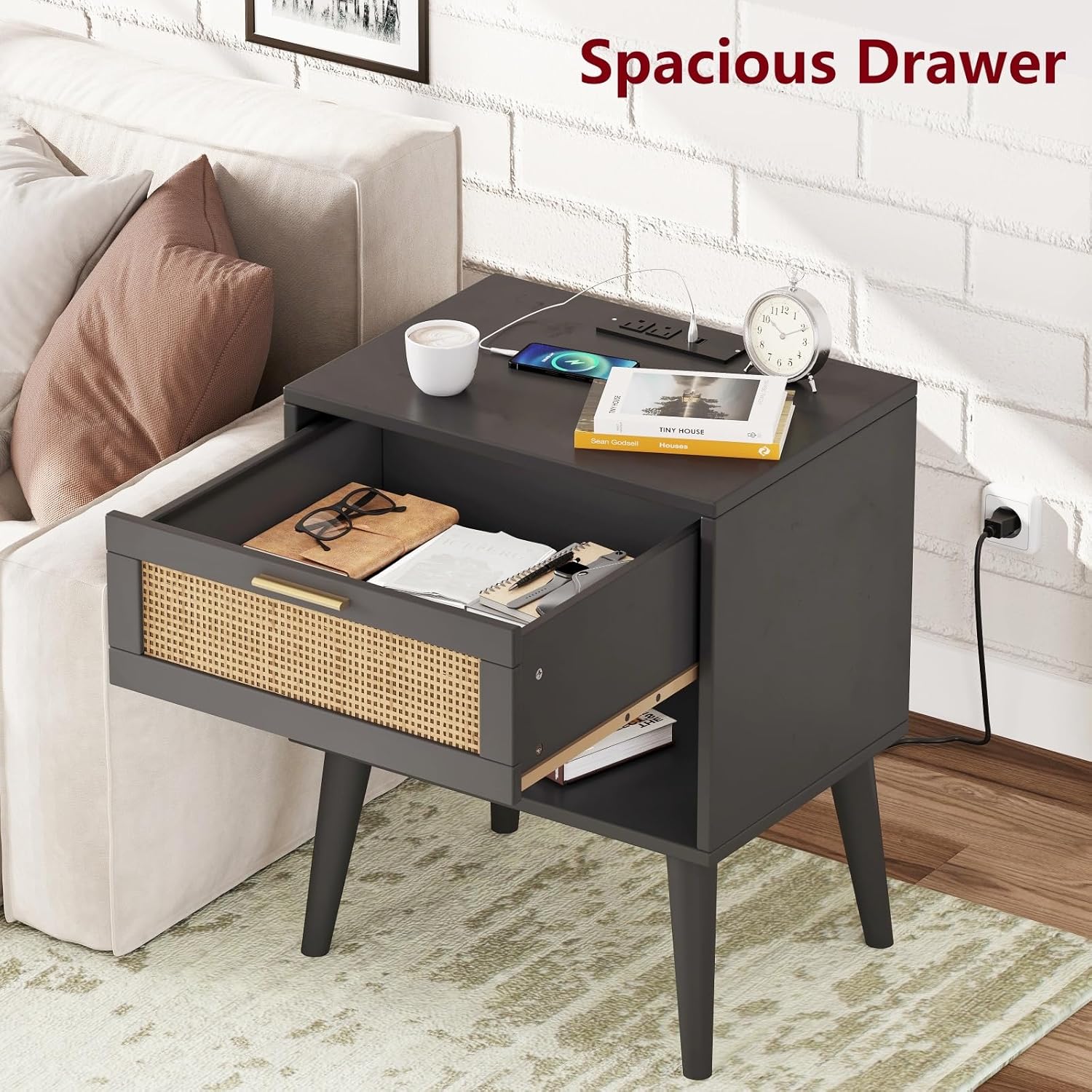
Image 5.2: The nightstand with its drawer open, showing internal storage.
5.3 Using the Open Shelf
The open shelf below the drawer offers additional storage for items you wish to keep within easy reach or display.
- Place books, magazines, decorative items, or small electronics on the shelf.

Image 5.3: The nightstand with items on its open shelf.
6. Maintenance
To ensure the longevity and appearance of your nightstand, follow these maintenance guidelines:
- Cleaning: Wipe surfaces with a soft, damp cloth. Avoid harsh chemicals or abrasive cleaners.
- Spills: Immediately wipe up any spills to prevent damage to the wood finish.
- Heat: Use coasters under hot items to protect the tabletop.
- Sunlight: Avoid prolonged exposure to direct sunlight to prevent fading or discoloration.
- Charging Station: Keep the charging station free of dust and debris. Do not expose it to liquids.
7. Troubleshooting
If you encounter any issues with your nightstand, please refer to the following common solutions:
- Loose Parts: Periodically check and tighten all screws and fasteners to maintain stability.
- Charging Station Not Working:
- Ensure the nightstand's main power cord is securely plugged into a functional wall outlet.
- Check if the device you are trying to charge is properly connected to the charging station.
- Avoid overloading the charging station with too many high-power devices simultaneously.
- Drawer Sticking: Check for any obstructions in the drawer slides. Ensure the drawer is properly aligned on its tracks.
8. Specifications
| Brand | Irontar |
| Model Name | BZZ007BME02 |
| Product Dimensions (D x W x H) | 15.7"D x 17.7"W x 22.8"H |
| Item Weight | 33 Pounds |
| Maximum Weight Recommendation | 66 Pounds |
| Frame Material | Wood |
| Color | Black and Natural |
| Shape | Rectangular |
| Table Design | End Table |
| Style Name | Bohemian |
| Furniture Finish | Unfinished/Stained |
| Top Color | Wooden |
| Number of Drawers | 1 |
| Number of Items | 2 |
| Required Assembly | Yes |
| Indoor Outdoor Usage | Indoor |
| Tools Recommended For Assembly | Screw Driver |
| Material Type | EPA-grade Particleboard, Rattan |
| Handle Material | Rattan |
9. Warranty Information
For specific warranty details, please refer to the documentation included with your purchase or contact Irontar customer support. General warranty terms typically cover manufacturing defects under normal use.
10. Customer Support
If you have any questions, require assistance with assembly, or need to report missing/damaged parts, please contact Irontar customer support through the retailer where the product was purchased or visit the official Irontar website for contact information.