
mingwear eb6d4268-8c58-4627-90f7-53c2a3220ade
mingwear 1.85-Inch Smartwatch User Manual
Model: eb6d4268-8c58-4627-90f7-53c2a3220ade
Introduction
Welcome to the user manual for your new mingwear 1.85-Inch Smartwatch. This guide provides comprehensive instructions on how to set up, operate, and maintain your device. Your smartwatch is designed to enhance your daily life with features such as fitness tracking, message notifications, call handling, and various sport modes. It is compatible with both Android and iPhone devices.
What's in the Box
- mingwear 1.85-Inch Smartwatch (with Steel Band attached)
- Silicone Watch Band (Pink)
- USB Charging Cable
- User Manual
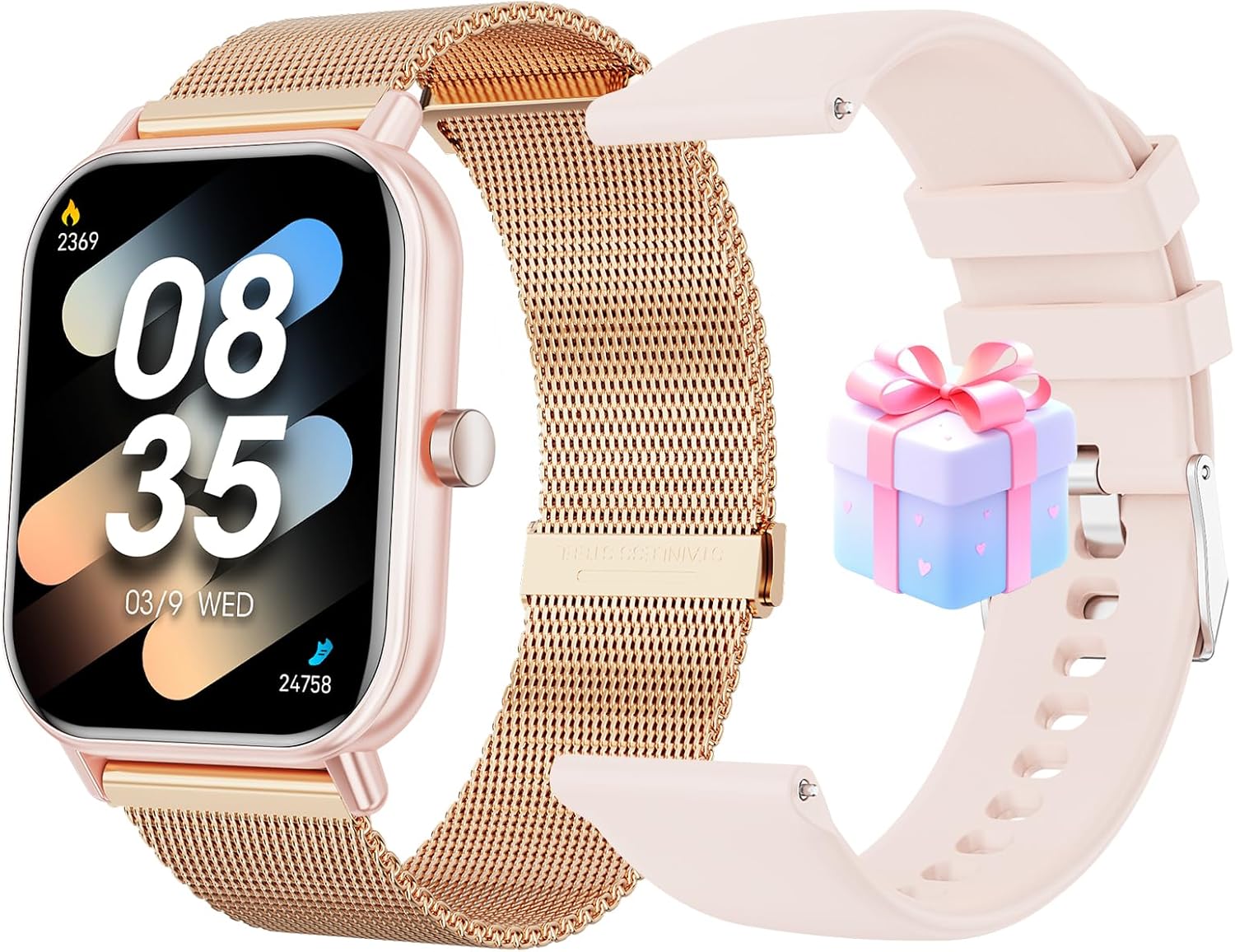
Image: The mingwear 1.85-Inch Smartwatch, featuring a rose gold case and a pre-attached rose gold steel mesh band. Alongside it, a pink silicone band is shown, offering an alternative style. A small, decorative gift box is also visible, indicating potential packaging or an included accessory.
Product Overview
Familiarize yourself with the components of your smartwatch.
- Display: 1.85-inch full touch screen for clear visuals and easy navigation.
- Side Button: Used for power on/off, screen wake-up, and returning to the home screen.
- Sensors: Located on the back, for heart rate, blood oxygen, and other health tracking.
- Charging Ports: Magnetic charging pins on the back for connecting the USB charging cable.
- Speaker/Microphone: For call functions.
- Watch Bands: Interchangeable bands for personalized style and comfort.
Setup
1. Charging the Smartwatch
Before first use, fully charge your smartwatch.
- Connect the USB charging cable to a power adapter (5V/1A recommended) or a computer USB port.
- Align the magnetic charging pins of the cable with the charging contacts on the back of the smartwatch. The cable will snap into place.
- The watch screen will display a charging indicator. Allow approximately 2 hours for a full charge.
2. Downloading the App
To unlock all features and synchronize data, download the companion app on your smartphone.
- Scan the QR code provided in the quick start guide (not included in this manual, typically on packaging or a small card) or search for the app name (e.g., "Da Fit", "GloryFit", "FitCloudPro" - common names for generic smartwatches, assuming one for this product) in your phone's app store (App Store for iOS, Google Play Store for Android).
- Install the app on your smartphone.
3. Pairing the Smartwatch
Ensure your phone's Bluetooth is enabled.
- Open the downloaded app on your smartphone.
- Follow the on-screen instructions to create an account or log in.
- Navigate to the "Device" or "My Device" section within the app.
- Tap "Add Device" or "Bind Device" and select your smartwatch from the list of discovered Bluetooth devices. The watch name might appear as "Smartwatch" or a specific model number.
- Confirm the pairing request on both your phone and the smartwatch if prompted.
- Once paired, the watch will synchronize time and data with your phone.
Operating Instructions
Basic Navigation
- Power On/Off: Press and hold the side button for 3-5 seconds.
- Screen Wake/Sleep: Press the side button briefly or raise your wrist (if enabled in app).
- Return to Home: Press the side button briefly.
- Swipe Down: Access quick settings (brightness, DND, battery, etc.).
- Swipe Up: View notifications.
- Swipe Left/Right: Navigate through main functions (activity, heart rate, weather, music control, etc.).
- Tap: Select an icon or confirm an action.
Call Functions (Answer/Dial)
Ensure your smartwatch is connected to your phone via Bluetooth for call functionality.
- Answering Calls: When a call comes in, tap the green phone icon on the watch screen.
- Rejecting Calls: Tap the red phone icon to reject an incoming call.
- Dialing: Access the "Dialpad" or "Contacts" function on the watch to make calls directly from your wrist.
Fitness Tracking & Sport Modes
Your smartwatch tracks various fitness metrics and supports over 100 sport modes.
- Activity Tracking: Automatically records steps, distance, and calories burned throughout the day. View daily summaries on the watch or detailed data in the app.
- Heart Rate Monitoring: Tap the heart rate icon to measure your current heart rate. Enable continuous monitoring in the app for historical data.
- Sleep Monitoring: Wears the watch to bed to track sleep patterns (deep sleep, light sleep, awake time).
- Sport Modes: Select a specific sport mode (e.g., running, cycling, walking, yoga) before starting an activity. The watch will record relevant data for that activity.
- Data Synchronization: All tracked data automatically syncs to the companion app when connected.
Message Notifications
Receive notifications from your smartphone directly on your smartwatch.
- Ensure notifications are enabled for desired apps in your phone's settings and within the smartwatch companion app.
- When a notification arrives, the watch will vibrate and display the message content.
- Swipe up from the home screen to view your notification history.
Maintenance
Cleaning and Care
- Regularly clean the watch case and bands with a soft, damp cloth.
- For the steel band, use a soft brush to clean between links if necessary.
- Avoid using harsh chemicals, abrasive cleaners, or solvents.
- Ensure the charging contacts on the back of the watch are clean and dry before charging.
Water Resistance (IP67)
Your smartwatch is IP67 waterproof, meaning it is resistant to dust and can withstand immersion in water up to 1 meter for 30 minutes.
- It is suitable for daily use, such as hand washing, rain, or accidental splashes.
- Do not use it for swimming, diving, hot showers, or saunas. Steam and hot water can damage the seals.
- If the watch gets wet, wipe it dry thoroughly before charging or operating.
Troubleshooting
| Problem | Possible Solution |
|---|---|
| Watch won't turn on | Ensure the watch is fully charged. Press and hold the side button for at least 5 seconds. |
| Cannot pair with phone |
|
| No notifications received |
|
| Inaccurate fitness data |
|
Specifications
- Model: eb6d4268-8c58-4627-90f7-53c2a3220ade
- Brand: mingwear
- Screen Size: 1.36 Inches (Note: Product title refers to 1.85-inch overall display area, while this specification refers to the active screen diagonal.)
- Connectivity: Bluetooth
- Operating System: Android Wear 1.0 (as per specifications, though often generic smartwatches use proprietary OS)
- Water Resistance: IP67
- Battery: 1 A battery required (rechargeable)
- Special Features: Activity Tracker, Message Notification, Call Answer/Dial, 100 Sport Modes
- Compatibility: Android and iPhone Devices
- Shape: Square
- GPS: No GPS
Warranty and Support
For warranty information and technical support, please refer to the contact details provided on the product packaging or the official mingwear website. Keep your purchase receipt as proof of purchase.
For common issues, please consult the Troubleshooting section of this manual.
Ask a question about this manual
Ask about setup, troubleshooting, compatibility, parts, safety, or missing instructions. Manuals+ will review the question and use this page’s manual context to help answer it.