
Lian Li HydroShift LCD 360S
Lian Li HydroShift LCD 360S All-In-One CPU Liquid Cooler User Manual
Brand: Lian Li | Model: HydroShift LCD 360S
1. Introduction
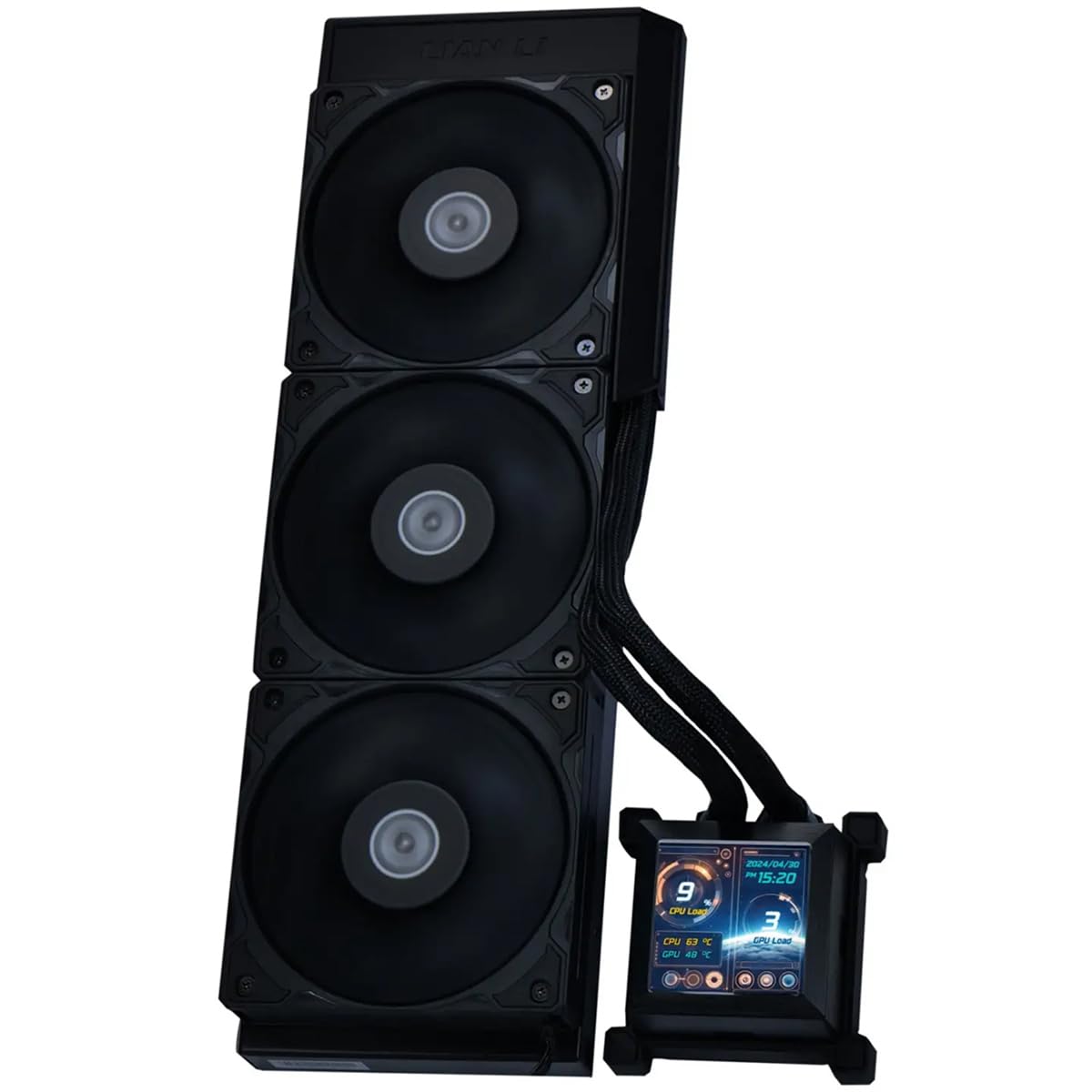
The Lian Li HydroShift LCD 360S is a 360mm All-In-One (AIO) CPU Liquid Cooler designed for efficient thermal management and aesthetic integration in PC systems. This cutting-edge cooler features an innovative side-mounted coolant pathway and a customizable LCD display.
Key Features:
- Side-Mounted Coolant Pathway: Innovative design positions cooling tubes snugly along the radiator's side for a clean, streamlined look.
- 2.88" IPS LCD Display: High-resolution 480 x 480 screen with 500 nits brightness and 24-bit full color for real-time monitoring of CPU/GPU load, temperature, and frequency, with customizable layouts and dynamic effects.
- Pre-Installed Fans: Three 28mm fans capable of reaching up to 2500 RPM, delivering quiet yet high-performance cooling.
- Dual Direction L-Shaped Shrouds: Customizable shrouds for either side of the radiator maintain a consistent and stylish appearance.
- Server-Grade Ribbed Tubes: Durable and flexible tubes allow for tight bends without compromising flow rate.
- Enhanced Cable Management: Optimized design for fan and USB cables.
- Superior Cooling Efficiency: 360mm aluminum radiator with single wave fins and a powerful 3800RPM pump ensures optimal heat dissipation.
- Silent Operation: Features FDB bearings and a maximum acoustic noise level of only 29.8 dB(A).
- Broad Compatibility: Designed to support Intel LGA 1700 and AMD AM5 / AM4 sockets.
- Robust Airflow Performance: Fans deliver up to 73.14 CFM and a static pressure of 5 mm H2O.
2. Package Contents
Verify that all items are present in the package:
- Lian Li HydroShift LCD 360S AIO Cooler (with pre-installed fans)
- Mounting hardware for Intel LGA 1700
- Mounting hardware for AMD AM5 / AM4
- Thermal paste
- Reverse shroud for tubes
- Tube strap
- PWM splitter
3. Setup & Installation
General Installation Notes:
The AIO is designed for top-mount installation in most cases for optimal performance and aesthetics. The tubes are pre-assembled and enclosed within a plastic shroud, exiting roughly at the center of the AIO. The visible tube length is approximately 200mm.
If required, the shroud can be partially unscrewed to allow tubes to exit sooner, extending their visible length. An included reverse shroud allows for tubes to exit from the opposite side of the radiator. An included tube strap can be used to secure the pump PWM cable to the tubes for cleaner cable management.

3.1. Intel LGA 1700 Installation:
- Position the provided backplate behind the motherboard, aligning it with the CPU socket holes.
- Add the appropriate spacers on the front side of the motherboard, over the backplate's posts.
- Apply thermal paste to the CPU IHS (Integrated Heat Spreader).
- Carefully place the water block onto the CPU, aligning the mounting holes.
- Secure the water block by screwing it down evenly with the provided screws until snug.
3.2. AMD AM5 / AM4 Installation:
- Remove the original AMD retention brackets from the motherboard.
- Replace them with the provided AMD mounting pieces, ensuring the arrow on the piece points towards the CPU (labeled as 'CUP').
- Use the original screws to secure these mounting pieces in place.
- Apply thermal paste to the CPU IHS.
- Install the cooler onto the CPU, aligning the water block with the new mounting pieces.
- Secure the water block with the provided screws until snug.
3.3. Connections:
- Connect the pump's 4-pin PWM cable to the motherboard's dedicated pump header (usually labeled 'AIO_PUMP' or 'CPU_OPT').
- Connect the SATA power cable from the AIO to an available SATA power connector from your power supply. This provides power to the pump and LCD display.
- Connect the USB 2.0 header cable from the AIO to an available USB 2.0 header on your motherboard. This enables software control and LCD display functionality.
- If desired, use the additional PWM splitter to connect other case fans, allowing unified control via the L-Connect 3 software.
4. Operating Instructions
4.1. LCD Display Customization:
The 2.88" IPS LCD display on the pump block is a key feature for monitoring and personalization. It is controlled via Lian Li's L-Connect 3 software.
- Real-time Monitoring: Customize layouts to display critical system information such as CPU/GPU load, temperature, and frequency.
- Customizable Layouts: Choose from predefined styles or create your own dynamic effects and visual themes.
- Screen Recording: The software allows for screen recording and displaying content directly on the mini-screen for unique personalization.

4.2. Fan and Pump Control:
L-Connect 3 software provides comprehensive control over the AIO's performance:
- Custom Curves: Set individual fan and pump speed curves based on CPU temperature or other system parameters to balance performance and noise.
- BIOS Control: If you prefer not to use the L-Connect 3 software, the pump and fans can be connected directly to motherboard PWM headers for control via BIOS. However, this will disable the LCD display functionality.
5. Maintenance
Proper maintenance ensures the longevity and optimal performance of your Lian Li HydroShift LCD 360S AIO cooler.
- Dust Cleaning: Regularly check for dust accumulation on the radiator fins and fans. Use compressed air to gently clean them, ensuring good airflow.
- Cable and Tube Inspection: Periodically inspect all cables and tubes to ensure they are securely connected and free from kinks, twists, or obstructions that could impede coolant flow or signal transmission.
- Software Updates: Keep the L-Connect 3 software updated to the latest version to ensure compatibility and access to new features or performance optimizations.
6. Troubleshooting
6.1. Unusual Fan Noise at 70% Speed:
During testing, a specific noise phenomenon was observed when fans were set to exactly 70% of their maximum speed, becoming louder than at 80% or 67%. This is likely due to a specific resonance frequency between the fan blades, fins, and speed.
Solution: It is recommended to adjust fan curves in L-Connect 3 to avoid this specific speed (70%). Lowering the fan speed to 67% or below, or increasing it above 70%, should resolve this issue.
6.2. LCD Display Not Working:
- Ensure the USB 2.0 header cable is correctly connected to an available USB 2.0 header on your motherboard.
- Verify that the L-Connect 3 software is installed and running on your operating system.
- Check the SATA power connection to ensure the AIO is receiving adequate power.
6.3. Poor Cooling Performance:
- Ensure the AIO is correctly mounted on the CPU with adequate thermal paste application.
- Verify fan and pump speeds are set appropriately in L-Connect 3 or your motherboard's BIOS.
- Check for any obstructions to airflow around the radiator, such as dust buildup or tangled cables.
7. Specifications
| Feature | Specification |
|---|---|
| Brand | Lian Li |
| Model | HydroShift LCD 360S |
| Cooler Type | All-In-One (AIO) Liquid Cooler |
| Radiator Size | 360mm |
| Radiator Thickness | 27mm |
| Compatible Sockets | Intel LGA 1700, AMD AM5 / AM4 |
| Pump Speed | 3800 RPM (PWM controlled) |
| Fan Size | 28mm (x3) |
| Max Fan Speed | 2500 RPM |
| Max Air Flow | 73.14 CFM |
| Max Static Pressure | 5 mm H2O |
| Noise Level | 29.8 dB(A) (max) |
| LCD Display | 2.88" IPS, 480 x 480 resolution, 500 nits, 24-bit color |
| Material | Metal, Plastic |
| Item Weight | 5 Pounds |
| Power Connector | 4-Pin (PWM), SATA, USB 2.0 |
8. Warranty & Support
8.1. Warranty Information:
The Lian Li HydroShift LCD 360S Performance 360mm All-In-One CPU Liquid Cooler is backed by a manufacturer's warranty. Additionally, extended protection plans are available for purchase:
- 3-Year Protection Plan
- 4-Year Protection Plan
- Complete Protect Plan (monthly billing)
Please refer to your purchase documentation for specific warranty terms and conditions.
8.2. Technical Support:
For technical assistance, troubleshooting, or product inquiries, please visit the official Lian Li website or contact their customer service department.
Related documentsHydroShift LCD 360S


Ask a question about this manual
Ask about setup, troubleshooting, compatibility, parts, safety, or missing instructions. Manuals+ will review the question and use this page’s manual context to help answer it.