
VEAT00L VEAT00L
VEAT00L Wireless Bluetooth Earbuds User Manual
Model: VEAT00L
Introduction
Thank you for choosing the VEAT00L Wireless Bluetooth Earbuds. These earbuds are designed to provide a superior audio experience with advanced features such as Bluetooth 5.4 connectivity, extended battery life, noise-canceling microphone, and IP7 waterproof rating. This manual will guide you through the setup, operation, and maintenance of your new earbuds to ensure optimal performance and longevity.
Safety Information
Please read all safety warnings and instructions carefully before using this product to prevent injury or damage.
- Do not expose the earbuds or charging case to extreme temperatures, direct sunlight, or fire.
- Avoid dropping, hitting, or disassembling the device.
- Keep away from water and liquids, even with the IP7 rating, prolonged submersion is not recommended.
- Do not use abrasive cleaners or chemicals to clean the earbuds.
- Listen at moderate volume levels to prevent hearing damage.
- Keep out of reach of children.
Package Contents
Ensure all items are present in your package:
- VEAT00L Wireless Bluetooth Earbuds (Left and Right)
- Charging Case
- Eartips (various sizes)
- USB Charging Cable
- User Manual
Product Overview
Familiarize yourself with the components of your VEAT00L earbuds and charging case.

Image: VEAT00L Wireless Bluetooth Earbuds inside their charging case, illustrating the charging process with digital battery indicators on the case.
- Earbuds: Left and Right earbuds with earhook design for secure fit.
- Multi-function Button/Touch Area: For controlling music, calls, and voice assistant.
- Microphone: Built-in for calls and voice commands.
- Charging Contacts: Located on the earbuds and inside the case.
- Charging Case: Stores and charges the earbuds, with a digital display for battery status.
- USB-C Charging Port: On the back or bottom of the charging case.
Setup
1. Charging the Earbuds and Case
Before first use, fully charge both the earbuds and the charging case.
- Place the earbuds into the charging case, ensuring they are correctly seated. The earbuds will automatically begin charging.
- Connect the USB charging cable to the charging port on the case and the other end to a USB power adapter (not included) or a computer's USB port.
- The digital display on the charging case will show the battery level. Allow approximately 1-2 hours for a full charge.
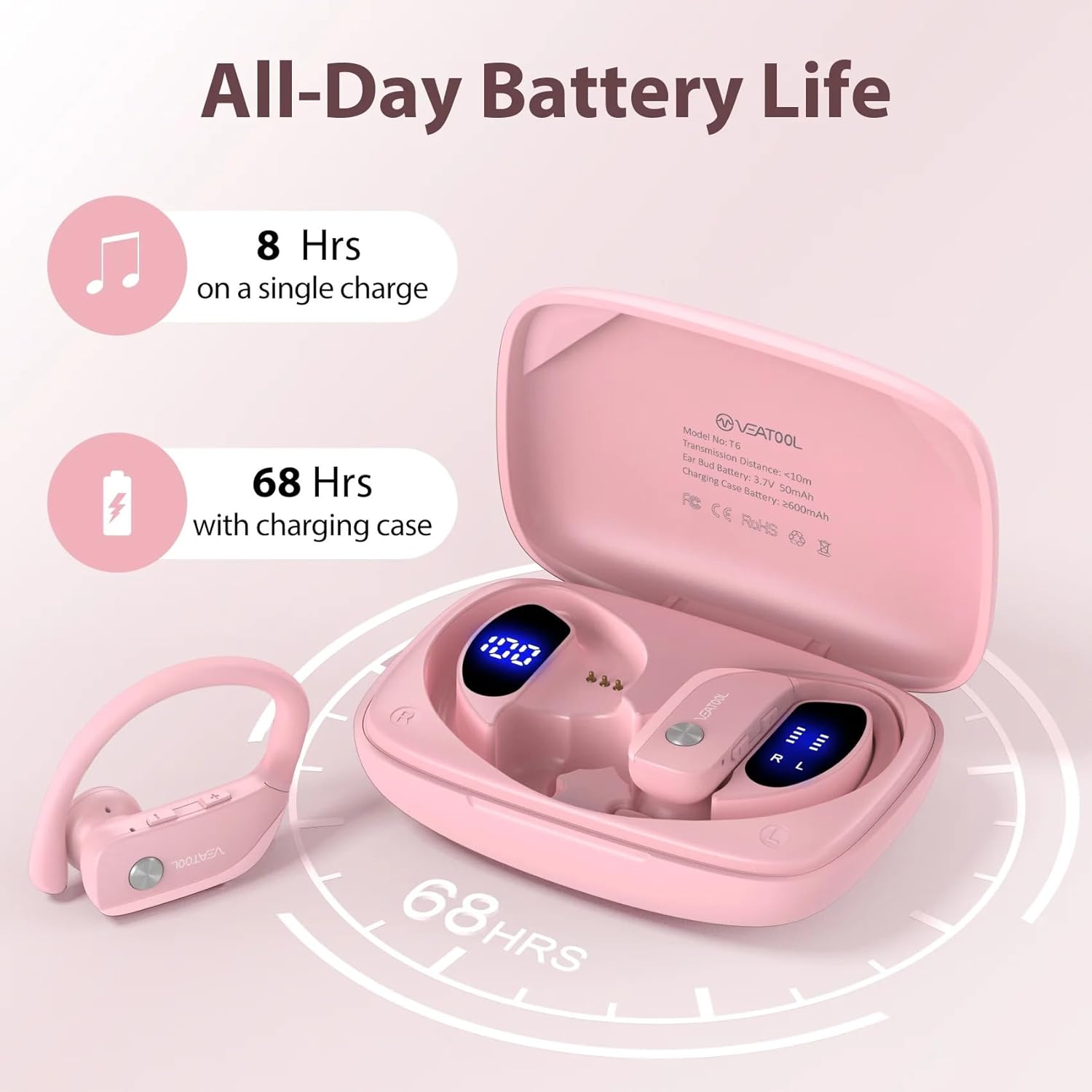
Image: Diagram showing the VEAT00L earbuds and charging case, highlighting the extended battery life of 8 hours on a single charge and 68 hours with the charging case, totaling 72 hours.
Battery Life: The earbuds provide approximately 8 hours of playback on a single charge. The charging case provides multiple additional charges, extending the total playtime to up to 72 hours.
2. Pairing with Your Device
The earbuds will automatically enter pairing mode when taken out of the charging case.
- Open the charging case and remove both earbuds. They will automatically power on and connect to each other.
- On your smartphone or Bluetooth-enabled device, go to the Bluetooth settings.
- Search for new devices and select "VEAT00L" from the list.
- Once connected, you will hear a confirmation tone, and the earbuds will be ready for use.
- If pairing fails, place the earbuds back into the case, close the lid, wait a few seconds, and then repeat the steps.
Operating Instructions
The VEAT00L earbuds feature intuitive touch controls for various functions.

Image: Close-up of a VEAT00L earbud showing various touch control icons and their corresponding functions, such as Answer, Hang Up, ON/OFF, Play/Pause, Previous/Next, Voice Assistant, Reject, and Volume +/-.
| Function | Action |
|---|---|
| Power On | Take earbuds out of charging case. |
| Power Off | Place earbuds back into charging case. |
| Play/Pause Music | Single tap on either earbud. |
| Next Track | Double tap on the Right earbud. |
| Previous Track | Double tap on the Left earbud. |
| Volume Up | Triple tap on the Right earbud. |
| Volume Down | Triple tap on the Left earbud. |
| Answer/End Call | Single tap on either earbud during an incoming call. |
| Reject Call | Press and hold either earbud for 2 seconds during an incoming call. |
| Activate Voice Assistant | Press and hold either earbud for 3 seconds. |
Maintenance
Proper care will extend the life of your VEAT00L earbuds.
- Cleaning: Use a soft, dry, lint-free cloth to clean the earbuds and charging case. Do not use harsh chemicals or abrasive materials. For earwax buildup, gently clean the earbud mesh with a small, soft brush.
- Storage: When not in use, store the earbuds in their charging case to protect them and keep them charged. Store in a cool, dry place away from direct sunlight.
- Battery Care: To preserve battery life, charge the earbuds and case regularly, even if not used frequently. Avoid fully discharging the battery for extended periods.
Troubleshooting
If you encounter issues with your earbuds, try the following solutions:
| Problem | Solution |
|---|---|
| Earbuds not pairing with device. |
|
| Only one earbud working. |
|
| No sound or low volume. |
|
| Charging case not charging. |
|
Specifications
| Feature | Detail |
|---|---|
| Model Name | VEAT00L |
| Connectivity Technology | Wireless (Bluetooth) |
| Bluetooth Version | 5.4 |
| Battery Life (Earbuds) | Up to 8 hours (single charge) |
| Total Playtime (with Case) | Up to 72 hours |
| Water Resistance Level | IP7 Waterproof |
| Earpiece Shape | Earhook |
| Control Type | Media Control (Touch) |
| Included Components | Eartips |
| Color | Pink |
Warranty and Support
For warranty information and technical support, please refer to the contact details provided with your purchase or visit the official VEAT00L website. Keep your proof of purchase for warranty claims.
If you have any questions or require assistance, do not hesitate to contact our customer support team.
Related Documents - VEAT00L
 |
Ordtop i13 Wireless Earbuds User Manual User manual for Ordtop i13 wireless earbuds featuring Bluetooth 5.3, 40-hour playtime, IP7 waterproofing, noise cancellation, and dual microphones. Includes pairing, charging, and touch control instructions. |
 |
Coioc BX30 Wireless Earbuds Instruction Manual Comprehensive instruction manual for the Coioc BX30 wireless earbuds, covering connection, operation, problem handling, and safety instructions. Learn how to pair, use playback controls, and troubleshoot common issues. |
 |
Kuizil Q76-BY Wireless Earbuds: Quick Start Guide and Features Learn how to use your Kuizil Q76-BY wireless earbuds, including touch controls, pairing, charging, and Bluetooth connectivity. This guide provides essential information for sports and workout use. |
 |
Power Q25 Pro Waterproof Wireless Sports Earbuds User Manual Comprehensive user manual for the Power Q25 Pro waterproof wireless sports earbuds. Learn about features, Bluetooth pairing, recharging, product specifications, safety precautions, and troubleshooting common issues. |
 |
A8 Wireless Earbuds - User Manual and Support Information Official user manual and customer support details for A8 Wireless Earbuds, featuring Bluetooth 5.3, noise cancellation, 42-hour playtime, and IP7 waterproofing. Contact support for assistance. |
 |
C8X TWS Wireless Earbuds - User Manual and Features Comprehensive user manual for the C8X TWS wireless earbuds, covering setup, operation, charging, troubleshooting, and specifications. Features Bluetooth 5.0, stereo sound, and a long-lasting battery. |
Ask a question about this manual
Ask about setup, troubleshooting, compatibility, parts, safety, or missing instructions. Manuals+ will review the question and use this page’s manual context to help answer it.