
Important Safety Information
Please read all safety instructions before using this product. Failure to follow these instructions may result in electric shock, fire, or other hazards.
- Do not use the earbuds at high volume for extended periods to prevent hearing damage.
- Do not use the earbuds in situations where inability to hear ambient sounds could be dangerous, such as while driving or cycling.
- Keep the charging case and earbuds away from extreme temperatures, direct sunlight, and moisture.
- Do not attempt to disassemble, repair, or modify the product. This may void the warranty and cause injury.
- Keep out of reach of children and pets. Small parts may pose a choking hazard.
- Dispose of the product and batteries according to local regulations.
Package Contents
Verify that all items listed below are included in your package:
- SGNICS X13 Bluetooth Earbuds (Left & Right)
- Charging Case
- USB-C Charging Cable
- Ear Tips (S, M, L sizes)
- User Manual (this document)
Product Overview
The SGNICS X13 earbuds are designed for comfort and performance, featuring ear hooks for a secure fit during activities. The charging case includes an LED display to show battery status.

Image showing the SGNICS X13 earbuds inside their charging case, with the digital LED display indicating battery percentage.
Setup
1. Charging the Earbuds and Case
For first-time use, fully charge both the earbuds and the charging case.
- Connect the provided USB-C charging cable to the charging port on the case and to a USB power adapter (not included).
- The LED display on the charging case will show the current battery percentage during charging.
- The earbuds will charge automatically when placed inside the case. The earbud indicator lights will show charging status.
- Once fully charged, the LED display will show 100%, and the earbud indicator lights will turn off or change color.
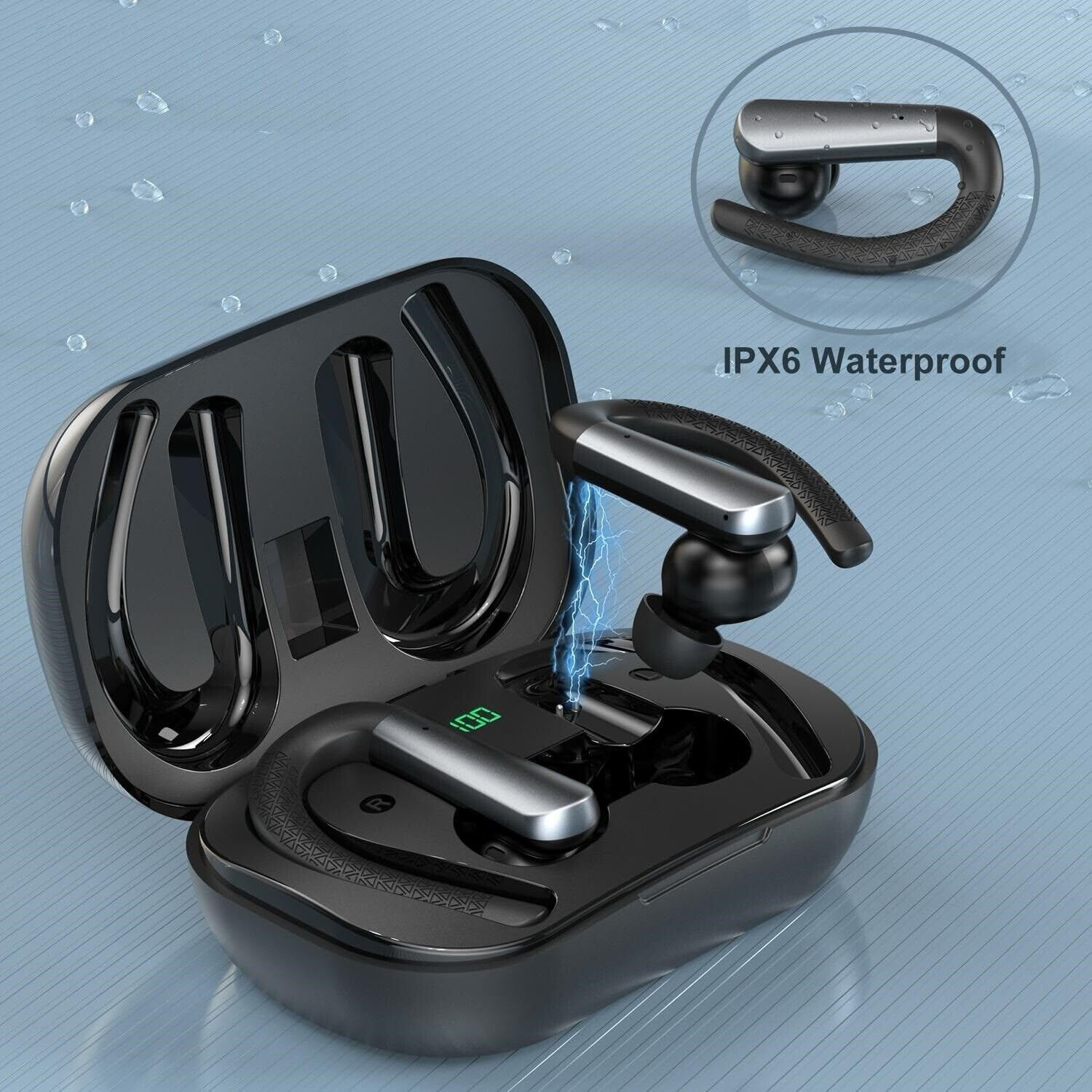
Image depicting an earbud being charged within its case, highlighting the charging connection and the case's LED display.
2. Wearing the Earbuds
Proper fit is essential for sound quality and comfort. Experiment with the different ear tip sizes to find the best seal for your ears.
- Select the ear tips (S/M/L) that provide the most comfortable and secure fit.
- Place the earbud into your ear canal.
- Adjust the ear hook over the top of your ear until it feels secure and comfortable.
- Ensure the earbud forms a good seal in your ear canal to optimize bass response and noise isolation.
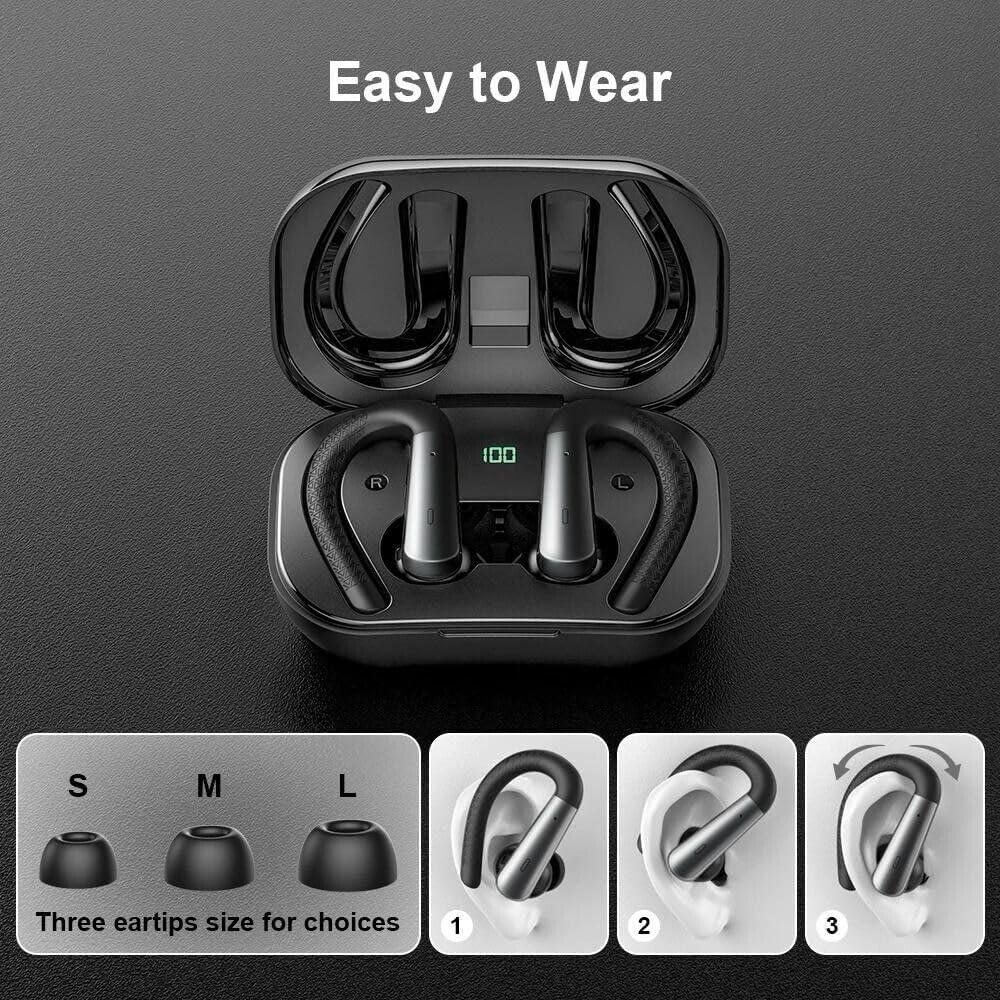
Image illustrating the three sizes of ear tips (S, M, L) and a three-step guide on how to properly fit the earbud with its ear hook into the ear for a secure fit.
Operating Instructions
1. Power On/Off
- Power On: Open the charging case, and the earbuds will automatically power on. Alternatively, long-press the touch control area on both earbuds for 3 seconds.
- Power Off: Place the earbuds back into the charging case and close the lid; they will automatically power off. Alternatively, long-press the touch control area on both earbuds for 5 seconds.
2. Bluetooth Pairing
- Ensure the earbuds are charged and powered on.
- Open the charging case. The earbuds will enter pairing mode, indicated by a flashing LED light on the earbuds.
- On your device (smartphone, tablet, etc.), enable Bluetooth and search for available devices.
- Select "X13" from the list of devices.
- Once connected, the earbud LED lights will stop flashing or flash slowly, and you will hear a confirmation tone.
- For single earbud use, simply take one earbud out of the case. It will automatically connect to the last paired device.
3. Touch Controls
The earbuds feature touch-sensitive controls for easy management of audio and calls:
- Play/Pause: Single tap on either earbud.
- Next Track: Double tap the right earbud.
- Previous Track: Double tap the left earbud.
- Volume Up: Triple tap the right earbud.
- Volume Down: Triple tap the left earbud.
- Answer/End Call: Single tap on either earbud during an incoming call.
- Reject Call: Long press on either earbud for 2 seconds during an incoming call.
- Activate Voice Assistant: Long press on either earbud for 2 seconds (e.g., Siri, Google Assistant).
4. LED Indicator Meanings
- Charging Case LED Display: Shows the battery percentage of the charging case.
- Earbud LED (inside case): Solid light indicates charging. Light off indicates fully charged.
- Earbud LED (out of case): Flashing rapidly indicates pairing mode. Flashing slowly indicates connected.
Maintenance
1. Cleaning
- Use a soft, dry, lint-free cloth to clean the earbuds and charging case.
- Do not use abrasive cleaners, alcohol, or chemical solvents.
- Regularly clean the ear tips and charging contacts to ensure optimal performance.
2. Storage
- When not in use, store the earbuds in their charging case to protect them and keep them charged.
- Avoid storing the product in extremely hot or cold environments.
3. Water Resistance (IPX6)
The SGNICS X13 earbuds are rated IPX6 waterproof, meaning they are protected against powerful water jets. This makes them suitable for sports and workouts where sweat and light rain may occur.
- IPX6 protection does not mean the earbuds can be submerged in water or used for swimming.
- Ensure the earbuds are completely dry before placing them back into the charging case to prevent damage to the charging contacts.

Close-up image of an earbud with water droplets, demonstrating its IPX6 waterproof rating against sweat and splashes.
Troubleshooting
If you encounter issues with your SGNICS X13 earbuds, refer to the following common solutions:
| Problem | Solution |
|---|---|
| Earbuds do not power on | Ensure the earbuds and charging case are fully charged. Place earbuds in case, close lid, then open again. |
| Cannot pair with device | Make sure Bluetooth is enabled on your device. Forget "X13" from your device's Bluetooth list and try pairing again. Ensure earbuds are in pairing mode. |
| No sound from one or both earbuds | Check device volume and earbud volume. Ensure earbuds are properly paired. Try resetting the earbuds. |
| Charging issues | Verify the USB-C cable is securely connected. Clean the charging contacts on both the earbuds and the case with a dry cotton swab. |
| Poor call quality | Ensure the microphone is not obstructed. Move closer to your paired device. Avoid noisy environments. |
Specifications
- Model: X13
- Bluetooth Version: 5.3
- Wireless Range: Up to 10 meters (33 feet) in open space
- Earbud Playtime: Approximately 9 hours (single charge)
- Total Playtime (with charging case): Up to 48 hours
- Charging Time (Case): Approximately 1.5 hours (via USB-C)
- Water Resistance Rating: IPX6
- Form Factor: In-Ear with Earhooks
- Noise Control: Active Noise Cancellation (for audio playback) / Environmental Noise Canceling (for microphone)
- Included Components: Earbuds, Charging Case, USB-C Cable, S/M/L Ear Tips
Warranty and Support
SGNICS products are designed and manufactured to the highest quality standards. This product is covered by a limited warranty from the date of purchase.
For warranty claims, technical support, or any questions regarding your SGNICS X13 earbuds, please contact our customer support team through the retailer where you purchased the product or visit the official SGNICS website for contact information.
Please retain your proof of purchase for warranty service.