
Nuwave Bravo Pro Smart Air Fryer Toaster Oven Combo
Model: Bravo Pro Toaster Oven Black
Brand: Nuwave
Introduction
This manual provides essential information for the safe and efficient operation of your Nuwave Bravo Pro Smart Air Fryer Toaster Oven Combo. Please read all instructions carefully before initial use and retain this manual for future reference.
Important Safeguards
When using electrical appliances, basic safety precautions should always be followed, including:
- Read all instructions.
- Do not touch hot surfaces. Use handles or knobs.
- To protect against electrical shock, do not immerse cord, plugs, or the appliance in water or other liquid.
- Close supervision is necessary when any appliance is used by or near children.
- Unplug from outlet when not in use and before cleaning. Allow to cool before putting on or taking off parts.
- Do not operate any appliance with a damaged cord or plug or after the appliance malfunctions or has been damaged in any manner.
- The use of accessory attachments not recommended by the appliance manufacturer may cause injuries.
- Do not use outdoors.
- Do not let cord hang over edge of table or counter, or touch hot surfaces.
- Do not place on or near a hot gas or electric burner, or in a heated oven.
- Extreme caution must be used when moving an appliance containing hot oil or other hot liquids.
- Always attach plug to appliance first, then plug cord into the wall outlet. To disconnect, turn any control to “off”, then remove plug from wall outlet.
- Do not use appliance for other than intended use.
What's Included
Your Nuwave Bravo Pro Smart Air Fryer Toaster Oven Combo package includes the following components:

Image showing the included accessories: Enamel Baking Pan, Heavy Duty Cooking Rack, Air Fry Basket, Crumb Tray, and Recipe Book.
- 1 x Bravo Pro Air Fryer Toaster Oven
- 1 x Heavy-Duty Cooking Rack
- 1 x Enamel Baking Pan
- 1 x Air Fry Basket
- 1 x Crumb Tray
- 1 x Owner’s Manual (this document)
- 1 x Quick Start Guide
- 1 x Recipe Book
All included accessories are PFAS-Free.
Setup
- Unpack the Appliance: Carefully remove the oven and all accessories from the packaging. Remove any protective film or packing materials.
- Clean Accessories: Wash the baking pan, air fry basket, cooking rack, and crumb tray with warm, soapy water. Rinse thoroughly and dry completely. Wipe the interior and exterior of the oven with a damp cloth.
- Position the Oven: Place the oven on a stable, heat-resistant, and level surface. Ensure there is adequate clearance (at least 4 inches) on all sides and above the oven for proper ventilation. Do not place it near flammable materials.
- Insert Crumb Tray: Slide the crumb tray into the lowest slot at the bottom of the oven.
- Initial Burn-Off: Before first use, it is recommended to run the oven empty for about 15 minutes at 400°F (200°C) to burn off any manufacturing residues. Some smoke or odor may be present; this is normal. Ensure the area is well-ventilated.
- Plug In: Plug the power cord into a grounded electrical outlet. The digital display will illuminate.
Operating Instructions
Control Panel Overview

The user-friendly control panel features an LED display, intuitive control dial, and prominent buttons for easy operation.
The Nuwave Bravo Pro features an enhanced interactive digital display and intuitive controls for a seamless cooking experience.
- ON/OFF Button: Powers the unit on or off.
- MENU Button: Cycles through the 12 pre-programmed cooking functions.
- TEMP Button: Allows adjustment of cooking temperature.
- TIME Button: Allows adjustment of cooking time.
- PREHEAT Button: Activates the preheat function.
- TOP/BTM Button: Adjusts the ratio of top and bottom heating elements.
- FAN Button: Adjusts the convection fan speed (0-3 settings).
- START/PAUSE Button: Initiates or pauses the cooking cycle.
- Control Dial (+/-): Used to increase or decrease temperature, time, or other settings.
Pre-Programmed Functions

The oven offers 12 pre-programmed presets for various cooking needs, making meal preparation easier.
The Bravo Pro features 12 pre-programmed functions for common cooking tasks:
- Air Fry
- Grill
- Bake
- Reheat
- Bagel
- Pizza
- Toast
- Broil
- Waffle
- Dehydrate
- Frozen
- Keep Warm
To select a function, press the MENU button repeatedly until the desired function is highlighted on the display.
Temperature and Time Adjustment

The oven allows precise temperature control from 50°F to 450°F in 5°F increments for optimal cooking results.
After selecting a cooking function, you can adjust the temperature and time:
- Press the TEMP button, then turn the control dial to set the desired temperature (range: 50°F to 450°F in 5°F increments).
- Press the TIME button, then turn the control dial to set the desired cooking duration (up to 24 hours).
Customizing Heating Elements and Fan Speed

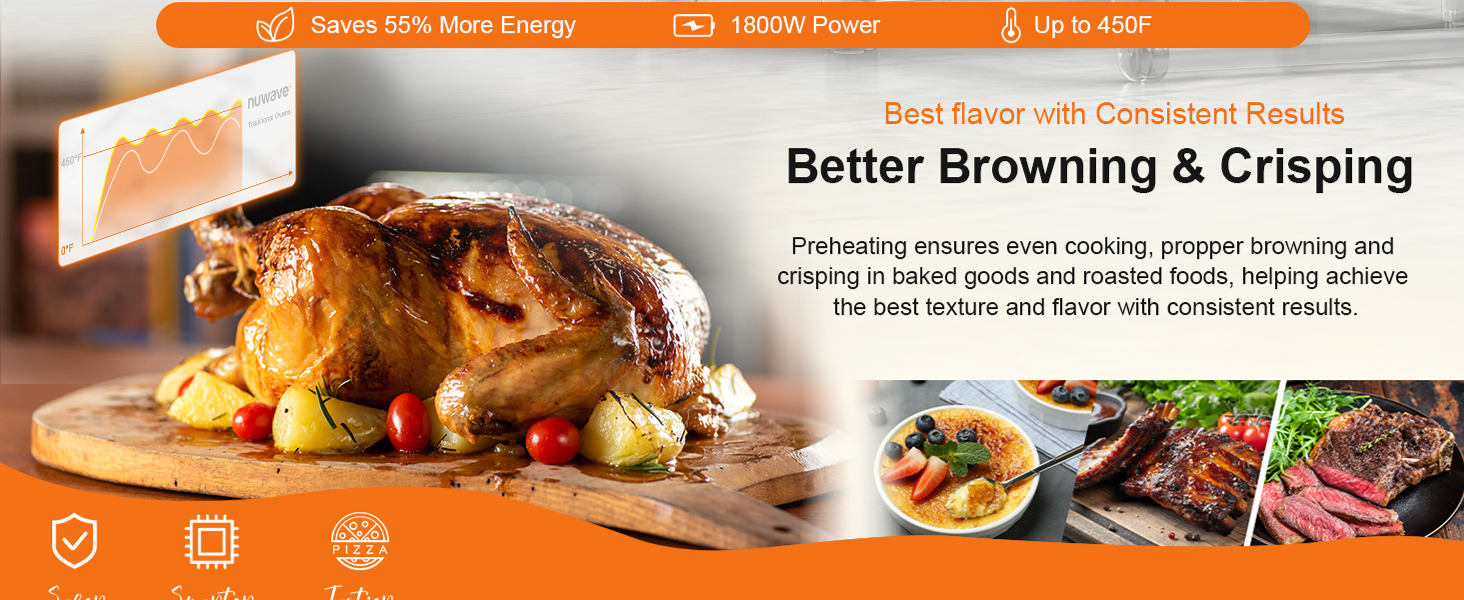
Customize the ratio of top and bottom heaters from 0% to 100% for precise cooking, such as achieving crispy pizza crusts and melted cheese.
For advanced cooking control, you can adjust the heating elements and fan speed:
- Press the TOP/BTM button to adjust the ratio of top and bottom heaters from 0% to 100%. This allows for specific browning or cooking requirements.
- Press the FAN button to select one of the three available convection fan speeds (0-3). Higher fan speeds result in quicker cooking and crispier results.
Cooking Capacity
The 21 QT capacity of the Bravo Pro is designed to accommodate various meal sizes:
- Fits a 12-inch pizza.
- Accommodates a 4-lb chicken.
- Suitable for a 4-lb roast.
- Can cook up to 16 oz of French fries.
Visual representation of the oven's capacity, including 16 oz French fries, 4 slices of toast, a 12-inch pizza, and a 4-lb whole chicken.
Maintenance and Cleaning
Many accessories are dishwasher-safe for easy cleaning.
Regular cleaning and maintenance will ensure the longevity and optimal performance of your Nuwave Bravo Pro.
- Always unplug the oven and allow it to cool completely before cleaning.
- Crumb Tray: Remove and empty the crumb tray after each use. Wash it with warm, soapy water or place it in the dishwasher.
- Accessories: The heavy-duty cooking rack, baking pan, and air fry basket are PFAS-Free and dishwasher-safe. For stubborn food residue, soak in warm, soapy water before cleaning.
- Interior: Wipe the interior walls with a damp cloth and mild detergent. Avoid abrasive cleaners or scouring pads that can damage the non-stick coating. For baked-on grease, a non-abrasive oven cleaner designed for non-stick surfaces may be used sparingly.
- Exterior: Wipe the exterior with a damp cloth. Do not use abrasive cleaners.
- Door: Clean the tempered glass door with a glass cleaner or damp cloth.
- Heating Elements: Do not attempt to clean the heating elements. Any food splatters on them will burn off during operation.
Troubleshooting
If you encounter any issues with your Nuwave Bravo Pro, refer to the following common troubleshooting steps:
| Problem | Possible Cause | Solution |
|---|---|---|
| Oven does not turn on. | Not plugged in; power outage; faulty outlet. | Ensure the oven is securely plugged into a working outlet. Check your circuit breaker. |
| Food is not cooking evenly. | Overcrowding; incorrect rack position; fan speed too low. | Avoid overcrowding the oven. Use the recommended rack position. Increase convection fan speed. Ensure proper preheating. |
| Excessive smoke during cooking. | Food residue; high-fat foods; crumb tray not cleaned. | Clean the oven interior and crumb tray thoroughly. Use a baking pan under high-fat foods to catch drips. |
| Digital display not responding. | Temporary electronic glitch. | Unplug the oven from the power outlet for 1-2 minutes, then plug it back in to reset. |
If the problem persists after attempting these solutions, please contact Nuwave Customer Support.
Specifications
| Brand | Nuwave |
| Model Name | Bravo Pro Toaster Oven Black |
| Color | Black |
| Product Dimensions | 13.5"D x 17.62"W x 9.5"H |
| Capacity | 21 QT |
| Power Source | AC adapter (1800W) |
| Temperature Range | 50-450°F (in 5°F increments) |
| Control Type | Touch Control |
| Special Features | 12 Cooking Functions, Adjustable Rack, Quick & Even Crisp Technology, Upper and Lower Heaters Adjustable From 0-100%, 3 Selectable Fan Speeds, 10 Toast Settings, Linear T™ Heat Tech, Warm Function, Super-Speed and Quiet Fan, PFAS-Free Accessories |
| Item Weight | 16 pounds |
| Door Material Type | Tempered Glass |
| UPC | 652185902169 |
Warranty and Support
Nuwave is committed to providing excellent customer service. Your Bravo Pro Smart Air Fryer Toaster Oven Combo comes with a commitment to lifetime service support.
- Lifetime Service: You will receive 24-hour lifetime service support for a first-class customer experience.
- For any questions, technical assistance, or warranty claims, please refer to the contact information provided in your Quick Start Guide or visit the official Nuwave website.
Nuwave offers dedicated customer support for assistance.


