
InnoVibe IVML1851P
InnoVibe Tornado Color-Changing LED Lamp User Manual
Model: IVML1851P
1. Product Overview
The InnoVibe Tornado Color-Changing LED Lamp is a decorative lighting device designed to create a dynamic visual effect. It features LED lights that cycle through various colors, producing a mesmerizing tornado-like motion within its transparent column. This lamp is suitable for various indoor environments.
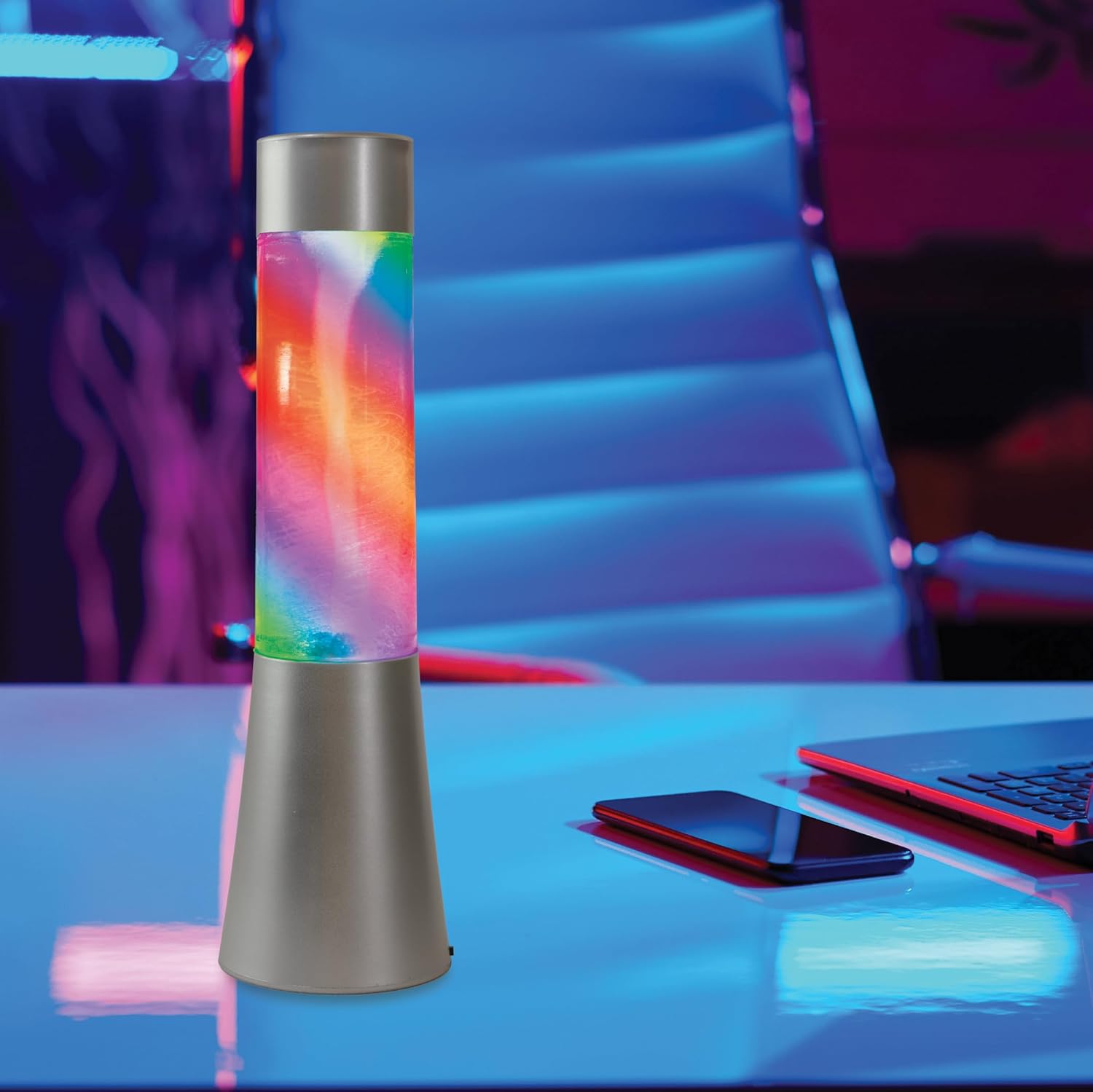
Image 1: The InnoVibe Tornado Color-Changing LED Lamp, showcasing its vibrant colors and design.
Key Features:
- Mesmerizing Tornado Effect: Internal mechanism creates a swirling visual display.
- Color Changing LED Lights: Cycles through a spectrum of vibrant colors.
- Compact and Stylish: 13-inch height, designed to fit various spaces.
- Energy-Efficient: Utilizes LED technology for low power consumption.
- Portable: Designed for easy placement (battery operated).
2. Package Contents
Please check the package for the following items:
- 1 x InnoVibe Tornado Color-Changing LED Lamp
- User Manual (this document)
Note: 3xAA batteries are required for operation and are not included in the package.
3. Safety Information
Read all safety instructions before using the product. Failure to follow these instructions may result in electric shock, fire, or injury.
- Indoor Use Only: This lamp is designed for indoor use. Do not expose it to rain or moisture.
- Power Source: Use only the specified power source (3xAA batteries). Do not mix old and new batteries, or different types of batteries.
- Battery Handling: Insert batteries with correct polarity (+/-). Remove batteries if the lamp will not be used for an extended period. Dispose of used batteries properly.
- Placement: Place the lamp on a stable, flat surface to prevent tipping. Keep away from direct sunlight, heat sources, and flammable materials.
- Children: This product is not a toy. Keep out of reach of small children.
- Disassembly: Do not attempt to disassemble or modify the lamp. This will void the warranty and may cause damage or injury.
- Liquid Content: The lamp contains liquid. In case of leakage, avoid contact with skin and eyes. If contact occurs, rinse thoroughly with water and seek medical attention if irritation persists.
4. Setup
4.1 Battery Installation
- Locate the battery compartment cover on the bottom of the lamp.
- Using a small Phillips head screwdriver, carefully unscrew the battery compartment cover.
- Insert 3 new AA batteries, ensuring correct polarity (+ and -) as indicated inside the compartment.
- Replace the battery compartment cover and secure it with the screw.

Image 2: Product dimensions and battery information. The lamp is 13 inches tall and requires 3xAA batteries (not included).
4.2 Placement
Place the lamp on a flat, stable surface in your desired indoor location. Ensure there is adequate space around the lamp for proper air circulation and to prevent accidental knocking over.

Image 3: The lamp positioned on a side table, demonstrating suitable placement in a home environment.
5. Operating Instructions
5.1 Powering On/Off
The lamp features a touch-sensitive control. To turn the lamp ON or OFF, gently touch the designated area on the lamp's base or top (refer to product illustration if available for exact location, typically the top cap or base). The lamp will automatically begin its color-changing tornado effect upon activation.
5.2 Color Changing Effect
Once powered on, the lamp will automatically cycle through its 7 vibrant LED colors, creating a continuous and dynamic tornado display. There are no manual controls to select specific colors or change the speed of the effect; the lamp operates in an automatic color-changing mode.

Image 4: A close-up view of the lamp demonstrating its multi-color swirling effect.

Image 5: The lamp showcasing a yellow and orange tornado effect.

Image 6: The lamp showcasing a blue tornado effect.
6. Maintenance
6.1 Cleaning
- Ensure the lamp is turned OFF before cleaning.
- Wipe the exterior surfaces with a soft, dry, or slightly damp cloth.
- Do not use abrasive cleaners, solvents, or harsh chemicals, as these may damage the finish or the transparent column.
- Avoid getting water inside the lamp's electrical components.
6.2 Battery Replacement
When the light dims or the tornado effect weakens, it is time to replace the batteries. Follow the steps outlined in Section 4.1 "Battery Installation" to replace the 3xAA batteries.
7. Troubleshooting
| Problem | Possible Cause | Solution |
|---|---|---|
| Lamp does not turn on. |
|
|
| Tornado effect is weak or absent. |
|
|
| Lamp is leaking liquid. | Product defect or damage. | Immediately turn off the lamp, disconnect power (remove batteries), and contact customer support. Do not attempt to repair. |
8. Specifications
| Brand | InnoVibe |
| Model Number | IVML1851P |
| Product Dimensions | 3"D x 3"W x 13"H |
| Item Weight | 1.2 pounds |
| Material | Plastic |
| Light Source Type | LED |
| Power Source | 3xAA Batteries (Not Included) |
| Control Method | Touch |
| Indoor/Outdoor Usage | Indoor |
| Special Feature | Color Changing, Energy Efficient |
9. Warranty and Support
Specific warranty information for the InnoVibe Tornado Color-Changing LED Lamp (Model IVML1851P) is not provided in this manual. For warranty details, product support, or to report issues, please contact the retailer where the product was purchased or visit the official InnoVibe website.
Please retain your proof of purchase for any warranty claims.
Ask a question about this manual
Ask about setup, troubleshooting, compatibility, parts, safety, or missing instructions. Manuals+ will review the question and use this page’s manual context to help answer it.