
1. Introduction
Thank you for choosing the SGNICS X13 Bluetooth Earbuds. This manual provides detailed instructions on how to set up, operate, and maintain your new earbuds. Please read this manual carefully before use to ensure optimal performance and longevity of your device.
2. Package Contents
Please check the package for the following items:
- SGNICS X13 Bluetooth Earbuds (Left and Right)
- Charging Case
- USB-C Charging Cable
- Eartips (S, M, L sizes)
- User Manual
3. Product Overview
The SGNICS X13 Earbuds feature an ergonomic ear hook design for secure fit during activities, a portable charging case with an LED display, and intuitive touch controls.

Image: SGNICS X13 Bluetooth Earbuds and their charging case. The earbuds feature an ear hook design and are black in color. The charging case is also black and has a sleek, rounded design.

Image: The SGNICS X13 Earbuds are shown inside their open charging case. A green LED display on the case indicates the battery percentage, showing '100', signifying a full charge. The earbuds are securely seated in their charging slots.
4. Setup
4.1 Charging the Earbuds and Case
- Initial Charge: Before first use, fully charge the charging case and earbuds.
- Charging Case: Connect the provided USB-C cable to the charging port on the case and to a USB power adapter (not included). The LED display on the case will show the charging progress. A full charge takes approximately 1.5 hours.
- Charging Earbuds: Place the earbuds into the charging case. Ensure they are correctly seated; the earbuds will automatically begin charging. The LED display on the case will indicate the charge level of the earbuds.
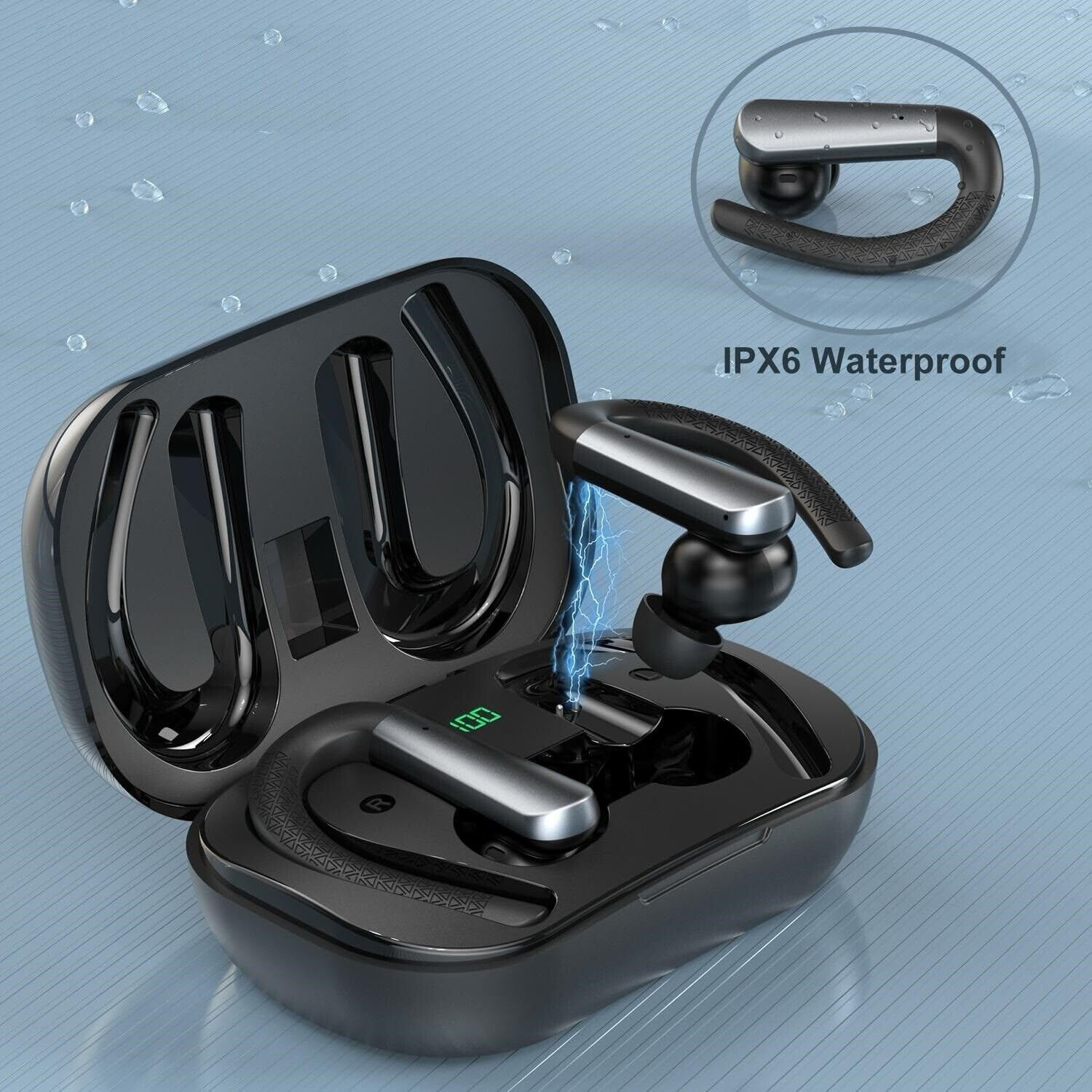
Image: A single SGNICS X13 earbud is shown being charged within its open charging case. A blue lightning bolt graphic illustrates the charging process, and the case's LED display shows '100', indicating a full charge or charging status.
4.2 Bluetooth Pairing
- Power On: Open the charging case. The earbuds will automatically power on and enter pairing mode.
- Activate Bluetooth: On your device (smartphone, tablet, etc.), enable Bluetooth.
- Select Device: Search for "X13 Earbuds" in the list of available Bluetooth devices and select it to connect.
- Confirmation: Once connected, you will hear an audible confirmation from the earbuds.
Note: The earbuds will automatically reconnect to the last paired device when taken out of the case, if Bluetooth is enabled on the device.
5. Operating Instructions
5.1 Wearing the Earbuds
The SGNICS X13 Earbuds are designed with ear hooks for a secure and comfortable fit, especially during sports and workouts.
- Choose Eartips: Select the eartip size (S, M, L) that best fits your ear canal for optimal sound quality and comfort.
- Position Earbud: Place the earbud into your ear canal.
- Adjust Ear Hook: Gently loop the ear hook over the top of your ear, adjusting it until it feels secure and comfortable.
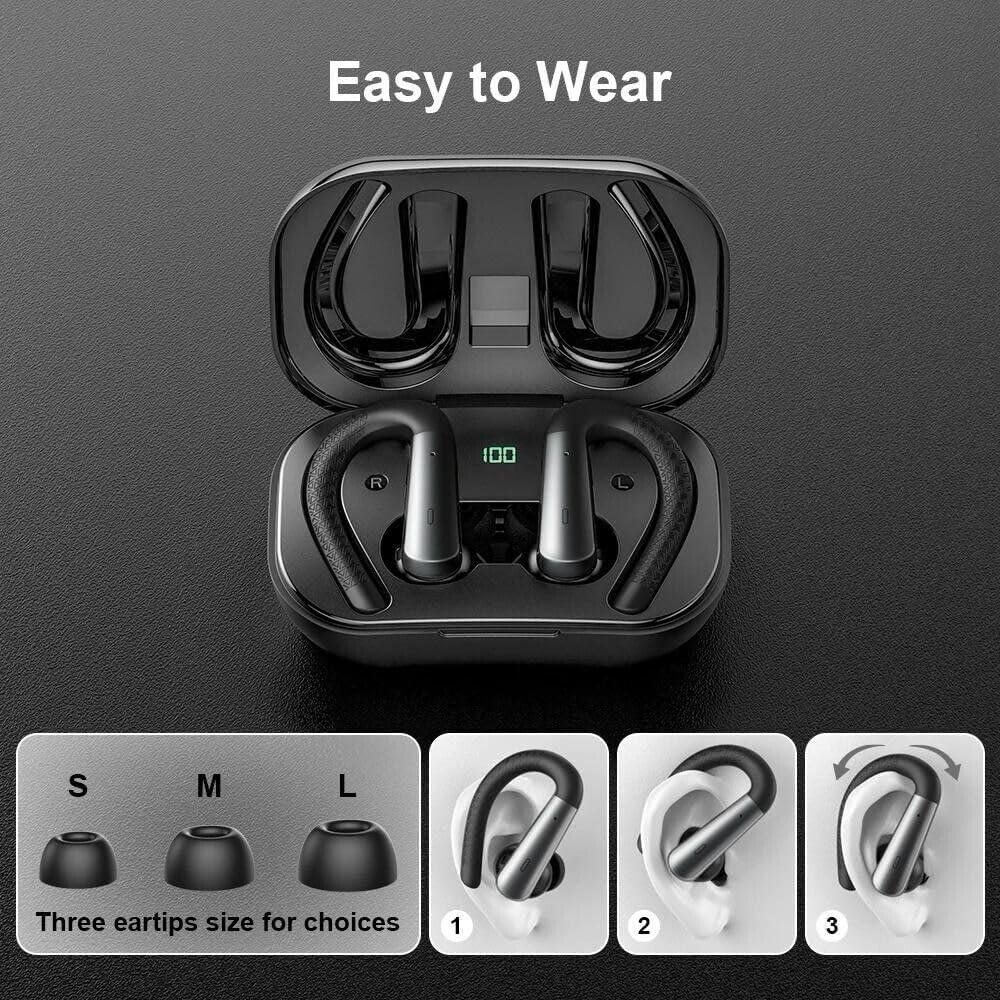
Image: A visual guide demonstrating how to wear the SGNICS X13 Earbuds. It shows three steps for positioning the earbud and ear hook. Below, three different sizes of eartips (S, M, L) are displayed, indicating choices for a comfortable fit.
5.2 Touch Controls
The earbuds feature touch-sensitive controls for managing media playback and calls.
- Play/Pause: Single tap on either earbud.
- Next Track: Double tap on the right earbud.
- Previous Track: Double tap on the left earbud.
- Answer/End Call: Single tap on either earbud during an incoming call.
- Reject Call: Press and hold either earbud for 2 seconds during an incoming call.
- Activate Voice Assistant: Triple tap on either earbud.
6. Maintenance
6.1 Cleaning
Regular cleaning helps maintain the performance and hygiene of your earbuds.
- Use a soft, dry, lint-free cloth to wipe the earbuds and charging case.
- For eartips, remove them from the earbuds and clean with a mild soap solution if necessary, then rinse thoroughly and dry completely before reattaching.
- Avoid using harsh chemicals or abrasive materials.
6.2 Water Resistance (IPX6)
The SGNICS X13 Earbuds are IPX6 waterproof, meaning they are protected against high-pressure water jets from any direction. This makes them suitable for workouts and use in rainy conditions.

Image: The SGNICS X13 Earbuds are depicted with water droplets on their surface, emphasizing their IPX6 waterproof and sweatproof capabilities. The image suggests durability against moisture.
Important: The charging case is not waterproof. Do not expose the charging case to water or moisture.
6.3 Storage
When not in use, store the earbuds in their charging case to protect them and keep them charged. Store in a cool, dry place away from extreme temperatures.
7. Troubleshooting
If you encounter any issues with your SGNICS X13 Earbuds, please refer to the following common solutions:
| Problem | Possible Solution |
|---|---|
| Earbuds not pairing |
|
| No sound from one earbud |
|
| Charging case not charging |
|
| Poor sound quality |
|
8. Specifications
- Model Name: X13 Earbuds
- Connectivity Technology: Wireless
- Wireless Communication Technology: Bluetooth 5.3
- Water Resistance Level: IPX6 (Earbuds only)
- Earbud Battery Life: Up to 9 hours
- Total Playtime with Charging Case: Up to 48 hours
- Charging Time (Case): Approximately 1.5 hours (via USB-C)
- Control Type: Media Control (Touch)
- Microphone: Included, with Environmental Noise Canceling (ENC)
- Material: ABS+PC
- Earpiece Shape: Ear hooks
- Compatible Devices: iOS 9.0/Android 4.4 or above (various smartphones and tablets)
9. Warranty and Support
SGNICS products are designed for reliability and performance. For warranty information or technical support, please refer to the contact details provided with your purchase or visit the official SGNICS website. Please retain your proof of purchase for warranty claims.