
1. Introduction
Thank you for choosing the SGNICS F57L Smart Watch. This manual provides detailed instructions on how to set up, operate, and maintain your device. Please read this manual thoroughly before using the watch to ensure proper function and to maximize your user experience. Keep this manual for future reference.
2. Package Contents
Verify that all items listed below are present in your package:
- 1 x SGNICS F57L Smart Watch
- 1 x Watch Band
- 1 x Charging Cable
- 1 x User Manual
3. Product Overview
The SGNICS F57L Smart Watch features a 1.91-inch HD touch screen and a durable zinc material casing. It is designed to track daily activities and provide convenient communication features.
3.1 Watch Components
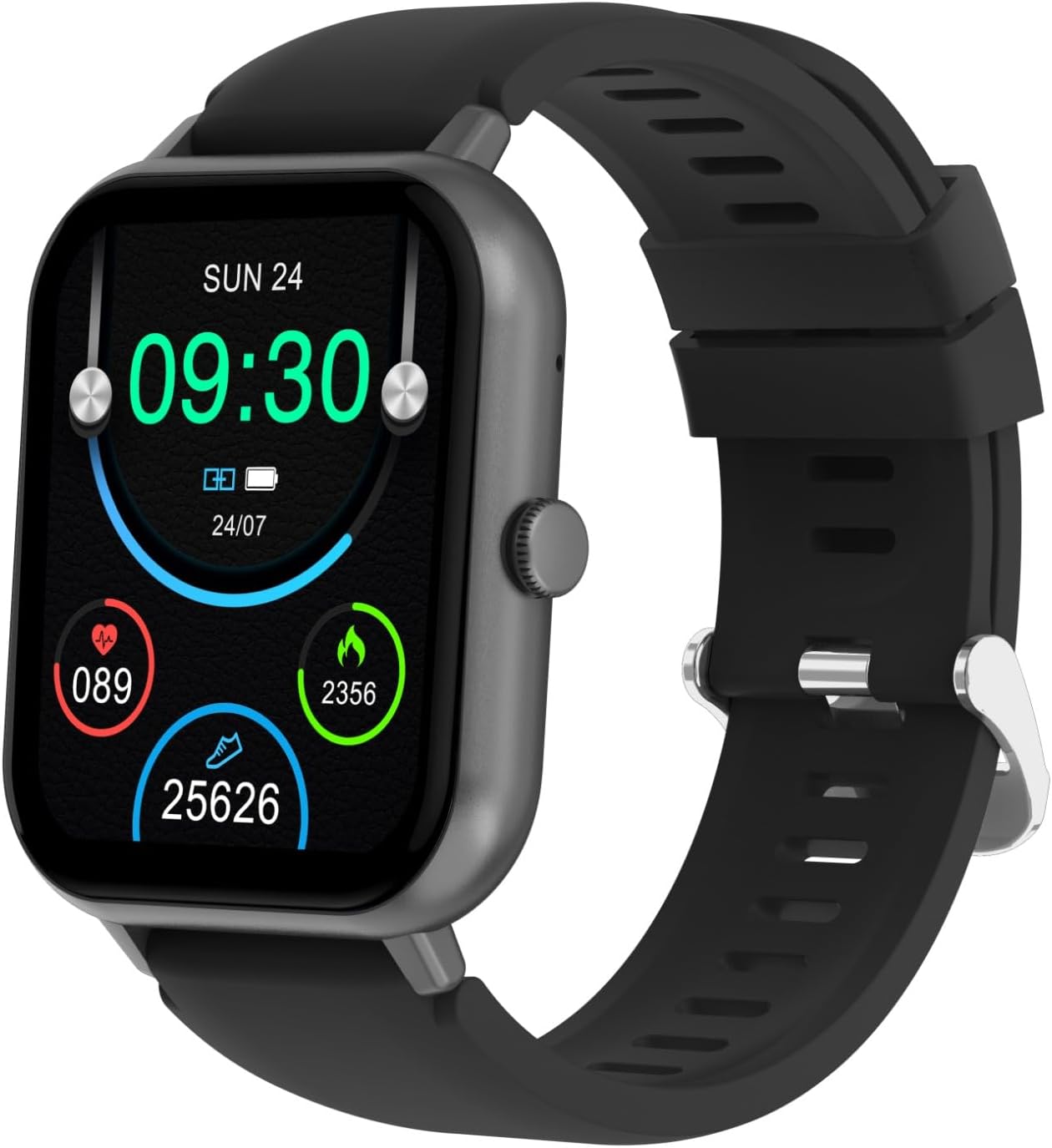
Figure 3.1: Front view of the SGNICS F57L Smart Watch, displaying the screen and side button.

Figure 3.2: Close-up of the 1.91-inch HD touch screen, showing a typical watch face with health data.

Figure 3.3: Rear view of the smart watch, highlighting the heart rate sensor and fitness tracker components.

Figure 3.4: Side profile of the smart watch, showing the slim design and side button.
4. Setup
4.1 Charging the Watch
- Connect the magnetic charging cable to the charging contacts on the back of the watch.
- Plug the USB end of the charging cable into a standard USB power adapter (5V/1A recommended) or a computer's USB port.
- The watch screen will display a charging indicator. Allow approximately 2-3 hours for a full charge.
4.2 App Installation and Pairing
To unlock the full functionality of your SGNICS F57L Smart Watch, you need to install the companion application on your smartphone (Android or iOS).
- Download the App: Scan the QR code provided in the quick start guide or search for the official SGNICS app in your phone's app store (Google Play Store for Android, Apple App Store for iOS).
- Create an Account: Open the app and follow the on-screen instructions to create a new user account or log in if you already have one.
- Enable Bluetooth: Ensure Bluetooth is enabled on your smartphone.
- Pair the Watch: In the app, navigate to the "Device" or "Add Device" section. The app will search for available devices. Select "F57L" or the corresponding device name when it appears.
- Confirm Pairing: A pairing request may appear on both your phone and the watch. Confirm the pairing on both devices.
- Grant Permissions: Allow necessary permissions (e.g., notifications, location, contacts) for the app to function correctly.
Note: For optimal performance, keep the watch and your smartphone within Bluetooth range.
5. Operating Instructions
5.1 Basic Navigation
- Touch Screen: Swipe left/right, up/down to navigate through menus and features. Tap to select.
- Side Button: Press to wake up the screen, return to the home screen, or access the app list (functionality may vary based on context).
5.2 Bluetooth Calls & Notifications
Once paired with your smartphone, the watch allows you to manage calls and receive notifications directly on your wrist.
- Making/Receiving Calls: Use the watch's dial pad or contact list to make calls. Incoming calls will display on the watch, allowing you to answer or reject them.
- Notifications: All messages and app notifications from your paired phone will be displayed on the watch screen and accompanied by a vibration alert. Ensure notification permissions are granted in the companion app.
5.3 Health Tracking
The SGNICS F57L Smart Watch continuously monitors various health metrics.
- 24/7 Activity Tracking: Automatically tracks daily steps, distance, and calories burned.
- Heart Rate Monitoring: Advanced sensors provide continuous heart rate data.
- Sleep Monitoring: Tracks sleep patterns and quality.
- Note: Health data is for reference only and should not be used for medical diagnosis.
5.4 Sports Modes
The watch supports over 50 sports modes to accurately track your workouts.
- Accessing Sports Modes: Swipe on the watch screen to find the "Sports" or "Workout" icon and tap to select.
- Selecting a Mode: Choose from various activities such as running, dancing, yoga, cycling, hiking, and more.
- Tracking: The watch will record duration, calories burned, and other relevant metrics for your chosen activity.
5.5 AI Voice Assistant
Activate the AI voice assistant on your watch to perform tasks hands-free.
- Activation: Typically activated by a long press of the side button or a specific gesture/icon on the screen. Refer to the app for specific instructions.
- Commands: Ask questions, set reminders, control smart devices (if compatible), and more.
5.6 Customization and Other Features
- DIY UI & Watch Faces: Personalize your watch face through the companion app. Choose from hundreds of available dials or create your own.
- Music Playback Control: Control music playing on your phone directly from the watch.
- Utilities: Access features like stopwatch, countdown timer, calculator, weather display, remote camera control, and a "find my phone" function.
6. Maintenance
Proper maintenance ensures the longevity and optimal performance of your smart watch.
- Cleaning: Wipe the watch screen and body with a soft, dry, lint-free cloth. For stubborn smudges, lightly dampen the cloth with water. Avoid harsh chemicals or abrasive materials.
- Water Resistance: The watch is designed to be water-resistant (e.g., for splashes, hand washing). Avoid prolonged submersion, hot water, or steam, as this can compromise the seals.
- Storage: When not in use for extended periods, store the watch in a cool, dry place. Ensure it is partially charged to prevent battery degradation.
- Avoid Extreme Temperatures: Do not expose the watch to extremely high or low temperatures, as this can damage the battery and electronic components.
7. Troubleshooting
If you encounter issues with your SGNICS F57L Smart Watch, refer to the following common solutions:
- Watch not turning on:
- Ensure the watch is fully charged. Connect it to the charger for at least 30 minutes.
- Press and hold the side button for 10-15 seconds to force a restart.
- Cannot pair with smartphone:
- Ensure Bluetooth is enabled on your phone and the watch.
- Make sure the watch is within close proximity to your phone.
- Restart both your phone and the watch.
- Clear the Bluetooth cache on your phone (if applicable) and try pairing again.
- Ensure the companion app is updated to the latest version.
- Notifications not appearing:
- Check notification permissions in your phone's settings for the companion app.
- Ensure the watch is properly connected via Bluetooth.
- Verify that "Do Not Disturb" mode is not active on either the watch or your phone.
- Inaccurate health data:
- Ensure the watch is worn snugly on your wrist, but not too tight.
- Clean the sensor on the back of the watch.
- Movement during measurement can affect accuracy. Remain still for heart rate readings.
- Screen unresponsive:
- Restart the watch.
- Ensure the screen is clean and dry.
If the problem persists, please contact SGNICS customer support for further assistance.
8. Specifications
| Feature | Detail |
|---|---|
| Brand | SGNICS |
| Model Name | F57L |
| Screen Size | 1.91 Inches |
| Display Type | HD Touch Screen |
| Material | Zinc |
| Color | Black |
| Connectivity Technology | Bluetooth |
| Wireless Communication Standard | Bluetooth |
| Operating System | Android (Compatible with Android/iOS) |
| Special Features | Activity Tracker, Bluetooth Call, 50+ Sport Modes, AI Voice Assistant |
| Included Components | Smart Watch, Band, Charging Cable, User Manual |
| Model Year | 2024 |
| Target Audience | Teens, Seniors, Adults |
9. Warranty and Support
9.1 Warranty Information
The SGNICS F57L Smart Watch comes with a 60-day warranty from the date of purchase. This warranty covers manufacturing defects and malfunctions under normal use. It does not cover damage caused by misuse, accidents, unauthorized modifications, or improper maintenance.
Please retain your proof of purchase for warranty claims.
9.2 Customer Support
For technical assistance, troubleshooting not covered in this manual, or warranty inquiries, please contact SGNICS customer support. Refer to the contact information provided on the product packaging or the official SGNICS website.
We are committed to providing you with the best possible experience.