
1. Introduction
This manual provides detailed instructions for the setup, operation, and maintenance of your SGNICS Smart Watch F57L. Please read this manual thoroughly before using the device to ensure proper function and to maximize your user experience. Keep this manual for future reference.
2. Safety Information
- Consult your physician before starting any new exercise program. The watch is not a medical device and should not be used for medical diagnosis or treatment.
- Do not attempt to disassemble or modify the watch. This may void the warranty and cause damage.
- Keep the watch away from extreme temperatures, direct sunlight, and corrosive liquids.
- Ensure the charging cable is properly connected to a power source and the watch to prevent damage.
- Avoid prolonged contact with the watch if you experience skin irritation.
3. Package Contents
Verify that all items are present in the package:
- 1 x SGNICS Smart Watch F57L (Black)
- 1 x Watch Band
- 1 x Charging Cable
- 1 x User Manual (This document)
4. Product Overview
4.1 Watch Components
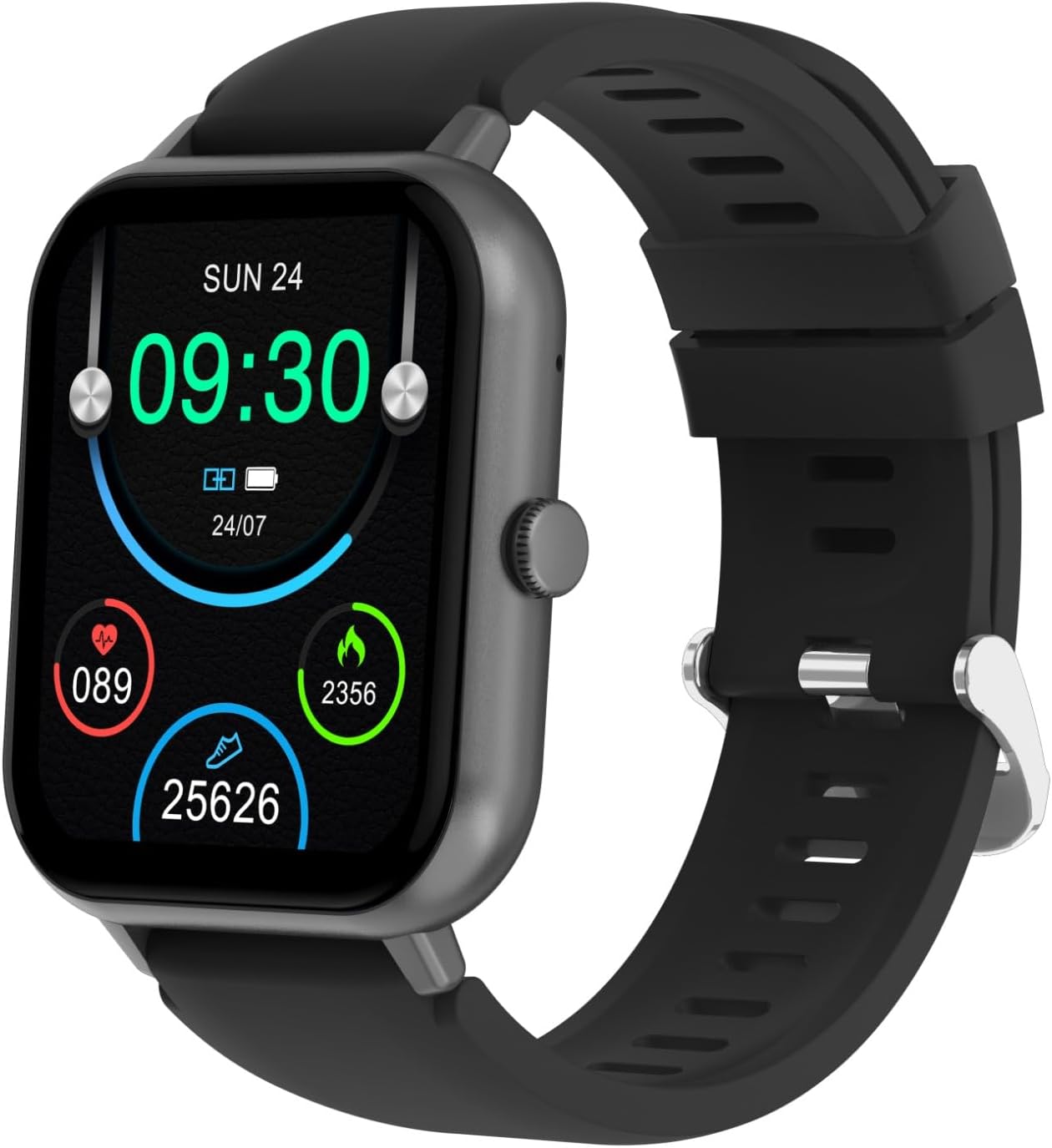
Figure 4.1: Front view of the SGNICS Smart Watch F57L, displaying the time, date, heart rate, calories burned, and steps taken. The watch features a square screen and a black silicone band.

Figure 4.2: Close-up view of the watch face, showing digital time (09:30), date (SUN 24), battery status, and activity metrics like heart rate (089), calories (2356), and steps (25626).

Figure 4.3: Rear view of the SGNICS Smart Watch F57L, highlighting the optical heart rate sensor and charging contacts. The text "HEART RATE SENSOR" and "FITNESS TRACKER" are visible around the sensor.

Figure 4.4: Side profile of the SGNICS Smart Watch F57L, illustrating the single physical button located on the right side of the watch casing.
- Display: 1.91-inch HD touch screen.
- Side Button: Used for power on/off, returning to the main screen, and navigating menus.
- Sensors: Located on the back of the watch for health tracking (e.g., heart rate).
- Charging Contacts: Magnetic contacts on the back for charging.
5. Setup
5.1 Charging the Watch
Before first use, fully charge your SGNICS Smart Watch F57L.
- Connect the USB end of the charging cable to a power adapter (5V/1A recommended) or a computer's USB port.
- Align the magnetic end of the charging cable with the charging contacts on the back of the watch. The magnets will snap it into place.
- The watch display will show a charging indicator. Allow approximately 2 hours for a full charge.
5.2 App Installation and Pairing
To access all features, download and install the companion app on your smartphone (Android 5.0+ or iOS 9.0+).
- Download the App: Scan the QR code in the manual (if provided) or search for the app name (usually mentioned in the watch's initial setup screen or packaging) in the Apple App Store or Google Play Store.
- Enable Bluetooth: Ensure Bluetooth is enabled on your smartphone.
- Open the App: Launch the installed app and follow the on-screen instructions to create an account or log in.
- Pair the Device: In the app, navigate to "Device" or "Add Device" and select your SGNICS F57L from the list of available Bluetooth devices. Confirm the pairing request on both your phone and watch.
- Grant Permissions: Allow necessary permissions (e.g., notifications, location) for the app to function correctly.
5.3 Initial Configuration
After successful pairing, configure your personal information and preferences within the app.
- Set your gender, age, height, and weight for accurate health data tracking.
- Configure notification settings for calls, messages, and other apps.
- Set daily activity goals (steps, calories, distance).
6. Operating Instructions
6.1 Basic Navigation
- Power On/Off: Press and hold the side button to power on or off.
- Wake Screen: Raise your wrist or press the side button.
- Main Screen: Press the side button from any screen to return to the main watch face.
- Swipe Up: Access quick settings (e.g., brightness, DND).
- Swipe Down: View notifications.
- Swipe Left/Right: Navigate through widgets and main functions (e.g., activity data, heart rate, weather).
- Tap: Select an item or enter a function.
6.2 Health Tracking
The SGNICS F57L automatically tracks various health metrics.
- Heart Rate: The watch monitors your heart rate continuously throughout the day. View current and historical data in the app.
- Activity Tracking: Records steps, distance, and calories burned. This data is synchronized with the app.
- Sleep Monitoring: Tracks sleep patterns, including deep sleep, light sleep, and wake times.
6.3 Call and Notification Functions
Once paired via Bluetooth, the watch supports call and notification features.
- Bluetooth Calls: Make or receive calls directly from the watch. Ensure the watch is connected to your phone's Bluetooth for this function.
- Notifications: Receive alerts for incoming calls, SMS messages, and app notifications (e.g., WhatsApp, Facebook). Swipe down from the main screen to view recent notifications.
6.4 Sports Modes
The watch offers over 50 sports modes to track your workouts.
- Navigate to the "Sports" menu on the watch.
- Select your desired activity (e.g., running, cycling, yoga).
- The watch will begin tracking duration, calories, and other relevant metrics.
- End the workout by swiping right or pressing the side button and confirming.
6.5 Customizing Watch Face
Personalize your watch face through the companion app.
- Open the app and go to the "Dial Market" or "Watch Faces" section.
- Choose from various pre-designed watch faces or create a custom one using your own photos.
- Sync the selected watch face to your device.
6.6 Other Features
The SGNICS F57L includes additional utility functions:
- Music Playback Control: Control music playing on your phone (play, pause, skip tracks).
- Weather Display: View current weather conditions and forecasts (requires app synchronization).
- Remote Photography: Use the watch as a remote shutter for your phone's camera.
- Stopwatch & Countdown: Basic timing functions.
- Calculator: Perform basic arithmetic operations.
- Find Phone: Trigger your phone to ring to locate it.
- AI Voice Assistant: Interact with your phone's voice assistant through the watch.
7. Maintenance
7.1 Cleaning
- Wipe the watch screen and body with a soft, lint-free cloth.
- For stubborn stains, use a slightly damp cloth. Avoid harsh chemicals or abrasive materials.
- Clean the charging contacts regularly to ensure proper charging.
7.2 Battery Care
- Avoid fully discharging the battery frequently.
- Charge the watch regularly, even if not in daily use, to maintain battery health.
- Do not expose the watch to extreme temperatures, as this can degrade battery performance.
7.3 Water Resistance
The SGNICS F57L is designed with a certain level of water resistance. Refer to the product specifications for details. Generally, it is suitable for daily use like hand washing or light rain, but avoid hot water, saunas, or diving.
8. Troubleshooting
| Problem | Possible Solution |
|---|---|
| Watch does not turn on. | Ensure the watch is fully charged. Connect it to the charger for at least 10 minutes. |
| Cannot pair with smartphone. |
|
| Notifications are not received. |
|
| Inaccurate health data. |
|
9. Specifications
| Model Name | F57L |
| Brand | SGNICS |
| Display | 1.91-inch HD Touch Screen |
| Connectivity | Bluetooth |
| Compatible Devices | Android/iOS Smartphones |
| Material | Zinc (watch casing) |
| Color | Black |
| Special Features | Activity Tracker, Bluetooth Call, Heart Rate Monitor, 50+ Sport Modes, AI Voice Assistant |
10. Warranty Information
The SGNICS Smart Watch F57L comes with a 60-day warranty from the date of purchase. This warranty covers manufacturing defects. It does not cover damage caused by misuse, accidents, unauthorized modifications, or normal wear and tear. Please retain your proof of purchase for warranty claims.
11. Support
For further assistance, technical support, or warranty inquiries, please contact SGNICS customer service. Refer to the product packaging or the official SGNICS website for contact details.