
Introduction
This manual provides comprehensive instructions for the SGNICS F57L Smart Watch. It covers setup, operation, maintenance, and troubleshooting to ensure optimal performance and user experience. The SGNICS F57L is a versatile fitness tracker designed for Android and iOS phones, featuring Bluetooth call capabilities, a 1.91-inch HD touch screen, and over 50 sport modes.
For any further assistance, please refer to the support section at the end of this manual.
What's Included
Upon unboxing your SGNICS F57L Smart Watch, please verify that all components listed below are present:
- 1 x SGNICS F57L Smart Watch
- 1 x Watch Band
- 1 x Charging Cable
- 1 x User Manual (this document)
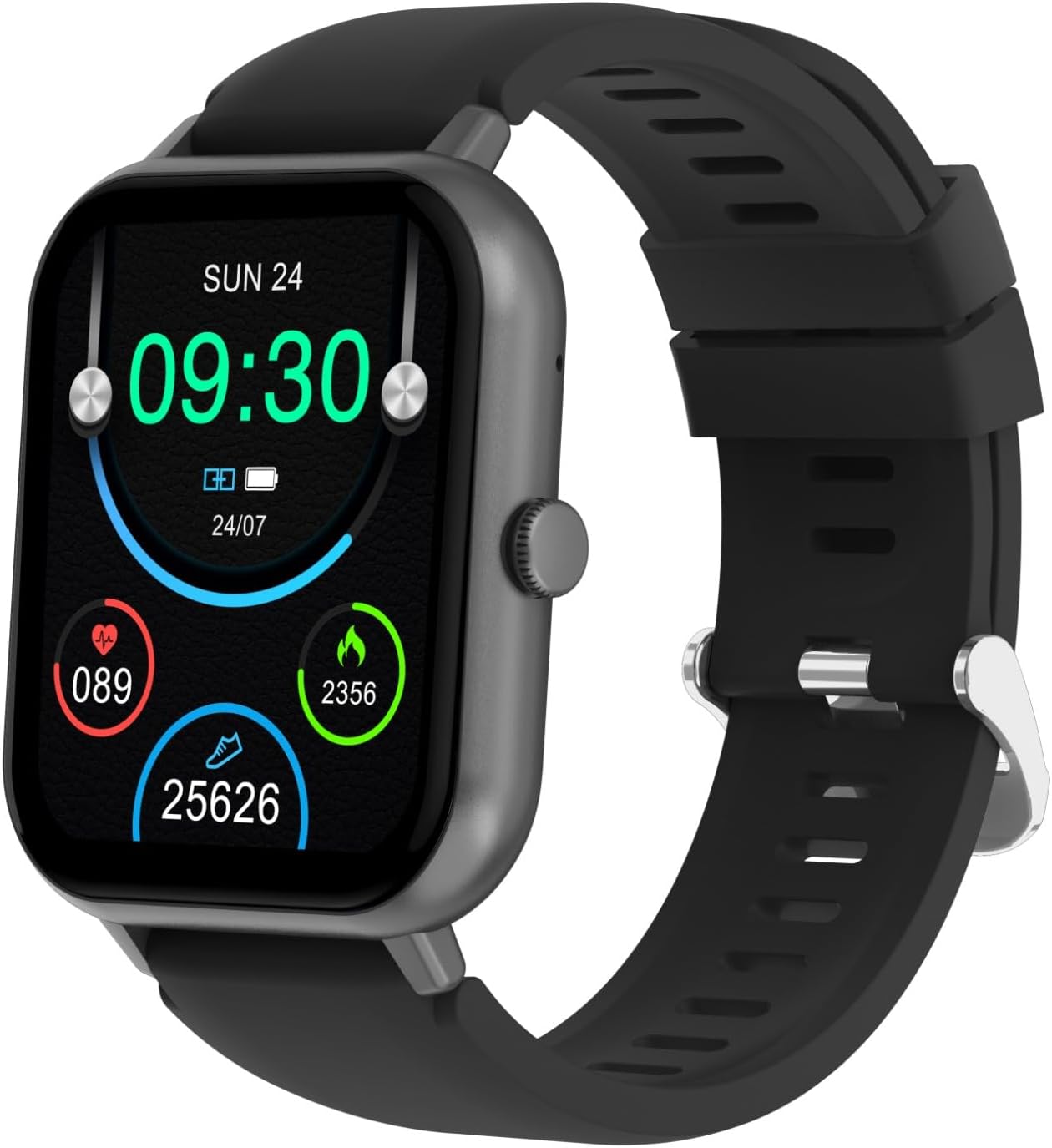
Image: The SGNICS F57L Smart Watch, showcasing its rectangular black display, black silicone band, and charging cable. The watch face displays time, date, heart rate, calories, and steps.
Setup
1. Charging the Smart Watch
Before initial use, fully charge your SGNICS F57L Smart Watch. A full charge typically takes approximately 2 hours.
- Connect the magnetic charging cable to the charging contacts on the back of the watch. Ensure the pins align correctly.
- Plug the USB end of the charging cable into a standard USB power adapter (5V/1A recommended) or a computer's USB port.
- The watch screen will display a charging indicator.

Image: The rear view of the SGNICS F57L Smart Watch, highlighting the circular heart rate sensor and the two metallic charging contacts.
2. App Installation and Pairing
To unlock the full functionality of your SGNICS F57L Smart Watch, you need to install the companion application on your smartphone and pair the devices.
- Download the App: Scan the QR code provided in the quick start guide (or search for the app name, usually mentioned in the watch's initial setup screen or packaging) in your phone's app store (Google Play Store for Android, Apple App Store for iOS).
- Install and Open: Install the app and grant necessary permissions when prompted.
- Enable Bluetooth: Ensure Bluetooth is enabled on your smartphone.
- Pairing:
- Open the app and navigate to the "Device" or "Add Device" section.
- The app will search for available devices. Select "F57L" from the list.
- Confirm the pairing request on both your phone and the watch if prompted.
- Complete Setup: Follow any on-screen instructions within the app to complete your profile and synchronize data.
Operating Instructions
Basic Navigation

Image: A close-up view of the SGNICS F57L Smart Watch's vibrant 1.91-inch HD display, showing the current time (09:30), date (SUN 24), battery status, heart rate (089), calories burned (2356), and steps taken (25626).
- Touch Screen: Swipe left/right, up/down to navigate through menus and features. Tap to select.
- Side Button: Press the side button to return to the home screen or wake the watch. A long press may access power options or a quick menu.
- Watch Faces: Long press on the home screen to change watch faces. The watch supports hundreds of customizable dials.
Wrist Calls & Notifications
Once paired with your smartphone, the F57L allows you to manage calls and receive notifications directly on your wrist.
- Making/Receiving Calls: After connecting via Bluetooth, you can dial numbers or answer incoming calls directly from the watch without needing to take out your phone.
- Notifications: All messages (SMS, social media, etc.) and app notifications from your paired phone will be displayed on the watch screen and accompanied by a vibration alert. Ensure notification permissions are enabled in the companion app.
Health Tracking
The F57L Smart Watch continuously monitors various health metrics using advanced sensors.
- Daily Activity: Automatically tracks steps, distance, and calories burned throughout the day.
- Heart Rate: Provides 24/7 automatic heart rate monitoring. View real-time data on the watch or detailed trends in the app.
- Sleep Monitoring: Tracks sleep patterns, including deep sleep, light sleep, and awake times (data viewable in the app).
Sport Modes
The watch supports over 50 sport modes to accurately track your workouts.
- Accessing Sport Modes: Navigate to the "Sport" or "Workout" icon on your watch.
- Selecting a Mode: Choose from activities like running, dancing, yoga, cycling, hiking, and more.
- Tracking: The watch will record specific metrics for each activity, such as duration, distance, calories, and heart rate, helping you adjust intensity for optimal results.
Life Assistant Features
The SGNICS F57L integrates several convenient features to assist with daily tasks.
- AI Voice Assistant: Interact with your virtual assistant directly from your wrist to ask questions, set reminders, or control smart devices.
- Music Playback Control: Control music playing on your phone (play, pause, skip tracks).
- Stopwatch & Countdown: Built-in timing functions for various needs.
- Calculator: Perform basic calculations on the go.
- Weather Display: Get real-time weather updates for your location (requires app synchronization).
- Remote Photography: Use your watch as a remote shutter for your phone's camera.
- Find Phone: Locate your misplaced phone by triggering an audible alert from the watch.
Maintenance
Proper care and maintenance will extend the lifespan of your SGNICS F57L Smart Watch.
- Cleaning: Regularly wipe the watch screen and body with a soft, dry, lint-free cloth. For stubborn smudges, slightly dampen the cloth with water. Avoid using harsh chemicals or abrasive materials.
- Band Care: Clean the watch band regularly, especially after workouts, to prevent skin irritation. Use mild soap and water for silicone bands, then rinse thoroughly and dry completely.
- Water Resistance: While the watch is designed to withstand splashes and sweat, it is not recommended for swimming or showering. Avoid prolonged exposure to water. Do not press buttons underwater.
- Charging Contacts: Ensure the charging contacts on the back of the watch and the charging cable are clean and dry before charging to prevent corrosion.
- Storage: When not in use for extended periods, store the watch in a cool, dry place away from direct sunlight and extreme temperatures.

Image: A side profile view of the SGNICS F57L Smart Watch, highlighting its slim design and the single physical button on the right side of the casing.
Troubleshooting
If you encounter issues with your SGNICS F57L Smart Watch, refer to the common problems and solutions below:
| Problem | Possible Solution |
|---|---|
| Watch won't turn on | Ensure the watch is fully charged. Connect it to the charging cable and a power source for at least 10-15 minutes. |
| Cannot pair with phone |
|
| Notifications not received |
|
| Inaccurate health data |
|
Specifications
| Feature | Detail |
|---|---|
| Model Name | F57L |
| Brand | SGNICS |
| Display | 1.91-inch HD Touch Screen |
| Connectivity | Bluetooth Call Functionality |
| Sport Modes | 50+ (e.g., running, dancing, yoga, cycling, hiking) |
| Health Tracking | 24/7 Activity Tracker (steps, calories, distance), Heart Rate Monitoring, Sleep Tracking |
| Compatibility | Android Phones, iOS Phones (Smartphones) |
| Material | Zinc (watch body) |
| Color | Black |
| Included Components | Smart Watch F57L, Band, Charging Cable, User Manual |
| Manufacturer | SGNICS |
| Model Year | 2024 |
Warranty and Support
Warranty: The SGNICS F57L Smart Watch comes with a 60-day warranty from the date of purchase, covering manufacturing defects. This warranty does not cover damage caused by misuse, accidents, unauthorized modifications, or normal wear and tear.
Customer Support: For technical assistance, warranty claims, or any questions not covered in this manual, please contact SGNICS customer support through the contact information provided on the product packaging or the official SGNICS website. Please have your product model number (F57L) and purchase details ready when contacting support.