
1. Introduction
The FFtopu EK925 Breathalyzer is an advanced alcohol tester designed for personal and professional use. It features a Figaro high-precision sensor for accurate and consistent measurements, a TFT color display for clear results, and a rechargeable USB battery for convenience. This manual provides essential information for the proper setup, operation, and maintenance of your device.

Image: The FFtopu EK925 Breathalyzer being used by an individual, demonstrating its portable and user-friendly design for accurate alcohol testing.
2. Package Contents
Please verify that all items are present in your package:
- 1 x FFtopu EK925 Breathalyzer
- 10 x Replaceable Mouthpieces
- 1 x USB Charging Cable
- 1 x User Manual (this document)
- 1 x Carrying Bag
3. Product Overview
3.1 Device Components
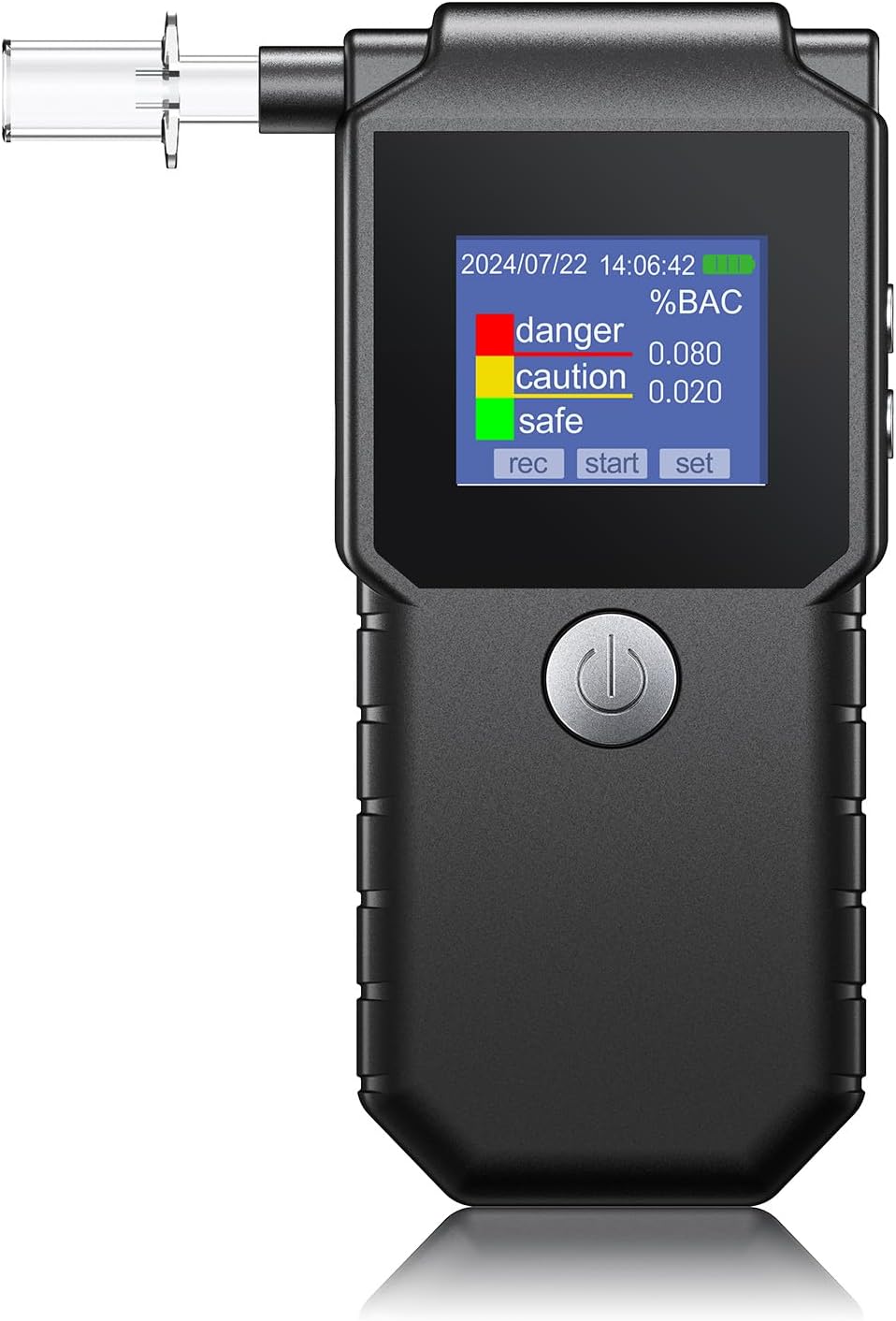
Image: A clear front view of the FFtopu EK925 Breathalyzer, showcasing its compact design, TFT color display, power button, and attached mouthpiece.
The EK925 features a robust design with a clear TFT color display, a power button, and a port for replaceable mouthpieces. It incorporates an upgraded chip for enhanced accuracy.

Image: A visual comparison highlighting the 'NEW UPGRADE' of the FFtopu EK925, showing its advanced chip and 1.77-inch TFT color display compared to an older model with a basic chip and black and white display.
3.2 Display Indicators
The TFT color display provides clear visual feedback:
- Green Screen: Indicates a safe alcohol level (0 ≤ %BAC < 0.02). No alarm.
- Yellow Screen: Indicates a warning level (0.02 ≤ %BAC < 0.08). Two beeps at one-second intervals.
- Red Screen: Indicates a danger level (%BAC ≥ 0.08). Beeps for 10 seconds.
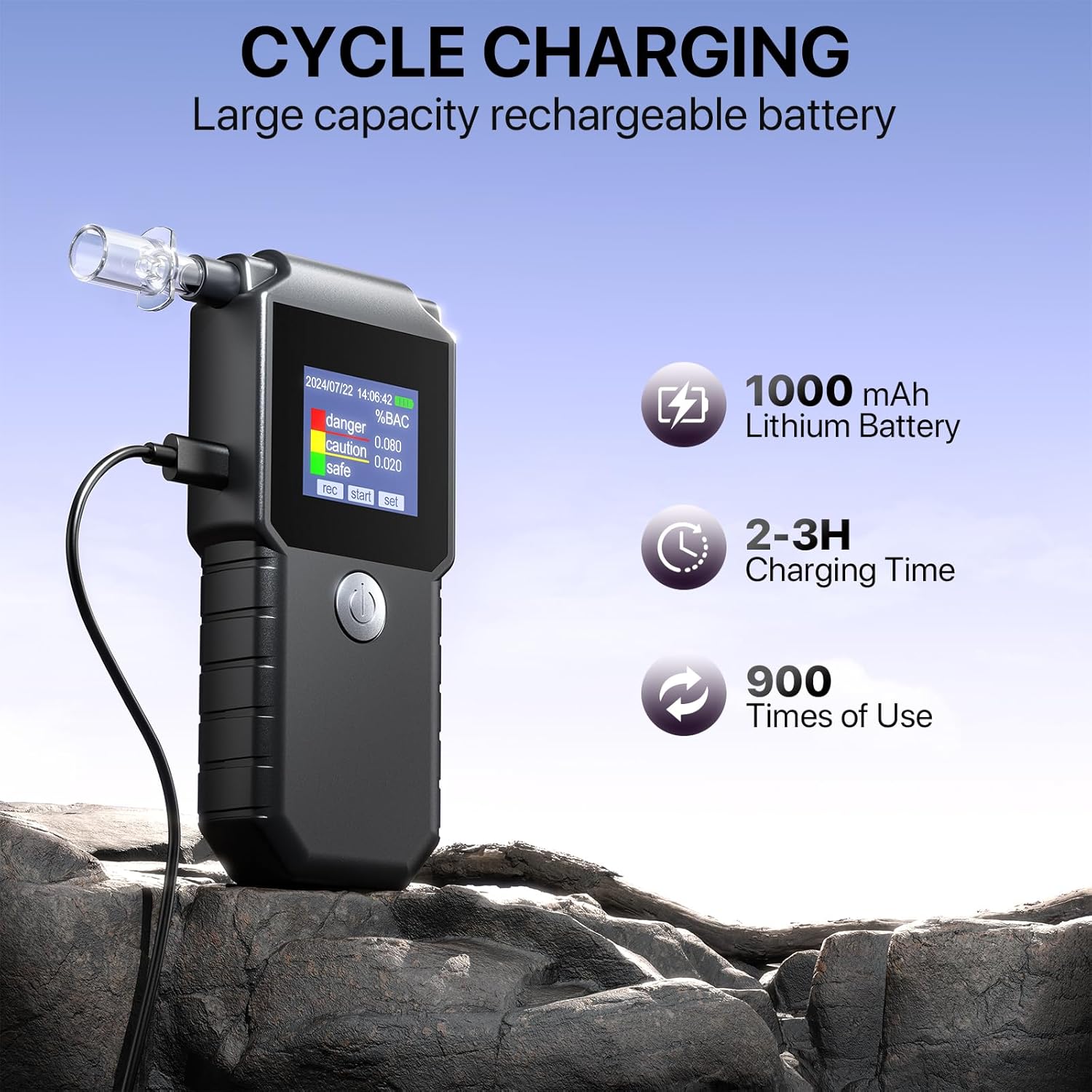
Image: The FFtopu EK925 Breathalyzer display illustrating the 'DOUBLE TIPS' feature with three distinct color-coded warnings (green for safe, yellow for caution, red for danger) based on %BAC levels.
4. Setup
4.1 Charging the Device
Before first use, fully charge the breathalyzer. The device is equipped with a 1000mAh lithium battery.
- Connect the included USB charging cable to the breathalyzer's charging port.
- Connect the other end of the USB cable to a 5V power supply (e.g., a USB wall adapter or computer USB port).
- Charging typically takes 2-3 hours. A full charge supports 800-1000 uses.

Image: The FFtopu EK925 Breathalyzer shown connected via USB for 'CYCLE CHARGING', highlighting its 1000mAh lithium battery, 2-3 hour charging time, and approximately 900 uses per charge.
4.2 Installing a Mouthpiece
For hygienic and accurate testing, always use a clean, replaceable mouthpiece.
- Gently insert a new mouthpiece into the designated port on the top of the breathalyzer until it is securely in place.
- Ensure the mouthpiece is firmly attached to prevent air leakage during testing.
5. Operating Instructions
Follow these steps for accurate alcohol testing:

Image: A four-panel graphic detailing the 'PROCEDURE FOR USE' of the FFtopu EK925 Breathalyzer, including mounting the mouthpiece, waiting for warm-up, blowing evenly, and reading the test values.
- Power On: Press and hold the power button to turn on the device. The standby main interface will appear.
- Warm-up: Press the power button again to initiate the warm-up sequence. The screen will display "warm" and a 15-second countdown. Wait for the countdown to complete.
- Blow: When "Blo" appears on the screen, take a deep breath and blow evenly into the mouthpiece for 3-5 seconds. Ensure a continuous and steady breath.
- Result Display: After blowing, wait a moment for the device to process the sample. The test result (%BAC) will be displayed on the TFT color screen, accompanied by the corresponding color indicator (green, yellow, or red) and audible alerts as described in Section 3.2.
- Power Off: The device will automatically power off after a period of inactivity, or you can manually power it off by pressing and holding the power button.
5.1 Data Storage and Export
The EK925 can store up to 2500 groups of test records, including time and date. These records can be exported to a PC for analysis.
- Connect the breathalyzer to your PC using the provided USB cable.
- Follow the on-screen prompts or refer to the device's menu to access and export stored data.
- The exported data can help you track and analyze past test results.
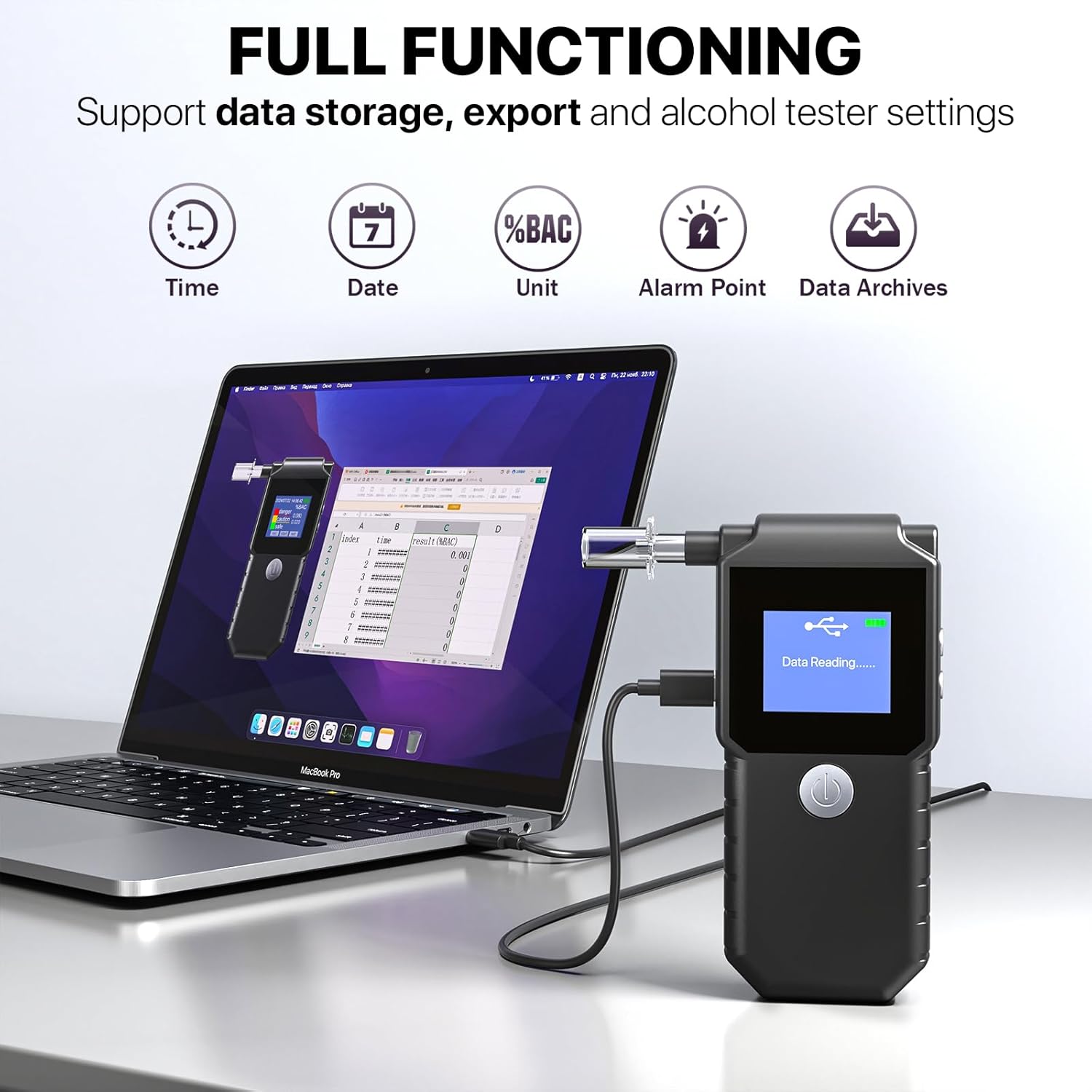
Image: The FFtopu EK925 Breathalyzer connected to a laptop, illustrating its 'FULL FUNCTIONING' capabilities including data storage, export, and settings management.
5.2 Device Settings
You can customize various settings on your breathalyzer:
- Time and Date: Adjust the current time and date.
- Unit: Select the desired measurement unit (%BAC, ‰BAC, mg/L) to match local regulations.
- Alarm Value: Set the threshold for the yellow warning screen and associated beeps.
- Warning Value: Set the threshold for the red danger screen and associated beeps.
Access these settings through the device's menu interface.
6. Maintenance
6.1 Cleaning
To maintain hygiene and device longevity:
- Wipe the exterior of the device with a soft, dry cloth.
- Do not use abrasive cleaners or immerse the device in water.
- Ensure the mouthpiece port is free of debris.
6.2 Mouthpiece Replacement
Replace mouthpieces after each use or when shared to ensure hygiene and prevent cross-contamination. Use only FFtopu-approved replacement mouthpieces.
7. Troubleshooting
- Device not turning on: Ensure the device is fully charged. If the issue persists, contact support.
- Inaccurate readings: Ensure the mouthpiece is correctly installed and you are blowing steadily for the required duration. Avoid testing immediately after consuming alcohol or using mouthwash; wait at least 20 minutes.
- "Blo" not appearing: Ensure the device has completed its warm-up cycle.
- Data export issues: Verify the USB connection to your PC and ensure the device is in data transfer mode.
8. Specifications
| Feature | Specification |
|---|---|
| Model Number | EK925 |
| Sensor Type | Figaro High Precision Sensor |
| Display | TFT Color Display |
| Battery | 1000mAh Lithium Battery |
| Charging Time | 2-3 hours |
| Uses Per Charge | 800-1000 times |
| Record Storage | Up to 2500 groups |
| Dimensions | 126 x 51 x 23 mm |
| Weight | 119 g |
9. Warranty and Support
The FFtopu EK925 Breathalyzer comes with a 365-day free repair and replacement guarantee for faults. If you encounter any issues or have questions regarding your device, please contact FFtopu customer support. We are committed to actively addressing any concerns you may have.