
1. Introduction
Thank you for choosing the FOSA Smartwatch with Integrated Earbuds. This device combines the functionality of a smartwatch with the convenience of wireless earbuds, offering a seamless experience for communication, fitness tracking, and entertainment. This manual provides essential information for setting up, operating, and maintaining your device.
2. Safety Information
- Do not attempt to disassemble or modify the device.
- Keep the device away from extreme temperatures and direct sunlight.
- Avoid exposing the device to strong magnetic fields.
- Clean the device with a soft, dry cloth. Do not use abrasive cleaners.
- Ensure the charging contacts are dry before charging to prevent corrosion.
- Consult a medical professional before starting any new exercise regimen, especially if you have pre-existing health conditions.
3. Package Contents
Please verify that all items are present in your package:
- FOSA Smartwatch with Integrated Earbuds
- Silicone Band (pre-attached or separate)
- Magnetic Charging Cable
- User Manual (this document)
4. Product Overview
The FOSA Smartwatch features a 2.01-inch HD screen and houses a pair of wireless earbuds within its body. Key components include:
- Smartwatch Display: Touch-sensitive screen for navigation and information display.
- Side Buttons: For power, menu access, and other functions.
- Earbud Compartment: Integrated storage and charging for the earbuds.
- Heart Rate Sensor: Located on the back of the watch for fitness tracking.
- Charging Contacts: Magnetic contacts on the back for power input.

Image: FOSA Smartwatch with the earbud compartment open, showing the earbuds inside.
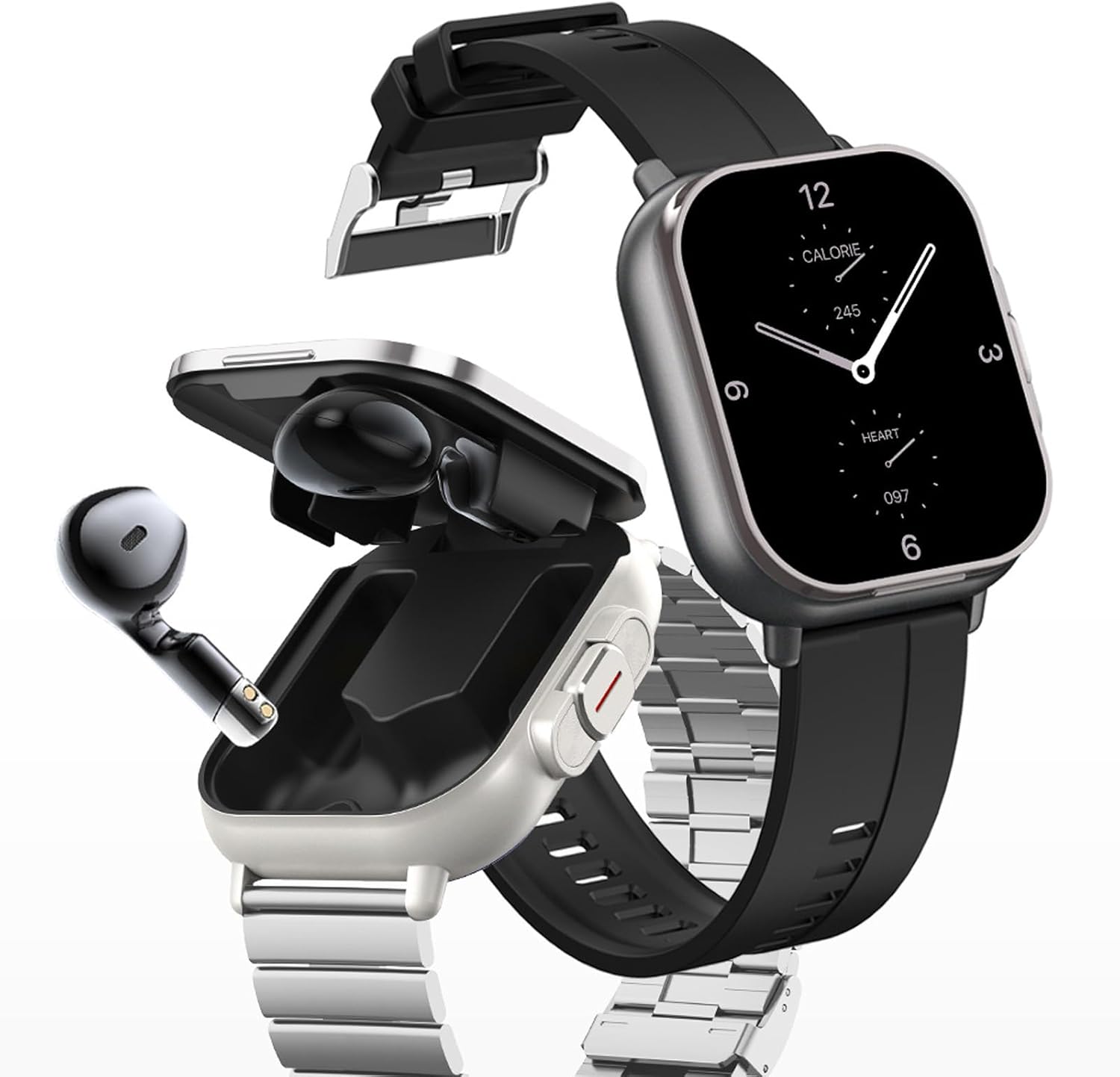
Image: FOSA Smartwatch with the earbuds removed and placed next to it, showcasing the two-in-one design.
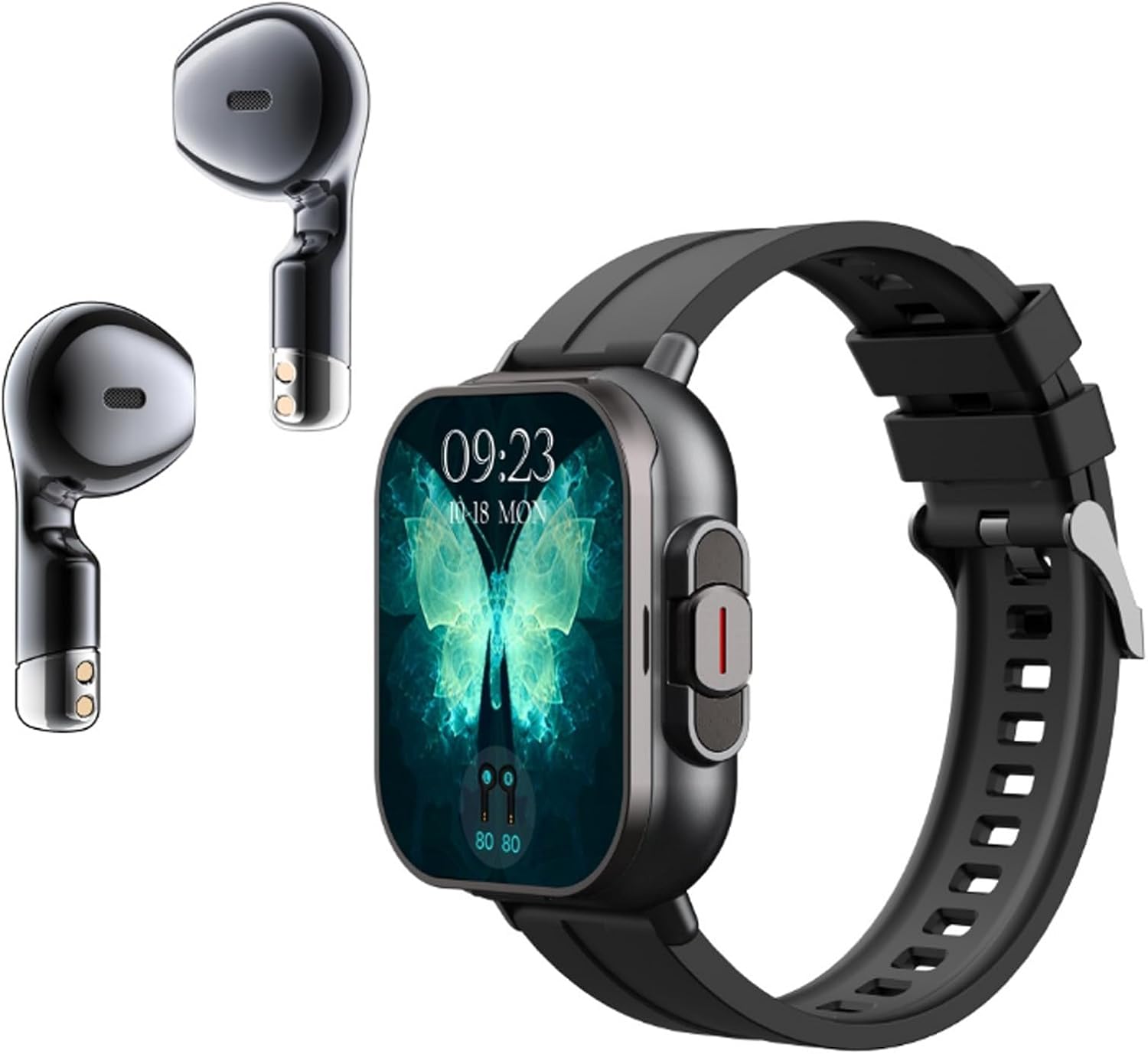
Image: FOSA Smartwatch and its integrated earbuds displayed separately.
5. Setup
5.1 Charging the Smartwatch and Earbuds
- Connect the magnetic charging cable to a USB power adapter (not included).
- Align the magnetic end of the cable with the charging contacts on the back of the smartwatch. Ensure a secure connection.
- The smartwatch and integrated earbuds will begin charging. A charging indicator will appear on the watch screen.
- Fully charge the device before first use.

Image: Close-up of the back of the FOSA Smartwatch, showing the magnetic charging contacts and sensors.
5.2 App Installation and Pairing with Smartphone
- Scan the QR code in the manual or on the watch screen (if available) to download the companion app, or search for the app name (usually mentioned in the product packaging or quick start guide) in your smartphone's app store.
- Install the app on your Android (7.0 and above) or iOS (11.0 and above) smartphone.
- Enable Bluetooth on your smartphone.
- Open the app and follow the on-screen instructions to create an account and pair your smartwatch.
- During pairing, ensure the smartwatch is close to your phone. Confirm any pairing requests on both devices.
5.3 Earbud Pairing
The earbuds are typically pre-paired with the smartwatch. To pair them with your phone directly or re-pair:
- Remove the earbuds from the smartwatch compartment. They will automatically enter pairing mode.
- On your smartphone, go to Bluetooth settings and search for new devices.
- Select the earbud name (e.g., 'FOSA Earbuds') from the list to connect.

Image: Close-up of the FOSA Smartwatch showing an earbud being removed from its integrated storage compartment.
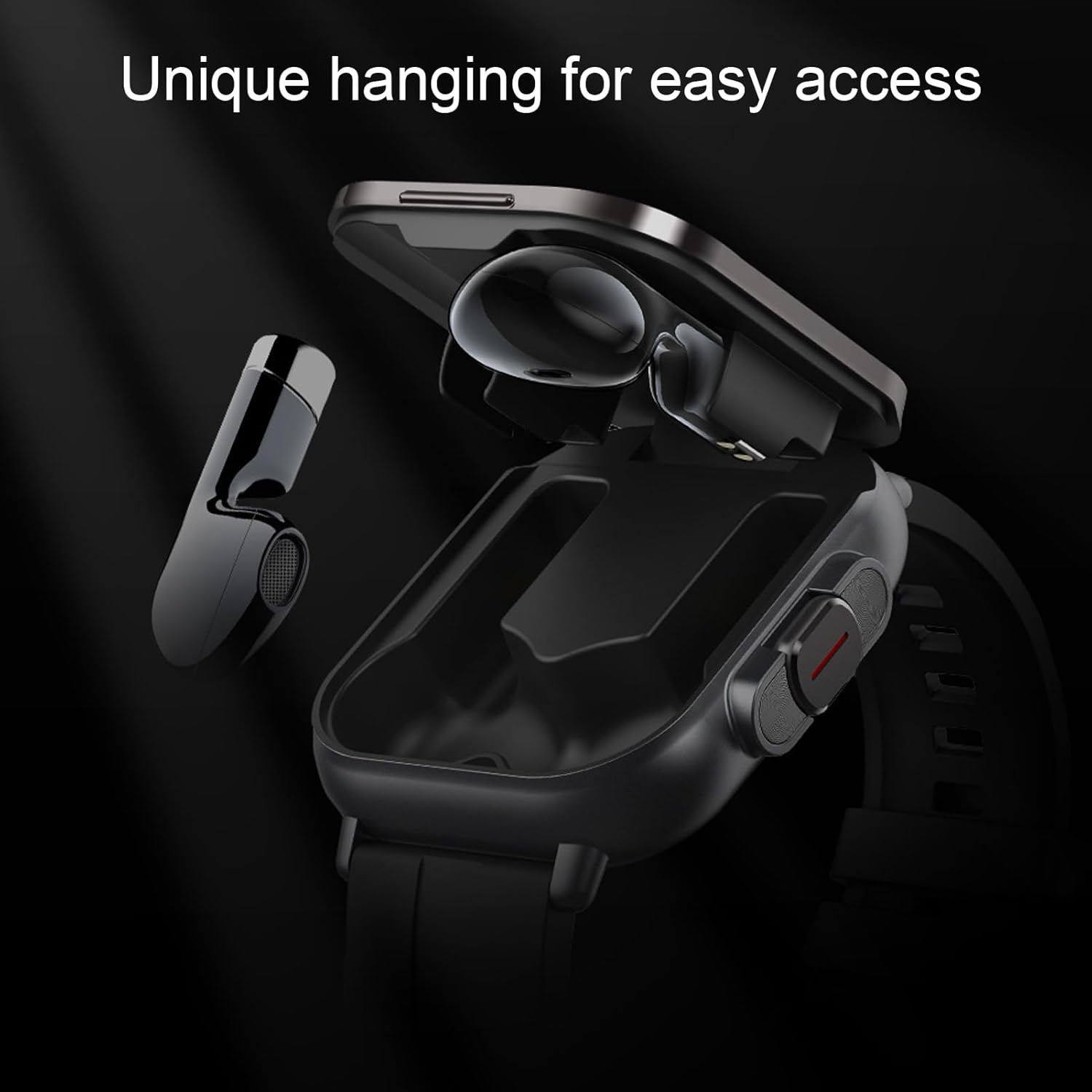
Image: A single earbud from the FOSA Smartwatch is shown partially removed and hanging from its compartment, illustrating easy access.
6. Operating Instructions
6.1 Smartwatch Basic Functions
- Power On/Off: Press and hold the side button to power on or off.
- Navigation: Swipe left/right, up/down on the touchscreen to navigate menus and access features. Tap to select.
- Watch Faces: Customize your watch face through the app or by long-pressing the home screen on the watch.

Image: Close-up of the FOSA Smartwatch display showing a dynamic interface with time, date, weather, and fitness data like heart rate and steps.

Image: A FOSA Smartwatch worn on a wrist, displaying the time and fitness metrics on its screen.
6.2 Earbud Functions
- Music Playback: Once connected to your phone, use the earbuds for audio playback. Control playback (play/pause, skip) via touch controls on the earbuds or through your phone.
- Calls: Answer or reject calls directly from the smartwatch or earbuds. The earbuds provide clear audio for conversations.

Image: The FOSA Smartwatch display showing an incoming call interface with options to answer or decline.

Image: A person wearing the FOSA Smartwatch and using the integrated earbuds for a call or listening to music.
6.3 Fitness Tracking
The smartwatch continuously monitors various health metrics:
- Heart Rate: Real-time heart rate monitoring.
- Sleep Tracking: Analyzes deep sleep, light sleep, and wake-up times.
- Steps/Calories: Tracks daily steps taken and calories burned.
- Multiple Exercise Modes: Select from various sports modes (e.g., running, walking) to track specific workout data.

Image: A collage showing various fitness tracking icons and the FOSA Smartwatch with its earbuds.
6.4 Other Smart Features
- Message Notifications: Receive alerts for calls, texts, and app notifications directly on your wrist.
- Remote Camera Control: Use your smartwatch as a remote shutter for your phone's camera.
- Weather Forecast: Get real-time weather updates.
- Sedentary Reminder: Alerts you to move after periods of inactivity.
- Smart Alarm Clock: Set alarms through the app.
- Cell Phone Finder: Locate your paired smartphone by triggering an alert sound.
- NFC: The device supports NFC functionality. Refer to the app for specific NFC features and setup instructions.
7. Maintenance
7.1 Cleaning
- Wipe the smartwatch and earbuds with a soft, lint-free cloth.
- For stubborn dirt, slightly dampen the cloth with water. Do not use harsh chemicals.
- Ensure the charging contacts and earbud compartments are clean and dry to maintain optimal performance.
7.2 Water Resistance (IP67)
The FOSA Smartwatch is rated IP67, meaning it is protected against dust ingress and can withstand immersion in water up to 1 meter for 30 minutes. It is suitable for daily use, such as hand washing or light rain. However, it is not recommended for swimming, showering with hot water, or diving, as steam and high water pressure can compromise the seals.
7.3 Battery Care
- Avoid fully discharging the battery frequently.
- Charge the device regularly, even if not in use, to maintain battery health.
- Use only the provided magnetic charging cable.
8. Troubleshooting
| Issue | Possible Solution |
|---|---|
| Device won't power on | Ensure the device is fully charged. Connect to the charger and wait a few minutes before attempting to power on again. |
| Cannot pair with smartphone | Ensure Bluetooth is enabled on your phone. Restart both the smartwatch and your phone. Make sure the app is installed and permissions are granted. |
| Earbuds not connecting | Place earbuds back into the smartwatch compartment, then remove them again. Check your phone's Bluetooth settings to ensure they are not connected to another device. |
| Inaccurate fitness data | Ensure the smartwatch is worn snugly on your wrist, not too loose or too tight. Clean the sensor on the back of the watch. |
| Touch screen unresponsive | Restart the smartwatch. Ensure the screen is clean and dry. |
9. Specifications
- Model Number: fosag3quwgri6c
- Screen Size: 2.01 Inches
- Operating System: Android (7.0 and above), iOS (11.0 and above)
- Connectivity: Bluetooth, NFC
- Battery Capacity: 250mAh (Smartwatch)
- Water Resistance: IP67
- Charging Type: Magnetic Charging
- Item Weight: 4.2 ounces
- Package Dimensions: 5.28 x 3.35 x 1.42 inches
10. Warranty and Support
This product comes with a standard manufacturer's warranty. For detailed warranty information, please refer to the warranty card included in your product packaging or contact FOSA customer support. For technical assistance or further inquiries, please visit the official FOSA website or contact their customer service department.