
1. Introduction
The VILTROX 56mm f/1.7 E Lens is a compact and lightweight prime lens designed for Sony E-mount APS-C cameras. With a fast f/1.7 maximum aperture, it excels in low-light conditions and provides excellent background separation, making it ideal for portrait photography. Its 56mm focal length on an APS-C sensor is equivalent to approximately 85mm on a full-frame camera, offering a classic portrait perspective. The lens features an advanced optical design and a silent STM autofocus motor for precise and quick focusing.
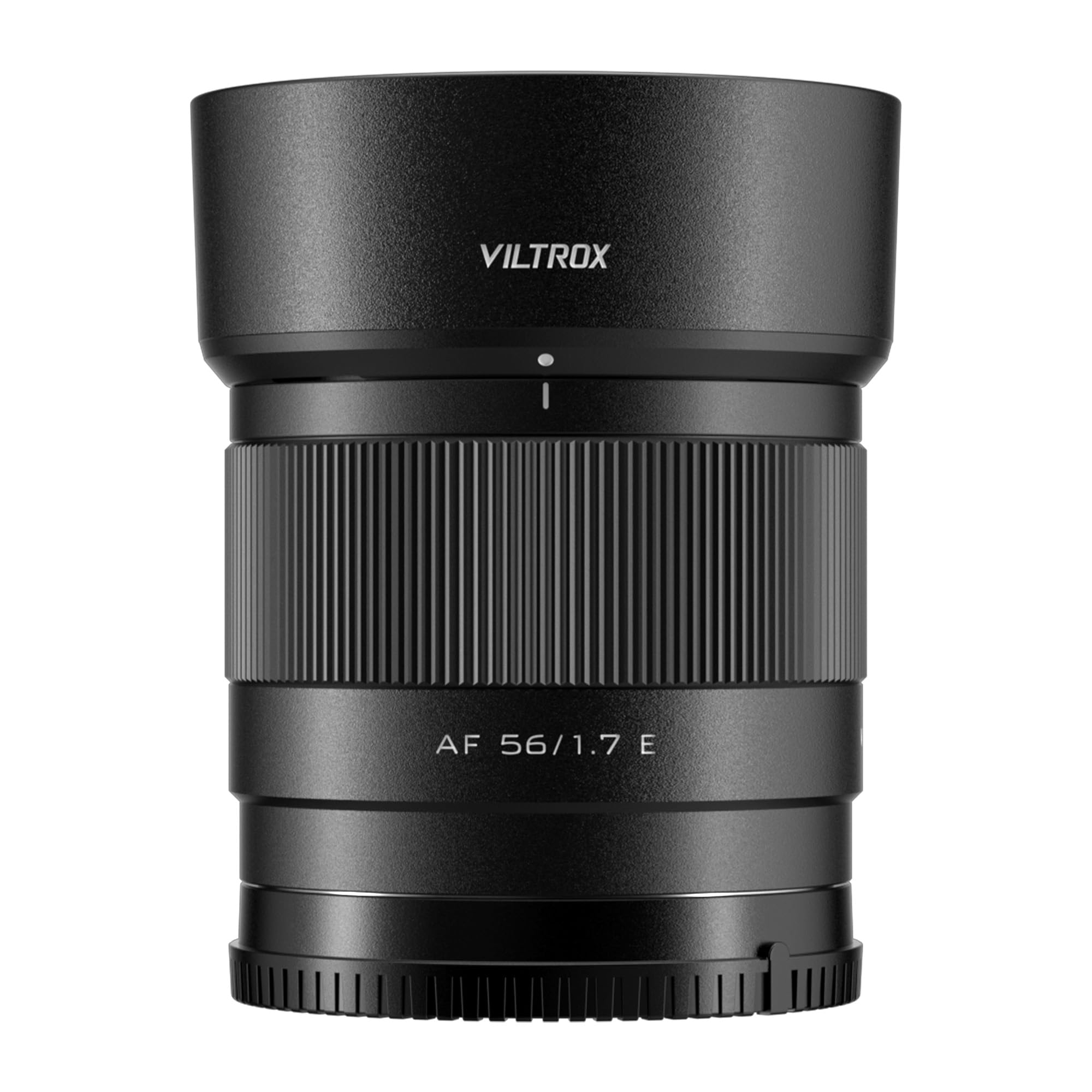
Figure 1: VILTROX 56mm f/1.7 E Lens mounted on a Sony camera.
2. What's in the Box
Please check that all the following items are included in your package:
- VILTROX 56mm f/1.7 E Lens
- Lens Hood
- Front Lens Cap
- Rear Lens Cap
- Lens Pouch
- Instruction Manual
- Warranty Card

Figure 2: Contents of the VILTROX 56mm f/1.7 E Lens package.
3. Setup
3.1 Attaching the Lens
- Ensure your camera is turned off.
- Remove the rear lens cap from the VILTROX 56mm f/1.7 E Lens and the body cap from your Sony E-mount camera.
- Align the white index mark on the lens barrel with the white index mark on your camera's lens mount.
- Insert the lens into the camera mount and rotate it clockwise until it clicks into place. Do not force the lens.
- Attach the lens hood by aligning its mark with the mark on the lens and twisting until it locks.
3.2 Firmware Updates
The lens is equipped with a USB-C port for convenient firmware updates. To update the firmware:
- Visit the official VILTROX website to download the latest firmware file for your specific lens model.
- Connect the lens directly to your computer using a USB-C cable. The lens will appear as a removable drive.
- Copy the downloaded firmware file to the root directory of the lens drive.
- Safely eject the lens drive from your computer. The firmware update will proceed automatically.
- After the update, you can verify the new firmware version by opening the 'DeviceInformation.txt' file on the lens drive.
Video 1: Demonstrating the unboxing and mounting of the VILTROX 56mm f/1.7 E Lens onto a Sony E-mount camera.
4. Operating the Lens
4.1 Autofocus (AF)
The VILTROX 56mm f/1.7 E Lens features an STM (Stepping Motor) silent motor for efficient and reliable autofocus. This motor provides precise and fast focusing, which is crucial for capturing sharp images and smooth video. The lens supports various camera autofocus modes, including face and eye recognition, enhancing its performance for portrait and dynamic subjects.
4.2 Manual Focus (MF)
To switch to manual focus, set your camera's focus mode to MF. Rotate the focus ring on the lens barrel to adjust focus. The smooth rotation of the focus ring allows for fine adjustments, which is beneficial for precise focusing in specific scenarios or for creative effects.
4.3 Aperture Control
The f/1.7 maximum aperture allows for significant control over depth of field, enabling you to create images with beautifully blurred backgrounds (bokeh). The aperture can be controlled directly from your camera body, allowing seamless integration with your camera's exposure settings.

Figure 3: Front view of the VILTROX 56mm f/1.7 E Lens.
Video 2: Official product video showcasing the VILTROX AF 56mm f/1.7 E Lens for Sony, highlighting its key features and performance.
5. Detailed Features
5.1 Ideal Portrait Focal Length
The 56mm focal length on an APS-C sensor provides a full-frame equivalent of approximately 85mm. This 'golden' portrait perspective offers a natural and pleasing compression, bringing out the three-dimensional sense of subjects and creating a beautiful background separation.
5.2 Advanced Optical Design
The lens incorporates 9 groups of 11 optical elements, including 4 ED (Extra-low Dispersion) lenses and 3 lenses with a high refractive index. This sophisticated design effectively minimizes chromatic aberrations and distortions, ensuring high image clarity and sharpness across the frame.
5.3 Video Performance
Designed with video shooters in mind, the 56mm f/1.7 lens offers comprehensive and reliable video shooting capabilities. It supports camera body anti-shake functions and exhibits very low distortion. The breathing effect (change in focal length during focusing) is almost imperceptible, contributing to more immersive and professional-looking video content.
5.4 Compact and Lightweight
Weighing only 170g, this lens is exceptionally compact and lightweight. Its portability makes it an excellent choice for everyday use, travel, and situations where minimizing gear weight is essential, encouraging users to carry it and capture more creative themes.

Figure 4: Side view of the VILTROX 56mm f/1.7 E Lens mounted on a Sony camera.

Figure 5: Rear view of the VILTROX 56mm f/1.7 E Lens.
6. Specifications
| Brand | VILTROX |
| Model Name | VILTROX AF 56mm f/1.7 E Lens |
| Model Number | AF 56/1.7 E |
| Focal Length | 56mm (85mm full-frame equivalent) |
| Lens Type | Prime, Standard |
| Compatible Mountings | Sony E |
| Maximum Aperture | f/1.7 |
| Minimum Aperture | f/16 |
| Number of Diaphragm Blades | 9 |
| Lens Design | 9 groups, 11 elements (including 4 ED, 3 high refractive index) |
| Focus Type | Auto/Manual (STM Motor) |
| Lens Coating | Nano Crystal Coating |
| Image Stabilization | Digital (Camera Body Anti-shake Support) |
| Real Angle Of View | 29.8 Degrees |
| Photo Filter Size | 52 Millimeters |
| Item Weight | 170 Grams |
| Color | Black |
| Water Resistance Level | Water Resistant |
7. Maintenance
7.1 Cleaning the Lens
- Use a soft, lint-free cloth or a lens brush to gently remove dust and debris from the lens surface.
- For stubborn smudges or fingerprints, apply a small amount of lens cleaning solution to a microfiber cloth and gently wipe the lens in a circular motion.
- Never use abrasive materials or harsh chemicals, as these can damage the lens coatings.
7.2 Storage
- Always attach the front and rear lens caps when the lens is not in use to protect the optical elements.
- Store the lens in a cool, dry place, away from direct sunlight and extreme temperatures.
- If storing for an extended period, consider using a dehumidifying agent to prevent mold and mildew growth.
8. Troubleshooting
8.1 Autofocus Not Working
- Ensure the camera's focus mode is set to 'AF' (Autofocus).
- Check that the lens is securely mounted to the camera body.
- Verify that the camera's firmware and the lens firmware are up to date.
- Clean the electrical contacts on both the lens and the camera body with a clean, dry cloth.
8.2 Image Quality Issues (Softness, Aberrations)
- Ensure proper focus. If using autofocus, try manual focus to confirm sharpness.
- Check for smudges or dust on the lens elements and clean as per maintenance instructions.
- Verify camera settings (e.g., shutter speed, ISO) are appropriate for the shooting conditions.
- Chromatic aberrations are minimized by the optical design but can sometimes be corrected in post-processing software.
9. Warranty and Support
The VILTROX 56mm f/1.7 E Lens comes with a 3-year manufacturer warranty. For technical support, warranty claims, or further inquiries, please visit the official VILTROX website or contact their customer service directly. Keep your purchase receipt and warranty card for reference.
Official VILTROX Store: VILTROX Official Store


