
1. Introduction
The XHDATA D808 is a portable digital radio designed for versatile reception across multiple bands, including FM Stereo, Medium Wave (MW), Shortwave (SW), Long Wave (LW), and Air Band. It features Single Sideband (SSB) reception and Radio Data System (RDS) functionality, providing a comprehensive listening experience. Its compact, durable, and refined design makes it suitable for various environments, from home use to outdoor activities.
This manual provides detailed instructions for the proper setup, operation, and maintenance of your XHDATA D808 radio.
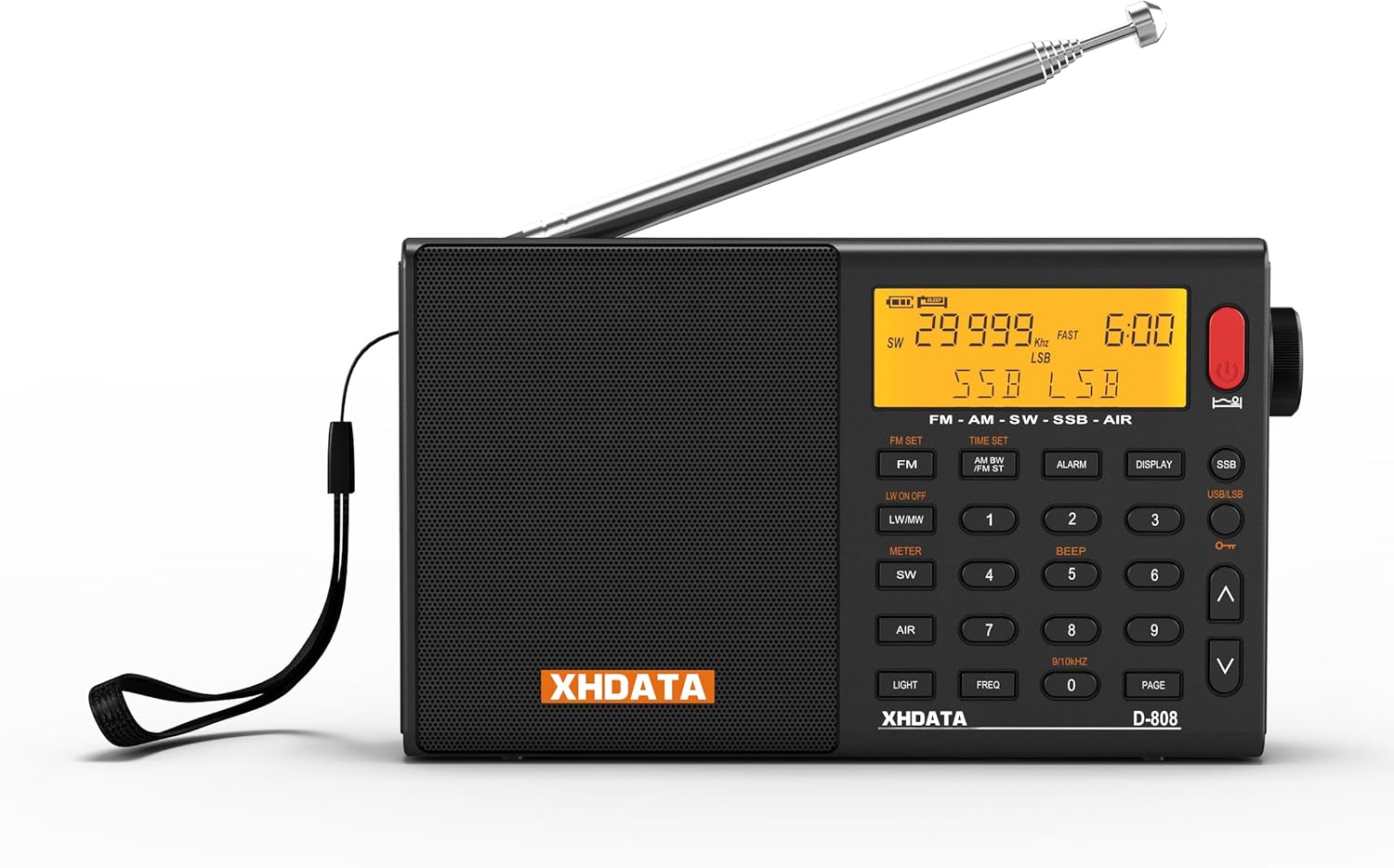
Figure 1.1: XHDATA D808 Portable Digital Radio. This image shows the front view of the black XHDATA D808 radio with its telescopic antenna extended.
2. Safety Information
- Do not expose the radio to extreme temperatures, direct sunlight, or high humidity.
- Avoid dropping the radio or subjecting it to strong impacts.
- Keep the radio away from water and other liquids. If it gets wet, power it off immediately and allow it to dry completely before use.
- Do not attempt to disassemble or modify the radio. This may void the warranty and cause damage.
- Use only the specified battery type and charging cable.
- Dispose of batteries according to local regulations.
3. Package Contents
Verify that all items are present in the package:
- XHDATA D808 Portable Full-Band Radio
- USB Power Cable (USB-C)
- External Extension Antenna
- Rechargeable Lithium Battery (2000 mAh)
- Protective Product Bag
- Instruction Manual

Figure 3.1: XHDATA D808 Product Accessories. This image displays the radio along with its included accessories: a protective bag, instruction manual, USB charging cable, external antenna, and rechargeable battery.
4. Product Overview
The XHDATA D808 radio features a clear LCD display, a telescopic antenna, and a user-friendly button layout for easy navigation and control. Key features include a built-in speaker, 3.5mm headphone jack, and USB-C charging port.
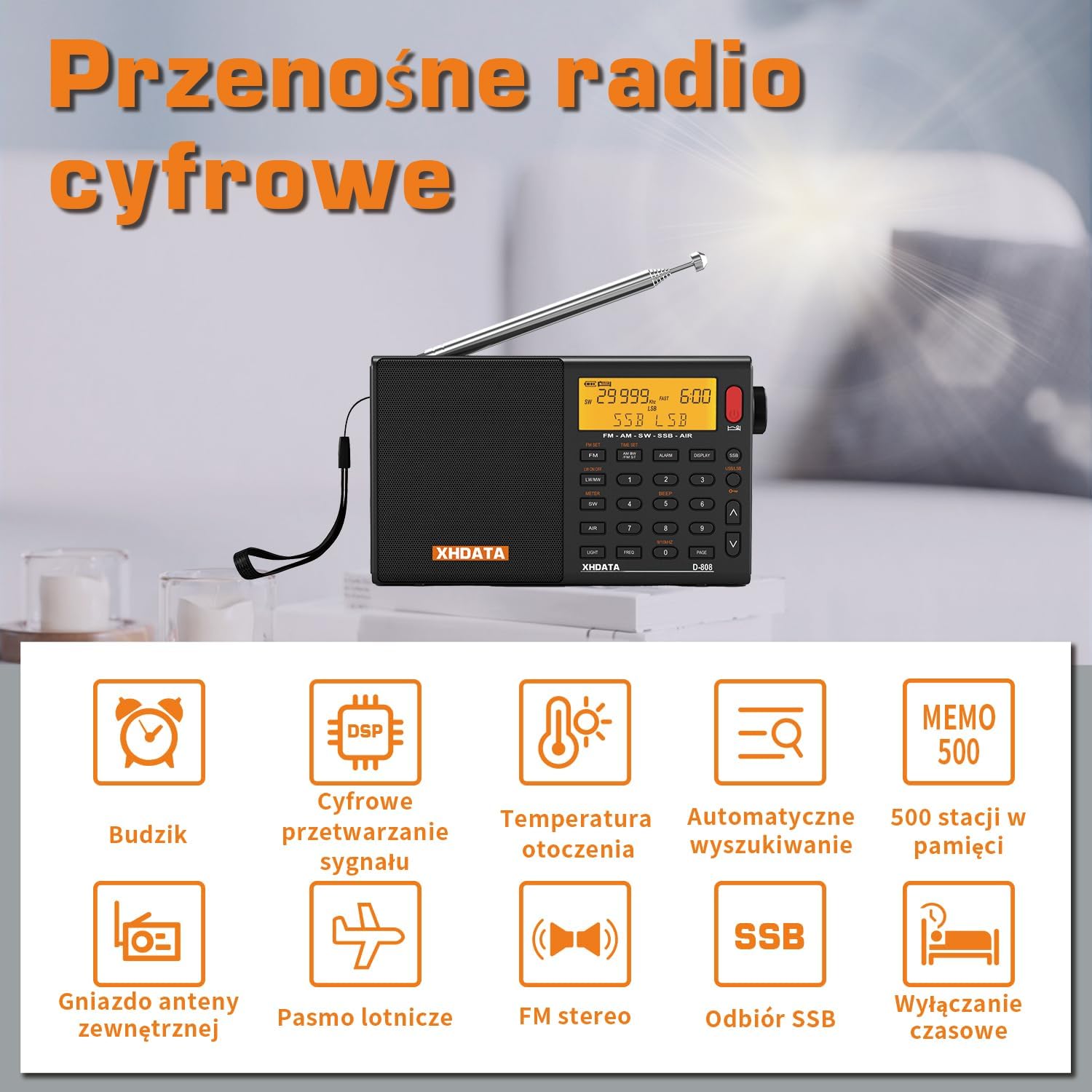
Figure 4.1: XHDATA D808 Key Features. This image highlights various features of the radio, including alarm clock, DSP, ambient temperature display, auto search, 500 memory stations, external antenna jack, air band, FM stereo, SSB reception, and sleep timer.
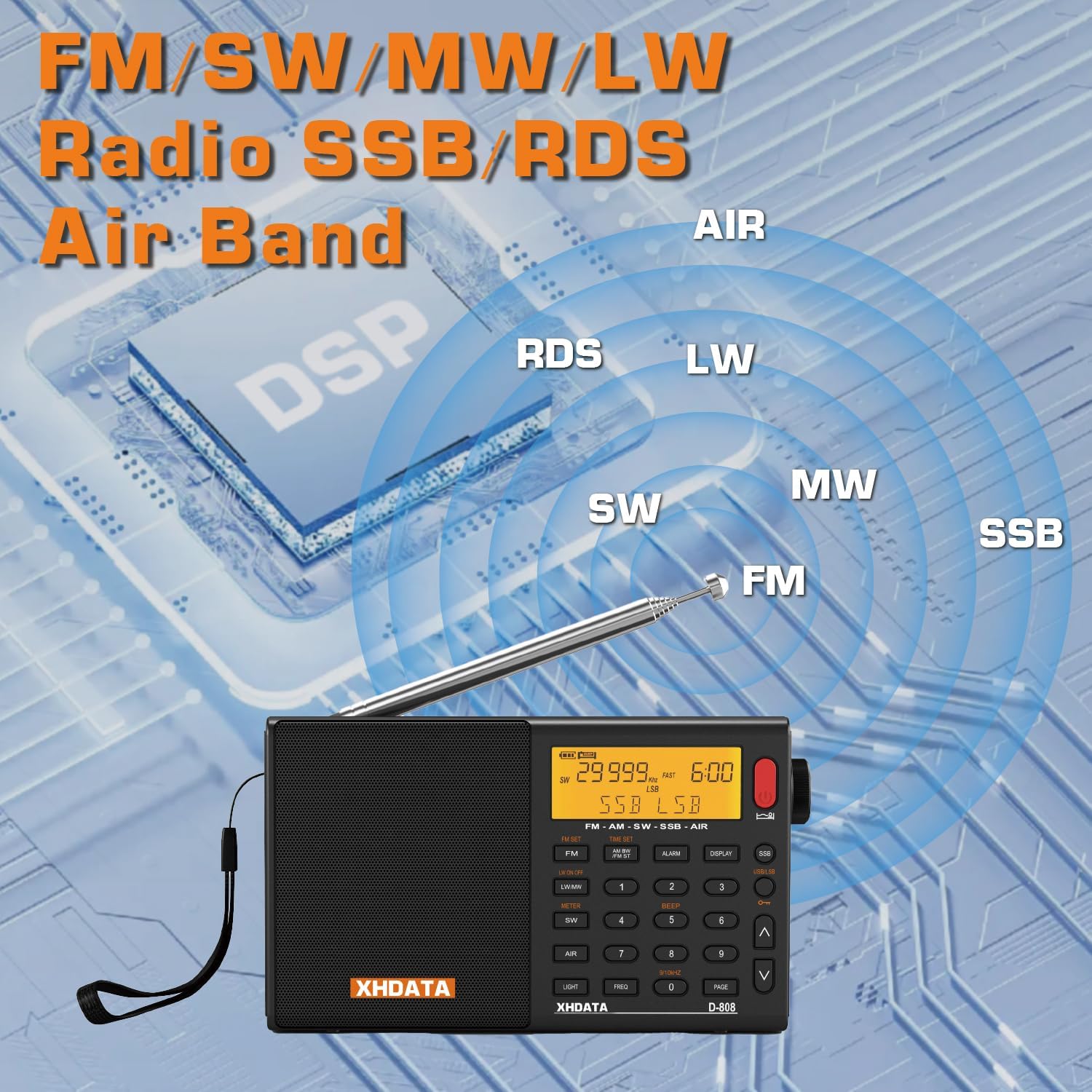
Figure 4.2: XHDATA D808 Band Coverage. This image illustrates the radio's capability to receive FM, SW, MW, LW, SSB, and Air bands, emphasizing its DSP technology.
5. Setup
5.1 Battery Installation and Charging
- Locate the battery compartment on the back of the radio.
- Open the battery compartment cover.
- Important: Before first use, remove the insulating paper from the edge of the battery compartment cover.
- Insert the provided 2000 mAh rechargeable lithium battery, ensuring correct polarity.
- Close the battery compartment cover.
- Connect the USB-C charging cable to the radio's charging port and to a suitable USB power source (e.g., computer, USB wall adapter).
- The charging indicator will illuminate. Allow the battery to fully charge before initial use.

Figure 5.1: XHDATA D808 Battery and Charging. This image shows the radio's DC-IN 5V port and the rechargeable 2000 mAh battery.
5.2 Antenna Connection
- For FM, SW, LW, and Air band reception, extend the telescopic antenna fully.
- For improved reception, especially on SW and LW, connect the external extension antenna to the designated antenna jack on the radio.
- For MW (AM) reception, the radio uses a built-in ferrite bar antenna. Orient the radio for best reception.
6. Operating Instructions
6.1 Power On/Off
- To power on the radio, press the [POWER] button.
- To power off, press and hold the [POWER] button.
6.2 Band Selection
Press the dedicated band buttons ([FM], [MW], [SW], [LW], [AIR]) to switch between frequency bands.
6.3 Tuning
- Manual Tuning: Use the tuning knob or the [UP]/[DOWN] arrow buttons to adjust the frequency.
- Automatic Scan: Press the [SCAN] button to automatically search for and store available stations. The radio can store up to 100 stations per band.
- Memory Recall: Use the numeric keypad to directly enter a stored station number or use the [PAGE] button to browse through memory pages.
6.4 SSB Operation
For Single Sideband (SSB) reception, press the [SSB] button. Use the fine-tuning knob (often labeled BFO or SSB FINE) to precisely tune in SSB signals for clear audio.

Figure 6.1: XHDATA D808 SSB Reception. This image highlights the SSB functionality, indicating its use for marine, meteorological, and amateur radio signals.
6.5 RDS Functionality
When tuned to an FM station broadcasting RDS data, the radio's display will show information such as station name, program type, and time. The radio supports both manual and automatic RDS calibration.
6.6 Alarm and Sleep Timer
- Alarm Function: Press the [ALARM] button to set an alarm. The alarm can be configured to sound as a buzzer or to turn on the radio to a preset station.
- Sleep Timer: Press the [SLEEP] button to activate the sleep timer, which will automatically turn off the radio after a set period.

Figure 6.2: XHDATA D808 Alarm and Sleep Timer. This image shows the radio on a bedside table, illustrating its alarm and timed shutdown features.
6.7 Headphone Use
Connect 3.5mm stereo headphones to the headphone jack for private listening. The radio's internal speaker will be muted when headphones are connected.
7. Maintenance
- Cleaning: Use a soft, dry cloth to clean the radio's exterior. Do not use abrasive cleaners or solvents.
- Battery Care: To prolong battery life, avoid fully discharging the battery frequently. If the radio will not be used for an extended period, charge the battery periodically.
- Storage: Store the radio in a cool, dry place away from direct sunlight and extreme temperatures.
8. Troubleshooting
| Problem | Possible Cause | Solution |
|---|---|---|
| No power | Battery discharged or not installed correctly. | Charge the battery. Ensure the battery is inserted with correct polarity and the insulating paper is removed. |
| Poor reception | Antenna not extended, weak signal, or interference. | Extend the telescopic antenna. Connect the external antenna. Reorient the radio (especially for MW). Move to an area with better signal. |
| No sound from speaker | Volume too low or headphones connected. | Increase volume. Disconnect headphones. |
| SSB signal unclear | Fine-tuning (BFO) not adjusted correctly. | Adjust the SSB fine-tuning knob for optimal clarity. |
| Clock time incorrect | Manual setting required or RDS not available. | Manually set the time. Ensure RDS is active on FM stations for automatic synchronization. |
9. Specifications
| Feature | Detail |
|---|---|
| Brand | XHDATA |
| Model Number | D808-B |
| Color | Black |
| Product Dimensions | 9L x 3W x 16H cm |
| Supported Radio Bands | FM, AM (MW), SW, LW, AIR Band |
| Special Features | Built-in AM Antenna, RDS, SSB |
| Connectivity Technology | USB |
| Power Source | Battery Powered (2000 mAh rechargeable lithium battery) |
| Maximum Speaker Output Power | 3 Watts |
| Audio Output Mode | Stereo (via headphone jack) |
| Display Type | LCD |
| Hardware Interface | 3.5mm Audio |
| Water Resistance Level | Non-waterproof |
| Material | Plastic |
10. Warranty and Support
- Warranty: The XHDATA D808 radio comes with a 1-year warranty from the date of purchase. This warranty covers manufacturing defects.
- Returns: A 30-day return policy is typically offered for this product. Please refer to your retailer's return policy for specific details.
- Customer Support: For technical assistance, troubleshooting, or warranty claims, please contact XHDATA customer support. Contact information can usually be found on the product packaging or the official XHDATA website.


