
1. Introduction
The Amazfit T-Rex 3 is a rugged outdoor smartwatch designed for adventure and active lifestyles. It features a durable build, advanced navigation capabilities, comprehensive health monitoring, and extended battery life. This manual provides essential instructions for setting up, operating, maintaining, and troubleshooting your device.

Image: Angled view of the Amazfit T-Rex 3 Smartwatch, highlighting its robust construction and display.
2. Safety Information
- Do not attempt to disassemble or modify the device.
- Keep the device away from extreme temperatures and direct sunlight.
- Avoid exposing the device to strong impacts or sharp objects.
- Consult a medical professional before starting any new exercise regimen or if you have pre-existing health conditions.
- Ensure the charging contacts are clean and dry before charging to prevent corrosion.
3. Package Contents
Verify that all items are present in your package:
- Amazfit T-Rex 3 Smartwatch
- Charging Base
- User Manual (this document)
4. Setup
4.1 Charging the Device
Before first use, fully charge your Amazfit T-Rex 3. Connect the charging base to a USB power adapter (5V/1A recommended) and place the smartwatch onto the magnetic charging pins. The watch display will indicate charging status.

Image: The charging base for the Amazfit T-Rex 3 Smartwatch.
4.2 Power On/Off
- Power On: Press and hold the 'UP' button (top right) until the Amazfit logo appears.
- Power Off: From the watch face, swipe down to access the quick settings, then tap the power icon, or go to Settings > System > Power Off.
4.3 Zepp App Installation and Pairing
To unlock the full potential of your smartwatch, download and install the Zepp app on your smartphone.
- Scan the QR code on the watch screen or in the manual, or search for "Zepp" in your smartphone's app store.
- Open the Zepp app and create an account or log in.
- Follow the in-app instructions to pair your Amazfit T-Rex 3. Ensure Bluetooth is enabled on your smartphone.

Image: Screenshots of the Zepp app interface on a smartphone, demonstrating fitness and sleep tracking features.
5. Operating the Smartwatch
5.1 Navigation and Controls
The T-Rex 3 features a touch-sensitive AMOLED display and four physical buttons for navigation:
- Touchscreen: Swipe up, down, left, or right to navigate menus and access widgets. Tap to select.
- UP Button: Short press to open the app list, long press for quick access to a customizable function.
- DOWN Button: Short press to open notifications, long press for quick access to a customizable function.
- SEL (Select) Button: Short press to confirm selections, long press to return to the watch face.
- BACK Button: Short press to go back to the previous screen, long press to return to the watch face.
5.2 Display Features
The 48mm AMOLED display offers vibrant colors and high brightness.
- Brightness: Up to 2000 nits for clear visibility in direct sunlight. Adjust in Settings > Display > Brightness.
- Night Mode: Reduces eye strain in low-light conditions. Activate in quick settings or Settings > Display > Night Mode.
- Glove Mode: Enhances screen responsiveness when wearing gloves up to 2mm thick. Activate in quick settings or Settings > Display > Glove Mode.

Image: The Amazfit T-Rex 3 display highlighting its 1.5-inch AMOLED screen, 2000 nits peak brightness, and 316L stainless steel bezel.
5.3 GPS and Offline Navigation
The T-Rex 3 supports dual-band GPS with 6 satellite systems for accurate positioning. It allows for offline map downloads and turn-by-turn navigation.
- Map Downloads: Download global, contour, and snow maps for free via the Zepp app.
- Route Import: Import GPX/KML routes into the Zepp app to follow them on your watch.
- Navigation: During an activity, access the navigation feature to view your route and receive guidance.

Image: The Amazfit T-Rex 3 displaying an offline map on a user's wrist, showing advanced navigation features.
5.4 Sports Modes and AI Training
Choose from over 170 sports modes, including hiking, strength training, ultramarathon, surfing, and skiing. The watch provides AI-powered training plans and real-time performance updates.
- Starting an Activity: From the app list, select 'Workout' and choose your desired sport.
- AI Training: Utilize the Zepp app to generate personalized training plans based on your fitness goals.

Image: The Amazfit T-Rex 3 displaying a personalized training plan for a Fartlek run.
5.5 Health Monitoring
The T-Rex 3 continuously monitors various health metrics:
- Heart Rate: Real-time heart rate tracking.
- Blood Oxygen (SpO2): On-demand and continuous blood oxygen level measurement.
- Stress Monitoring: Tracks stress levels throughout the day.
- Sleep Tracking: Monitors sleep stages and quality.

Image: The Amazfit T-Rex 3 displaying current heart rate, stress level, and blood oxygen saturation.
5.6 NFC Contactless Payment (Zepp Pay)
Zepp Pay allows you to link up to eight bank cards for secure contactless payments directly from your wrist. Check the Zepp app for supported banks in your region.
- Setup: Configure your cards in the Zepp app under the Zepp Pay section.
- Usage: Access Zepp Pay from the watch's quick settings or app list, then present your watch to a compatible payment terminal.

Image: A user making a contactless payment using the Amazfit T-Rex 3 Smartwatch.
5.7 Notifications and Voice Control
Receive notifications from your smartphone directly on your watch. The T-Rex 3 also supports voice control for various functions.
- Notifications: Swipe down from the watch face to view recent notifications. You can set quick replies for messages via the Zepp app.
- Voice Control: Use voice commands to set alarms, reminders, check weather, and access health data.
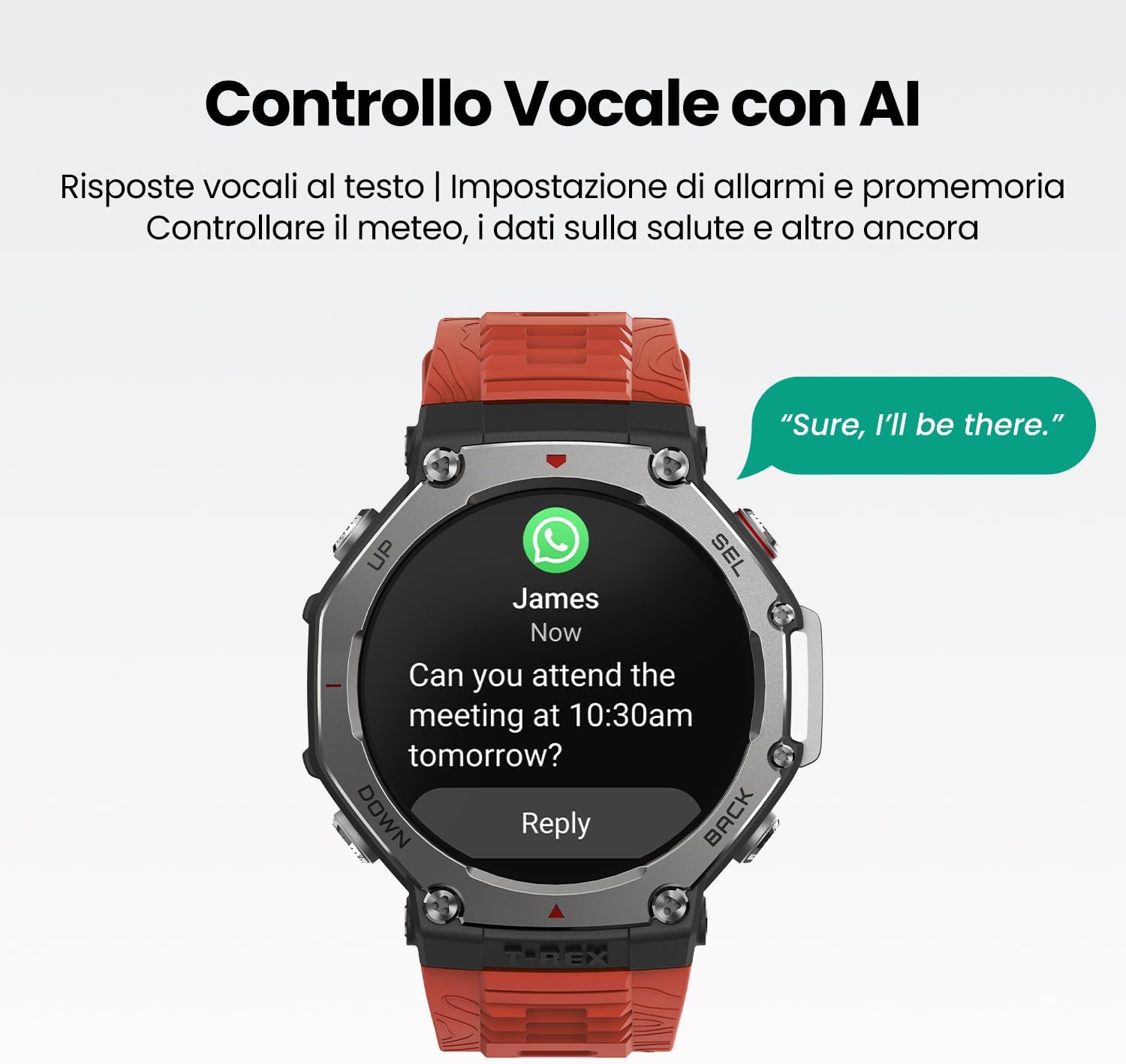
Image: The Amazfit T-Rex 3 displaying a message and offering a voice reply option.
5.8 Customization
Personalize your T-Rex 3 with over 400 watch faces and interchangeable straps.
- Watch Faces: Browse and download new watch faces through the Zepp app.
- Strap Replacement: The watch supports quick-release straps, allowing for easy changes.

Image: Various Amazfit T-Rex 3 watches showcasing different watch faces and interchangeable strap designs.
6. Maintenance
6.1 Cleaning and Care
- Regularly clean the watch and strap with a soft, damp cloth.
- Ensure the charging contacts are free of dirt and debris.
- Avoid using harsh chemicals or abrasive materials for cleaning.
6.2 Water Resistance
The Amazfit T-Rex 3 is water-resistant up to 100 meters and suitable for surface swimming and snorkeling. It is certified for freediving up to 45 meters.
- Do not operate buttons underwater.
- Rinse the watch with fresh water after exposure to salt water or chlorine.
- Avoid hot water, steam, and high-pressure water jets, as these can compromise water resistance.

Image: The Amazfit T-Rex 3 highlighting its military-grade durability, extreme temperature resistance, and water resistance ratings.
6.3 Battery Life
The T-Rex 3 offers exceptional battery life:
- Typical Usage: Up to 27 days.
- Accurate GPS Mode: Up to 42 hours.
- Long Battery Life GPS Mode: Up to 114 hours.
- GPS with some settings off: Up to 180 hours for extended expeditions.
To optimize battery life, manage screen brightness, disable unnecessary notifications, and limit continuous heart rate monitoring if not required.
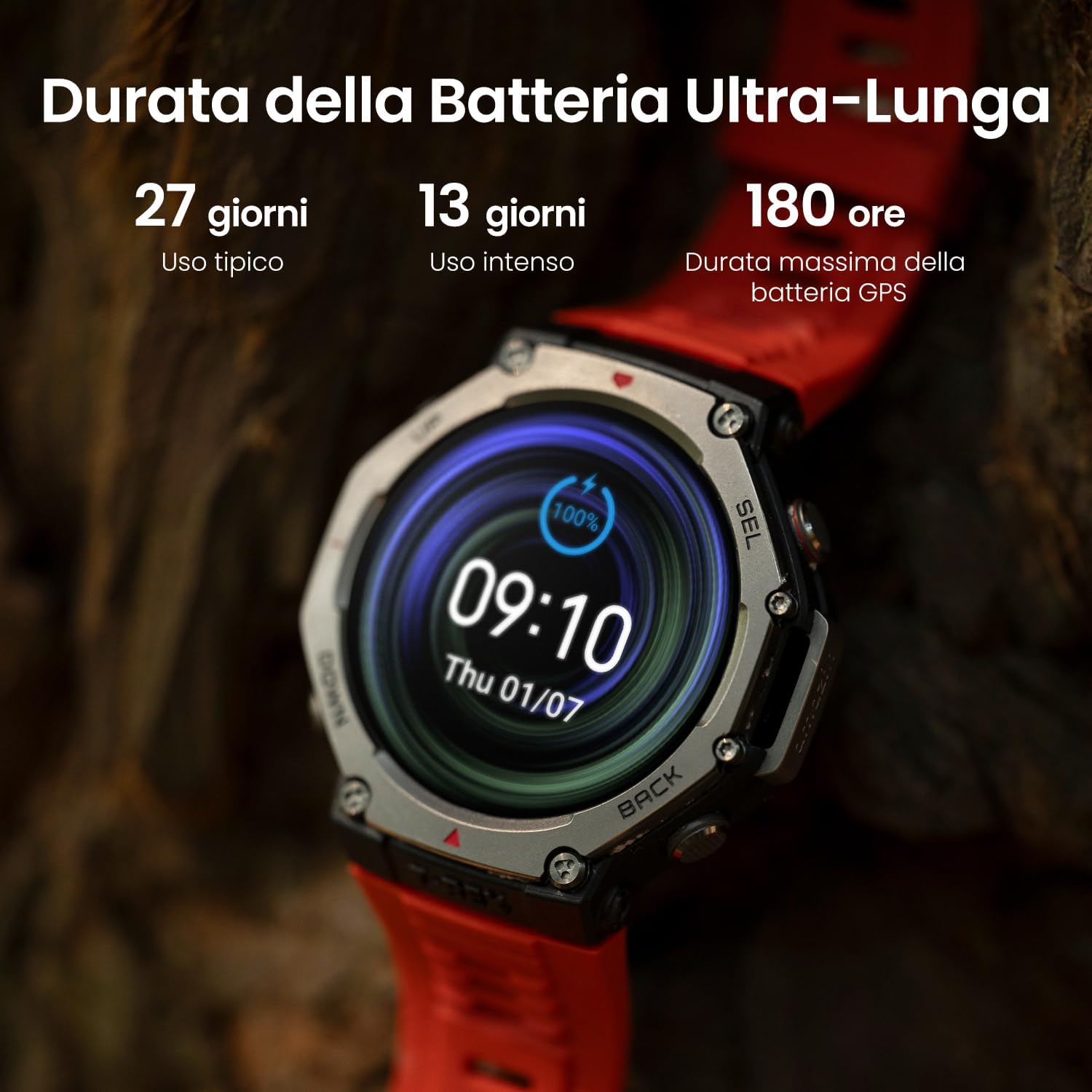
Image: The Amazfit T-Rex 3 displaying its impressive battery life statistics under various usage scenarios.
7. Troubleshooting
- Watch not turning on: Ensure the watch is fully charged.
- Cannot pair with phone: Check if Bluetooth is enabled on your phone and the watch. Restart both devices and try again.
- GPS signal issues: Ensure you are in an open area. Sync the watch with the Zepp app regularly to update AGPS data.
- Inaccurate health data: Ensure the watch is worn snugly on your wrist, not too tight or too loose. Clean the sensor area.
- NFC payment not working: Verify that your bank card is correctly linked in the Zepp app and that the payment terminal supports Zepp Pay.
- System unresponsive: Press and hold the 'UP' button for 10-15 seconds to force restart the device.
8. Specifications
| Feature | Specification |
|---|---|
| Model Number | T-Rex 3 |
| Display Type | AMOLED |
| Screen Size | 48 mm |
| Peak Brightness | 2000 nits |
| Water Resistance | 10 ATM (100 meters), 45 meters for freediving |
| GPS | Dual-band, 6 Satellite Systems (GPS, GLONASS, Galileo, BDS, QZSS, NavIC) |
| Battery Life (Typical) | Up to 27 days |
| Operating System | Zepp OS |
| Internal Storage | 32 GB |
| Connectivity | Bluetooth |
| Weight | 260 g |
| Compatible Devices | Smartphones, tablets, PCs |
9. Warranty and Support
Your Amazfit T-Rex 3 Smartwatch is covered by a limited warranty. For detailed warranty information, please refer to the warranty card included in your product packaging or visit the official Amazfit website.
For technical support, frequently asked questions, or to contact customer service, please visit the official Amazfit support page:


