
1. Introduction
Thank you for choosing the Waterdrop FreshTaste Electric Water Filter Pitcher. This manual provides essential information for the safe and efficient operation, maintenance, and troubleshooting of your new water purification system. This electric pitcher is designed to provide instant access to filtered water, reducing various contaminants and improving water taste.
2. Important Safety Instructions
- Read all instructions before using the appliance.
- Do not immerse the electrical components (top lid with dispenser) in water or other liquids.
- Use only with cold tap water. Do not filter hot water.
- Keep out of reach of children.
- Do not use abrasive cleaners or solvents to clean the pitcher.
- Ensure the charging port is dry before connecting the charging cable.
- Do not attempt to repair or modify the appliance yourself. Contact customer support for assistance.
3. Package Contents
Please check the package to ensure all items are present:
- Waterdrop FreshTaste Electric Water Filter Pitcher (Main Unit)
- Water Filter Cartridge
- USB Charging Cable
- User Manual
4. Product Overview
The Waterdrop FreshTaste Electric Water Filter Pitcher features an electric dispensing system for instant access to filtered water. It includes a multi-stage filter designed to reduce various contaminants and improve water taste.

Figure 4.1: Waterdrop FreshTaste Electric Water Filter Pitcher and Filter Cartridge.
Key Features:
- Instant Filtration: Electric pump provides filtered water on demand.
- Contaminant Reduction: Reduces over 20 contaminants including chlorine, lead, copper, calcium, and magnesium.
- Large Capacity: 17-cup (approximately 4 liters) capacity.
- Rechargeable Battery: Offers over 20 days of use on a single charge.
- Smart Indicators: Power and filter life indicators for convenient monitoring.
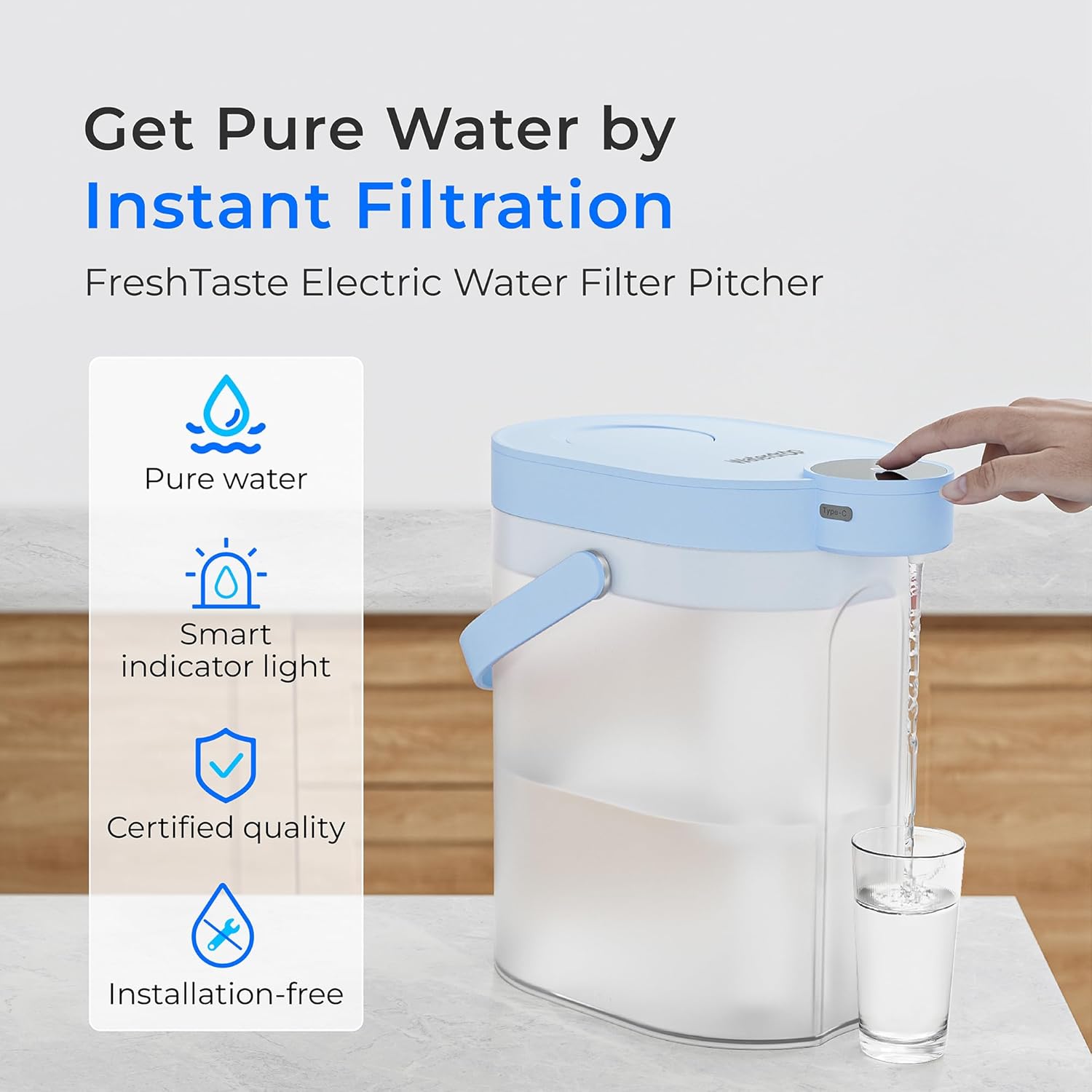
Figure 4.2: Features of the Waterdrop FreshTaste Electric Water Filter Pitcher.
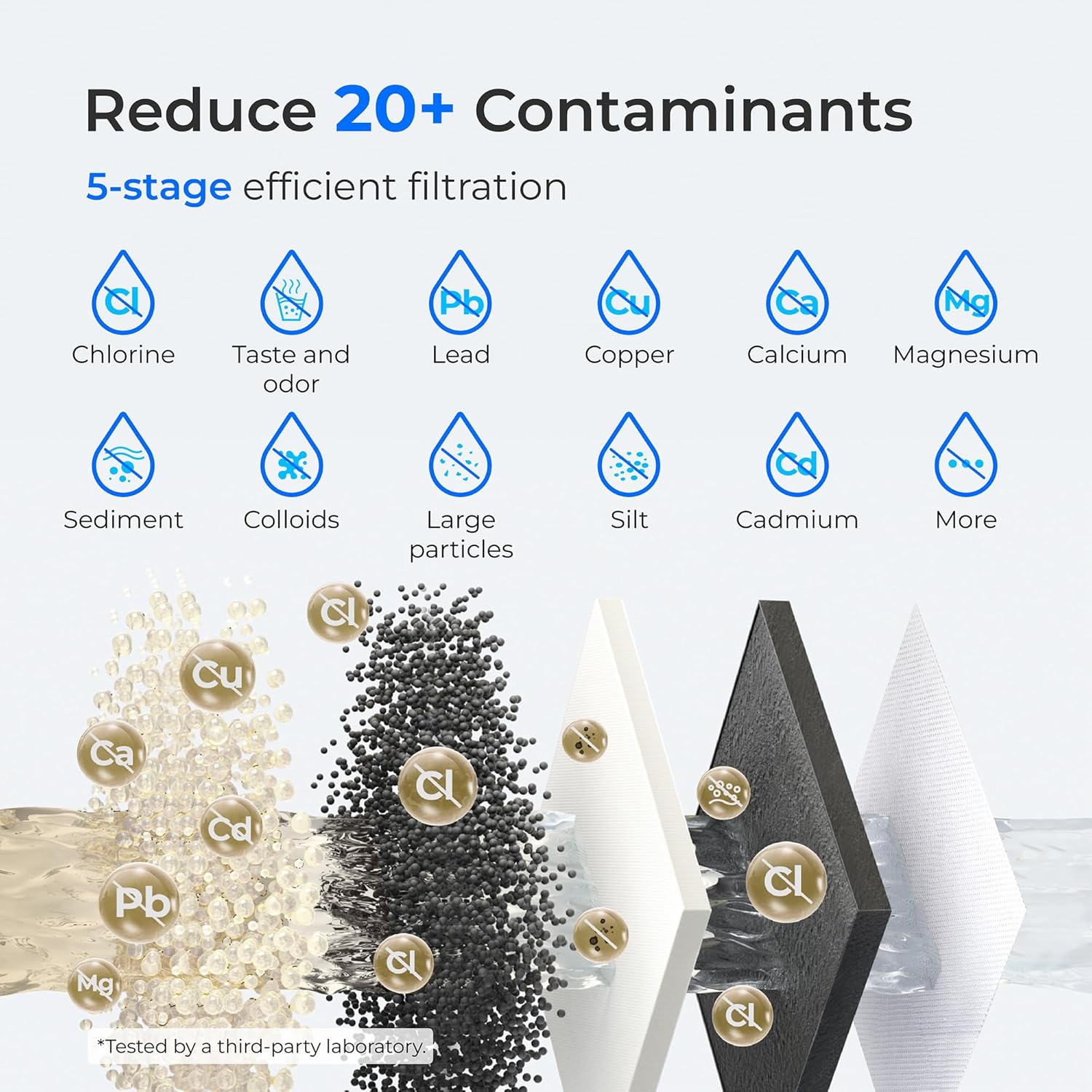
Figure 4.3: Contaminant Reduction Capabilities.
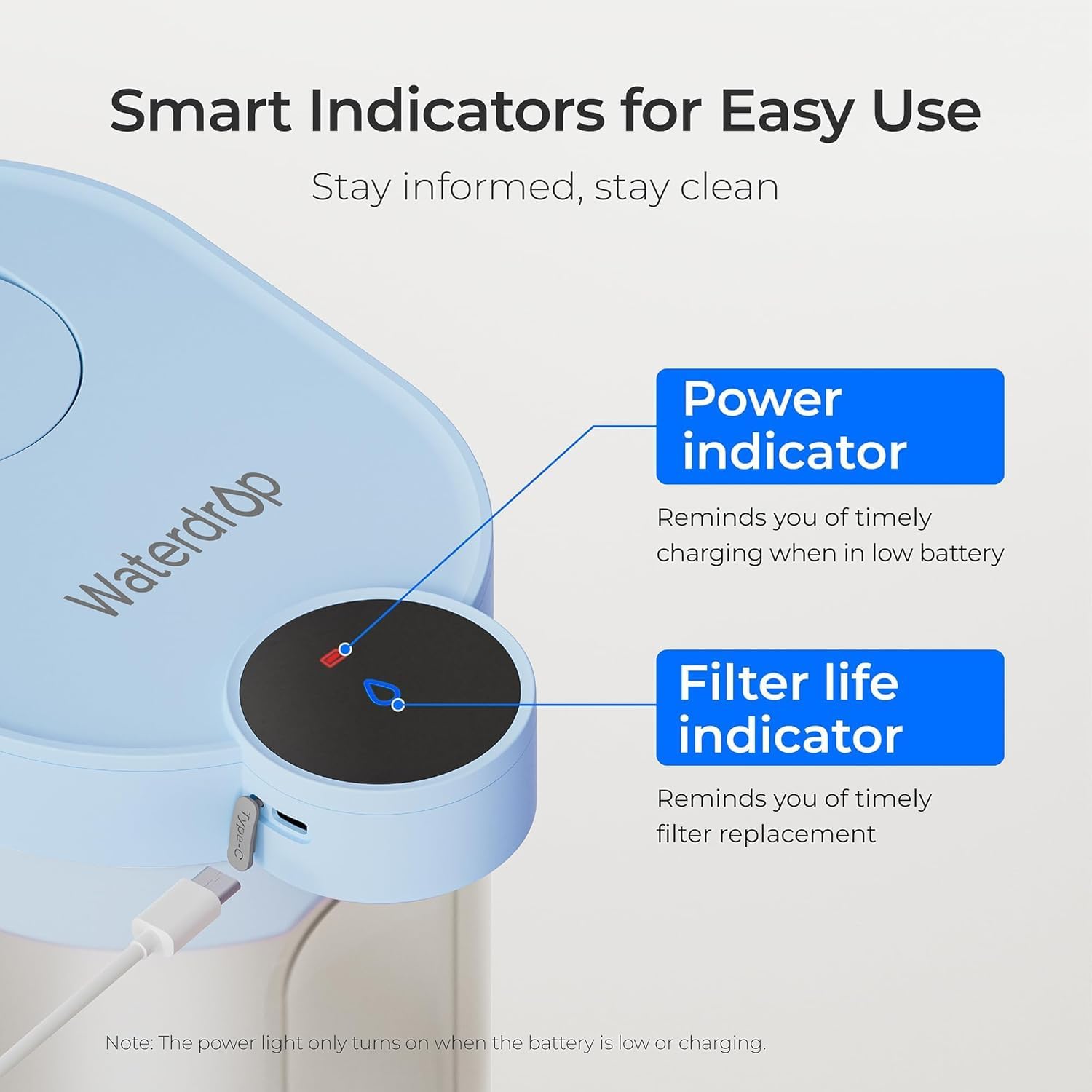
Figure 4.4: Smart Indicators for Power and Filter Life.
5. Setup Instructions
5.1 Initial Cleaning
Before first use, wash all parts of the pitcher (excluding the top lid with electrical components) with mild soap and warm water. Rinse thoroughly. Wipe the top lid with a damp cloth, ensuring no water enters the charging port or electrical components.
5.2 Filter Preparation
Before installing a new filter, flush it under cold tap water for approximately 10 seconds to remove any loose carbon dust.
5.3 Filter Installation
- Remove the water pumping unit (top lid) from the pitcher.
- If replacing an old filter, turn it counterclockwise to remove.
- Screw the new filter clockwise into the designated slot on the underside of the water pumping unit until secure.
- Place the water pumping unit back onto the pitcher, ensuring it is properly seated.
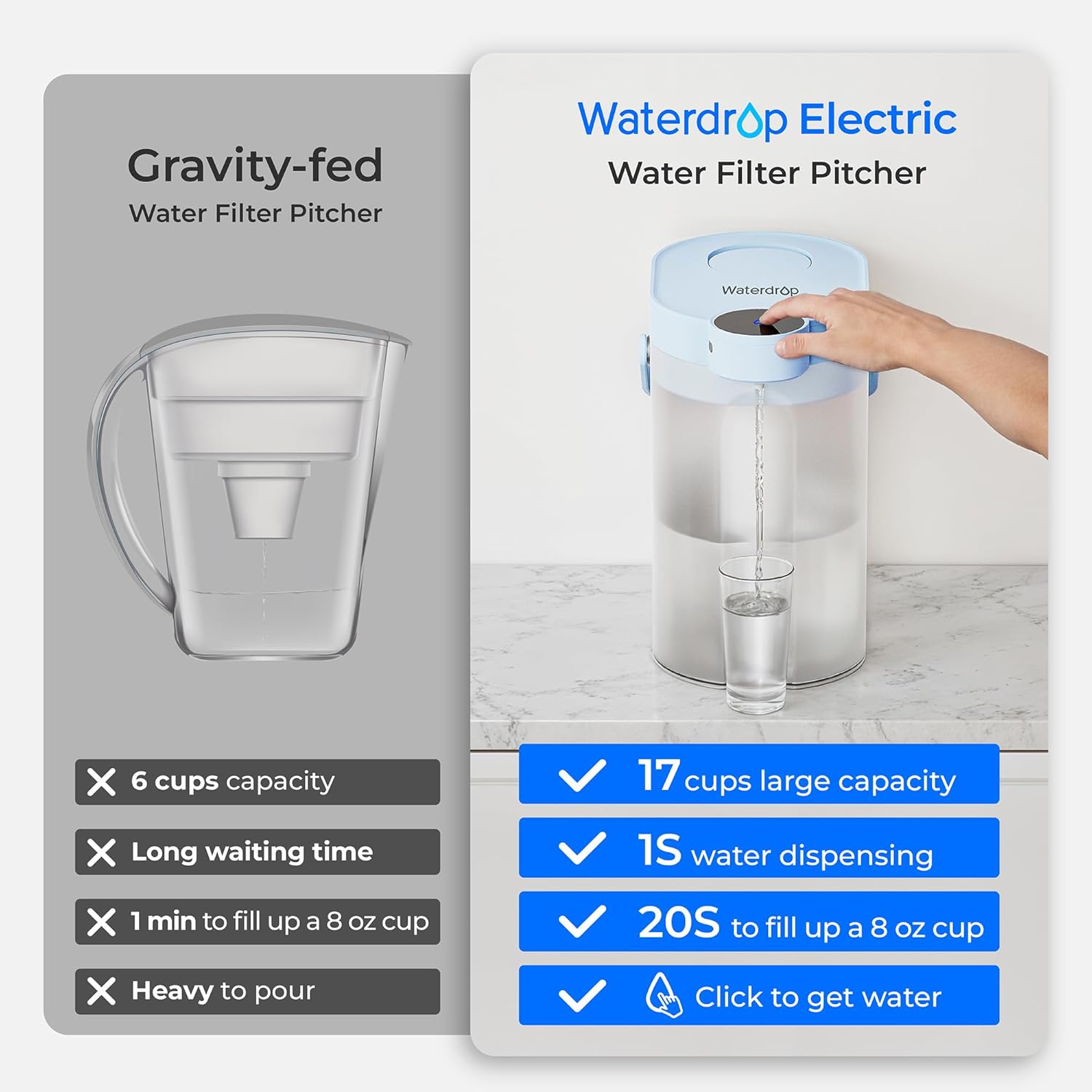
Figure 5.1: Filter Replacement Steps.
5.4 Initial Charging
For optimal performance, fully charge the pitcher before first use. Connect the USB charging cable to the charging port on the top lid and to a suitable power source. The power indicator light will show charging status (refer to Section 6.3 for details).
6. Operating Instructions
6.1 Filling the Pitcher
Open the flip-top water inlet on the top lid. Fill the pitcher with cold tap water. Do not overfill past the maximum fill line. Close the inlet securely.
6.2 Dispensing Water
Place a glass or container under the dispenser spout. Press the dispense button on the top lid. The electric pump will activate, providing filtered water instantly. Press the button again to stop dispensing.
Figure 6.1: Dispensing Water.
6.3 Battery Life and Charging Indicators
The pitcher is equipped with a rechargeable battery providing approximately 20 days of use on a single charge. Monitor the power indicator light:
- Red Light: Battery is low and requires charging.
- Flashing Green Light: Battery is currently charging.
- Solid Green Light: Battery is fully charged.
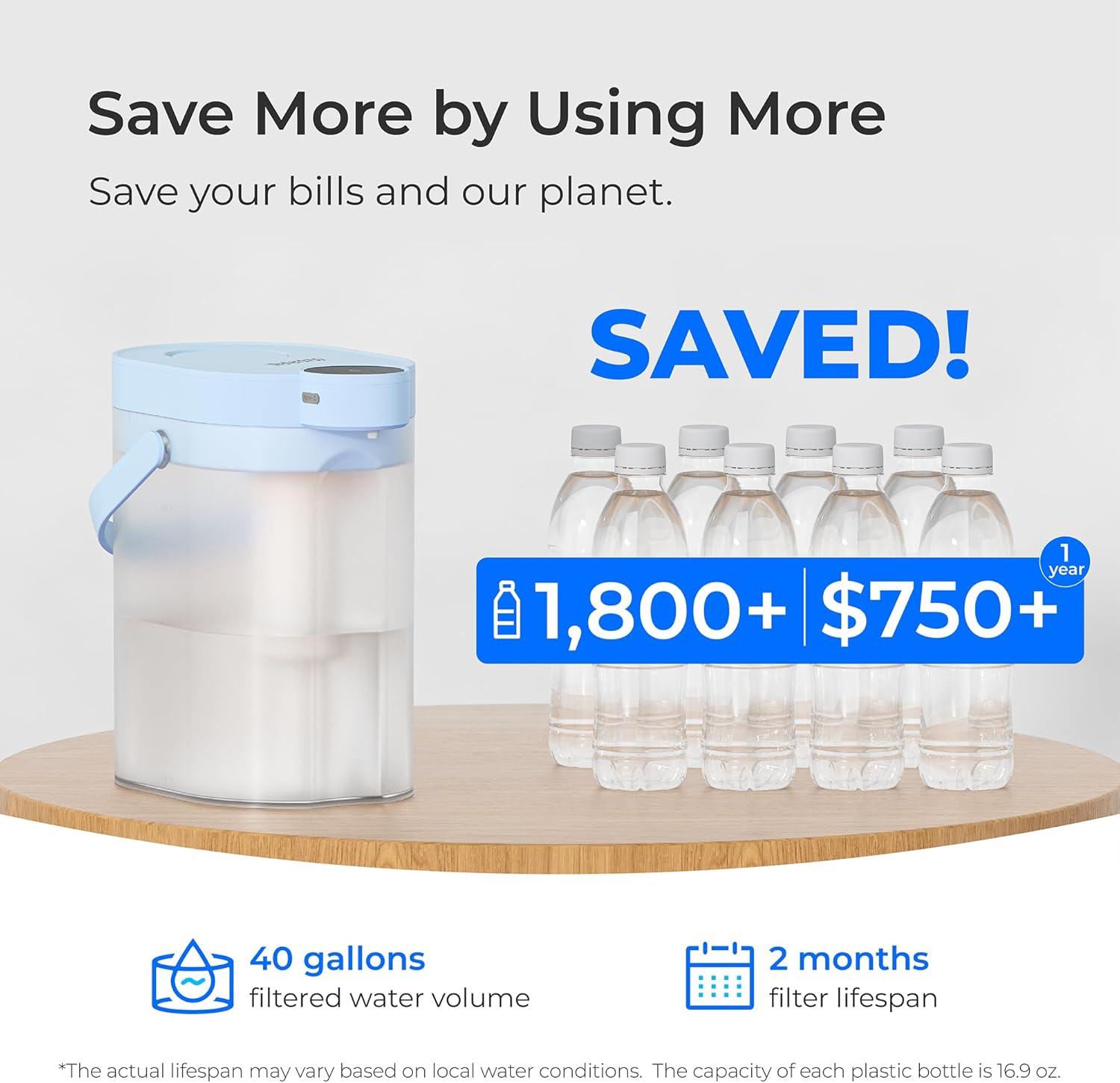
Figure 6.2: Extended Battery Life.
7. Maintenance
7.1 Filter Replacement
The filter cartridge should be replaced approximately every 2 months or after filtering 40 gallons of water, whichever comes first. The filter life indicator on the top lid will remind you when replacement is due (typically a red light or specific flashing pattern).
To replace the filter:
- Take out the water pumping unit (top lid) from the pitcher.
- Turn the used filter counterclockwise to remove it. Dispose of the old filter responsibly.
- Screw a new, pre-flushed filter clockwise into the lock until it is secure.
- Put the water pumping unit back into the system.
- Hold the filter reset button (often marked with a filter icon or 'O' key) for 3 seconds to reset the filter life indicator.
Note: When using a new filter for the first time or after replacing it, please discard the first tank of filtered water and do not drink it.
Figure 7.1: Filter Replacement Process.
7.2 Cleaning the Pitcher
Regular cleaning helps maintain the pitcher's hygiene and performance.
- Separate the top lid (water pumping unit) from the pitcher body.
- Wash the pitcher body and filter housing with mild dish soap and warm water. Rinse thoroughly.
- Wipe the exterior of the top lid with a damp cloth. Do not submerge the top lid in water.
- Ensure all parts are completely dry before reassembling.
7.3 Charging
When the power indicator shows a red light, recharge the pitcher using the provided USB cable. A full charge typically takes a few hours. Avoid overcharging by disconnecting once the solid green light appears.
8. Troubleshooting
| Problem | Possible Cause | Solution |
|---|---|---|
| No water dispenses when button is pressed. | Low battery; Filter clogged; Pumping unit not properly seated. | Charge the pitcher; Replace the filter; Re-seat the pumping unit securely. |
| Water tastes unusual. | New filter not flushed; Filter needs replacement; Contaminants in water source. | Flush new filter with first tank of water; Replace filter; Contact local water authority if taste persists. |
| Filter life indicator is red after new filter installation. | Filter indicator not reset. | Press and hold the filter reset button for 3 seconds. |
| Slow water dispensing. | Low battery; Filter nearing end of life. | Charge the pitcher; Replace the filter. |
9. Specifications
| Feature | Detail |
|---|---|
| Brand | Waterdrop |
| Model Name | WD-ED06 |
| Item Model Number | WD-ED06B |
| Product Dimensions | 6.7"L x 9.5"W x 10.39"H |
| Item Weight | 3.23 pounds |
| Capacity | 17 Cups (approx. 4 Liters) |
| Filter Life | Up to 2 months or 40 gallons |
| Battery Life | 20+ days on a single charge |
| Power Source | Rechargeable (Corded Electric for charging) |
| Maximum Flow Rate | 0.7 Liters Per Minute |
| Supported Water TDS Level Maximum | 500 PPM |

Figure 9.1: Product Dimensions and Fit.
10. Warranty and Support
Waterdrop products are manufactured to high-quality standards. For warranty information, technical support, or to purchase replacement filters, please visit the official Waterdrop website or contact their customer service directly.
Official Waterdrop Store: Waterdrop Store on Amazon
For further assistance, please refer to the contact information provided on the product packaging or the official Waterdrop website.


