
XIAOMI VHUU5100EU
Xiaomi Redmi Pad SE 8.7-inch WiFi Tablet User Manual
Model: VHUU5100EU
Brand: XIAOMI
Introduction
This comprehensive user manual provides detailed instructions for setting up, operating, maintaining, and troubleshooting your Xiaomi Redmi Pad SE 8.7-inch WiFi tablet (Model: VHUU5100EU). Please read this manual thoroughly to ensure proper usage and to maximize your device's performance and longevity.
What's in the Box
Your Xiaomi Redmi Pad SE package includes the following items:
- Xiaomi Redmi Pad SE 8.7-inch WiFi Tablet
- Fast Car Dual USB 16W
- Wall Adapter
- USB Cable
Product Overview
Familiarize yourself with the key components and design of your Xiaomi Redmi Pad SE.

Front and Back View: The Xiaomi Redmi Pad SE in Auora Green, showcasing its 8.7-inch display and the rear camera module.
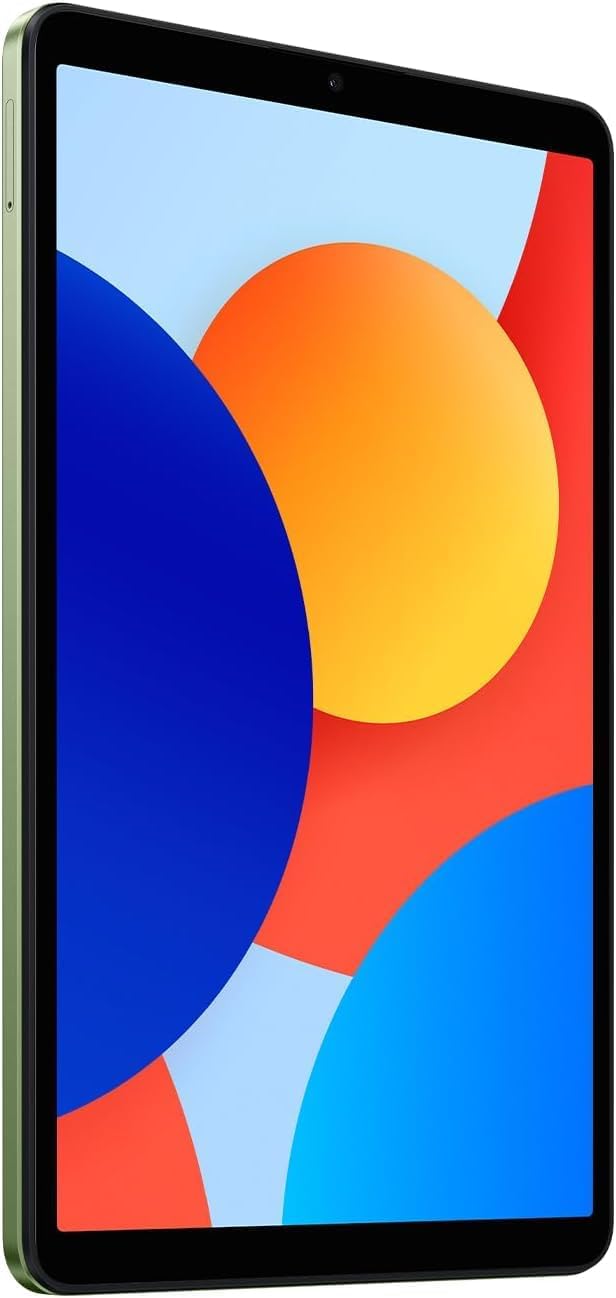
Front View: A clear view of the 8.7-inch LCD display, ideal for media consumption and browsing.
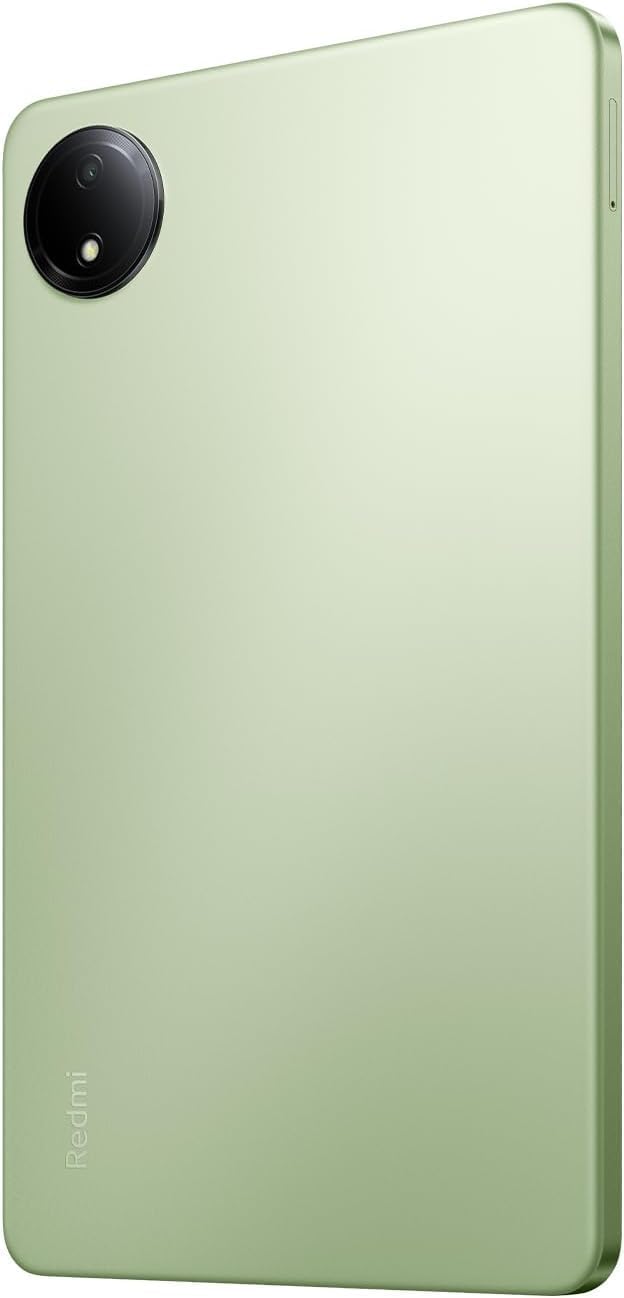
Back View: The sleek rear panel of the tablet, highlighting the 8MP main camera.

Side View: A slim profile of the tablet, showing the power and volume buttons on the side.
Setup
- Power On: Press and hold the Power button on the side of the tablet until the Xiaomi logo appears.
- Initial Configuration: Follow the on-screen prompts to select your language, region, and connect to a Wi-Fi network.
- Google Account: Sign in with your Google account or create a new one. This is essential for accessing the Google Play Store and other Google services.
- Security Setup: Set up your preferred screen lock method (PIN, pattern, password, or face unlock).
- Data Transfer (Optional): If you are upgrading from another device, you may choose to transfer your data during this step.
- Complete Setup: Finish the remaining setup steps to start using your tablet.
Operating Instructions
Basic Navigation
- Home Screen: Swipe left or right to navigate between home screens.
- App Drawer: Swipe up from the bottom of the screen to access all installed applications.
- Notifications & Quick Settings: Swipe down from the top of the screen to view notifications and access quick settings toggles (Wi-Fi, Bluetooth, etc.).
- Recent Apps: Tap the square icon (or swipe up and hold if using gestures) to view and switch between recently used applications.
Multitasking
- Split Screen: From the recent apps screen, long-press an app icon and select the split-screen option to use two apps simultaneously.
- Floating Windows: Some apps support floating windows for quick access while using other applications.
Connectivity
- Wi-Fi: Go to Settings > Wi-Fi to connect to available networks.
- Bluetooth: Go to Settings > Bluetooth to pair with Bluetooth devices like headphones or speakers.
Maintenance
Battery Care
- Avoid extreme temperatures.
- Use the original charger and cable for optimal charging.
- Do not let the battery completely drain frequently.
Software Updates
Regularly check for and install system updates to ensure your device has the latest features, security patches, and performance improvements. Go to Settings > About tablet > System update.
Cleaning
Use a soft, lint-free cloth to clean the screen and body of the tablet. Avoid harsh chemicals or abrasive materials.
Storage Management
To optimize performance, regularly manage your storage by deleting unnecessary files and apps. You can expand storage using a microSD card.
Troubleshooting
- Device Not Powering On: Ensure the tablet is charged. Connect it to the charger and wait a few minutes before attempting to power it on again.
- Wi-Fi Connectivity Issues: Restart your tablet and your Wi-Fi router. Forget the network in settings and reconnect.
- Slow Performance: Close unnecessary background apps, clear cache, and ensure sufficient storage space. Consider a factory reset as a last resort (back up your data first).
- Apps Crashing/Freezing: Clear the app's cache and data in Settings > Apps. If the issue persists, uninstall and reinstall the app.
Specifications
| Feature | Detail |
|---|---|
| Standing screen display size | 8.7 Inches |
| Screen Resolution | 1340x800 |
| Max Screen Resolution | 1340 x 800 pixels |
| Processor | 2 GHz Octa Core |
| Chipset Brand | ARM |
| Operating System | Android 14, HyperOS |
| Item Weight | 13.2 ounces |
| Product Dimensions | 8.32 x 0.34 x 4.94 inches |
| Color | Auora Green (ONLY WIFI) |
| Rear Webcam Resolution | 8 MP |
| Processor Brand | MediaTek |
| Computer Memory Type | DDR3 SDRAM |
| Flash Memory Size | 6 GB |
| Batteries | 1 Lithium Polymer batteries required. (included) |
Warranty and Support
Your Xiaomi Redmi Pad SE is covered by a manufacturer's warranty. Please refer to the warranty card included in your product packaging for specific terms and conditions. For technical support or service inquiries, please visit the official XIAOMI support website or contact their customer service.
Related documentsVHUU5100EU


Ask a question about this manual
Ask about setup, troubleshooting, compatibility, parts, safety, or missing instructions. Manuals+ will review the question and use this page’s manual context to help answer it.