
1. Introduction
Thank you for choosing the MagSound MagBeat Bluetooth Speaker with Magnetic Wireless Charger. This manual provides essential information for setting up, operating, and maintaining your device. Please read it thoroughly before use to ensure optimal performance and safety.
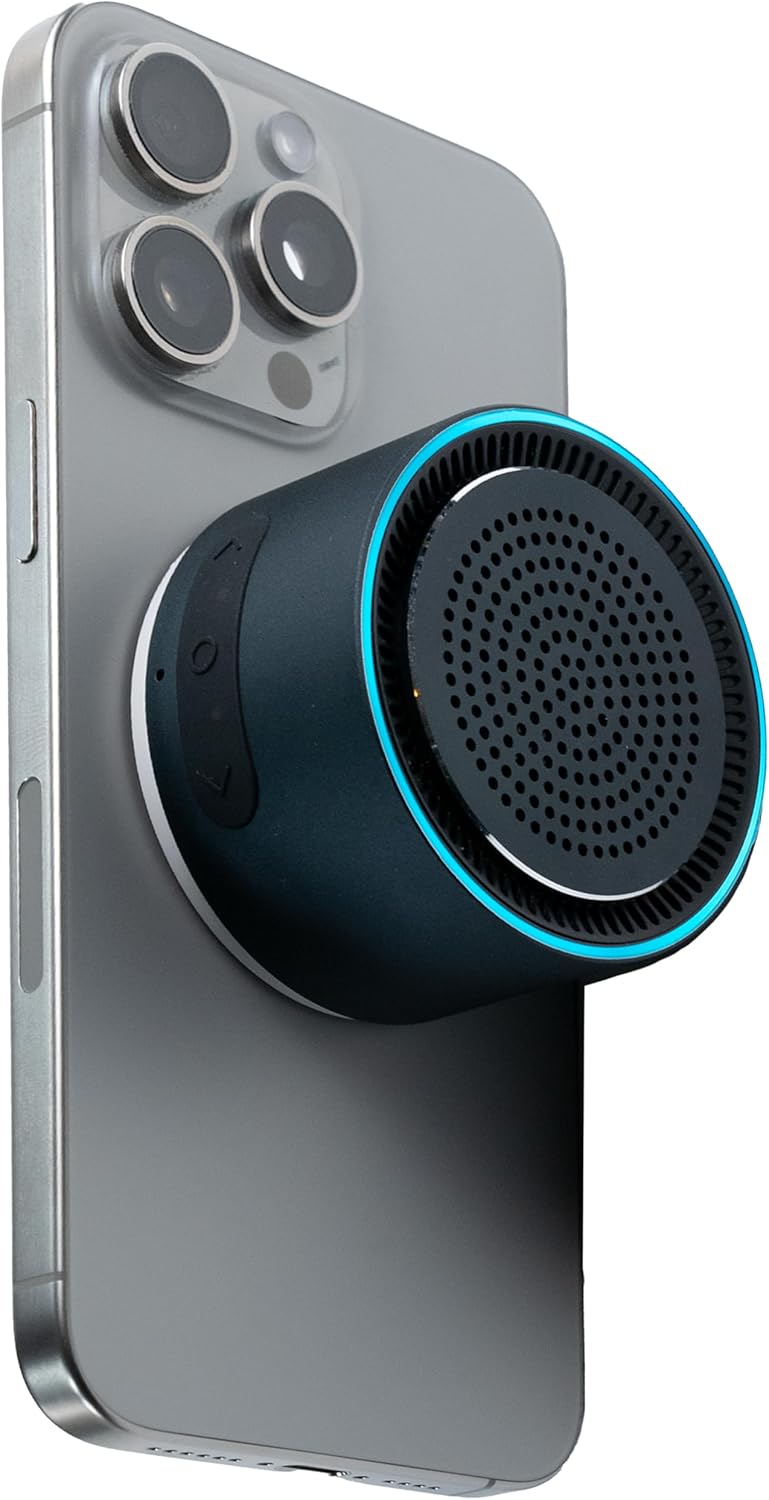
Image 1: MagBeat Speaker attached to a smartphone.
2. What's in the Box
- MagBeat Bluetooth Speaker
- Power Cable (USB-C)
- Quick Start Guide
- Warranty Card
3. Product Overview
3.1. Components and Controls
The MagBeat speaker features an intuitive design for ease of use. Key components include:
- Speaker Grille: Located on the top surface for audio output.
- Control Buttons: Located on the side for power, volume, and track control.
- USB-C Charging Port: For wired charging of the speaker.
- Magnetic Base: For secure attachment to compatible devices and surfaces.
- LED Indicator/Equalizer: Provides visual feedback on status and audio activity.

Image 2: Top view of the MagBeat Speaker highlighting the speaker grille and LED ring.
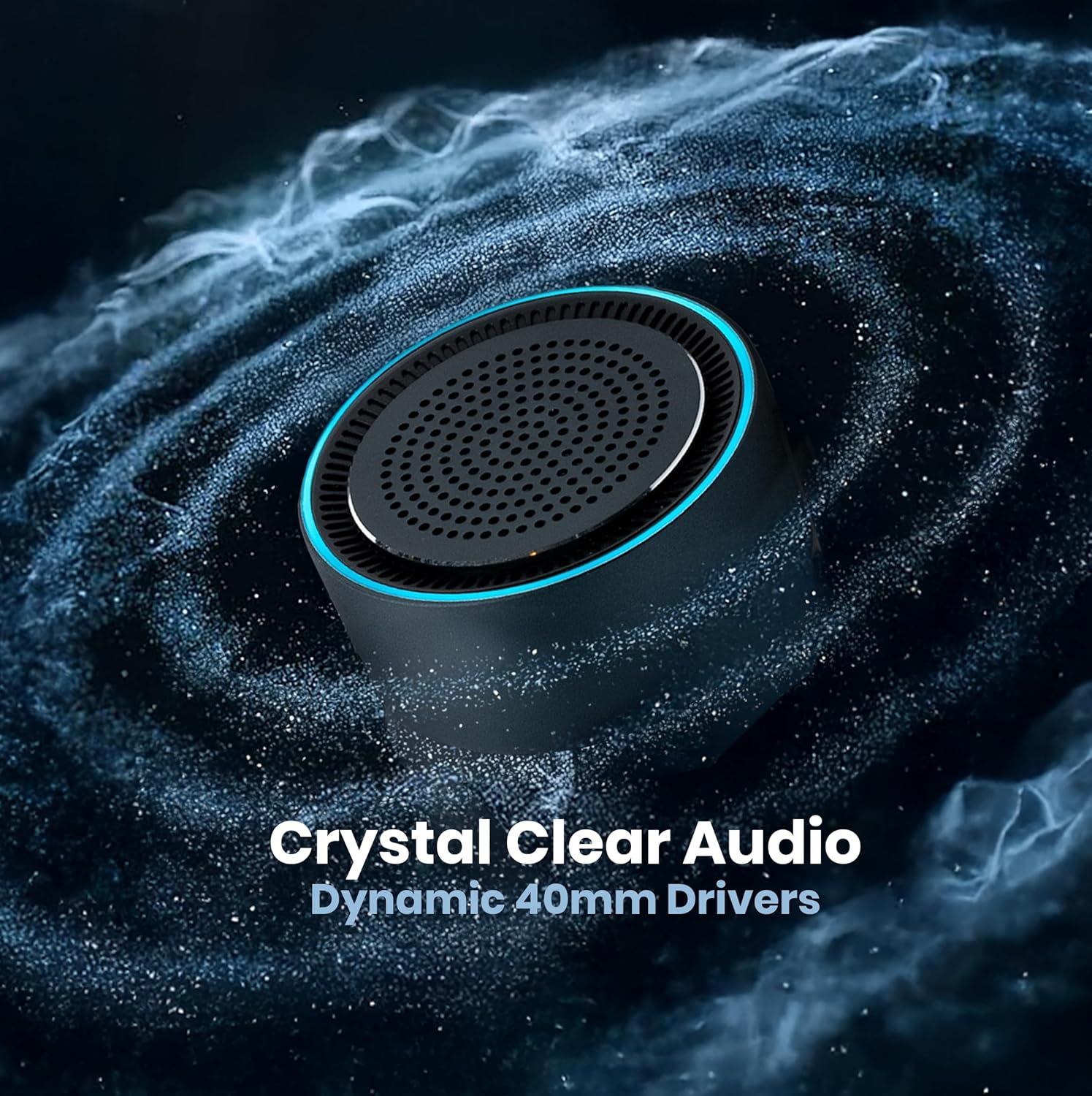
Image 3: Side view of the MagBeat Speaker with control buttons and USB-C port visible.
4. Setup
4.1. Charging the Speaker
Before first use, fully charge your MagBeat speaker. Connect the provided USB-C cable to the speaker's charging port and a compatible USB power adapter (not included). The LED indicator will show charging status.
4.2. Power On/Off
- To Power On: Press and hold the power button on the side of the speaker until the LED indicator lights up.
- To Power Off: Press and hold the power button until the LED indicator turns off.
4.3. Bluetooth Pairing
- Ensure the MagBeat speaker is powered on and in pairing mode (LED indicator will flash).
- On your smartphone or other Bluetooth-enabled device, go to Bluetooth settings.
- Select "MagBeat" from the list of available devices.
- Once connected, the LED indicator will show a solid light, and you will hear an audible confirmation.
The speaker supports Bluetooth 5.0 for a stable connection up to 33 feet (10 meters).
4.4. TWS Stereo Sync (Pairing Two Speakers)
For an immersive stereo sound experience, you can pair two MagBeat speakers together:
- Ensure both MagBeat speakers are powered on and not connected to any other device.
- On one speaker (this will be the primary speaker), double-press the power button to enter TWS pairing mode. The LED indicator will flash.
- The primary speaker will automatically search for and connect to the secondary speaker.
- Once connected, the LED indicators on both speakers will synchronize, and you will hear a confirmation.
- Now, connect your device to the primary speaker via Bluetooth as described in section 4.3.
Video 1: Demonstration of MagBeat speaker features, including TWS pairing and magnetic attachment.
5. Operating Instructions
5.1. Music Playback
- Play/Pause: Press the power button once.
- Next Track: Press the '+' button.
- Previous Track: Press the '-' button.
- Volume Up: Press and hold the '+' button.
- Volume Down: Press and hold the '-' button.
5.2. Call Handling
The MagBeat speaker includes a built-in microphone for hands-free calls.
- Answer/End Call: Press the power button once.
- Reject Call: Press and hold the power button.
5.3. Magnetic Wireless Charging
The MagBeat speaker features a magnetic base that doubles as a wireless charger for compatible smartphones (e.g., iPhone 12/13/14/15 series, Samsung Galaxy, Google Pixel). Simply attach your phone to the magnetic base. The speaker must be plugged into a power source for this feature to function.
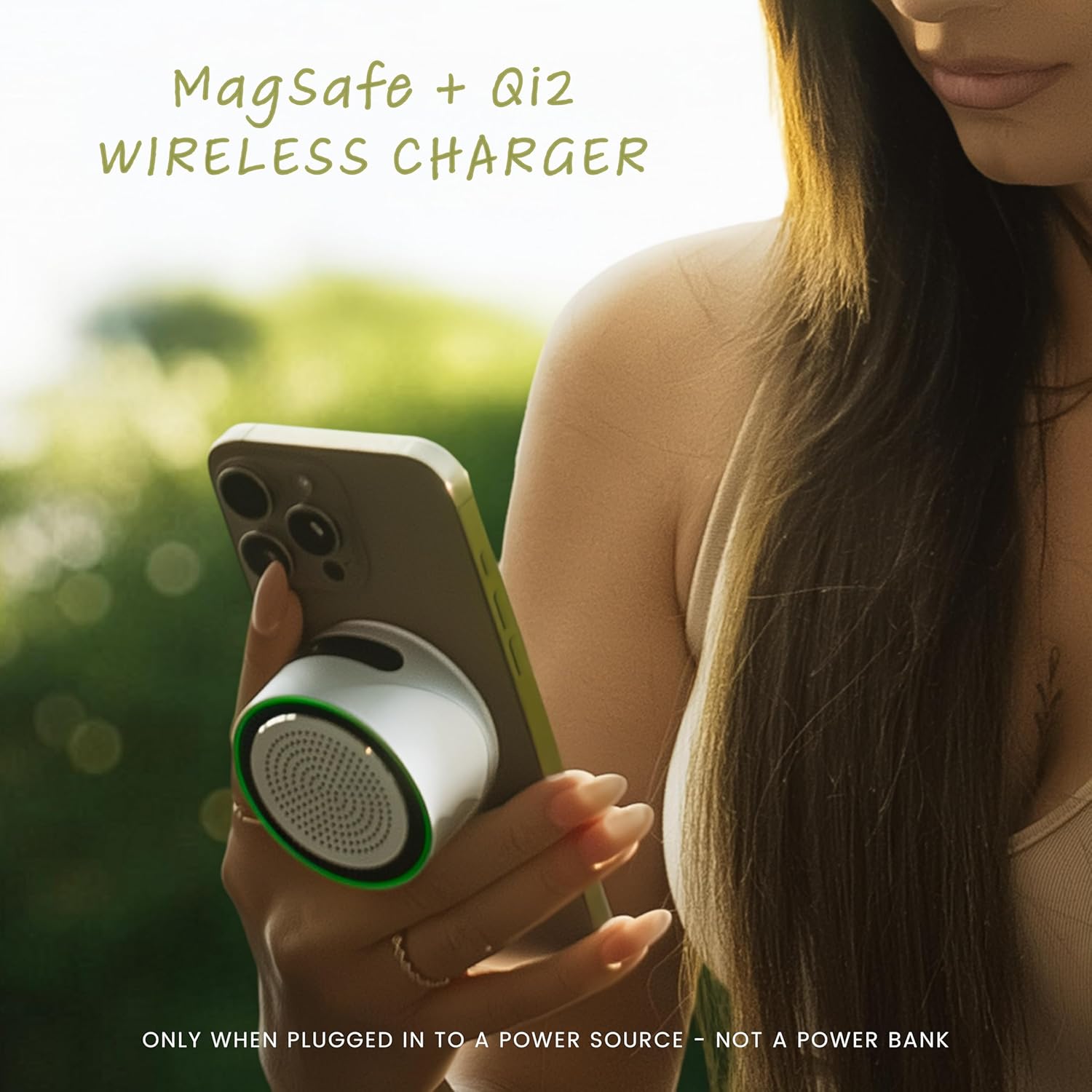
Image 4: Magnetic wireless charging in action, with the speaker attached to a phone.
Video 2: Short demonstration of the MagBeat speaker's magnetic attachment and sound.
6. Maintenance
6.1. Cleaning
Wipe the speaker with a soft, dry cloth. Do not use harsh chemicals or abrasive materials. Ensure the charging port is free of dust and debris.
6.2. Storage
Store the speaker in a cool, dry place away from direct sunlight and extreme temperatures. If storing for an extended period, charge the battery periodically to maintain its lifespan.

Image 5: The MagBeat Speaker is IPX7 water-resistant, suitable for outdoor use.
7. Troubleshooting
| Issue | Possible Cause | Solution |
|---|---|---|
| Speaker does not power on | Low battery | Charge the speaker using the USB-C cable. |
| Cannot pair via Bluetooth | Speaker not in pairing mode / Device too far | Ensure speaker is flashing LED, move device closer (within 33ft), or reset speaker. |
| No sound output | Volume too low / Not connected | Increase speaker and device volume. Verify Bluetooth connection. |
| Wireless charging not working | Speaker not powered / Not plugged in / Phone incompatible | Ensure speaker is powered on and connected to a power source. Verify phone compatibility with MagSafe/Qi2. |
| TWS pairing failed | Speakers already paired / Too far apart | Ensure both speakers are unpaired from other devices. Place them close together and retry TWS pairing. |
8. Specifications
| Feature | Detail |
|---|---|
| Model Name | MagBeat |
| Item Model Number | X1 |
| Brand | MagSound |
| Material | Aluminum |
| Product Dimensions | 2.3"D x 2.3"W x 1.45"H |
| Item Weight | 5.3 ounces |
| Wireless Communication Technology | Bluetooth 5.0 |
| Bluetooth Range | 10 Meters (33 feet) |
| Speaker Maximum Output Power | 3 Watts |
| Battery Life | Up to 10 hours |
| Water Resistance Level | IPX7 (Water Resistant) |
| Special Features | Bass Boost, Built-in Microphone, Lightweight, Magnetic, Portable, TWS Stereo Sync, LED Equalizer |
| Compatible Devices | Apple iPhone (MagSafe compatible models), Samsung Galaxy, Google Pixel, and other Bluetooth-enabled devices. |
9. Safety Information
- Do not expose the speaker to extreme temperatures or direct sunlight for prolonged periods.
- Avoid dropping or subjecting the speaker to strong impacts.
- Keep the speaker away from medical devices that may be affected by magnetic fields.
- Do not attempt to disassemble or repair the speaker yourself. Contact customer support for assistance.
- Ensure the charging port is dry before connecting the power cable.
10. Warranty and Support
The MagSound MagBeat Bluetooth Speaker comes with a Limited Warranty. Please refer to the included Warranty Card for detailed terms and conditions.
For technical support, troubleshooting, or warranty claims, please contact MagSound Customer Service:
- Website: www.mag-sound.com
- Email: support@magsound.com