
VIKVIZ PG2347C-28
VIKVIZ 4MP PoE IP Turret Camera User Manual
Model: PG2347C-28
Your guide to advanced outdoor surveillance with human/vehicle detection, full-color night vision, and IP67 weatherproofing.
1. Introduction
Thank you for choosing the VIKVIZ 4MP PoE IP Turret Camera. This manual provides essential information for the proper installation, operation, and maintenance of your security camera. Please read this manual thoroughly before using the product to ensure safe and effective operation. Keep this manual for future reference.
2. Package Contents
Verify that all items listed below are included in your package. If any items are missing or damaged, please contact customer support.
- VIKVIZ 4MP PoE IP Turret Camera
- Screws for mounting
- Instruction Manual (this document)

Image: Contents of the VIKVIZ 4MP PoE IP Turret Camera package.
3. Product Overview
The VIKVIZ 4MP PoE IP Turret Camera is designed for reliable outdoor surveillance, offering high-definition video and intelligent features.
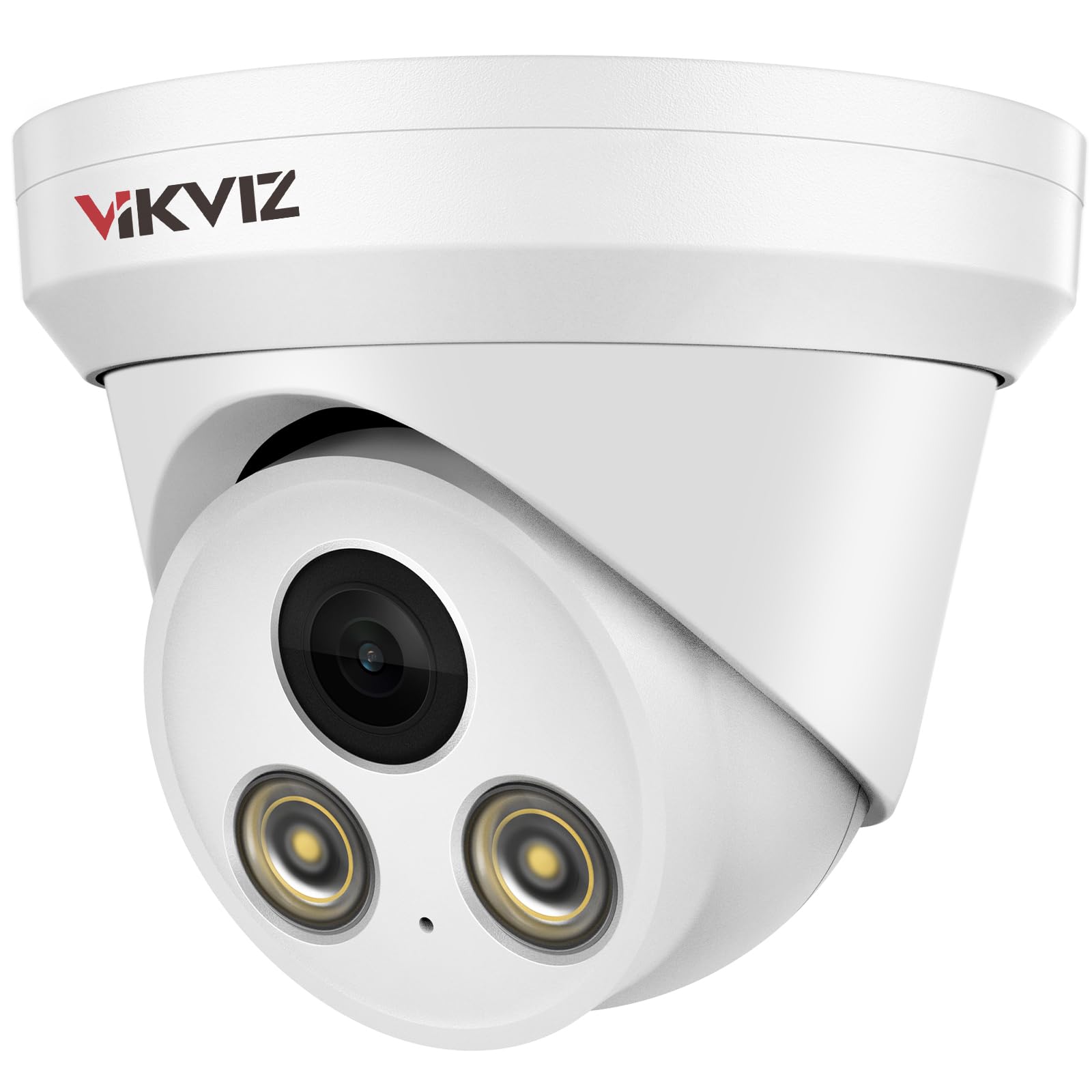
Image: Front view of the VIKVIZ 4MP PoE IP Turret Camera.
Key Features:
- 4MP HD Resolution: Delivers clear 2560x1440 video at 25 frames per second.
- Built-in Microphone: Enables one-way audio monitoring for comprehensive environmental awareness.
- 2.8mm Fixed Lens: Provides a super-wide 105° viewing angle to cover larger areas.
- 98ft Full-Color Night Vision: Features F1.0 large aperture lens and soft-light assist system for rich, detailed color images even in low light.
- Human/Vehicle Motion Detection: Advanced AI detection reduces false alarms and accurately identifies relevant events.
- IP67 Weatherproof Rating: Durable metal casing withstands harsh outdoor conditions, including immersion in 1m of water for 30 minutes.
- Power over Ethernet (PoE): Simplifies installation by transmitting power and data through a single network cable.
- Wide Compatibility: Supports Onvif protocol and RTSP, compatible with most third-party NVRs (e.g., Blue Iris, iSpy, Hikvision NVRs, but not Reolink NVRs).
- H.265+ Smart Coding: Efficient video compression reduces bandwidth and storage requirements.

Image: Overview of camera features.

Image: Built-in microphone for audio recording.

Image: Wide-angle view provided by the 2.8mm lens.

Image: IP67 waterproof rating in various weather conditions.

Image: Image quality enhancements like WDR, BLC, HLC, and 3D DNR.
Video: A demonstration of the 4MP IP camera's physical appearance and various functions.
4. Setup & Installation
This section guides you through the physical installation and initial setup of your VIKVIZ PoE IP Camera.
4.1. Wiring Diagram
The camera supports Power over Ethernet (PoE), allowing both power and data transmission through a single Ethernet cable. This simplifies wiring and installation.

Image: Various connection methods for the PoE IP Camera.
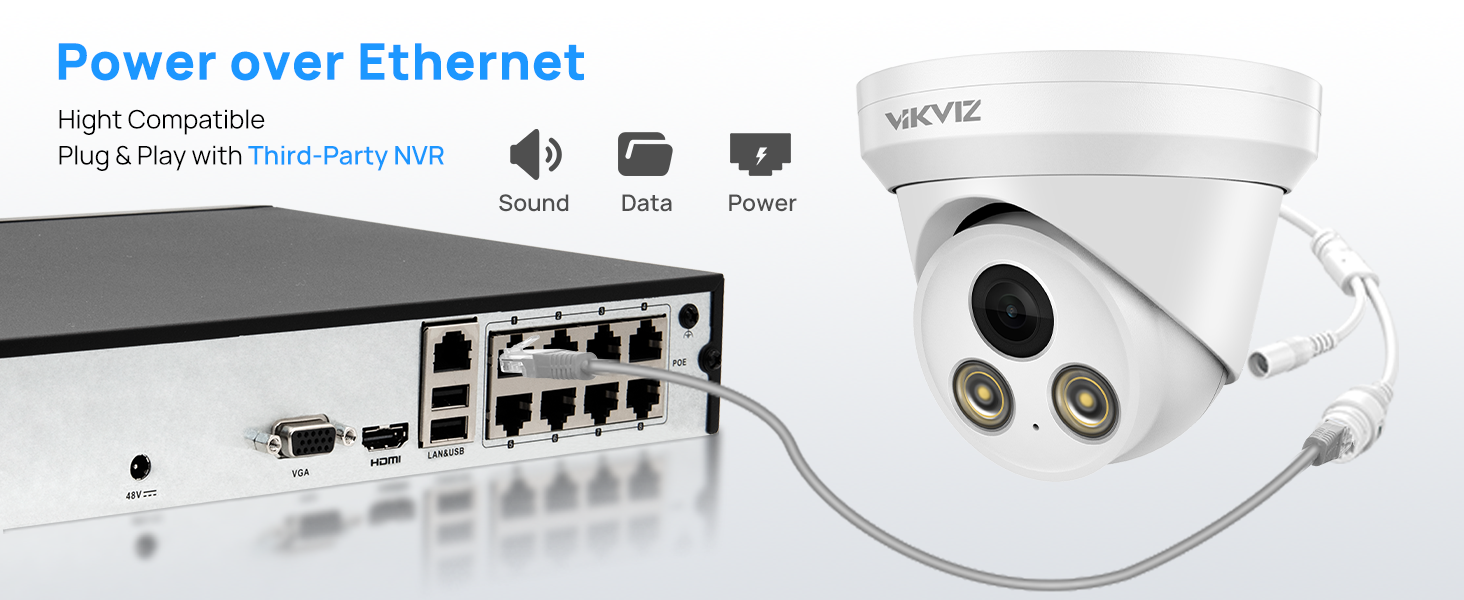
Image: Power over Ethernet connection for simplified setup.
4.2. Installation Guidance
For detailed physical installation steps, refer to the video below. Ensure the camera is securely mounted and cables are properly connected and protected.
Video: Step-by-step guide for PoE camera installation.
4.3. Connecting to an NVR
The VIKVIZ camera is compatible with various NVR systems. Follow the instructions in the videos below for connecting to an NVR or setting up the camera directly.
Video: General POE Camera operation and connection methods.
Video: Instructions on how to connect the camera to a Hikvision NVR.
5. Operating Instructions
Learn how to utilize the advanced features of your VIKVIZ camera for effective surveillance.
5.1. Motion Detection (Human/Vehicle)
The camera features intelligent human and vehicle detection to minimize false alarms. You can configure detection areas and sensitivity settings via the camera's web interface or compatible software.

Image: AI Motion Detection for human and vehicle events.

Image: Real-time motion alerts via mobile app.

Image: Motion2.0 Human/Vehicle Detection in action.
Video: Guide on how to set up motion detection and human body detection for the camera.
5.2. Full-Color Night Vision
Experience clear, full-color video even in low-light conditions, extending your surveillance capabilities beyond traditional black and white infrared. The camera's F1.0 lens and soft-light assist system capture more light for superior night imaging.

Image: Full-color night vision capability.

Image: Comparison of traditional IR vs. VIKVIZ Full-Color Night Vision.
Video: Display and introduction of the 4MP Color Night Vision Security Camera.
5.3. Remote Access & Monitoring
Access your camera feed and receive alerts from anywhere using the dedicated mobile app (Videolink) or compatible PC software (IVMS-4200, LMS) and web browsers.

Image: Remote access options for the camera.

Image: Free app for remote access.

Image: Multi-user real-time remote access.
6. Maintenance
Regular maintenance ensures optimal performance and longevity of your camera.
- Cleaning: Gently wipe the camera lens and housing with a soft, damp cloth. Avoid abrasive cleaners or solvents that could damage the surface.
- Firmware Updates: Periodically check the manufacturer's website or your app for available firmware updates. Keeping your camera's firmware up-to-date ensures access to the latest features and security enhancements.
- Cable Inspection: Regularly inspect all cables for any signs of wear, damage, or loose connections. Ensure waterproof connections are sealed properly.
7. Troubleshooting
If you encounter issues with your camera, refer to the following common problems and solutions:
| Problem | Possible Cause | Solution |
|---|---|---|
| No video feed | Loose cable connection, no power, incorrect network settings. | Check all Ethernet and power connections. Ensure PoE is active or 12V DC power is supplied. Verify camera IP address and network configuration. |
| Poor image quality | Dirty lens, low bandwidth, incorrect image settings. | Clean the lens. Check network bandwidth. Adjust image settings (brightness, contrast, WDR, DNR) in the camera's web interface. |
| Motion detection not triggering or too many false alarms | Incorrect sensitivity, detection area not set, environmental factors. | Adjust motion detection sensitivity and detection area in the camera settings. Ensure human/vehicle detection is enabled. |
| Cannot connect to NVR/Software | Incorrect IP address, password, or protocol. | Verify the camera's IP address, username, and password. Ensure the NVR supports Onvif/RTSP and the camera's protocol. Note: Not compatible with Reolink NVRs. |
8. Specifications
| Feature | Detail |
|---|---|
| Model Name | PG2347C-28 |
| Video Capture Resolution | 4 MP (2560 × 1440) |
| Frame Rate | 25 fps |
| Lens | 2.8mm Fixed Lens |
| Viewing Angle | 105 Degrees |
| Night Vision Range | 98 Feet (Full-Color Night Vision) |
| Audio | Built-in Microphone (One-way audio) |
| Connectivity Technology | PoE, Onvif, Wired |
| Power Source | DC12V OR POE |
| International Protection Rating | IP67 (Waterproof) |
| Material | Metal |
| Alert Type | Motion Only (Human/Vehicle Detection) |
| Video Encoding | H.265+, H.265, H.264 |
| Operating Temperature | -40°F to +140°F (-40°C to +60°C) |
9. Warranty & Support
VIKVIZ is committed to providing high-quality products and excellent customer service.
- Warranty: This product comes with a 2-year manufacturer's warranty.
- Technical Support: Lifetime technical support is available for all VIKVIZ customers. For assistance, please visit the VIKVIZ Store on Amazon or contact our customer service team.
Related documentsPG2347C-28


Ask a question about this manual
Ask about setup, troubleshooting, compatibility, parts, safety, or missing instructions. Manuals+ will review the question and use this page’s manual context to help answer it.