
1. Introduction
This manual provides detailed instructions for the proper setup, operation, and maintenance of your PURELL ES6 Automatic Hand Sanitizer Dispenser, Model 6424-01. Please read this manual thoroughly before installation and use to ensure optimal performance and longevity of the product.

Figure 1: PURELL ES6 Automatic Hand Sanitizer Dispenser, Graphite.
2. Package Contents
Verify that all items are present in the package:
- 1 x PURELL ES6 Automatic Hand Sanitizer Dispenser (Graphite)
- 1 x Adhesive Mounting Tape
- 4 x C-cell Batteries
Note: PURELL ES6 Hand Sanitizer Refills are sold separately.

Figure 2: Dispenser and compatible refill (sold separately).
3. Setup and Installation
3.1 Battery Installation
- Open the dispenser cover.
- Insert the 4 C-cell batteries into the battery compartment, ensuring correct polarity (+/-).
- Close the dispenser cover securely.
3.2 Mounting the Dispenser
The dispenser can be mounted using the included adhesive tape or by screwing it directly into a wall (screws not included).
Adhesive Mounting:
- Clean the desired wall surface thoroughly to ensure it is dry and free of dust or grease.
- Peel the backing from the adhesive mounting tape and firmly press it onto the back of the dispenser.
- Position the dispenser on the wall and press firmly for 30 seconds to ensure a strong bond.
Screw Mounting (Hardware not included):
- Mark the desired mounting location on the wall.
- Use appropriate screws and wall anchors (if necessary) to secure the dispenser's mounting plate to the wall.
3.3 Refill Installation
The PURELL ES6 dispenser is designed for use with PURELL ES6 Advanced Hand Sanitizer refills (SKUs 6451-02, 6453-02, or 6463-02).
- Ensure the dispenser cover is open.
- Align the ES6 refill bottle with the dispenser's internal mechanism. The refill features a factory-sealed nozzle to prevent contamination.
- Push the refill firmly into place until it clicks, ensuring a secure connection.
- Close the dispenser cover.

Figure 3: Matching the ES6 refill to the dispenser.

Figure 4: Factory-sealed nozzle for hygienic dispensing.
4. Operation
The PURELL ES6 dispenser is a touch-free unit designed for automatic dispensing.
- Place your hand directly under the dispenser's sensor.
- The dispenser will automatically dispense a measured amount of hand sanitizer into your palm.
- Rub your hands together thoroughly until dry.
The green LED indicator on the dispenser will illuminate during operation, confirming activation.
5. Maintenance
5.1 Cleaning
- Wipe the exterior of the dispenser with a soft, damp cloth. Avoid abrasive cleaners or solvents.
- The included drip tray helps keep the area clean and can be removed for washing.
5.2 Refill Monitoring and Replacement
The transparent design of the refill bottle allows for easy monitoring of sanitizer levels without opening the dispenser.

Figure 5: At-A-Glance™ design for easy refill monitoring.
When the refill is empty, replace it by following the "Refill Installation" steps in Section 3.3.
5.3 Battery Replacement
When the dispenser's performance diminishes or the green LED no longer illuminates, it may be time to replace the batteries. Follow the "Battery Installation" steps in Section 3.1.
6. Troubleshooting
| Problem | Possible Cause | Solution |
|---|---|---|
| Dispenser does not activate or dispense. |
|
|
| Sanitizer leaks from dispenser. |
|
|
7. Specifications
| Feature | Detail |
|---|---|
| Model Number | 6424-01 |
| Color | Graphite |
| Material | Durable ABS Plastic (recycling code number 7) |
| Dimensions (H x W x D) | 14.39" x 5.51" x 3.88" |
| Item Weight | 1.97 pounds |
| Batteries | 4 C-cell batteries (included) |
| Compatible Refills | PURELL ES6 Advanced Hand Sanitizer Refills (SKUs 6451-02, 6453-02, 6463-02) |
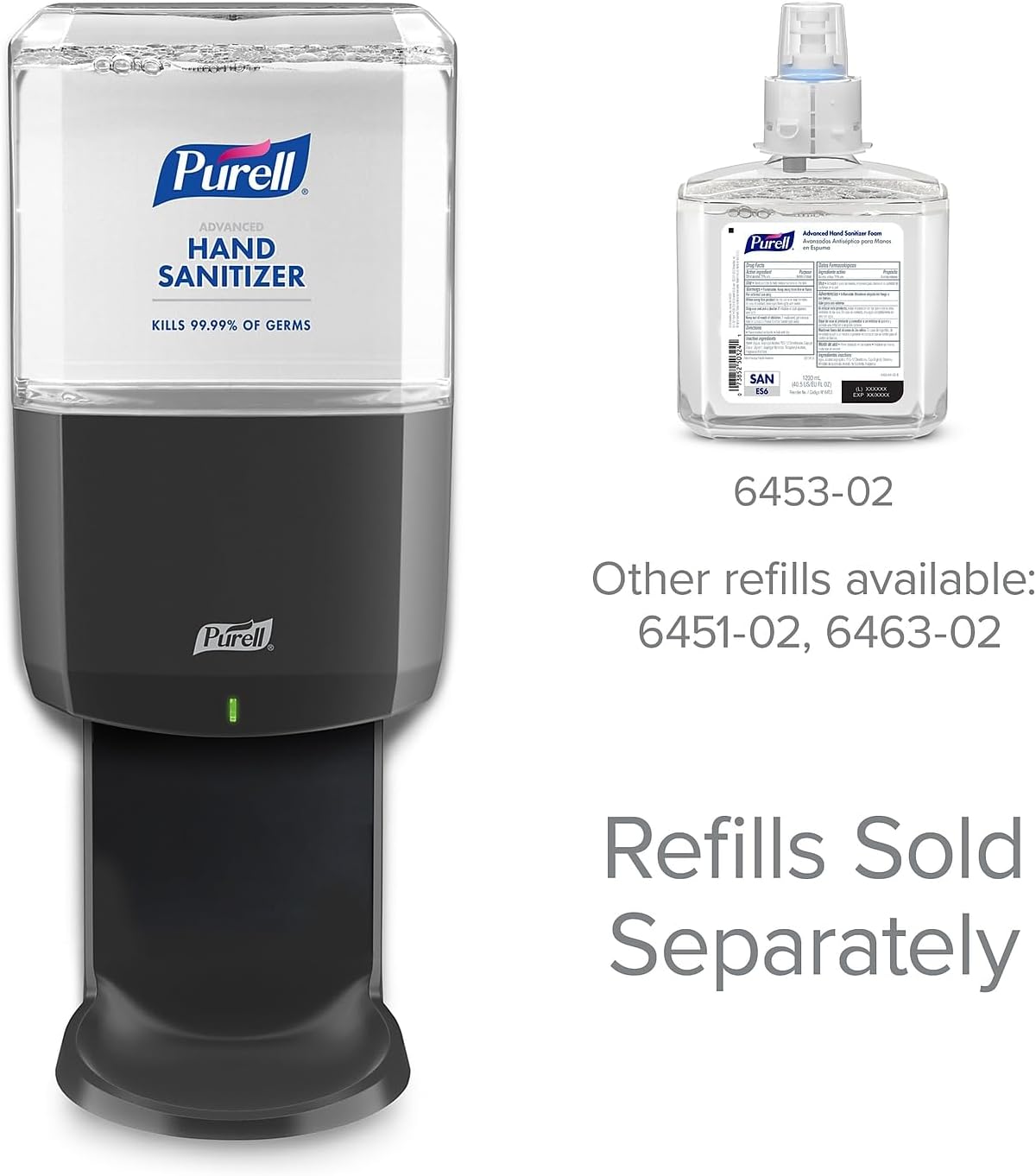
Figure 6: PURELL ES6 Dispenser dimensions.
8. Warranty and Support
8.1 Warranty Information
The PURELL ES6 Automatic Hand Sanitizer Dispenser comes with a Guaranteed Reliability warranty. For specific terms and conditions, please refer to the official PURELL website or contact customer service.
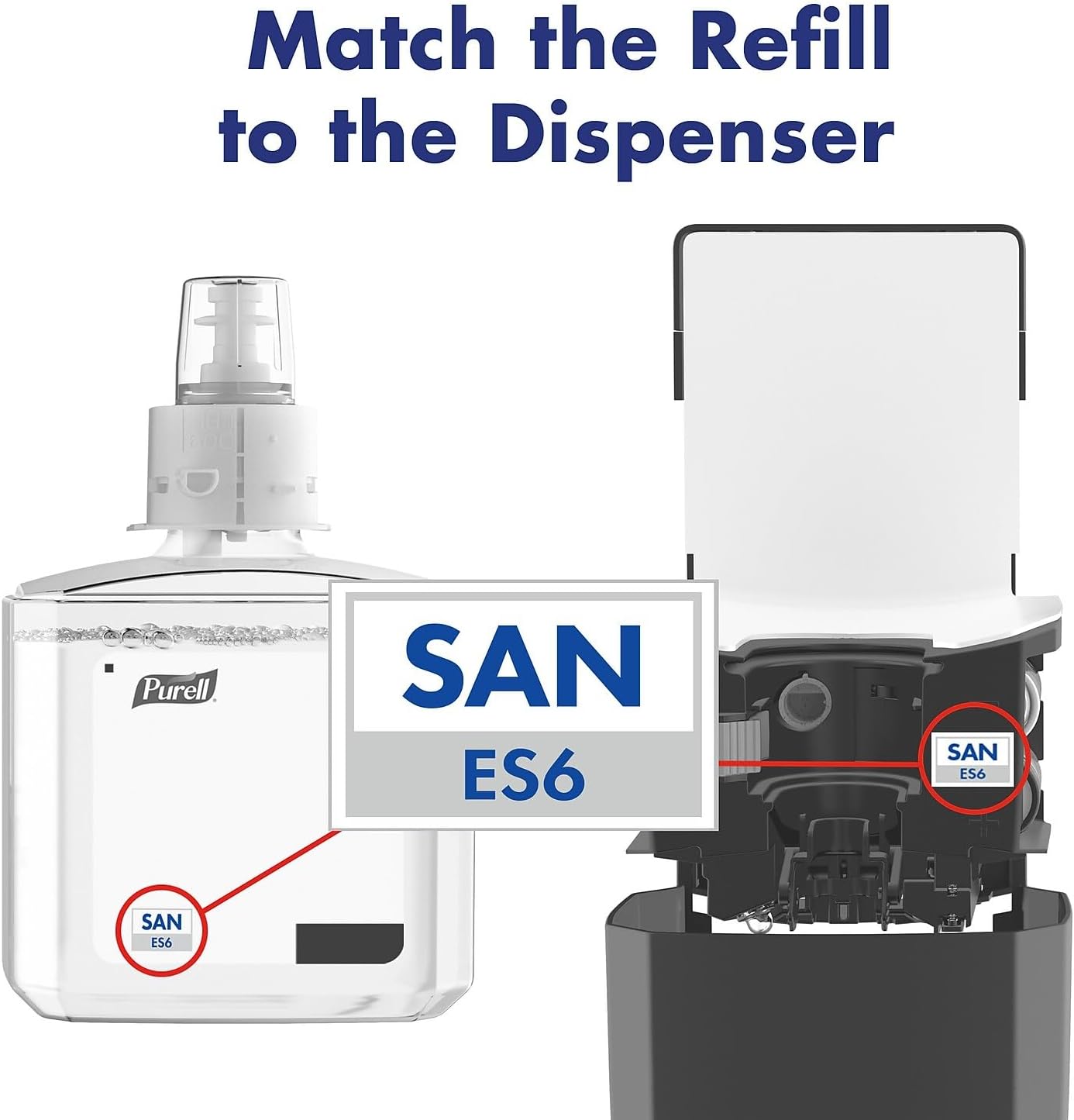
Figure 7: PURELL Dispenser Reliability Guarantee.
8.2 Customer Support
For further assistance, technical support, or inquiries regarding PURELL products, please visit the official PURELL website or contact their customer service department. Contact information can typically be found on the product packaging or the manufacturer's website.