
1. Product Overview
The PowerLocus P3 New Bluetooth Headphones are designed to provide a high-fidelity audio experience with superior comfort and extended playtime. These over-ear headphones feature 40mm audio drivers for rich sound, a built-in microphone for clear calls, and Bluetooth 5.3 technology for stable wireless connectivity. Their foldable and lightweight design makes them suitable for various uses, including travel, office work, and workouts.

Image: PowerLocus P3 New Bluetooth Headphones in Mint color, showcasing their sleek design.
Key Features:
- Hi-Fi Sound Experience: Equipped with 40mm audio drivers for rich, superior audio performance with deep bass and extended treble.
- Superior Comfort: Ergonomic over-ear design with soft memory foam earmuffs and a padded headband for secure and comfortable fit.
- Long Playtime & Wired Mode: Offers more than 50 hours of wireless playtime and includes a 3.5mm wired mode option. Supports USB-C fast charging.
- Bluetooth 5.3 and Built-in Mic: Industry-leading Bluetooth 5.3 for instant pairing and stable connection. Noise-cancelling microphones enhance call quality.
- 4 EQ Modes: Customize your audio experience with different equalization modes.
- Multi-Point Connection: Allows pairing with two devices simultaneously.
- Foldable & Lightweight: Designed for portability and ease of storage.
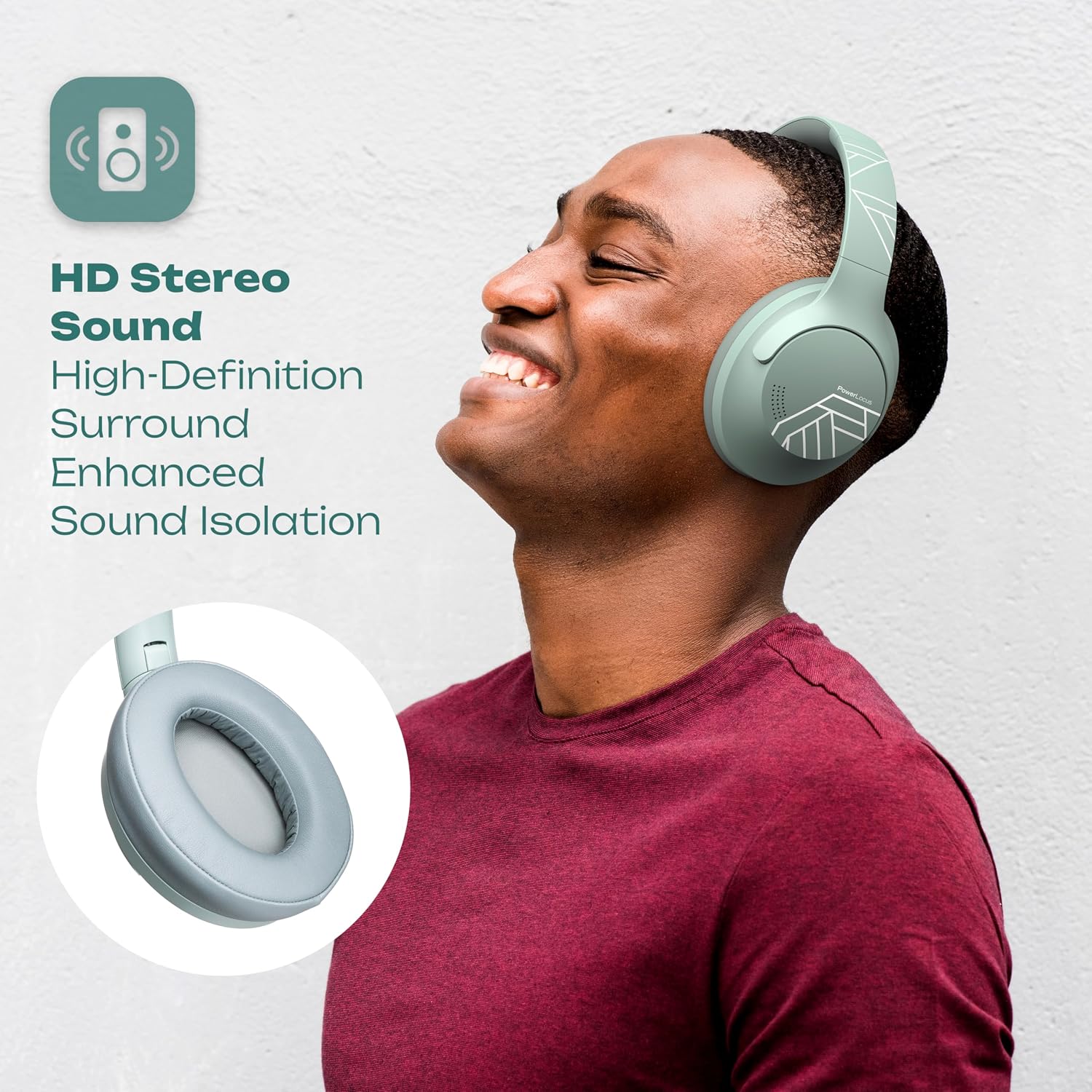
Image: Visual representation of the PowerLocus P3 New headphones' key features.
2. Package Contents
Please verify that all items listed below are included in your package:
- Wireless Headphones Over-Ear P3
- 3.5mm Audio Cable
- USB-C Charging Cable
- User Manual (this document)

Image: An illustration of the items included in the PowerLocus P3 New headphone package.
3. Product Diagram and Controls
Familiarize yourself with the various parts and controls of your PowerLocus P3 New headphones:

Image: Detailed view of the headphone controls and ports.
- Volume Down / Previous Song: Press to decrease volume; hold to go to previous track.
- ON / OFF / Play / Pause / Answer / Siri/Google Assistant Activation: Multi-function button for power, playback, call management, and voice assistant.
- Volume Up / Next Song: Press to increase volume; hold to go to next track.
- USB-C Charging Port: For charging the headphones.
- 3.5mm Audio Jack: For wired connection.
- LED Indicator: Displays power, charging, and pairing status.
4. Setup
4.1 Charging the Headphones
Before first use, fully charge your headphones. Connect the supplied USB-C charging cable to the headphone's USB-C port and the other end to a USB power source (e.g., computer USB port, wall adapter). The LED indicator will show charging status and turn off when fully charged. A full charge provides over 50 hours of playtime. Fast charging technology allows for approximately 5 hours of playtime from a 10-minute charge.

Image: Information on the extended battery life and fast charging capability.
4.2 Bluetooth Pairing
- Ensure the headphones are turned off.
- Press and hold the multi-function button until the LED indicator flashes blue and red alternately, indicating pairing mode.
- On your device (smartphone, tablet, laptop), enable Bluetooth and search for available devices.
- Select "PowerLocus P3 New" from the list of found devices.
- Once connected, the LED indicator will turn solid blue or flash blue slowly.
The headphones support Bluetooth 5.3 for a stable connection up to 36 feet (approximately 11 meters).

Image: Demonstrating the use of headphones for wireless calls.
4.3 Multi-Point Connection
The PowerLocus P3 New headphones can connect to two Bluetooth devices simultaneously. To use this feature:
- Pair the headphones with the first device as described in Section 4.2.
- Disable Bluetooth on the first device. The headphones will re-enter pairing mode.
- Pair the headphones with the second device.
- Re-enable Bluetooth on the first device. The headphones should automatically connect to both devices.
You can now seamlessly switch audio playback between the two connected devices.

Image: Headphones demonstrating multi-point connection capability.
5. Operating Instructions
5.1 Power On/Off
- Power On: Press and hold the multi-function button for 3 seconds until the LED indicator flashes blue.
- Power Off: Press and hold the multi-function button for 3 seconds until the LED indicator flashes red and then turns off.
5.2 Music Playback
- Play/Pause: Press the multi-function button once.
- Volume Up: Press the "Volume Up" button once.
- Volume Down: Press the "Volume Down" button once.
- Next Track: Hold the "Volume Up" button for 2 seconds.
- Previous Track: Hold the "Volume Down" button for 2 seconds.
5.3 Call Management
- Answer/End Call: Press the multi-function button once.
- Reject Call: Hold the multi-function button for 2 seconds.
- Activate Voice Assistant (Siri/Google Assistant): Double-press the multi-function button.
5.4 EQ Modes
The headphones feature 4 distinct EQ modes to optimize your listening experience for different audio content. To cycle through the EQ modes, press the EQ button (if present, or refer to specific button on diagram if not multi-function). The modes typically include:
- Pop Mode: Enhanced vocals and bright highs.
- Bass Mode: Deep and powerful bass emphasis.
- Vocal Mode: Clear and prominent vocal frequencies.
- Rock Mode: Balanced sound with emphasis on instruments.

Image: Visual guide to customizing sound with 4 EQ modes.
5.5 Wired Mode
When the battery is depleted or if you prefer a wired connection, you can use the included 3.5mm audio cable. Simply plug one end into the headphone's 3.5mm audio jack and the other end into your audio source's 3.5mm output. The headphones will automatically switch to wired mode.

Image: Illustration of the flexibility between wireless and wired listening.
5.6 Gaming Mode
For an optimized gaming experience with reduced audio latency, activate Gaming Mode. Hold the Play/Pause button for 3 seconds to enter Low Latency Gaming Mode. This mode minimizes the delay between on-screen action and audio output, providing a more immersive and responsive gaming experience.

Image: Headphones being used in Gaming Mode, highlighting low latency.
6. Maintenance
Proper maintenance ensures the longevity and optimal performance of your headphones.
- Cleaning: Use a soft, dry cloth to wipe the surfaces of the headphones. For earcups, gently wipe with a slightly damp cloth and allow to air dry completely before use. Do not use harsh chemicals or abrasive cleaners.
- Storage: When not in use, store the headphones in a cool, dry place, away from direct sunlight and extreme temperatures. Utilize the foldable design for compact storage.
- Avoid Moisture: The headphones are not water-resistant. Avoid exposure to water, rain, or excessive humidity.
- Handle with Care: Do not drop, disassemble, or attempt to repair the headphones yourself. This may void the warranty.

Image: Highlighting the durable and comfortable design features of the headphones.
7. Troubleshooting
If you encounter issues with your PowerLocus P3 New headphones, please refer to the following common solutions:
| Problem | Possible Cause | Solution |
|---|---|---|
| Headphones do not power on. | Low battery. | Charge the headphones fully using the supplied USB-C cable. |
| Cannot pair with device. | Headphones not in pairing mode; Bluetooth disabled on device; device too far. | Ensure headphones are in pairing mode (flashing blue/red LED). Enable Bluetooth on your device. Move headphones closer to the device (within 36 feet). Clear previous Bluetooth connections on your device. |
| No sound or low volume. | Volume too low on headphones or device; incorrect audio output selected; headphones not connected. | Increase volume on both headphones and your device. Ensure headphones are properly connected via Bluetooth or 3.5mm cable. Check audio output settings on your device. |
| Sound cuts in and out. | Interference; device too far; low battery. | Move closer to your device. Avoid environments with strong Wi-Fi or other Bluetooth signals. Charge the headphones. |
| Microphone not working. | Microphone muted on device; incorrect input selected. | Check microphone settings on your device. Ensure the headphones are selected as the audio input device. |
If the problem persists, please contact PowerLocus customer support for assistance.
8. Specifications
| Feature | Detail |
|---|---|
| Model Name | P3 New |
| Connectivity Technology | Wireless (Bluetooth), Wired (3.5mm Jack) |
| Wireless Communication Technology | Bluetooth 5.3 |
| Bluetooth Range | Approximately 36 Feet (11 meters) |
| Audio Driver Size | 40 Millimeters |
| Battery Life | Up to 50 Hours |
| Charging Port | USB-C |
| Quick Charging | 10 minutes charge for 5 hours playtime |
| Earpiece Shape | Over-Ear |
| Noise Control | Passive Noise Cancellation |
| Control Method | Touch/Button |
| Special Features | Foldable, Lightweight, 4 EQ Modes, Built-in Microphone, Multi-Point Connection |
| Item Weight | 10.5 ounces (approx. 298 grams) |
| Manufacturer | PowerLocus |
9. Warranty and Support
PowerLocus stands behind the quality of its products.
- Warranty: Your PowerLocus P3 New headphones come with a 2-year full warranty from the date of purchase. This warranty covers manufacturing defects and ensures your product performs as expected.
- Return Policy: A 30-day free return policy is available.
- Customer Support: For any questions, issues, or warranty claims, please contact our friendly customer support team. They are available 24/7 to assist you.
Contact information can typically be found on the PowerLocus official website or through your purchase platform.

Image: Product packaging emphasizing the 2-year warranty and key features.

Image: Packaging details including importer information and safety warnings.


