
Introduction
Thank you for purchasing the Youshiko YC8071 Jumbo Radio Controlled Wall Clock. This clock is designed to provide accurate timekeeping through its radio-controlled function, automatically adjusting for daylight saving time. It also features a clear LCD display, indoor temperature, and an alarm function. Please read this manual carefully to ensure proper setup and operation.
Product Features
- Radio Controlled Time: Automatically synchronizes with the MSF signal (UK version) for precise time.
- Automatic DST Adjustment: Automatically adjusts for Daylight Saving Time (Spring/Autumn).
- Large LCD Display: Clear and easy-to-read display for time, date, and temperature.
- Date Display: Shows full weekday and 3-digit month.
- Indoor Temperature Display: Displays temperature in Celsius (°C) or Fahrenheit (°F).
- Dual Alarm with Snooze: Two independent alarms with a snooze function.
- Time Format: Selectable 12 or 24-hour display format.
- Versatile Placement: Suitable for wall mounting or tabletop use with an integrated stand.
Package Contents
- Youshiko YC8071 Jumbo Radio Controlled Wall Clock
- Instruction Manual
- (Batteries are not included)
Setup
1. Battery Installation
- Locate the battery compartment on the back of the clock.
- Open the battery compartment cover.
- Insert 2 x AA batteries (not included) according to the polarity markings (+ and -).
- Close the battery compartment cover securely.

Image: Rear view of the clock showing the battery compartment and integrated stand. The battery compartment is located centrally on the back.
2. Initial Setup and Radio Control Signal Reception
After battery installation, the clock will automatically begin searching for the radio control signal (MSF for UK and Ireland). This process may take several minutes. During this time, the radio control icon will flash on the display.
- Place the clock near a window for optimal signal reception.
- Avoid placing the clock near electronic devices that may cause interference (e.g., TVs, computers, microwaves).
- Once the signal is received, the time and date will set automatically, and the radio control icon will become solid.
- The clock automatically checks the time daily to ensure accuracy.
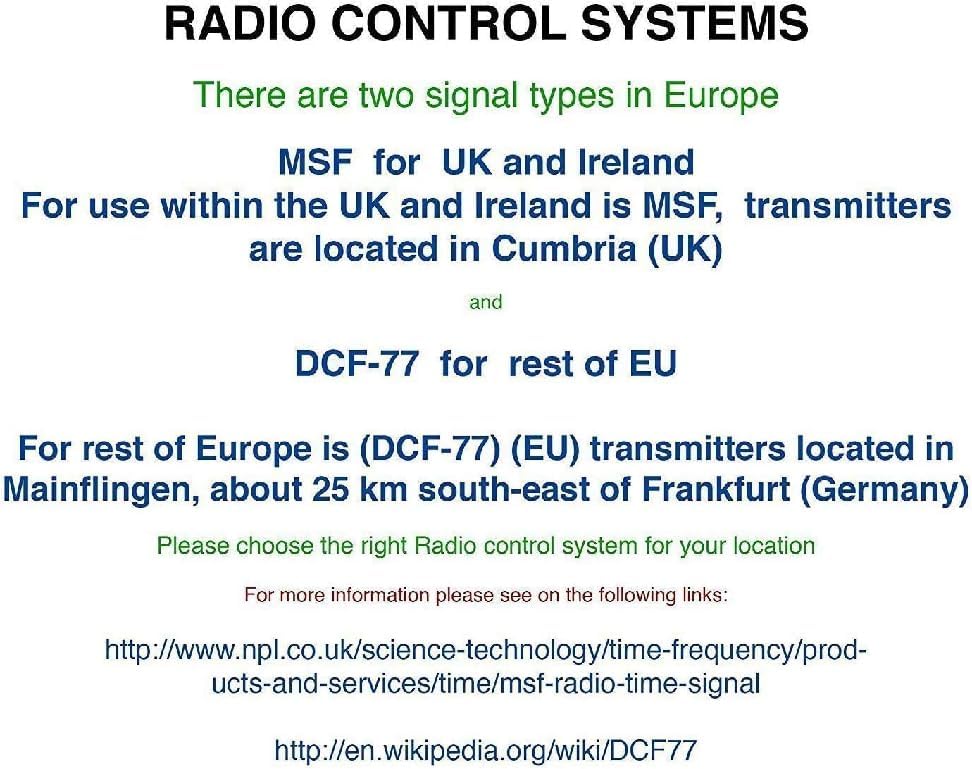
Image: Diagram illustrating radio control systems. It specifies MSF for UK and Ireland, with transmitters in Cumbria (UK), and DCF-77 for the rest of the EU, with transmitters in Mainflingen, Germany. Users should choose the correct system for their location. This clock uses MSF.
If the signal is not received after a few hours, try relocating the clock to a different position or manually setting the time (see "Manual Settings" section).
Operating Instructions
Display Overview

Image: The main display of the Youshiko YC8071 clock. It shows the date (e.g., 26/SEP), large digital time (e.g., 12:34), day of the week (e.g., SATURDAY), and indoor temperature (e.g., 27.8°C). Radio control signal, DST, and alarm indicators are also visible.
- Time: Large digits display the current time.
- Date: Displays day and month (e.g., 26/SEP).
- Day of Week: Full weekday name (e.g., SATURDAY).
- Temperature: Indoor temperature in °C or °F.
- Radio Control Icon: Indicates signal reception status.
- DST Indicator: Shows if Daylight Saving Time is active.
- Alarm Indicators: Icons for Alarm 1 and Alarm 2.
Buttons Overview (Refer to back panel image)

Image: Rear view of the clock, highlighting the control buttons. From left to right, these typically include buttons for settings, plus (+), minus (-), alarm, and memory (MEM).
- SET button: Used to enter setting modes.
- + / - buttons: Used to adjust values or toggle settings.
- ALARM button: Used to set and activate alarms.
- MEM button: Used for memory functions (e.g., min/max temperature).
Setting Time and Date Manually (If RC signal is unavailable)
- Press and hold the SET button until the display flashes.
- Use the + or - buttons to adjust the flashing value (e.g., hour, minute, year, month, day).
- Press SET again to confirm the setting and move to the next value.
- Repeat until all desired settings are configured.
- The clock will exit setting mode automatically after a few seconds of inactivity, or you can press SET repeatedly until normal display resumes.
Setting the Alarm
- Press the ALARM button once to view Alarm 1 time. Press again for Alarm 2.
- While viewing an alarm time, press and hold the ALARM button until the alarm hour flashes.
- Use the + or - buttons to adjust the hour. Press ALARM to confirm.
- Adjust the minutes using + or -, then press ALARM to confirm.
- To activate/deactivate an alarm, press the ALARM button repeatedly until the desired alarm icon (1 or 2) appears/disappears on the main display.
Snooze Function
When an alarm sounds, press any button (except ALARM) to activate the snooze function. The alarm will temporarily stop and sound again after approximately 5-10 minutes. To stop the alarm completely, press the ALARM button.
Changing Temperature Unit (°C/°F)
Press the MEM button to toggle between Celsius (°C) and Fahrenheit (°F) display for the indoor temperature.
12/24 Hour Format
In normal time display mode, press the + button to switch between 12-hour and 24-hour time formats.
Mounting Options
The Youshiko YC8071 clock offers two convenient placement options:
- Wall Mounting: Use the integrated hanging hole on the back of the clock to mount it securely on a wall.
- Tabletop Stand: Extend the integrated stand on the back of the clock for stable placement on a desk, shelf, or table.
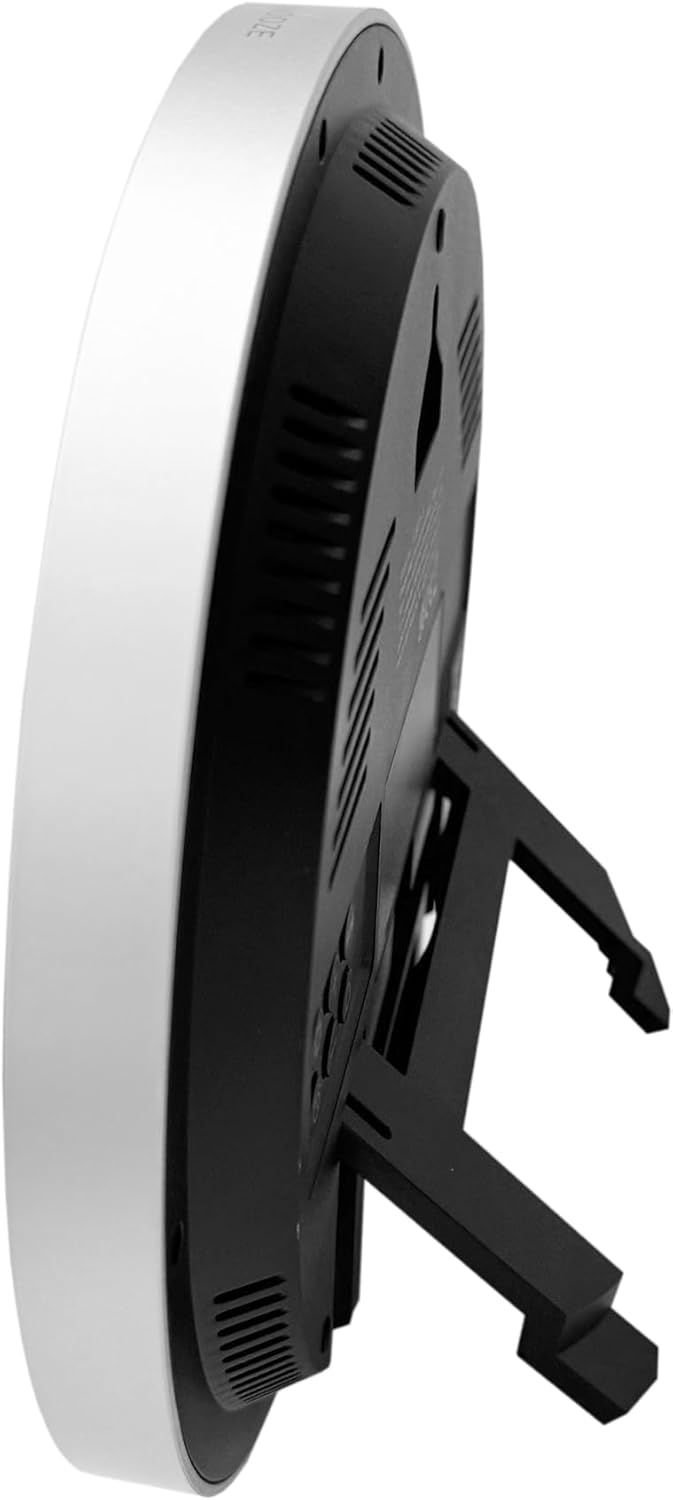
Image: Side view of the clock with its integrated stand deployed, allowing it to stand upright on a flat surface.
Image: Rear view of the clock, showing the recessed hanging hole for wall mounting and the stand folded flat against the back panel.
Troubleshooting
- No Display / Faint Display:
- Check battery polarity.
- Replace old batteries with new ones.
- Incorrect Time / No Radio Signal:
- Ensure the clock is placed in an area with good signal reception (near a window, away from interference).
- Allow several hours for the clock to receive the signal.
- Manually set the time if the radio signal is consistently unavailable.
- Verify you are in an MSF signal reception area (UK/Ireland).
- Temperature Reading Inaccurate:
- Ensure the clock is not exposed to direct sunlight or heat sources, which can affect the sensor.
- Allow time for the sensor to stabilize after moving the clock to a new environment.
- Alarm Not Sounding:
- Check if the alarm is activated (alarm icon visible on display).
- Ensure the alarm time is set correctly.
Specifications
| Model Number | YC8071 |
| Brand | Youshiko |
| Time Control | Radio Controlled (MSF - UK/Ireland) |
| Display Type | LCD Digital |
| Time Format | 12/24 Hour Selectable |
| Temperature Range | Indoor Temperature (°C/°F) |
| Alarm | Dual Alarm with Snooze |
| Power Source | 2 x AA Batteries (not included) |
| Dimensions (H x W x D) | 20.5 x 20.5 x 2.8 cm (approx. 20.5 x 3.81 x 20.5 cm including stand) |
| Weight | 430 g |
| Mounting Options | Wall mount or Tabletop stand |

Image: Technical diagram illustrating the dimensions of the clock. It shows a diameter of 20.5 cm and various segment heights on the display, such as 2.9 cm for the main time digits.
Care and Maintenance
- Clean the clock with a soft, dry cloth. Do not use abrasive cleaners or solvents.
- Avoid exposing the clock to extreme temperatures, direct sunlight, or high humidity.
- If the clock will not be used for an extended period, remove the batteries to prevent leakage.
- Keep the clock away from strong magnetic fields or sources of radio interference.
Warranty and Support
Youshiko products are manufactured to high-quality standards. For warranty information or technical support, please refer to the warranty card included with your purchase or visit the official Youshiko website. Please retain your proof of purchase for warranty claims.


