
1. Product Overview
The OffiGo Electric Standing Desk is a versatile and ergonomic workstation designed for home and office use. It features electric height adjustment, integrated storage, power outlets, and LED lighting to enhance your work environment.
Key features include:
- 2 Fabric Drawers & 1 Keyboard Tray: Provides organized storage for office supplies, keeping your desktop clear. The slide-out keyboard tray offers additional space for a keyboard, mouse, or small items.
- Full-sized Monitor Shelf: Ergonomically designed to reduce back and neck strain by promoting better posture, while also offering extra storage space.
- Height Adjustable Desk: Seamlessly switch between sitting and standing positions with a height range of 30.7" to 47.6". Three memory buttons allow for easy recall of preferred heights.
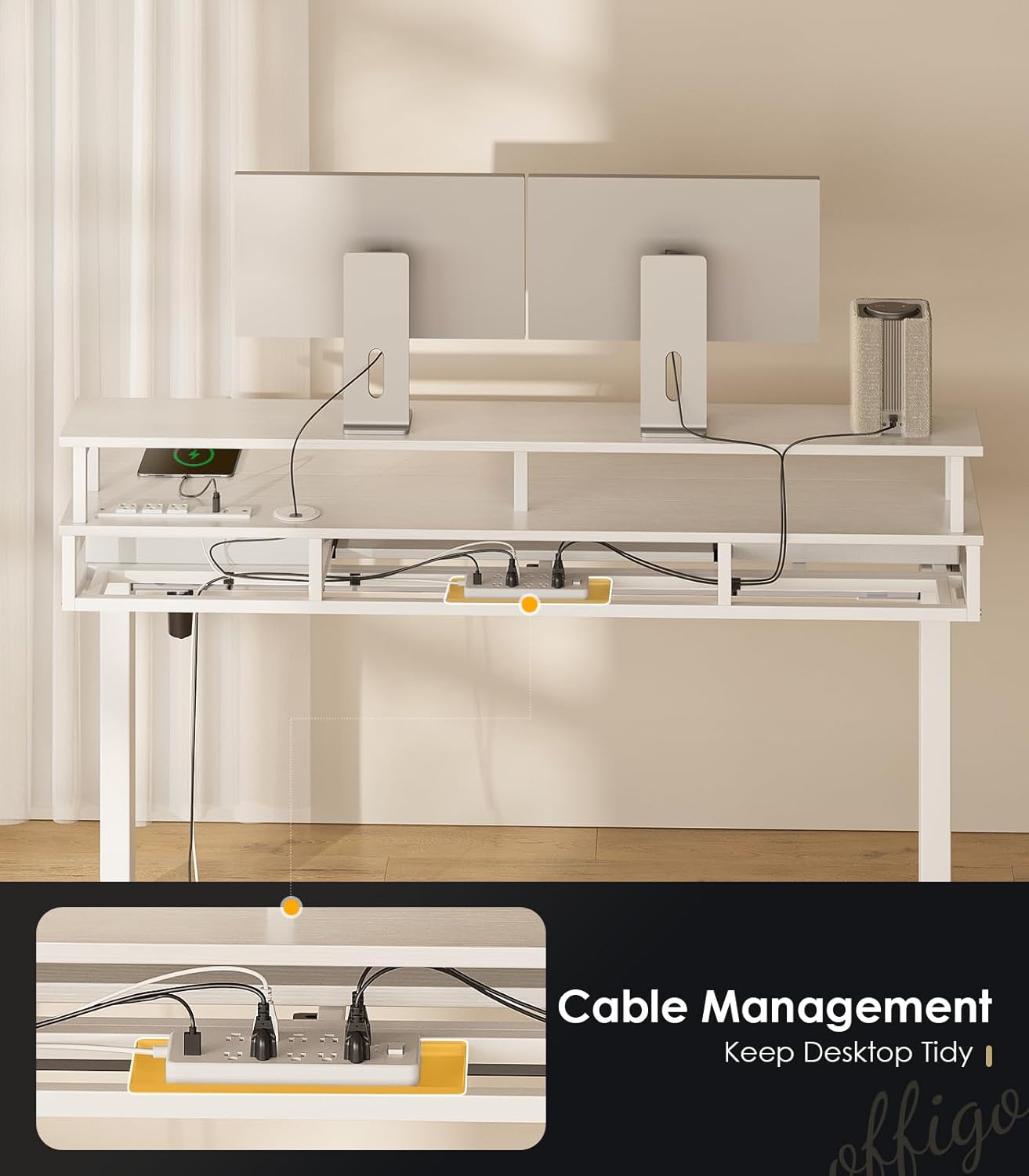
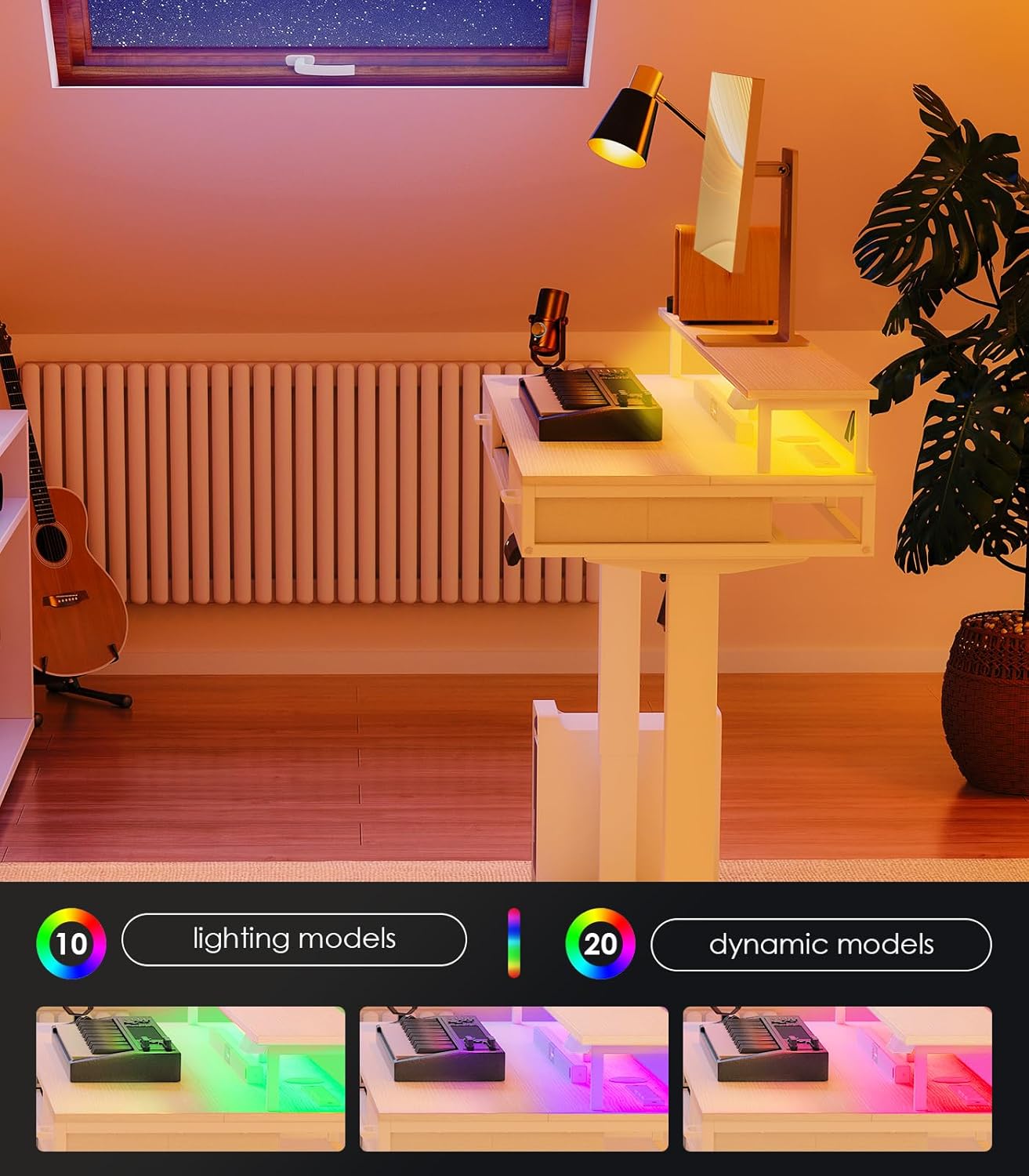
- Practical Design: Includes a built-in power socket with 3 outlets and 2 USB ports for convenient device charging. Integrated LED lights offer 20 lighting modes to customize your ambiance. A hidden cable management tray helps maintain a tidy workspace.
2. Safety Information
Please read and understand all safety warnings before operating the desk.
- Always keep hands and objects away from moving parts when adjusting the desk height.
- Do not overload the desk with items heavier than the stated weight limit (154 Pounds).
- Use the desk with caution when power outlets are in use to prevent electrical hazards.
3. Setup Instructions
The OffiGo Electric Standing Desk comes with detailed instructions and clearly labeled parts for straightforward assembly. Follow the step-by-step guide provided in the packaging.
3.1 Assembly Overview
Assembly is required. It is recommended to have a second person for certain steps to ensure stability and ease of construction. All necessary tools are included.

3.2 Cable Management
Utilize the hidden cable management tray located behind the desk to keep all wires organized and out of sight, ensuring a clean and neat desktop.
4. Operating Instructions
4.1 Height Adjustment
The desk's height can be adjusted electrically from 30.7 inches (minimum) to 47.6 inches (maximum). Use the control panel located on the side of the desk to raise or lower it. Three memory buttons allow you to save and quickly recall your preferred sitting and standing heights.

4.2 LED Lighting
The integrated LED lights offer 20 different lighting modes to create various atmospheres. Control the lighting modes using the dedicated buttons on the monitor shelf.
4.3 Power Outlets and USB Ports
The desk includes a built-in power socket with 3 standard outlets and 2 USB ports (5V/2A) for convenient charging of your electronic devices directly on the desktop.

4.4 Drawers and Keyboard Tray
Utilize the two fabric drawers for storing office and study accessories. The slide-out keyboard tray provides an ergonomic position for your keyboard and mouse, or additional space for small items.

4.5 Product Dimensions

5. Maintenance
To ensure the longevity and optimal performance of your OffiGo Electric Standing Desk, follow these maintenance guidelines:
- Regularly wipe down the desk surfaces with a soft, damp cloth to remove dust and spills. Avoid abrasive cleaners.
- Check all screws and connections periodically to ensure they remain tight. Tighten if necessary.
- Keep the motor and electrical components free from dust and moisture.
- Do not place excessively hot or cold items directly on the desktop without protective coasters.
6. Troubleshooting
If you encounter any issues with your OffiGo Electric Standing Desk, refer to the common problems and solutions below. For more detailed visual guidance, please watch the official troubleshooting video.
6.1 Common Lifting Problems and Troubleshooting
If the above methods do not solve the problem, please feel free to contact us.
7. Specifications
| Brand | OffiGo |
| Model Number | Electric Standing Desk |
| Product Dimensions | 23.2"D x 63"W x 35.4"H |
| Color | White |
| Shape | Rectangular |
| Desk Design | Standing Desk |
| Style | Modern |
| Base Material | Alloy Steel |
| Top Material Type | Engineered Wood |
| Finish Type | Polished |
| Special Feature | Adjustable Height, Keyboard Tray Included, Power outlet |
| Room Type | Bedroom, Classroom, Living Room, Office, Study Room |
| Recommended Uses | Office, Working, Writing |
| Included Components | Desk, Keyboard Tray, Monitor Arm |
| Required Assembly | Yes |
| Maximum Weight Recommendation | 154 Pounds |
| Number of Drawers | 2 |
| Tabletop Thickness | 1 Inches |
| Minimum Height | 30.7 Inches |
| Maximum Height | 47.6 Inches |
| Lifting Mechanism | Electric |
8. Warranty
The OffiGo Electric Standing Desk comes with a Limited Warranty. Please refer to the product packaging or contact customer support for specific warranty terms and conditions.
9. Support
For further assistance, technical support, or inquiries regarding your OffiGo Electric Standing Desk, please visit the OffiGo Store on Amazon or contact OffiGo customer service directly.