
Tek Styz TS-1360
PRO Stand User Manual
Model: TS-1360 | Brand: Tek Styz
Introduction
This manual provides comprehensive instructions for the setup, operation, and maintenance of your Tek Styz PRO Stand. The PRO Stand is a versatile and durable desktop holder designed to support various devices, including laptops, tablets, and smartphones, ensuring an ergonomic viewing experience. Its robust construction and adjustable design make it suitable for a wide range of applications.
Setup
The Tek Styz PRO Stand comes pre-assembled and requires minimal setup. Follow these steps to prepare your stand for use:
- Unfolding the Stand: Gently pull the two main arms of the stand outwards until they lock into an open position. The stand is designed with a stable triangular structure for optimal support.
- Adjusting Height and Angle: The stand features multiple adjustable points. Carefully lift or lower the support arms to achieve your desired viewing height and angle. Ensure both arms are adjusted symmetrically for stability. The stand supports a wide range of angles for comfortable viewing.
- Placement: Place the stand on a flat, stable surface. The rubber pads on the base and device holders prevent slipping and protect your desk and device from scratches.

Figure 1: The PRO Stand's easy folding mechanism and dimensions. The stand can be folded for portability and adjusted to various heights and angles.
Operation
The PRO Stand is designed for versatile use with various devices. Follow these guidelines for optimal operation:
- Device Placement: Carefully place your laptop, tablet, or smartphone onto the support hooks of the stand. Ensure the device is centered and stable. The stand is compatible with devices ranging from 8 to 27 inches and can support up to 50 pounds.
- Ergonomic Viewing: Adjust the stand's height and angle to achieve an ergonomic setup. This helps reduce neck and eye strain, promoting better posture during extended use.
- Heat Dissipation: The open design of the stand allows for improved airflow around your device, aiding in heat dissipation and potentially extending the life of your electronics.
- Compatibility: The stand is compatible with a wide range of devices, including Dell 3480, various iOS and Android tablets, Macbooks, Chromebooks, and other laptops. The hook width is 9.4 inches (24mm) and 6.1 inches (15.5cm) at its widest point. Ensure your device's thickness is no less than 2.1 inches and height of 6 inches for proper fit.
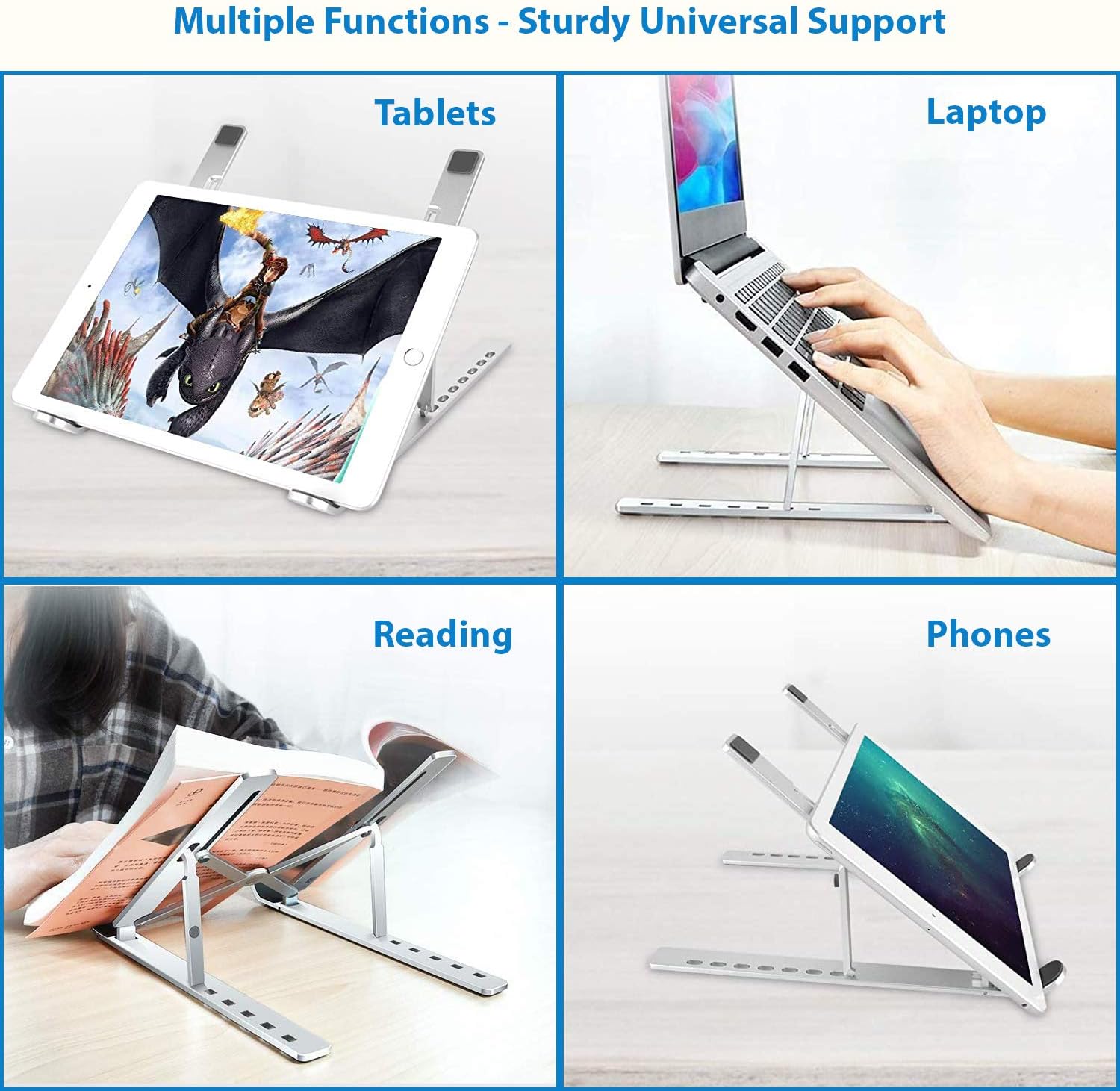
Figure 2: The PRO Stand offers multiple functions, providing sturdy universal support for tablets, laptops, books, and phones.

Figure 3: Proper ergonomic setup using the PRO Stand to improve posture and reduce strain.
Maintenance
To ensure the longevity and optimal performance of your PRO Stand, follow these simple maintenance guidelines:
- Cleaning: Wipe the stand with a soft, damp cloth to remove dust and smudges. Avoid using abrasive cleaners or solvents, as they may damage the finish.
- Inspection: Periodically inspect the stand for any signs of wear or damage, particularly the adjustable joints and rubber pads.
- Storage: When not in use, the stand can be folded for compact storage. Store it in a dry place away from extreme temperatures.
Troubleshooting
If you encounter any issues with your PRO Stand, refer to the following common problems and solutions:
- Stand is unstable:
- Ensure the stand is placed on a flat, level surface.
- Verify that both adjustable arms are set to the same height and angle.
- Check that your device is centered on the support hooks.
- Device slips on the stand:
- Ensure the rubber pads on the support hooks are clean and intact.
- Verify that your device's dimensions are within the recommended compatibility range (thickness no less than 2.1 inches, height of 6 inches).
- Difficulty adjusting the stand:
- The joints are designed to be firm to maintain stability. Apply gentle, even pressure when adjusting.
- Ensure no debris is obstructing the hinge mechanisms.
Specifications
| Feature | Detail |
|---|---|
| Model Number | TS-1360 |
| Brand | Tek Styz |
| Product Dimensions | 9.75 x 1 x 2.4 inches (folded) |
| Item Weight | 6 ounces |
| Material | High Strength Aircraft Grade Stainless Steel |
| Color | Gray |
| Form Factor | QuadPod |
| Max Load Capacity | Up to 50 pounds |
| Compatible Device Sizes | 8-27 inches (Laptops, Tablets, Phones) |
| Hook Width | 9.4 inches (24mm) and 6.1 inches (15.5cm) widest |
| Minimum Device Thickness | 2.1 inches |
| Minimum Device Height | 6 inches |
| Country of Origin | USA |
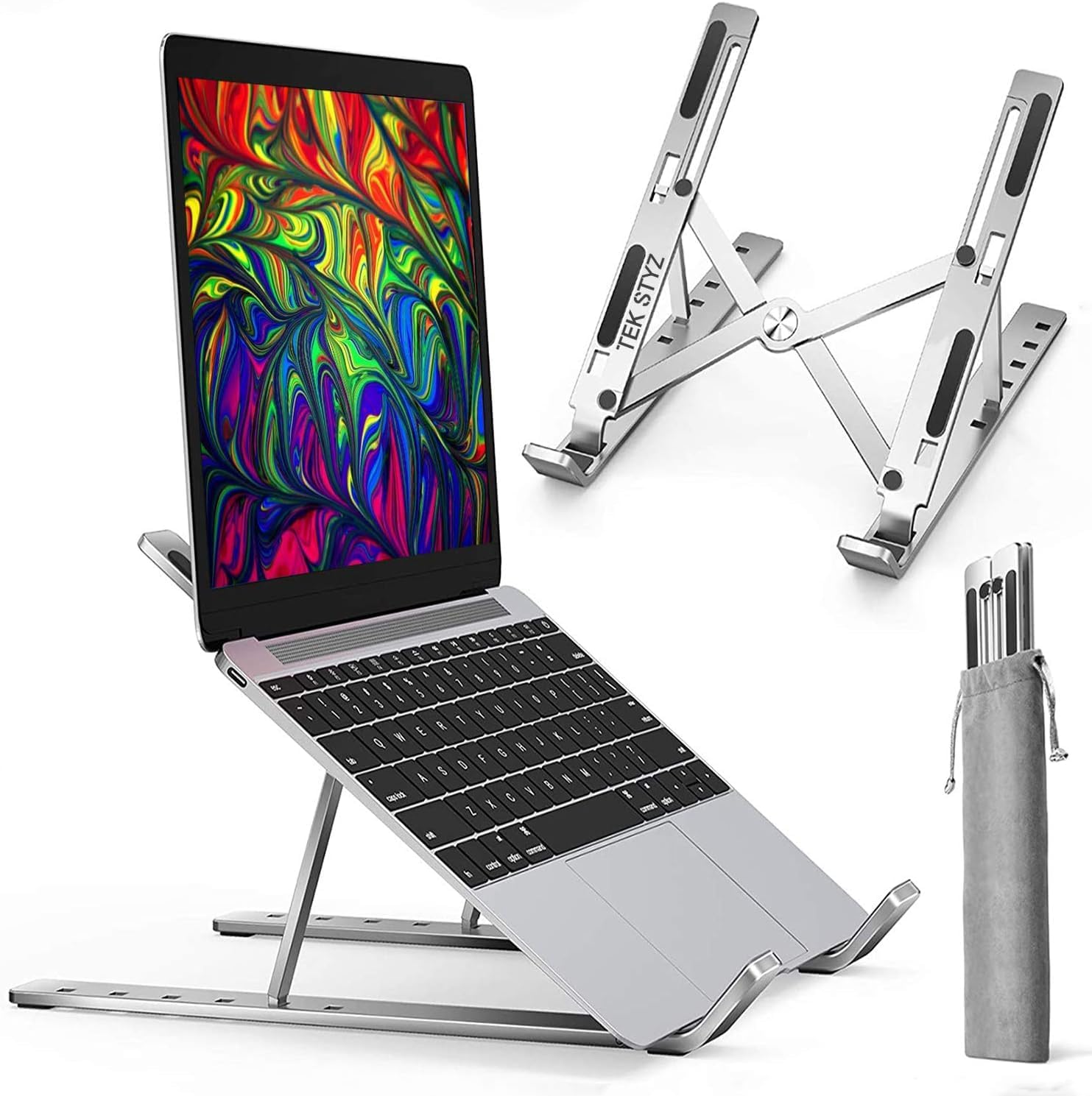
Figure 4: The PRO Stand in use with a laptop, demonstrating its compact and portable design.
Warranty and Support
For warranty information or technical support regarding your Tek Styz PRO Stand, please refer to the documentation included with your purchase or visit the official Tek Styz website. You may also contact customer service through the retailer where the product was purchased for assistance.
Ask a question about this manual
Ask about setup, troubleshooting, compatibility, parts, safety, or missing instructions. Manuals+ will review the question and use this page’s manual context to help answer it.