
PopBloom K212
PopBloom K212 Foldable Bluetooth Keyboard User Manual
Model: K212
1. Introduction
Thank you for choosing the PopBloom K212 Foldable Bluetooth Keyboard. This ultra-slim, portable keyboard is designed for convenience and efficiency, allowing you to type comfortably on the go. It features a standard-size layout and quiet keys, making it suitable for various tasks across multiple devices. This manual provides essential information for setting up, operating, and maintaining your keyboard.

Image: The PopBloom K212 keyboard in its folded state, demonstrating its compact dimensions (3.93 inches by 5.95 inches) and how easily it fits into a pocket or bag, highlighting its portability.
2. Package Contents
Please verify that all items are present in your package:
- 1 x PopBloom K212 Foldable Bluetooth Keyboard
- 1 x Type-C Charge Cable
- 1 x Keyboard Storage Bag
- 1 x User Manual

Image: A visual representation of the PopBloom K212 package contents, showing the keyboard in both folded and unfolded states, alongside its protective storage bag.
3. Setup
3.1. Charging the Keyboard
Before initial use, fully charge your keyboard. The built-in lithium battery provides approximately 48 hours of continuous operation or 180 days of standby time on a full charge.
- Locate the Type-C charging port on the keyboard.
- Connect the provided Type-C charge cable to the keyboard and a USB power source (e.g., computer, wall adapter).
- The charging indicator light will illuminate. Charging typically takes less than 2 hours.
- Once fully charged, the indicator light will change or turn off. Disconnect the cable.
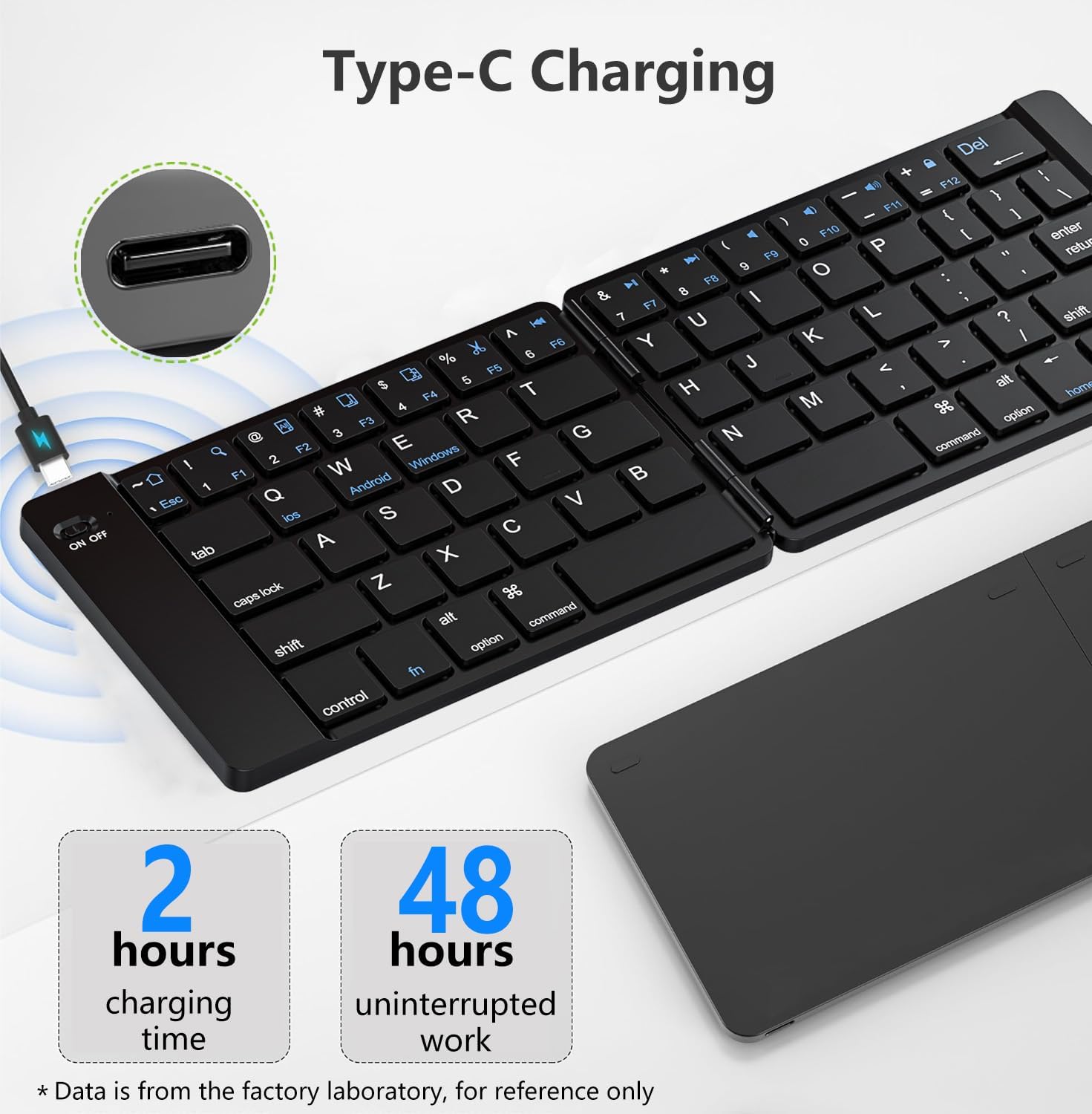
Image: The PopBloom K212 keyboard being charged via its Type-C port, illustrating the connection and indicating a charging time of 2 hours for 48 hours of uninterrupted use.
3.2. Pairing with Devices
The K212 keyboard uses Bluetooth for wireless connection. Follow these steps to pair it with your device:
- Power On: Slide the ON/OFF switch on the keyboard to the 'ON' position. The indicator light will flash.
- Activate Bluetooth: On your device (smartphone, tablet, laptop), go to its Bluetooth settings and turn Bluetooth on.
- Select Pairing Mode: Press the Fn key simultaneously with the appropriate system key:
- For iOS devices (iPhone, iPad): Press Fn + Q
- For Android devices: Press Fn + W
- For Windows devices: Press Fn + E
- Connect: On your device's Bluetooth list, look for 'PopBloom Keyboard' or a similar name and select it to connect.
- Confirmation: Once paired, the Bluetooth indicator light on the keyboard will stop blinking and remain solid for a few seconds before turning off, indicating a successful connection.
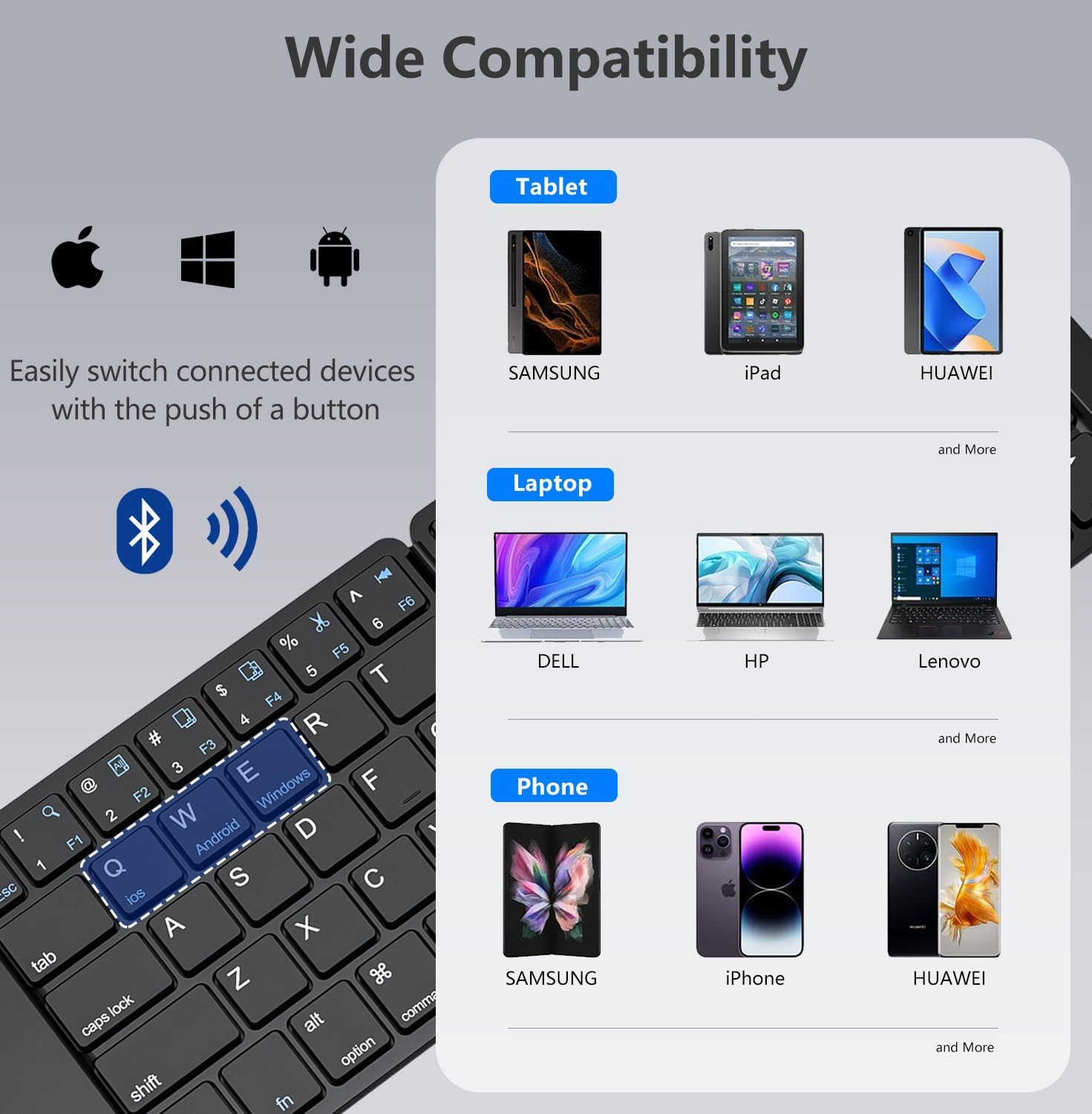
Image: The PopBloom K212 keyboard displaying its wide compatibility with various devices, including tablets, laptops, and smartphones running iOS, Android, and Windows operating systems.
4. Operating Instructions
4.1. Basic Operation
- Power On/Off: Use the ON/OFF switch located on the side of the keyboard.
- Folding/Unfolding: The keyboard features a magnetic folding design. Gently unfold the keyboard until it lies flat for use. To store, fold it back along the central hinge.
- Typing: The standard-size key layout provides a familiar typing experience. The scissor-foot key structure ensures quiet and comfortable operation.

Image: An exploded view diagram highlighting the scissor-foot key structure, emphasizing its quiet and comfortable operation.
4.2. Multimedia Functions
The keyboard includes dedicated function keys (F1-F12) that can be accessed by holding down the Fn key and pressing the desired function key. These keys provide quick access to multimedia controls and system functions.
- Fn + F1-F12: Control media playback, volume, screen brightness, and other system-specific functions. Refer to the icons on the keys for their specific actions.

Image: The PopBloom K212 keyboard with a visual overlay indicating the various multimedia functions accessible via the Fn key combinations, such as volume control, playback, and screen lock.
5. Compatibility
The PopBloom K212 Foldable Bluetooth Keyboard is designed for broad compatibility with various operating systems and devices:
- Operating Systems: iOS, Android, Windows
- Compatible Devices: Smartphones, Tablets, Laptops, PCs
Ensure your device has Bluetooth capability enabled to connect with the keyboard.
6. Maintenance
To ensure the longevity and optimal performance of your PopBloom K212 keyboard, follow these maintenance guidelines:
- Cleaning: Use a soft, dry cloth to wipe the surface of the keyboard. For stubborn dirt, slightly dampen the cloth with water or a mild cleaning solution. Avoid excessive moisture.
- Storage: When not in use, fold the keyboard and store it in the provided protective bag. This helps prevent dust accumulation and protects it from scratches or minor impacts during travel.
- Avoid Extreme Conditions: Do not expose the keyboard to extreme temperatures, direct sunlight, or high humidity.
- Handle with Care: Avoid dropping the keyboard or applying excessive force to the keys or hinges.

Image: The protective carrying case for the PopBloom K212 keyboard, highlighting its portability, full protection with a Velcro closure, and durable, soft leather material.
7. Troubleshooting
If you encounter issues with your PopBloom K212 keyboard, please refer to the following common problems and solutions:
| Problem | Solution |
|---|---|
| Keyboard does not power on. | Ensure the ON/OFF switch is in the 'ON' position. Recharge the keyboard using the provided Type-C cable. |
| Keyboard does not pair with my device. | 1. Ensure the keyboard is charged and powered on. 2. Make sure Bluetooth is enabled on your device. 3. Press Fn + Q/W/E to enter pairing mode for your specific operating system. 4. Forget the keyboard from your device's Bluetooth list and attempt to re-pair. 5. Restart both the keyboard and your device. |
| Keys are not responding or typing incorrectly. | 1. Ensure the keyboard is fully charged and properly paired. 2. Check if the correct operating system mode (Fn + Q/W/E) is selected. 3. Try re-pairing the keyboard with your device. 4. Ensure there are no physical obstructions under the keys. |
| Bluetooth connection is unstable. | 1. Ensure your device is within the effective range (typically 10 meters/33 feet) of the keyboard. 2. Avoid interference from other wireless devices. 3. Re-pair the keyboard with your device. |
8. Specifications
| Feature | Detail |
|---|---|
| Model Number | K212 |
| Product Dimensions (Unfolded) | 11 x 3.7 x 0.5 inches (27.94 x 9.4 x 1.27 cm) |
| Item Weight | 9.1 ounces (258 grams) |
| Connectivity Technology | Bluetooth |
| Compatible Devices | Laptop, PC, Smartphone, Tablet |
| Special Features | Foldable, Lightweight, Low-Profile Key, Portable, Rechargeable |
| Battery Type | Built-in Lithium Battery |
| Charging Port | Type-C |
| Charging Time | Less than 2 hours |
| Continuous Operation Time | Up to 48 hours |
| Standby Time | Up to 180 days |
| Key Mechanism | Scissor Switch |
| Material | Plastic |
9. Warranty and Support
PopBloom is committed to providing excellent customer service. Your K212 Foldable Bluetooth Keyboard comes with:
- 24-hour Email Response
- 100% Satisfaction Service
- Lifetime Technical Support
For any questions, technical assistance, or warranty claims, please do not hesitate to contact PopBloom customer service. Refer to the contact information provided on the product packaging or the official PopBloom website.
Ask a question about this manual
Ask about setup, troubleshooting, compatibility, parts, safety, or missing instructions. Manuals+ will review the question and use this page’s manual context to help answer it.