
1. Introduction
This manual provides detailed instructions for the installation, operation, and maintenance of your Rebluum CS-3PT1-CA 2K Solar Wireless PTZ Security Camera. This camera is designed for outdoor surveillance, featuring 2K resolution, 360° pan-tilt-zoom capabilities, solar power, color night vision, PIR motion detection, and two-way audio communication. It operates on a 2.4Ghz Wi-Fi network and is compatible with Alexa.
2. Package Contents
Please verify that all components are present in your package:
- Rebluum CS-3PT1-CA PTZ Security Camera
- Solar Panel
- Mounting Bracket and Screws
- USB Charging Cable
- User Manual (this document)
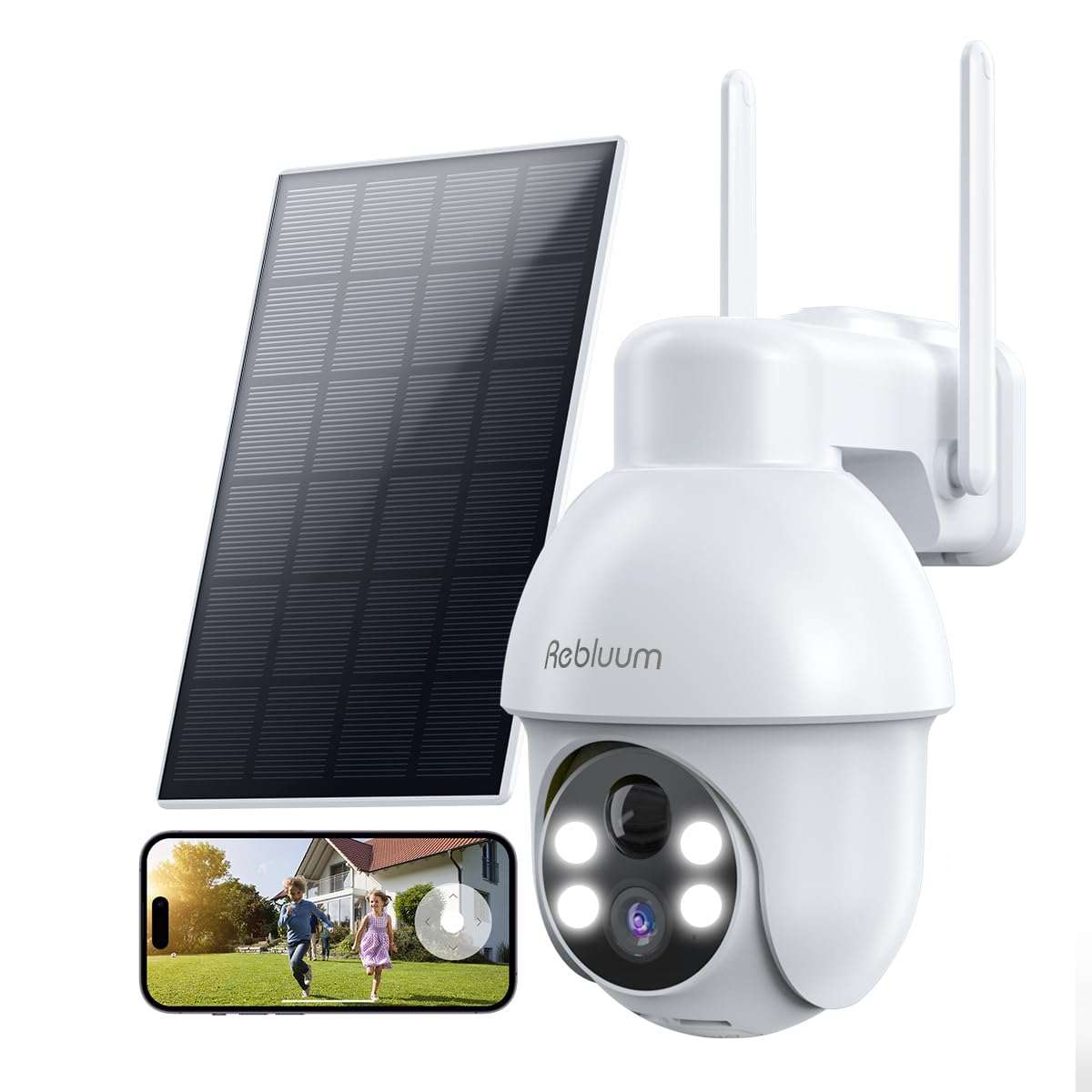
Image: The Rebluum CS-3PT1-CA security camera with its accompanying solar panel and mounting accessories.
3. Product Overview
The Rebluum CS-3PT1-CA camera integrates several features for comprehensive outdoor security:
- 2K FHD Resolution: Provides clear and detailed video footage.
- 360° PTZ Control: Allows remote horizontal (355°) and vertical (90°) rotation for wide area coverage.
- Solar Powered: Equipped with a 9700mAh battery and a solar panel for continuous power.
- Color Night Vision: Utilizes spotlights to capture full-color video in low-light conditions.
- AI Human Motion Detection: Reduces false alarms by distinguishing human shapes from other moving objects.
- Two-Way Audio: Enables real-time communication through the camera.
- Multiple Alarm Modes: Includes audio warnings, white light warnings, and combined sound and light alarms.
- Local and Cloud Storage: Supports up to 128GB Micro SD card (not included) and offers basic 7-day cloud storage.
- Weatherproof Design: IP67 rated for outdoor use in various weather conditions.

Image: The camera's pan and tilt capabilities, illustrating 355° horizontal and 90° vertical rotation.

Image: Demonstration of color night vision with spotlights activated, providing clear details in the dark.
4. Setup Instructions
4.1 Initial Charging
Before installation, fully charge the camera using the provided USB cable. Connect the cable to the camera's charging port and a standard 5V USB power adapter. The charging indicator will show the status.
4.2 App Download and Account Creation
Download the CloudEdge app from the Apple App Store or Google Play Store. Register for an account and log in.

Image: The CloudEdge application interface on a smartphone, available for download.
4.3 Wi-Fi Connection (2.4Ghz Only)
The camera supports 2.4Ghz Wi-Fi networks only. Ensure your mobile device is connected to a 2.4Ghz Wi-Fi network during the setup process. Follow the in-app instructions to add your camera and connect it to your home Wi-Fi.

Image: The camera and solar panel setup, highlighting compatibility with 2.4Ghz Wi-Fi networks.
4.4 Mounting the Camera and Solar Panel
Choose a suitable outdoor location for the camera and solar panel. The solar panel should be positioned to receive maximum direct sunlight throughout the day for optimal charging. Use the provided mounting bracket and screws to securely attach both components. Ensure the camera has a clear field of view and is within range of your 2.4Ghz Wi-Fi network.

Image: An outdoor installation showing the camera and solar panel mounted for continuous solar power.
5. Operating Instructions
5.1 Live View and Playback
Open the CloudEdge app to view the live feed from your camera. You can access recorded footage from the Micro SD card or cloud storage through the app's playback feature.
5.2 PTZ Control and Digital Zoom
In the live view, use the on-screen controls to pan the camera horizontally (355°) and tilt it vertically (90°). The app also supports 4X digital zoom by pinching the screen.

Image: Using fingers on a smartphone screen to perform 4X digital zoom on the live camera view.
5.3 Motion Detection Settings
Configure motion detection settings within the CloudEdge app:
- AI Human Detection: Enable this feature to receive alerts only when a human shape is detected, reducing notifications from pets or vehicles.
- Motion Area Customization: Define specific areas within the camera's view where motion detection should be active.
- Detection Sensitivity: Adjust the sensitivity level (1-10) to optimize detection based on your environment.
- Motion Plan: Set specific time periods for motion detection to be active.

Image: Customizing motion detection areas within the CloudEdge app to focus on specific zones.

Image: Adjusting motion detection sensitivity and setting a schedule for active detection periods.
5.4 Smart Alarms with Spotlight
The camera offers three alarm modes:
- Audio Warning: Plays an audible alert.
- White Light Warning: Activates the camera's spotlights.
- Audio Warning and Strobe Light: Combines sound and flashing lights for deterrence.
These settings can be configured in the app to deter unwanted visitors.

Image: The camera's multi-alarm system activating a spotlight and sending an alert upon detecting an intruder.
5.5 Two-Way Audio
Use the two-way audio feature in the CloudEdge app to speak through the camera and listen to audio from its vicinity.

Image: A user engaging in two-way audio communication through the camera via their smartphone.
5.6 Storage Options
The camera supports local storage via a Micro SD card (up to 128GB, not included) and offers basic 7-day cloud storage for recorded events. Videos are encrypted to protect privacy.

Image: The camera's storage capabilities, including Micro SD card slot and cloud storage options.
5.7 Alexa Integration
The camera is compatible with Amazon Alexa. You can use voice commands to view the camera's live feed on compatible Alexa-enabled devices.

Image: Integration with Alexa, allowing users to view the camera feed on smart displays.
5.8 Family Sharing
The CloudEdge app allows you to share access to your camera's video feed with family members, enabling multiple users to monitor the property.

Image: Illustrating the family sharing feature, allowing multiple users to access the camera feed.
6. Maintenance
6.1 Solar Panel Cleaning
Regularly clean the surface of the solar panel to ensure optimal sunlight absorption and charging efficiency. Dust, dirt, or debris can reduce its performance.
6.2 Battery Performance in Cold Weather
The camera's battery performance may be affected by extremely cold temperatures. While the camera is designed for outdoor use, prolonged periods of low sunlight and severe cold can impact battery life. Ensure the solar panel is positioned for maximum sun exposure, especially during winter months.
6.3 Weather Resistance
The camera has an IP67 waterproof rating, protecting it from dust and water ingress. However, avoid submerging the camera in water or exposing it to high-pressure water jets.

Image: The camera and solar panel enduring rain, highlighting their upgraded IP66 waterproof design.
7. Troubleshooting
7.1 Battery Drains Quickly
- Solar Panel Placement: Ensure the solar panel receives direct sunlight for several hours daily. Adjust its angle if necessary.
- Motion Detection Frequency: High frequency of motion events can consume more battery. Adjust motion detection sensitivity and set specific activity zones or schedules to reduce unnecessary recordings.
- Cold Weather: Battery efficiency decreases in cold temperatures. Ensure optimal solar charging during colder months.
7.2 Wi-Fi Connectivity Issues
- 2.4Ghz Network: Confirm your router is broadcasting a 2.4Ghz Wi-Fi signal and your camera is connected to it. The camera does not support 5Ghz Wi-Fi.
- Signal Strength: Ensure the camera is within range of your Wi-Fi router. Obstacles like thick walls can weaken the signal. Consider using a Wi-Fi extender if the signal is weak.
- Re-pairing: If connection issues persist, try resetting the camera and re-pairing it with the CloudEdge app.
7.3 False Motion Alerts
- AI Human Detection: Enable AI Human Detection in the app to filter out non-human movements.
- Adjust Sensitivity: Lower the motion detection sensitivity level.
- Customize Detection Area: Exclude areas with frequent irrelevant movements (e.g., swaying trees, busy roads) from the detection zone.
8. Specifications
| Model Name | CS-3PT1-CA |
| Brand | Rebluum |
| Connectivity Technology | Wireless (2.4Ghz Wi-Fi) |
| Power Source | Solar Powered and Battery Powered (9700mAh) |
| Video Resolution | 2K (3MP Effective Still/Photo Sensor Resolution) |
| PTZ Control | 355° Horizontal Pan, 90° Vertical Tilt |
| Digital Zoom | 4X |
| Night Vision | Color Night Vision (with spotlights), 33 feet range |
| Audio | 2-Way Audio |
| Motion Detection | PIR Motion Detection, AI Human Detection |
| Storage | Micro SD Card (up to 128GB, not included), Cloud Storage (7-day basic) |
| Water Resistance Level | IP67 Waterproof |
| Compatible Devices | Smartphone (Android, iOS), Tablet, Desktop, Laptop |
| Controller Type | CloudEdge App, Amazon Alexa |
| Operating Voltage | 3.7 volts |
| Wattage | 5 watt-hours |
| Item Dimensions | 17.8 x 12.7 x 20.3 centimetres |
9. Warranty and Support
9.1 Warranty Information
This product comes with a 1-year warranty. Additionally, a 60-day free return policy is offered without requiring a specific reason.
9.2 Customer Support
For technical assistance or customer service inquiries, please contact Rebluum support at:
Phone: +1(844)497 1656

