
1. Introduction
This manual provides essential information for the safe and efficient operation of your ACCUCOLD ARS32PVBIADA-AFZ1PVSTACKLHD Medical Refrigerator-Freezer Combination. This unit is part of the Performance Series, designed for precise temperature control critical for vaccine and medical storage, adhering to CDC/VFC guidelines. It combines a 2.83 cu.ft. auto-defrost all-refrigerator (ARG31PVBIADA) with a 1.4 cu.ft. all-freezer (AFZ1PV) in a stackable configuration.
Please read all instructions carefully before installation and use to ensure proper function and longevity of the appliance.
2. Safety Information
Important Safety Instructions:
- Always ensure the unit is properly grounded to prevent electrical shock.
- Do not store flammable or explosive materials inside the appliance.
- Keep ventilation openings clear of obstructions.
- Do not use mechanical devices or other means to accelerate the defrosting process, other than those recommended by the manufacturer.
- Ensure the power cord is not damaged or pinched.
- Unplug the unit before cleaning or performing any maintenance.
- This appliance is intended for medical and laboratory use only.
3. Setup and Installation
3.1 Unpacking and Inspection
The unit ships in three boxes and requires minor assembly. Carefully unpack all components and inspect for any shipping damage. Report any damage to your supplier immediately. Retain all packaging materials for potential returns or claims.
3.2 Assembly
The refrigerator and freezer units are designed to be stacked using the Accucold StackRack. Follow the instructions provided with the StackRack for secure assembly. Ensure both units are level after stacking.
3.3 Placement
- Place the unit on a firm, level surface capable of supporting its weight when fully loaded.
- Allow adequate clearance around the unit for proper ventilation (at least 4 inches on sides and back, 12 inches above).
- Avoid direct sunlight, heat sources, or areas with extreme temperature fluctuations.
- Ensure the ambient temperature is within the recommended operating range for medical refrigeration equipment.
3.4 Electrical Connection
Connect the unit to a dedicated, grounded 115 Volt AC outlet. Do not use extension cords or adapter plugs. Ensure the electrical supply matches the requirements specified on the unit's rating label.
3.5 Initial Power-Up
After connecting to power, allow the unit to operate for at least 4 hours before loading with contents. This allows the interior to reach stable operating temperatures.
4. Operating Instructions
4.1 Temperature Control
Both the refrigerator and freezer units are equipped with microprocessor temperature controllers.
- Refrigerator Temperature Range: +2°C to +8°C (36°F to 46°F)
- Freezer Temperature Range: -30°C to -10°C (-22°F to 14°F)
The digital display shows precise temperature readings in Celsius or Fahrenheit. Refer to the specific controller manual for detailed instructions on adjusting set points and viewing current temperatures.

Figure 1: Digital temperature controller and power switches. The display shows "dr" and a temperature reading, with up/down arrows for adjustment and a reset switch.
4.2 Alarms and Monitoring
The unit features comprehensive alarm systems to ensure product integrity:
- Audible and Visual Temperature Alarms: Activate if the interior temperature goes outside the set range.
- Power Failure Alerts: Notifies of power interruptions.
- Door Open Alarms: Sounds if a door is left ajar.
- Sensor Failure Alarms: Indicates a malfunction with the temperature sensor.
Remote Alarm Contacts: The unit includes remote alarm contacts for integration with external monitoring systems.

Figure 2: Remote alarm contacts for external monitoring integration. Wires are connected to a terminal block.
Probe Port: A dedicated probe port is provided for additional monitoring devices, allowing for independent temperature verification.

Figure 3: Temperature probe within a glycol-filled vial, used for accurate temperature monitoring inside the unit.
4.3 Interior Features
- Adjustable Shelving: Plastic-coated wire shelves can be adjusted in 1/2-inch increments to accommodate various item sizes.
- LED Internal Lighting: An on/off rocker switch controls the interior LED lighting for clear visibility.
- Durable Interior: The interior is constructed from white powder-coated metal for enhanced durability and temperature retention.

Figure 4: Adjustable wire shelf bracket, allowing flexible shelf placement within the unit.
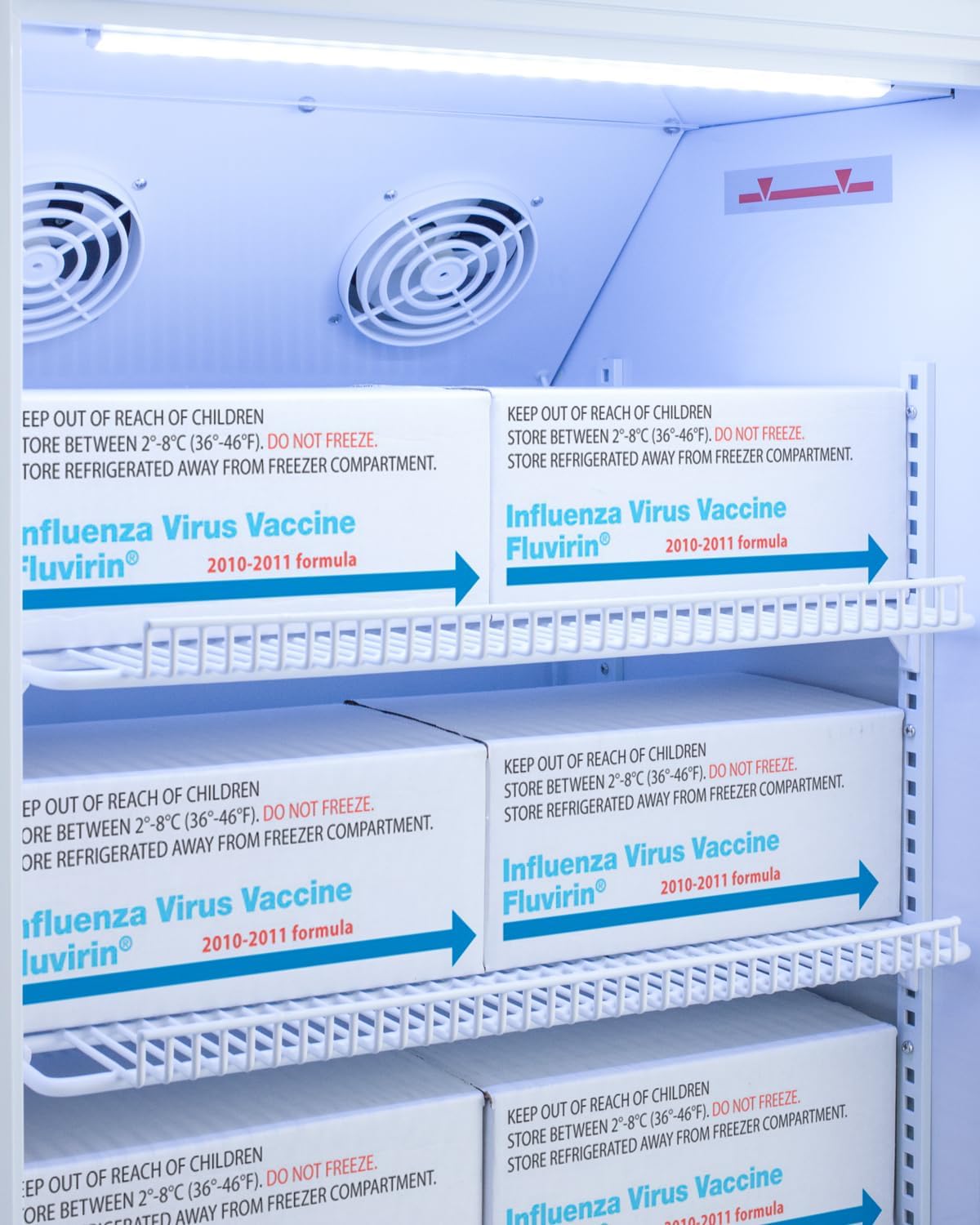
Figure 5: Interior of the refrigerator compartment showing vaccine boxes stored on wire shelves, with internal fans visible at the top.
5. Maintenance
5.1 Cleaning
- Always unplug the unit before cleaning.
- Clean the interior with a mild detergent and warm water. Avoid abrasive cleaners or solvents.
- Wipe down the exterior with a soft cloth and mild cleaner.
- Regularly clean the condenser coils (located at the back or bottom of the unit) to ensure efficient operation. Use a soft brush or vacuum cleaner.
5.2 Defrosting
The refrigerator compartment features auto-defrost. The freezer compartment requires manual defrosting.
- To manually defrost the freezer, unplug the unit and remove all contents. Allow ice to melt naturally. Do not use sharp objects to remove ice.
- Once defrosted, clean the interior and dry thoroughly before plugging the unit back in and reloading contents.
5.3 Door Seals
Inspect door seals regularly for cracks or damage. Ensure they are clean and free of debris to maintain an airtight seal, which is crucial for temperature stability.
6. Troubleshooting
Before contacting service, review the following common issues and solutions:
| Problem | Possible Cause | Solution |
|---|---|---|
| Unit does not operate | No power, tripped circuit breaker, power cord unplugged. | Check power supply, circuit breaker, and ensure cord is securely plugged in. |
| Temperature is too high | Door left open, excessive door openings, unit overloaded, poor ventilation, dirty condenser coils, thermostat set incorrectly. | Ensure door is closed, reduce door openings, do not overload, check ventilation, clean condenser coils, adjust thermostat. |
| Excessive noise | Unit not level, components vibrating, fan obstruction. | Level the unit, check for loose components, ensure fan is clear. |
| Door not closing properly | Door gasket dirty or damaged, unit not level, obstruction. | Clean or replace gasket, level the unit, remove obstructions. |
| Alarm sounding | Temperature out of range, door open, power failure, sensor error. | Address the specific alarm condition (e.g., close door, check temperature, restore power). Consult controller manual for alarm codes. |
7. Specifications
| Model Number | ARS32PVBIADA-AFZ1PVSTACKLHD |
| Brand | ACCUCOLD |
| Product Dimensions (D x W x H) | 23.25"D x 19.75"W x 50.5"H |
| Refrigerator Net Capacity | 2.83 Cubic Feet |
| Freezer Capacity | 1.4 Cubic Feet |
| Total Capacity | 4.23 Cubic Feet (approx.) |
| Configuration | Compact Freezer-on-Top (Stackable) |
| Defrost System (Refrigerator) | Auto Defrost |
| Defrost System (Freezer) | Manual Defrost |
| Voltage | 115 Volts |
| Number of Doors | 2 (Solid Door, LHD) |
| Shelf Type | Wire (Adjustable) |
| Number of Shelves | 4 |
| Cooling Method | Compressor |
| Special Features | Compact, Door Ajar Alarm, Microprocessor Temperature Control, Remote Alarm Contacts, Probe Port, LED Lighting |
| Item Weight | 150 Pounds |
| Specification Met | ETL |
| Lock Type | Key |
8. Warranty Information
This ACCUCOLD medical refrigerator-freezer combination is covered by the Summit Appliance Warranty. For detailed terms and conditions, including coverage period and service procedures, please refer to the official warranty document included with your purchase or visit the Summit Appliance website.
Please retain your proof of purchase for warranty claims.
9. Support
For technical assistance, parts, or service inquiries, please contact Summit Appliance customer support.
- Manufacturer: Summit Appliance
- Website: www.summitappliance.com (This is a placeholder link, as no specific support link was provided in the JSON. Users should refer to the official product documentation for exact contact details.)
- Before calling, please have your model number (ARS32PVBIADA-AFZ1PVSTACKLHD) and serial number ready.