
1. Introduction
The Yellow Jacket TITANMAX Digital Manifold is an advanced tool designed for precise measurements in refrigeration and A/C systems. This comprehensive kit includes a 4-valve manifold, a durable backpack for portability, and a set of 6 Plus II Hoses, providing a complete solution for HVAC/R professionals. Its high-resolution backlit touchscreen display offers clear graphical and digital readings, enhancing efficiency and accuracy in the field. The manifold also features internal data logging capabilities and Bluetooth connectivity for integration with the YJACK VIEW App or measureQuick App for detailed analysis.
2. Kit Components
The Yellow Jacket TITANMAX Digital Manifold Backpack Kit includes the following items:
- TITANMAX Digital Manifold: The core unit for pressure and temperature measurements.
- Backpack: A custom-designed backpack for convenient storage and transport of the manifold and accessories.
- Set of 6 Plus II Hoses: High-quality hoses for connecting to refrigeration and A/C systems.
- Temperature Clamps: For accurate temperature readings.
- USB Cable: For charging and data transfer.
- Various Adapters and Fittings: To ensure compatibility with different systems.

Figure 2.1: Overview of the Yellow Jacket TITANMAX Digital Manifold Backpack Kit, showing the manifold, backpack, hoses, and accessories.
3. Setup and Initial Operation
- Unpacking: Carefully remove all components from the packaging. Inspect for any signs of damage.
- Charging the Manifold: Connect the TITANMAX Digital Manifold to a power source using the provided USB cable. Ensure the unit is fully charged before first use.
- Attaching Temperature Clamps:Connect the temperature clamps to the designated ports on the manifold. Ensure a secure connection for accurate readings.
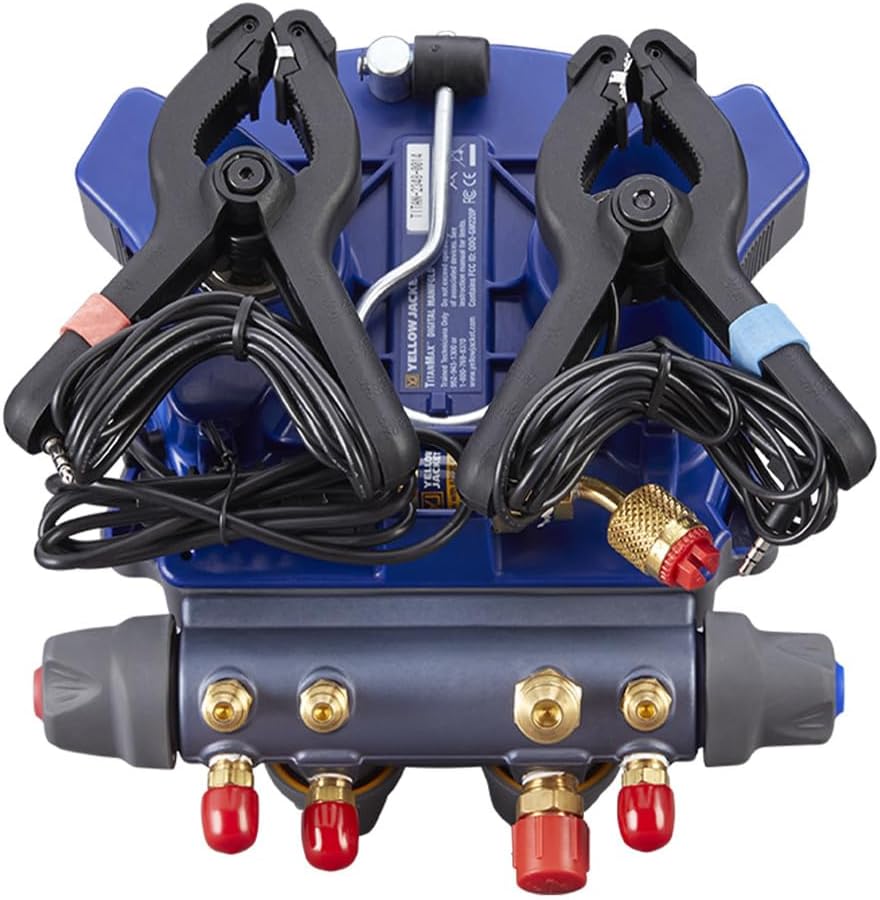
Figure 3.1: Rear view of the TITANMAX manifold showing the ports for temperature clamp connections.
- Powering On: Press and hold the power button located on the manifold to turn the unit on. The backlit touchscreen display will illuminate.
- Bluetooth Connectivity:
The TITANMAX manifold can connect to the YJACK VIEW App or measureQuick App via Bluetooth for enhanced functionality and data analysis.
- Download the YJACK VIEW App or measureQuick App from your device's app store.
- Enable Bluetooth on your mobile device.
- Follow the in-app instructions to pair with your TITANMAX manifold.
- Hose Connection: Connect the appropriate Plus II Hoses to the manifold's 4-valve ports and to the system being serviced. Ensure all connections are tight to prevent leaks.
4. Operating Instructions
The TITANMAX Digital Manifold features an intuitive touchscreen interface for easy operation.
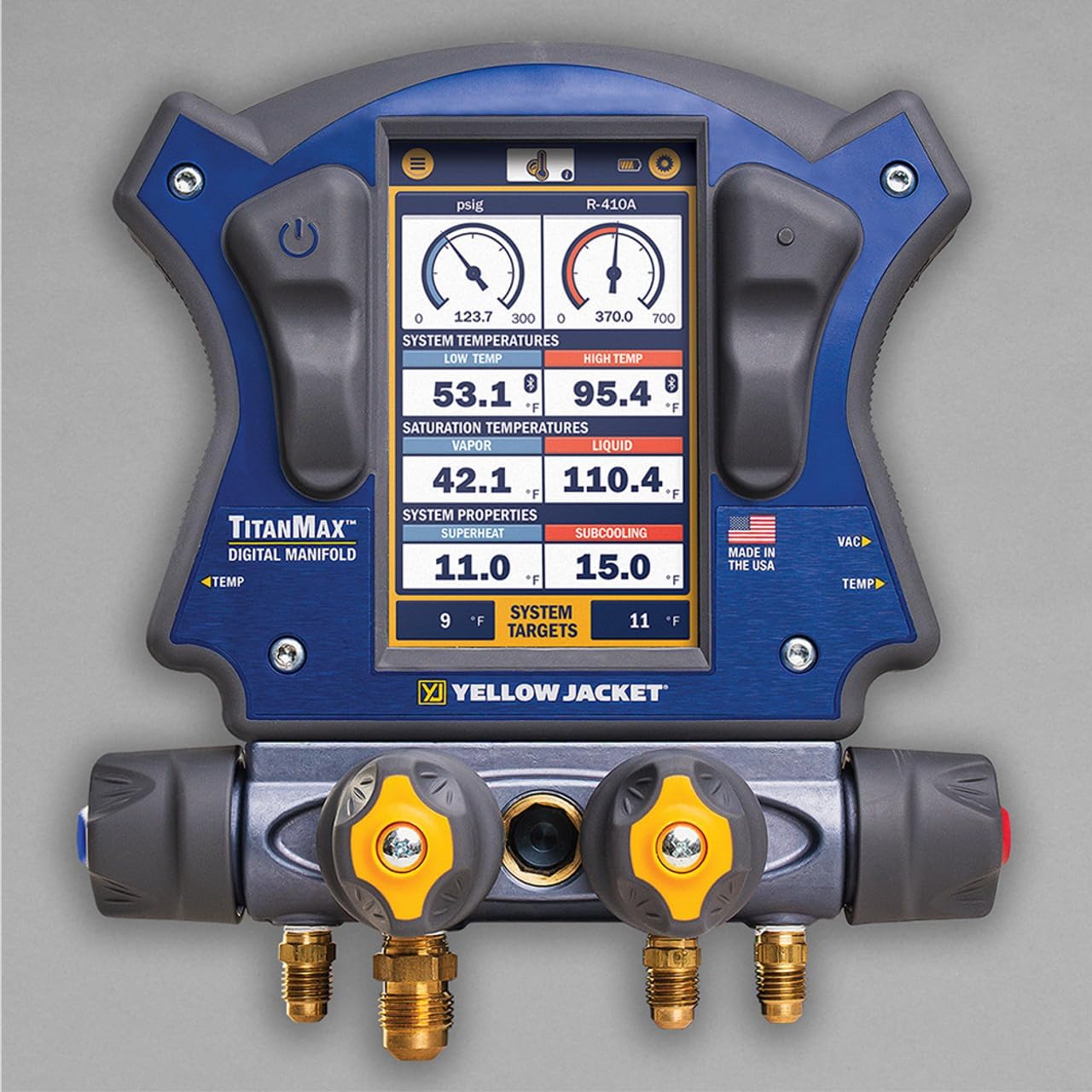
Figure 4.1: The TITANMAX manifold's high-resolution touchscreen display, showing pressure, temperature, superheat, and subcooling readings.
- Navigating the Display: Use the touchscreen to navigate through different screens and menus. The display provides real-time pressure, temperature, superheat, and subcooling readings.
- Selecting Refrigerant: Tap on the refrigerant type displayed on the screen to select the appropriate refrigerant for your system.
- Taking Measurements: Once connected to the system, the manifold will automatically display pressure and temperature readings. Ensure temperature clamps are properly attached to pipes for accurate superheat/subcooling calculations.
- Data Logging: The manifold features internal data logging. Refer to the on-screen prompts or the connected mobile app for instructions on starting, stopping, and reviewing logged data.
- System Targets: The display may show system targets, allowing for quick comparison against actual readings.
- Hanging the Manifold:Utilize the integrated hook on the back of the manifold to hang it securely during operation, providing hands-free convenience.
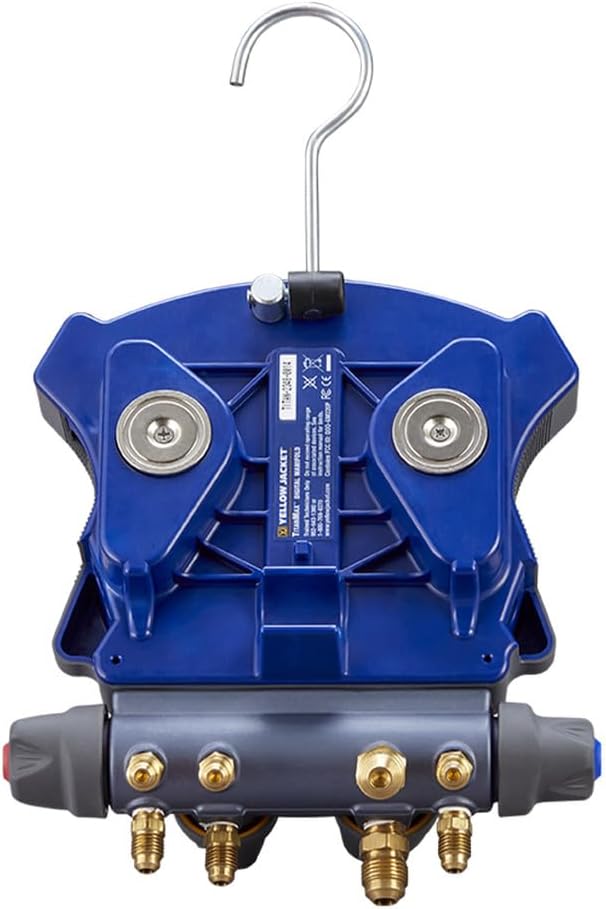
Figure 4.2: The integrated hanging hook on the back of the TITANMAX manifold for convenient placement during use.
5. Maintenance
Proper maintenance ensures the longevity and accuracy of your TITANMAX Digital Manifold.
- Cleaning: Wipe the manifold and display with a soft, damp cloth. Do not use abrasive cleaners or solvents.
- Hose Inspection: Regularly inspect hoses for cracks, wear, or damage. Replace hoses if any signs of degradation are present.
- Temperature Clamp Care: Keep temperature clamps clean and ensure their sensors are free from debris for accurate readings.
- Battery Care: Recharge the manifold's internal battery as needed. Avoid fully discharging the battery for extended periods.
- Storage: Store the manifold and accessories in the provided backpack in a cool, dry place when not in use.
6. Troubleshooting
| Problem | Possible Cause | Solution |
|---|---|---|
| Manifold does not power on. | Low or depleted battery. | Connect the manifold to a power source using the USB cable and allow it to charge. |
| Inaccurate pressure readings. | Hoses not properly connected or leaking. | Check all hose connections for tightness. Inspect hoses for damage. |
| Inaccurate temperature readings. | Temperature clamps not properly attached or dirty sensors. | Ensure clamps are securely attached to the pipe. Clean sensor surfaces. |
| Bluetooth connectivity issues. | Bluetooth disabled on device or manifold, or app issue. | Ensure Bluetooth is enabled on both devices. Restart the manifold and mobile app. Refer to app's troubleshooting guide. |
7. Specifications
- Model Number: 40885
- Item Weight: 15.77 pounds
- Package Dimensions: 20.05 x 16.25 x 10.1 inches
- Country of Origin: USA
- Manufacturer: Yellow Jacket
8. Warranty and Support
The Yellow Jacket TITANMAX Digital Manifold is manufactured by Yellow Jacket. For specific warranty details, technical support, or service inquiries, please refer to the official Yellow Jacket website or contact their customer service directly. Warranty terms and conditions are subject to change and are typically provided with the product documentation.
Manufacturer: Yellow Jacket
For the most up-to-date support information, please visit the Yellow Jacket Store on Amazon or their official company website.


