
1. Introduction
Thank you for choosing the MEDION P66096 MD43884 Shower Radio. This device combines a Bluetooth speaker and an FM radio, designed for use in wet environments with its IPX6 waterproof rating. It features an integrated battery, LED display, and a removable suction cup for convenient placement. This manual provides essential information for safe and effective use of your shower radio.
2. Safety Information
- Water Resistance: The device is IPX6 rated, meaning it is protected against strong water jets. Do not immerse the device in water. Ensure the USB-C charging port cover is securely closed when in use near water.
- Battery Safety: The device contains an integrated lithium-polymer battery. Do not expose to extreme temperatures, direct sunlight, or fire. Do not attempt to replace the battery yourself.
- Charging: Only use the provided USB-C charging cable or a certified equivalent. Ensure the charging port is dry before connecting the cable.
- Placement: When using the suction cup, ensure the surface is clean, smooth, and dry for secure attachment. Avoid placing the device where it could fall and cause injury or damage.
- Cleaning: Clean the device with a soft, damp cloth. Do not use abrasive cleaners or solvents.
- Disposal: Dispose of the device and its battery responsibly according to local regulations.
3. Package Contents
Please check that all items are present and in good condition:
- MEDION P66096 MD43884 Shower Radio
- USB-C Charging Cable
- User Manual (this document)
- Warranty Card
4. Product Overview
The MEDION P66096 MD43884 Shower Radio features a compact design with an LED display and intuitive controls. It is equipped with a removable suction cup for easy mounting on smooth surfaces.

Image: Front view of the MEDION P66096 MD43884 Shower Radio, showing the LED display and control buttons.
Controls and Indicators:
- Power Button: Press and hold to turn on/off. Short press to switch modes (Bluetooth/FM).
- LED Display: Shows time, radio frequency, Bluetooth status, charging status, and battery level.
- Volume Buttons (+/-): Adjust volume.
- Track/Station Navigation Buttons (<< / >>): Skip tracks in Bluetooth mode or change FM stations.
- Play/Pause Button: Play/pause music in Bluetooth mode, answer/end calls.
- Mode Button (M): Short press to cycle through modes (Bluetooth, FM Radio, Clock).
- USB-C Charging Port: For charging the internal battery. Located under a waterproof cover.
- Suction Cup: Removable, for mounting on smooth surfaces.
5. Setup
5.1 Charging the Battery
Before first use, fully charge the shower radio. The integrated lithium-polymer battery provides up to 12 hours of music playback.
- Locate the USB-C charging port on the side of the device, usually protected by a waterproof cover.
- Carefully open the cover.
- Connect the supplied USB-C cable to the radio and the other end to a USB power adapter (not included) or a computer's USB port.
- The LED display will indicate charging status. Once fully charged, the indicator will change or turn off.
- After charging, securely close the USB-C port cover to maintain IPX6 water resistance.
5.2 Mounting the Shower Radio
The removable suction cup allows for easy mounting on smooth, non-porous surfaces like tiles or glass.

Image: The shower radio securely mounted on a tiled shower wall using its suction cup.
- Ensure the desired mounting surface is clean, dry, and smooth.
- Press the suction cup firmly against the surface.
- Verify that the radio is securely attached before releasing it.
- To remove, gently pull the edge of the suction cup to break the seal.
6. Operating Instructions
6.1 Power On/Off
- To Power On: Press and hold the Power button (⑁) for approximately 3 seconds. The LED display will light up.
- To Power Off: Press and hold the Power button (⑁) for approximately 3 seconds. The display will turn off.
6.2 Bluetooth Mode
Connect your smartphone or tablet wirelessly via Bluetooth 5.1.

Image: The shower radio wirelessly connected to a smartphone, streaming music via Bluetooth.
- Turn on the shower radio. It will automatically enter Bluetooth pairing mode if it's the first time or if no device is connected. The Bluetooth icon on the LED display will flash.
- On your smartphone or tablet, enable Bluetooth and search for available devices.
- Select "MEDION P66096" (or similar name) from the list.
- Once paired, the Bluetooth icon on the radio's display will stop flashing and remain solid. You can now play music from your device.
- Hands-free Function: When a call comes in, press the Play/Pause button to answer. Press again to end the call.
6.3 FM Radio Mode
Enjoy your favorite radio stations with automatic station search.
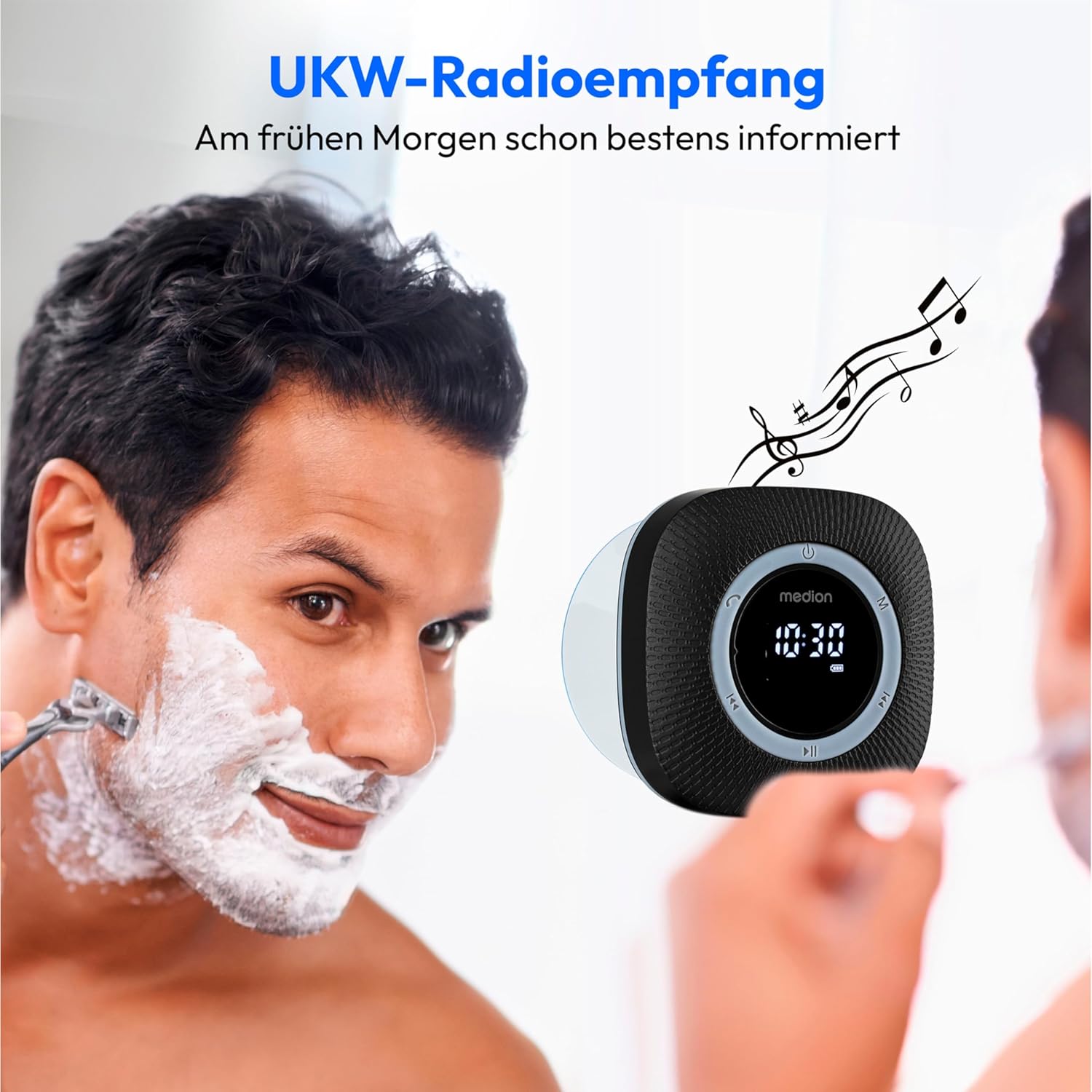
Image: The shower radio displaying an FM frequency, providing audio entertainment during daily routines.
- Press the Mode button (M) to switch to FM Radio mode. The LED display will show the current frequency.
- Automatic Station Search: Press and hold the Play/Pause button for approximately 2 seconds to initiate an automatic scan for available FM stations. The radio will save found stations.
- Manual Station Selection: Short press the Track/Station Navigation buttons (<< / >>) to cycle through saved stations or manually tune the frequency.
6.4 Clock and Alarm Function
The radio features a clock with an alarm function.
- Press the Mode button (M) repeatedly until the clock display appears.
- Refer to the full user manual (physical copy) for detailed instructions on setting the time and alarm, as specific button combinations are often required for these functions.
6.5 Volume Control
- Press the Volume Up (+) button to increase the volume.
- Press the Volume Down (-) button to decrease the volume.
7. Maintenance
7.1 Cleaning
To maintain the appearance and functionality of your shower radio:
- Ensure the device is turned off and the USB-C port cover is securely closed.
- Wipe the exterior with a soft, slightly damp cloth.
- Do not use harsh chemicals, abrasive cleaners, or solvents, as these can damage the surface or internal components.
- For the suction cup, ensure it is clean and free of debris for optimal adhesion.
7.2 Battery Care
- Avoid fully discharging the battery frequently to prolong its lifespan.
- If storing the device for an extended period, charge it to about 50% and recharge every few months.
- Do not expose the device to extreme temperatures.
8. Troubleshooting
If you encounter issues with your MEDION P66096 MD43884 Shower Radio, please refer to the following common solutions:
| Problem | Possible Cause | Solution |
|---|---|---|
| Device does not turn on. | Battery is discharged. | Charge the device using the USB-C cable. |
| No sound. | Volume is too low or muted. | Increase the volume using the '+' button. |
| Bluetooth not connecting. | Device not in pairing mode; Bluetooth on source device is off or out of range. | Ensure the radio is in Bluetooth mode (flashing icon). Turn Bluetooth off and on again on your source device. Move devices closer (within 10m). |
| Poor FM radio reception. | Weak signal; interference. | Try repositioning the radio. Perform an automatic station search again. |
| Suction cup not holding. | Surface is not clean, smooth, or dry; suction cup is dirty. | Clean the mounting surface and the suction cup thoroughly. Ensure the surface is dry before reattaching. |
| Acoustic low battery signal. | Battery level is critically low. | Charge the device immediately. |
9. Specifications

Image: Dimensions of the MEDION P66096 MD43884 Shower Radio, showing its compact size.
| Feature | Detail |
|---|---|
| Model Number | P66096 (MD43884) |
| Brand | MEDION |
| Connectivity | Bluetooth 5.1, FM Radio |
| Bluetooth Range | Approx. 10 meters (depending on environment) |
| Water Resistance | IPX6 (protected against strong water jets) |
| Power Output | 30 W max. music output (3 W RMS) |
| Battery Type | Integrated Lithium-Polymer |
| Battery Life | Up to 12 hours music playback |
| Charging Port | USB Type C |
| Display | LED (shows frequency, time, Bluetooth, charging, battery level) |
| Dimensions (W x H x D) | Approx. 80 x 80 x 70 mm |
| Weight | Approx. 290 g |
| Compatible Devices | Smartphone, Tablet |
| Special Features | Bluetooth, Integrated Battery, Microphone (for hands-free), Clock with Alarm Function, Removable Suction Cup |
10. Warranty and Support
Your MEDION P66096 MD43884 Shower Radio comes with a warranty. Please refer to the included Warranty Card for specific terms and conditions, including the warranty period and coverage details.
For technical support, troubleshooting beyond this manual, or warranty claims, please contact MEDION customer service. Contact information can typically be found on the warranty card, the official MEDION website, or the product packaging.
Please have your model number (P66096 or MD43884) and proof of purchase ready when contacting support.


