
1. Introduction
Thank you for choosing the BUGANI Brief Plus Bluetooth Speaker. This portable 80W speaker is designed to deliver powerful, clear audio with extended playtime and versatile connectivity options. This manual provides essential information for setting up, operating, maintaining, and troubleshooting your device to ensure optimal performance and longevity.
2. Safety Information
- Do not expose the speaker to extreme temperatures, direct sunlight, or high humidity.
- Avoid dropping or subjecting the speaker to strong impacts.
- Keep the speaker away from water and liquids, except for light splashes as per its IPX5 rating. Do not submerge.
- Do not attempt to disassemble, repair, or modify the speaker yourself. Contact qualified service personnel for assistance.
- Use only the provided USB-C cable for charging.
- Dispose of batteries responsibly according to local regulations.
3. Package Contents
Please check the box for the following items:
- BUGANI Brief Plus Speaker x 1
- USB-C Cable x 1
- 3.5mm AUX IN Cable x 1
- User Manual x 1
- Quick Start Guide x 1
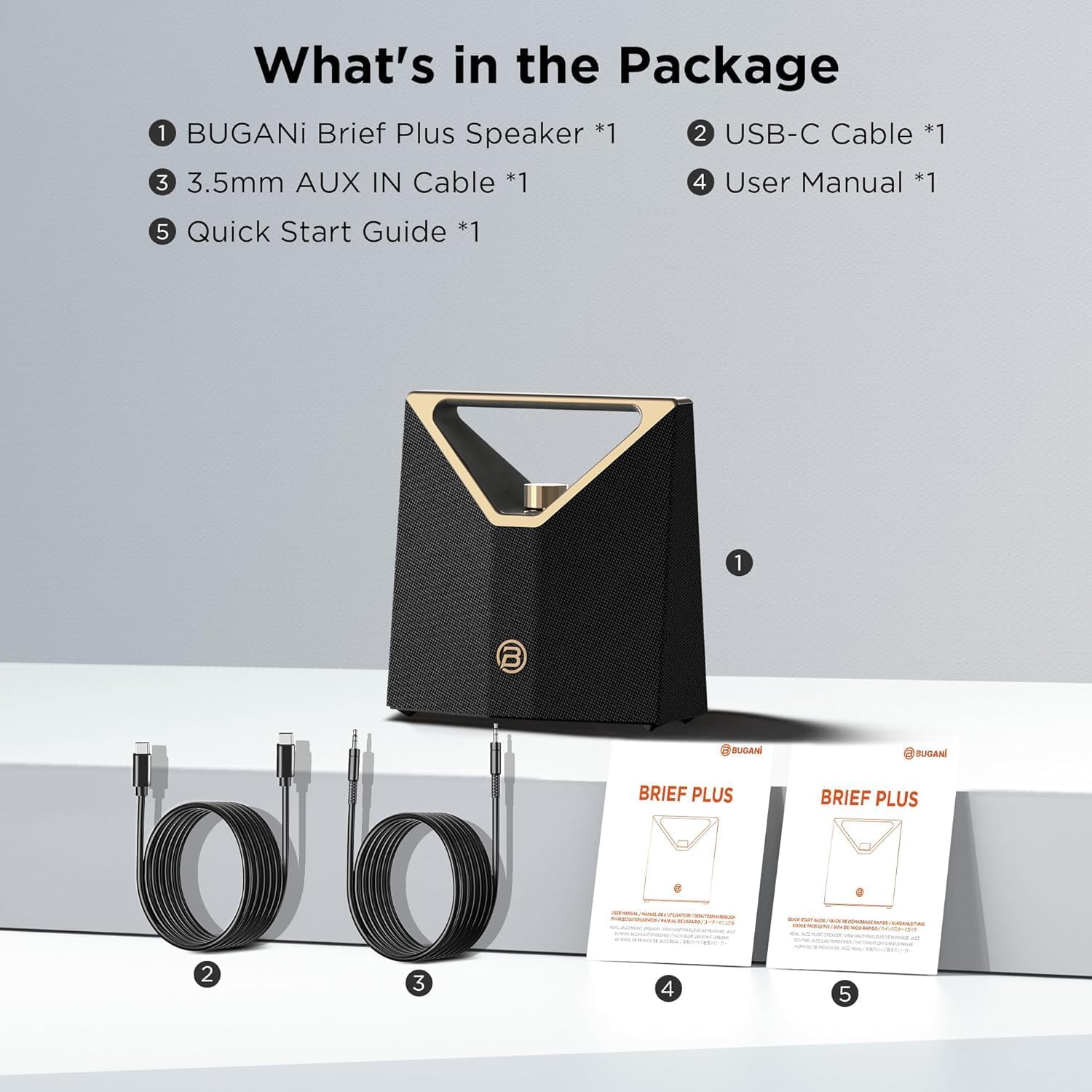
Image: The BUGANI Brief Plus speaker, USB-C charging cable, 3.5mm AUX cable, user manual, and quick start guide are shown as included items in the package.
4. Product Overview
The BUGANI Brief Plus features a robust design with powerful audio components and intuitive controls.

Image: A detailed front view of the BUGANI Brief Plus speaker, highlighting its golden handle and volume knob.
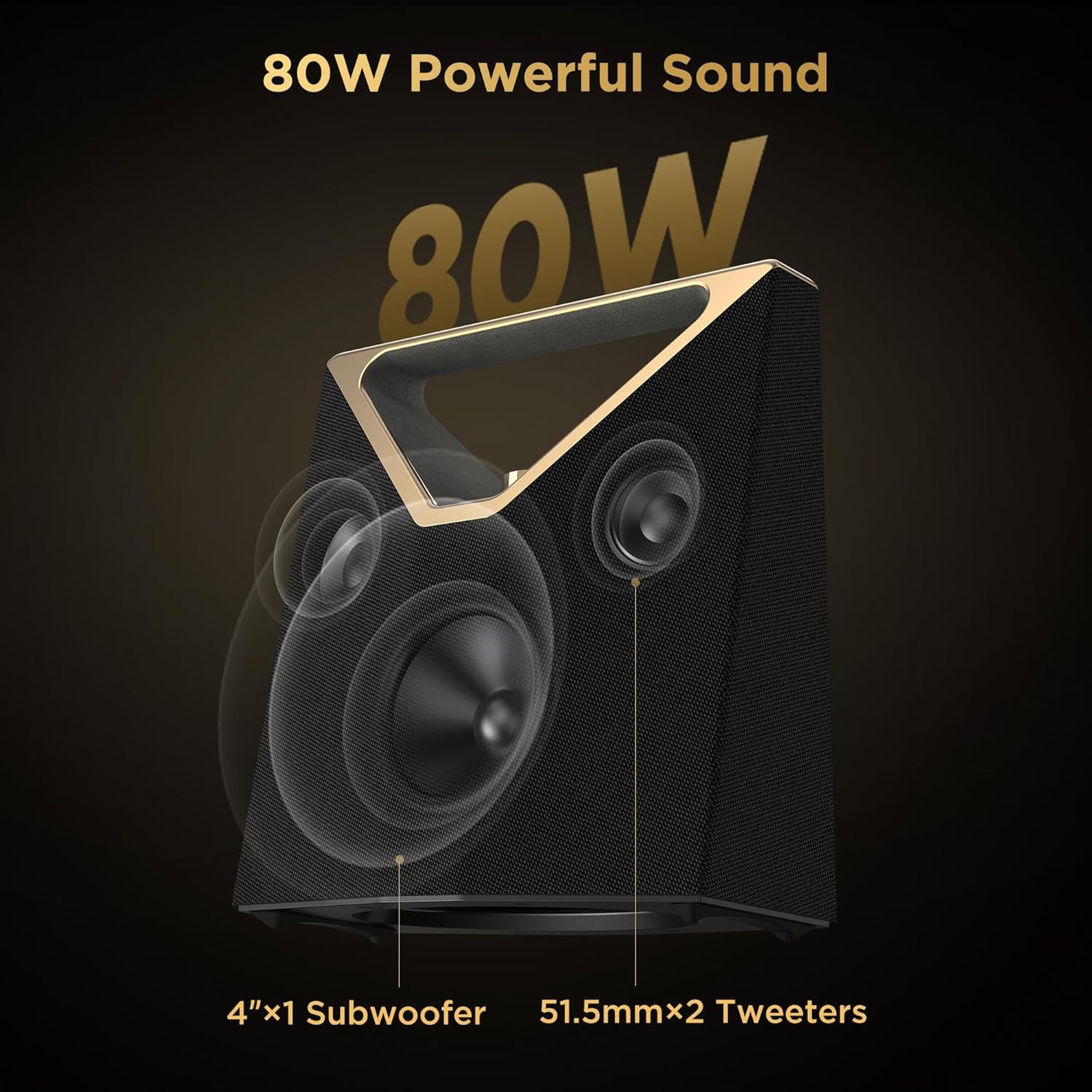
Image: An exploded view diagram illustrating the speaker's internal components, including a 4-inch subwoofer and two 51.5mm tweeters, contributing to its 80W powerful sound output.
Controls and Ports:
- Volume Knob: Rotate to adjust volume. Press to play/pause.
- Power Button: Press and hold to power on/off.
- Bluetooth Button: Press to enter pairing mode.
- Mode Button: Switch between Bluetooth, AUX, and USB input modes.
- USB-C Charging Port: For charging the speaker.
- AUX-IN Port: For wired audio connection via 3.5mm cable.
- USB Port: For playing audio from a USB drive.
5. Setup
5.1 Charging the Speaker
Before first use, fully charge the speaker. Connect the provided USB-C cable to the speaker's charging port and the other end to a compatible USB power adapter (not included). The charging indicator will show charging status and turn off when fully charged. A full charge typically takes approximately 3.5 hours.
5.2 Power On/Off
- To Power On: Press and hold the Power button for a few seconds until you hear an audible prompt.
- To Power Off: Press and hold the Power button again for a few seconds until the speaker powers down.
5.3 Bluetooth Pairing
The BUGANI Brief Plus uses Bluetooth 5.4 for stable and fast audio streaming.

Image: A graphic representation of the Bluetooth 5.4 technology, emphasizing its capability for stable and fast audio streaming.
- Ensure the speaker is powered on and in Bluetooth pairing mode (indicated by a flashing LED). If not, press the Bluetooth button.
- On your mobile device (smartphone, tablet, laptop), enable Bluetooth.
- Search for available Bluetooth devices and select "BUGANI Brief Plus" from the list.
- Once connected, you will hear a confirmation sound, and the LED indicator will become solid.
5.4 AUX/USB Connection
- AUX-IN: Connect one end of the 3.5mm AUX cable to the speaker's AUX-IN port and the other end to the audio output of your device. The speaker will automatically switch to AUX mode, or you can manually select it using the Mode button.
- USB: Insert a USB flash drive containing audio files into the speaker's USB port. The speaker will automatically switch to USB mode and begin playback, or you can manually select it using the Mode button.
5.5 Bluetooth Broadcast (100+ Connection)
The BUGANI Brief Plus supports connecting to over 100 compatible BUGANI speakers simultaneously for a massive audio experience. Refer to the Quick Start Guide for detailed instructions on initiating and joining a Bluetooth Broadcast network.
5.6 TWS (True Wireless Stereo) Connection
Pair two BUGANI Brief Plus speakers together for a true stereo sound experience.

Image: Two BUGANI Brief Plus speakers are depicted, illustrating their ability to connect wirelessly for a True Wireless Stereo (TWS) experience.
- Ensure both speakers are powered on and not connected to any other Bluetooth device.
- On one speaker (this will be the primary speaker), press and hold the Bluetooth button until you hear a pairing prompt.
- On the second speaker, quickly double-press the Bluetooth button.
- The two speakers will automatically connect to each other. Once connected, the primary speaker's LED will flash, and the secondary speaker's LED will be solid.
- Now, connect your mobile device to the primary speaker via Bluetooth as described in section 5.3. Audio will play through both speakers in stereo.
6. Operating Instructions
6.1 Audio Playback
- Play/Pause: Press the Volume Knob once to play or pause the current track.
- Volume Up/Down: Rotate the Volume Knob clockwise to increase volume, counter-clockwise to decrease volume.
- Next Track: Press and hold the Volume Knob while rotating clockwise.
- Previous Track: Press and hold the Volume Knob while rotating counter-clockwise.
6.2 Mode Switching
Press the Mode button to cycle through available input modes: Bluetooth, AUX, and USB.
6.3 Long Playtime
The BUGANI Brief Plus offers up to 12 hours of continuous playtime on a single charge, depending on volume level and audio content.
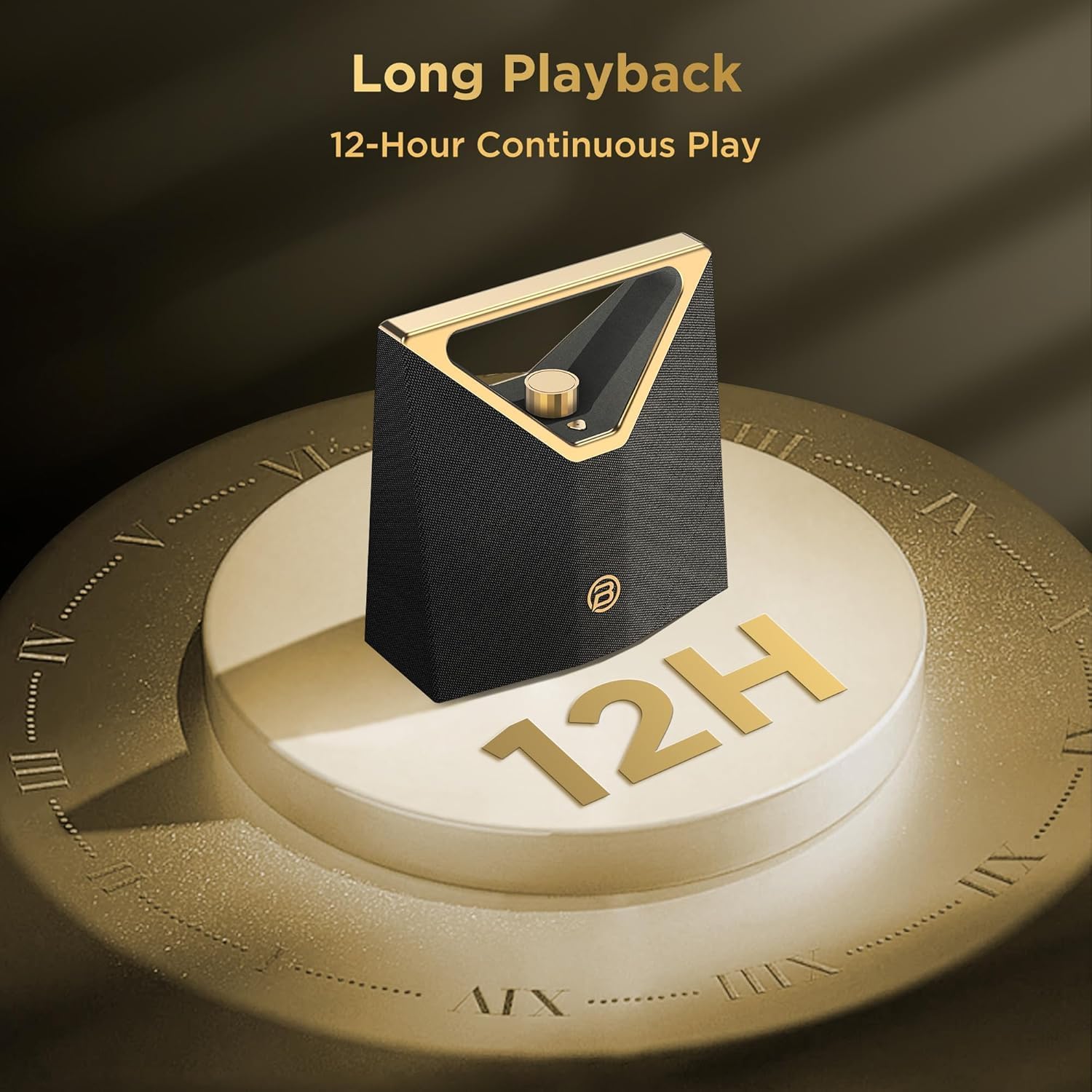
Image: The BUGANI Brief Plus speaker is displayed on a golden pedestal, with a prominent '12H' graphic, signifying its 12-hour continuous playback capability.
7. Maintenance
7.1 Cleaning
Wipe the speaker with a soft, dry, lint-free cloth. Do not use abrasive cleaners, alcohol, or chemical solvents, as these may damage the surface.
7.2 Battery Care
- To preserve battery life, fully charge the speaker before storing it for extended periods.
- Recharge the battery at least once every three months if not in regular use.
- Avoid fully discharging the battery frequently.
7.3 Water Resistance (IPX5)
The BUGANI Brief Plus is rated IPX5 water resistant, meaning it can withstand low-pressure water jets from any direction. It is suitable for outdoor use and can handle splashes, but it is not designed to be submerged in water.

Image: The BUGANI Brief Plus speaker is shown near a swimming pool, with water splashing onto it, illustrating its IPX5 water resistance feature.
7.4 Storage
Store the speaker in a cool, dry place away from direct sunlight and extreme temperatures.
8. Troubleshooting
If you encounter issues with your BUGANI Brief Plus speaker, refer to the table below for common problems and solutions.
| Problem | Possible Cause | Solution |
|---|---|---|
| Speaker does not power on. | Low battery; Power button not pressed long enough. | Charge the speaker fully; Press and hold the Power button for 3-5 seconds. |
| Cannot pair via Bluetooth. | Speaker not in pairing mode; Device Bluetooth is off; Speaker already connected to another device. | Ensure speaker LED is flashing; Turn on Bluetooth on your device; Disconnect from other devices and try again. |
| No sound or low volume. | Volume too low on speaker or device; Incorrect input mode; Loose cable connection (AUX/USB). | Increase volume on both speaker and device; Press Mode button to select correct input; Reconnect cables securely. |
| Sound distortion at high volume. | Volume set too high. | Reduce the volume on the speaker or connected device. |
| TWS connection fails. | Speakers too far apart; One speaker already paired to a device. | Ensure speakers are within close proximity; Disconnect both speakers from other devices before attempting TWS pairing. |
9. Specifications
| Feature | Detail |
|---|---|
| Model Name | Brief Plus |
| Model Number | M193 |
| Speaker Type | Subwoofer |
| Speaker Maximum Output Power | 80 Watts |
| Woofer Diameter | 4 Inches (10.16 cm) |
| Tweeter Size | 2 x 51.5mm |
| Wireless Communication Technology | Bluetooth 5.4 |
| Audio Output Mode | Stereo |
| Connectivity Options | Bluetooth, AUX-IN (3.5mm), USB |
| Power Source | Battery Powered (1 Lithium Polymer battery included) |
| Playtime | Up to 12 hours (at moderate volume) |
| Water Resistance | IPX5 |
| Product Dimensions (D x W x H) | 9.9" x 5.1" x 9.9" |
| Item Weight | 6.64 pounds |
| Color | Golden |
| Manufacturer | BUGANI |
10. Warranty and Support
The BUGANI Brief Plus speaker comes with a limited warranty. Please refer to the warranty card included in your package for specific terms and conditions. For technical support, troubleshooting assistance, or warranty claims, please contact BUGANI customer service through the official website or your point of purchase.


