
1. Introduction
Thank you for choosing the Irfora Handheld X5 Jet Fan. This powerful and compact device is designed for efficient dust blowing and cleaning across various applications. Featuring a high-speed brushless motor, it delivers strong airflow for effective results. Please read this manual thoroughly before use to ensure proper operation and maintenance.
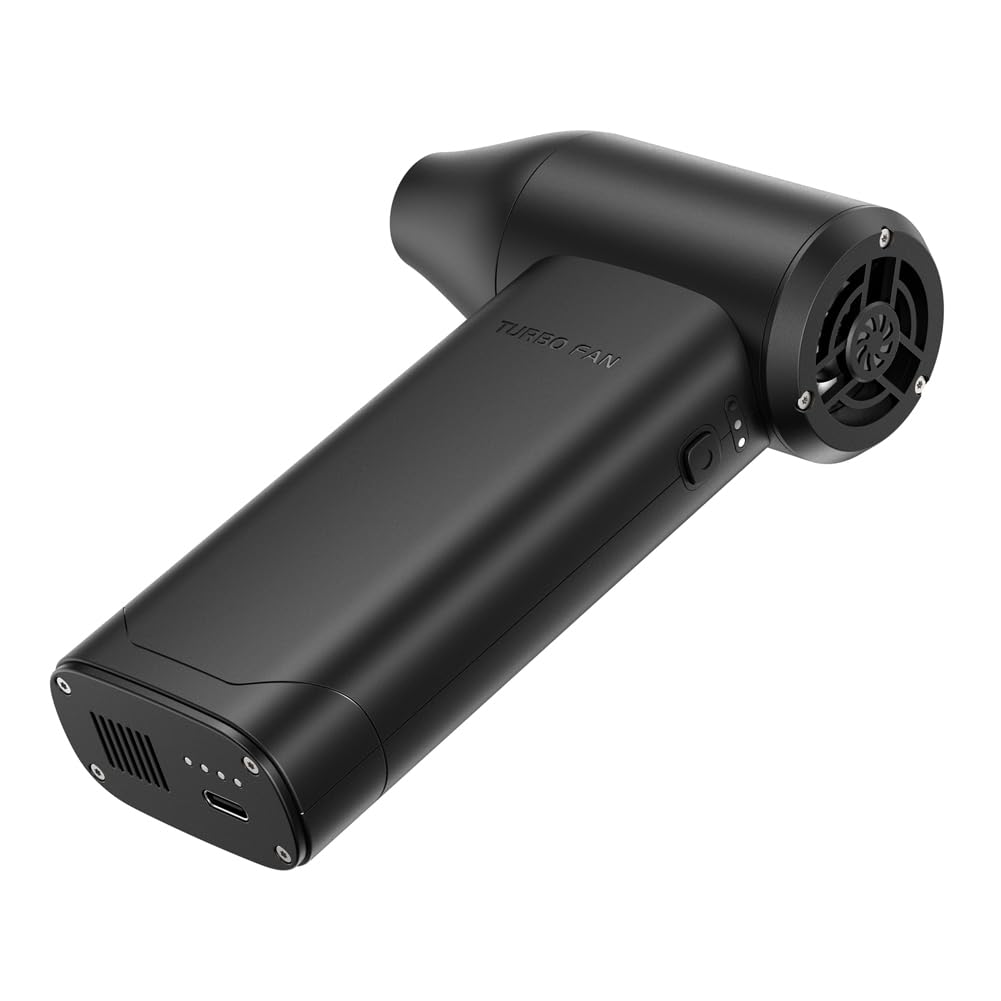
Image 1.1: The Irfora Handheld X5 Jet Fan.
2. Safety Information
To prevent injury or damage to the device, please observe the following safety precautions:
- Do not operate the fan near flammable liquids or gases.
- Keep the device away from water and excessive moisture.
- Do not insert objects into the air inlet or outlet.
- Keep out of reach of children.
- Use only the provided Type-C cable for charging.
- Do not attempt to disassemble or modify the device.
- Avoid directing airflow directly at eyes or sensitive body parts.
3. Product Components
The Irfora Handheld X5 Jet Fan package includes the following items:
- 1 x Handheld X5 Jet Fan Unit
- 1 x Magnetic Suction Nozzle
- 1 x Type-C Charging Cable

Image 3.1: Packaging and included components of the Irfora Handheld X5 Jet Fan.
4. Setup
4.1 Charging the Device
Before first use, fully charge the jet fan. The device is equipped with two 3000mAh lithium batteries.
- Connect the provided Type-C charging cable to the charging port on the fan.
- Plug the other end of the cable into a compatible 5V, 2A USB power adapter (not included).
- The charging indicator light will illuminate. Charging time is approximately 2.5 hours or more for a full charge.
- Once fully charged, disconnect the charging cable.
4.2 Attaching the Nozzle
The fan features a magnetic suction nozzle for easy attachment and removal.
- Align the nozzle with the air outlet of the fan.
- The magnetic connection will secure the nozzle in place.
- To remove, gently pull the nozzle away from the fan.
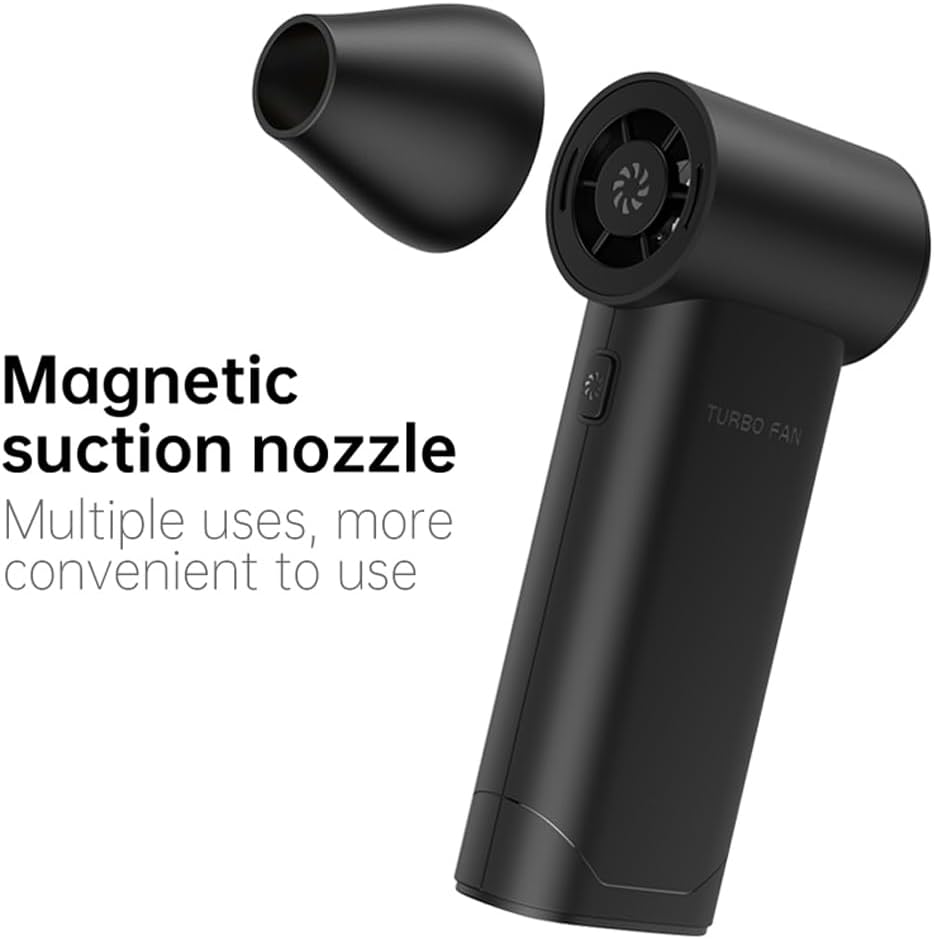
Image 4.1: Attaching the magnetic suction nozzle.
5. Operating Instructions
5.1 Power On/Off and Speed Adjustment
The fan features a single button for power control and three-speed adjustment.
- To Power On: Press and hold the power button for a few seconds until the fan starts.
- To Adjust Speed: Briefly press the power button to cycle through the three available speed settings (Low, Medium, High).
- To Power Off: Press and hold the power button again for a few seconds until the fan stops.
5.2 Usage Scenarios
The Irfora Handheld X5 Jet Fan is suitable for a wide range of cleaning and blowing tasks:
- Dust Blowing: Effectively removes dust from keyboards, electronics, camera lenses, and other delicate surfaces.
- Car Cleaning: Ideal for cleaning car interiors, crevices, and engine compartments.
- Outdoor Use: Useful for blowing leaves, clearing debris, or assisting with outdoor combustion (e.g., starting a campfire).
- Pet Hair Removal: Can be used to blow pet hair from furniture or carpets.

Image 5.1: The Irfora Handheld X5 Jet Fan used in multiple scenarios.
6. Maintenance
6.1 Cleaning the Fan
Regular cleaning ensures optimal performance and longevity of your device.
- Ensure the fan is powered off and disconnected from any charging source before cleaning.
- Use a soft, dry cloth to wipe the exterior of the fan.
- For stubborn dirt, a slightly damp cloth can be used, but ensure no moisture enters the air inlets or outlets.
- Do not use harsh chemicals, abrasive cleaners, or solvents.
6.2 Battery Care
- Avoid fully discharging the battery frequently.
- Store the device in a cool, dry place when not in use for extended periods.
- Charge the device at least once every three months to maintain battery health.
7. Troubleshooting
If you encounter issues with your Irfora Handheld X5 Jet Fan, please refer to the following common problems and solutions:
| Problem | Possible Cause | Solution |
|---|---|---|
| Fan does not turn on | Low battery; Device not powered on correctly | Charge the device fully; Press and hold the power button for a few seconds |
| Weak airflow | Low battery; Obstruction in air inlet/outlet; Incorrect speed setting | Charge the device; Check for and remove any obstructions; Increase speed setting |
| Device not charging | Faulty cable or adapter; Loose connection | Ensure cable is securely connected; Try a different Type-C cable or USB adapter |
| Nozzle detaches easily | Nozzle not properly aligned | Ensure the nozzle is correctly aligned with the magnetic attachment point |
If the problem persists after trying these solutions, please contact customer support.
8. Specifications
| Feature | Specification |
|---|---|
| Product Name | Jet Fan |
| Model | X5 |
| Material | ABS |
| Color | Black |
| Battery | 2 x 3000mAh Lithium Battery (included) |
| Max Brushless Motor Speed | 130,000 RPM |
| Wind Speed | Up to 52 m/s |
| Working Voltage | 6-8.4V |
| Rated Input | 5V, 2A |
| Charging Time | >2.5 Hours |
| Item Size | 145 x 96 x 41 mm (5.71 x 3.78 x 1.61 inches) |
| Item Weight | 305g (10.76 ounces) |
| Manufacturer | Irfora |
| Model Number | LAKUSET00454B |
9. Warranty and Support
For warranty information and customer support, please refer to the documentation provided at the point of purchase or contact your retailer. You may also visit the official Irfora website for further assistance.