
1. Introduction
This manual provides essential instructions for the safe and effective use of your Irfora FY8817 Handheld EMF Meter. Please read it thoroughly before operating the device to ensure proper function and to understand its capabilities for detecting electromagnetic radiation.
The Irfora FY8817 is designed to measure electromagnetic fields (EMF) in various environments, including homes, offices, and industrial settings. It features an intuitive 5-LED display for clear indication of EMF intensity.
2. Safety Information
- This device is intended for detection purposes only and should not be used as a medical device or for making health-related decisions.
- Keep the device out of reach of children.
- Do not expose the device to extreme temperatures, direct sunlight, or moisture.
- Do not attempt to open or modify the device. This may void the warranty and pose a safety risk.
- Ensure proper battery installation, observing polarity. Remove the battery if the device will not be used for an extended period.
- Dispose of batteries according to local regulations.
3. Product Overview
The Irfora FY8817 Handheld EMF Meter is a compact and easy-to-use device for detecting electromagnetic radiation. Its ergonomic design ensures comfortable handling for various inspection tasks.
Key Features:
- Intuitive 5-LED Display: Provides clear visual indication of EMF intensity from 0 to 20+ milliGauss (mG).
- Ergonomic and Portable Design: Easy to hold and carry for inspections in various locations.
- One-Button Operation: Simple power on/off functionality.
- Wide Frequency Range: Measures electromagnetic fields from 30 Hz to 20,000 Hz.
- Versatile Application: Suitable for use in homes, offices, outdoors, and industrial environments to detect radiation from common electronic devices.
Device Components and Dimensions:
The device features a central LED display, a power button, and a battery compartment on the rear. Its compact size makes it highly portable.

Figure 3.1: Irfora FY8817 EMF Meter showing its dimensions: approximately 16cm (6.3 inches) in length, 5.5cm (2.16 inches) in width, and 3cm (1.18 inches) in depth.

Figure 3.2: Overview of the Irfora FY8817's key functionalities, including electromagnetic field detection, LED alarm, high sensitivity sensor, and immediate testing upon startup.
4. Setup
Battery Installation:
- Locate the battery compartment cover on the back of the Irfora FY8817 device.
- Slide or unclip the cover to open the compartment.
- Insert one 9V battery (not included), ensuring the positive (+) and negative (-) terminals align correctly with the markings inside the compartment.
- Close the battery compartment cover securely until it clicks into place.
The device is now ready for operation.
5. Operating Instructions
Powering On/Off:
- To turn the device ON, press the red power button located on the front of the meter. The LEDs will briefly illuminate.
- To turn the device OFF, press the red power button again.
Taking Measurements:
- With the device powered on, hold it in the area you wish to test for electromagnetic fields.
- Move the device slowly around the area or object.
- Observe the 5 LED lights on the display. The illuminated LEDs indicate the strength of the detected electromagnetic field.
The Irfora FY8817 is suitable for detecting radiation from various household and office appliances.
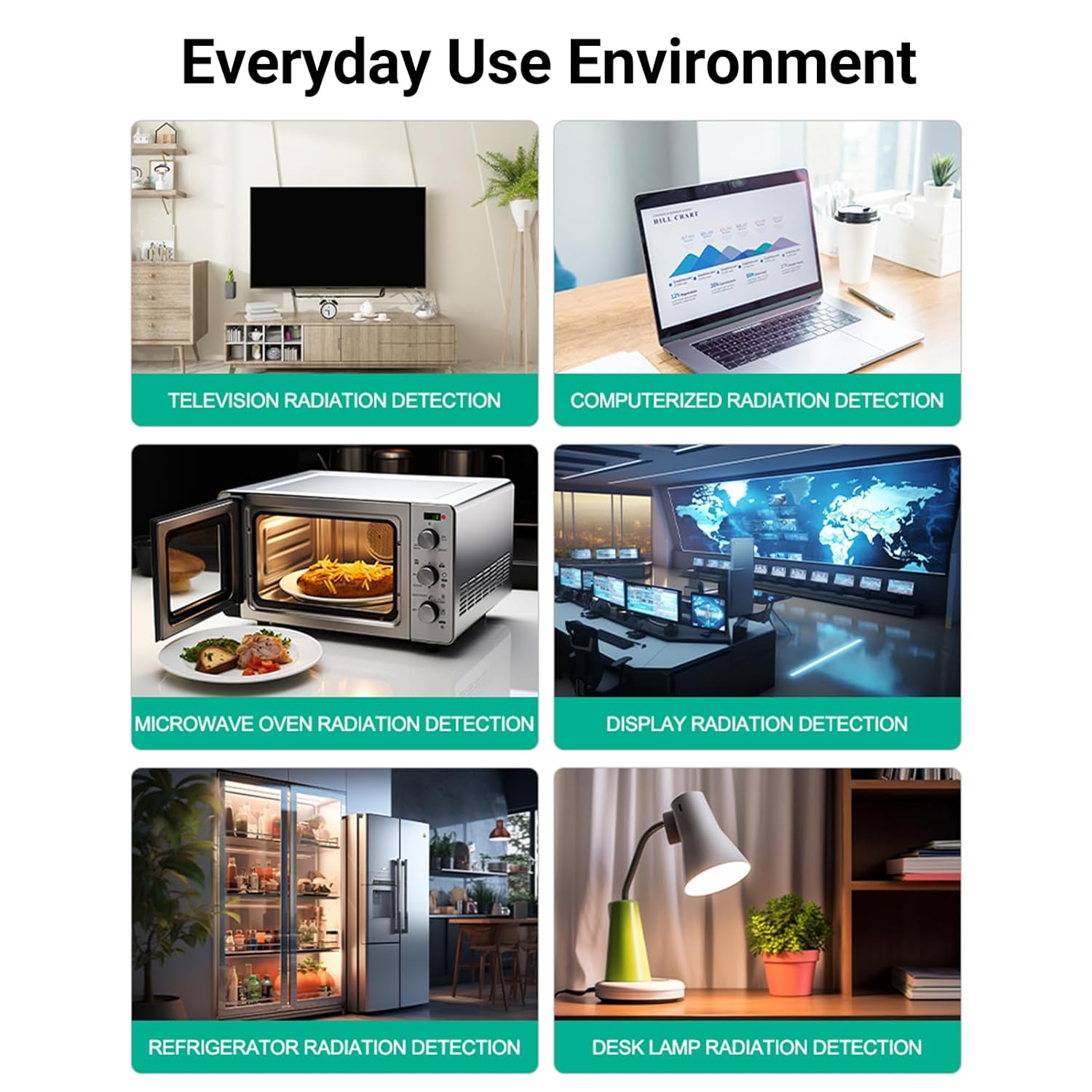
Figure 5.1: Examples of everyday environments and appliances where the Irfora FY8817 EMF Meter can be used for radiation detection, including televisions, computers, microwave ovens, display screens, refrigerators, and desk lamps.
6. Understanding Readings
The Irfora FY8817 uses a 5-LED display to visually represent the intensity of electromagnetic radiation. Each LED color corresponds to a specific range of milliGauss (mG) and indicates a relative risk level.

Figure 6.1: Detailed explanation of the LED indicators and their corresponding EMF levels and risk categories.
Radiation Display Metrics:
- Green (0-1.5mG): Normal level.
- Blue (1.5mG-2.5mG): Low risk level.
- Yellow (2.5mG-10mG): Medium risk level.
- Orange (10-20mG): High risk level.
- Red (20+mG): Ultra-high risk level.
Note: Scientists generally agree that long-term exposure to electromagnetic radiation below 2 mG is considered the safest level.

Figure 6.2: Examples of common household items emitting electromagnetic radiation, often exceeding 20mG, highlighting the importance of understanding exposure levels.
7. Maintenance
Cleaning:
- Wipe the exterior of the device with a soft, dry cloth.
- Do not use abrasive cleaners, solvents, or harsh chemicals, as these can damage the casing or internal components.
Storage:
- Store the Irfora FY8817 in a cool, dry place, away from direct sunlight and extreme temperatures.
- If the device will not be used for an extended period, remove the 9V battery to prevent leakage and potential damage.
Battery Replacement:
Replace the 9V battery when the device no longer powers on, the LEDs appear dim, or readings become inconsistent. Refer to the 'Battery Installation' section for instructions.
8. Troubleshooting
| Problem | Possible Cause | Solution |
|---|---|---|
| Device does not power on. | Battery is dead or incorrectly installed. | Check battery installation. Replace with a fresh 9V battery. |
| LEDs are dim or flicker. | Low battery power. | Replace the 9V battery. |
| Inconsistent or unexpected readings. | Interference from other electronic devices; device not held steadily. | Move to a different location away from strong electronic sources and retest. Hold the device steadily during measurement. |
| No LED indication when detecting. | Device is off; no significant EMF detected; battery issue. | Ensure the device is powered on. Test in an area known to have EMF (e.g., near a running microwave). Check/replace battery. |
9. Specifications
- Brand: Irfora
- Model: FY8817
- Item Part Number: TYHUSE25696
- Product Dimensions (LxWxH): 20 x 10 x 5 cm (7.87 x 3.94 x 1.97 inches)
- Measurement Range: 0-20+ milliGauss (mG)
- Frequency Range: 30 Hz to 20,000 Hz
- Display: 5-LED indicator
- Power Source: 1x 9V battery (not included)
- Net Quantity: 1.0 Count
10. Warranty and Support
Specific warranty details for the Irfora FY8817 Handheld EMF Meter may vary depending on your region and retailer. Please refer to the warranty information provided at the time of purchase or contact your retailer directly for details.
For technical support, troubleshooting assistance beyond what is covered in this manual, or warranty inquiries, please contact the point of purchase or the manufacturer's customer service. Keep your purchase receipt as proof of purchase for any warranty claims.