Introduction
Thank you for choosing Docooler BT5.4 Wireless Earhook Headphones. This manual provides essential information for the proper setup, operation, and maintenance of your new headphones. Please read it carefully before use and retain it for future reference.

Image: The Docooler BT5.4 Wireless Earhook Headphones with their charging case, showcasing the ergonomic design.
Setup
1. Charging the Headphones and Case
Before first use, ensure both the earbuds and the charging case are fully charged.
- Earbuds Charging Time: Approximately 40 minutes.
- Charging Case Charging Time: Approximately 1 hour.
Connect the provided charging cable to the charging case and a compatible USB power source. The charging case display will indicate the charging status.
2. Initial Pairing
The Docooler BT5.4 headphones feature automatic power-on and fast pairing.
- Remove both earbuds from the charging case. They will automatically power on and attempt to pair with each other.
- On your Bluetooth-enabled audio device (smartphone, tablet, etc.), go to the Bluetooth settings.
- Search for available devices and select "Docooler BT5.4" (or similar name) from the list.
- Once connected, you will hear a confirmation tone, and the earbuds will be ready for use.
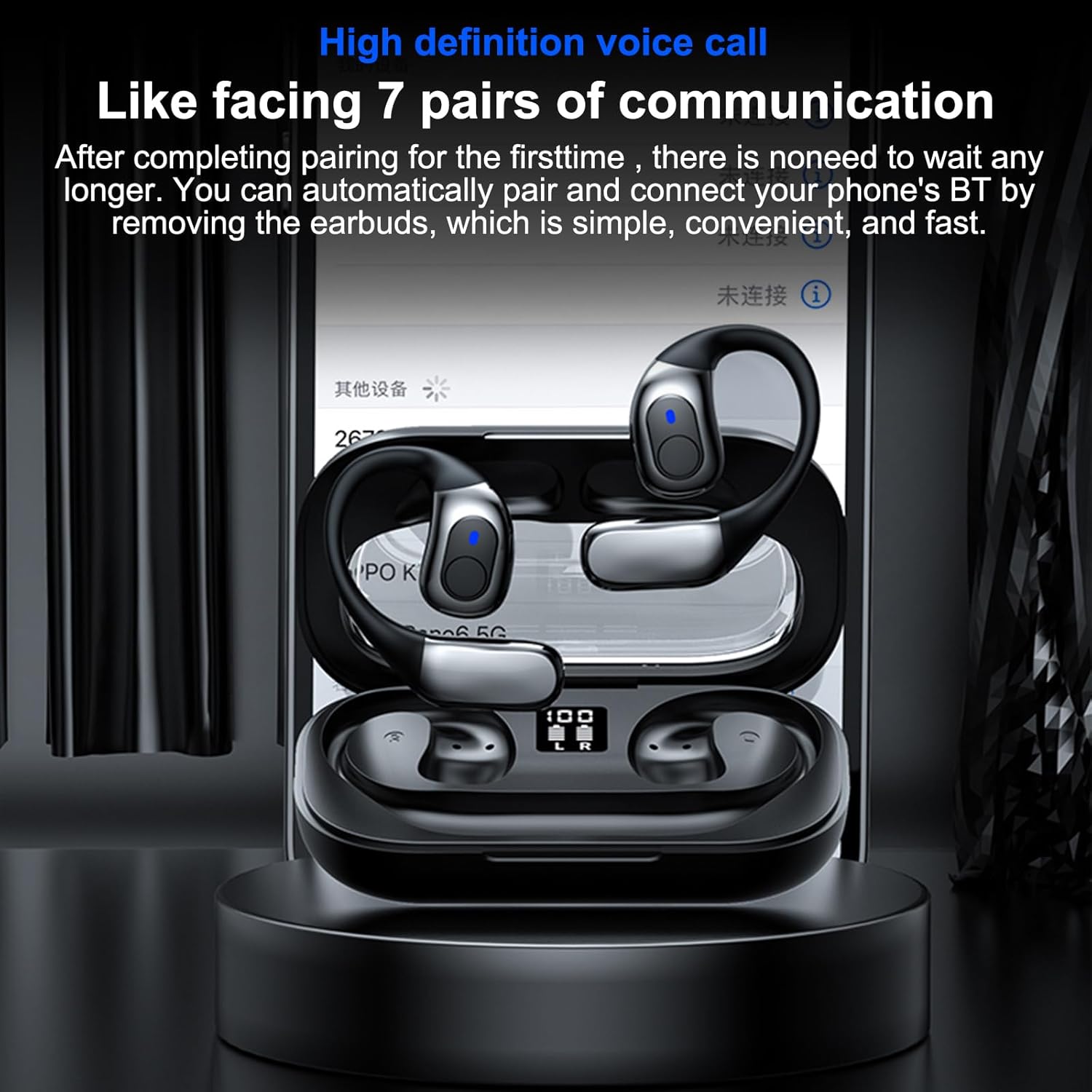
Image: The headphones in their charging case, illustrating the high-definition voice call feature and automatic pairing with a mobile device.
3. Automatic Reconnection
After the initial pairing, the headphones will automatically connect to your last paired device when removed from the charging case, provided Bluetooth is enabled on your device.
Operating Instructions
1. Wearing the Headphones
The ergonomic earhook design ensures a secure and comfortable fit. Place the earhook over your ear, positioning the earbud speaker towards your ear canal. The design allows for comfortable wear during various activities.

Image: A close-up view of the earhook design, highlighting its comfortable and non-intrusive fit for extended wear.
2. Basic Functions
- Power On/Off: Automatically power on when removed from the case, and power off when placed back into the case.
- Play/Pause: Tap the touch control area on either earbud once.
- Next Track: Double-tap the touch control area on the right earbud.
- Previous Track: Double-tap the touch control area on the left earbud.
- Answer/End Call: Tap the touch control area on either earbud once during an incoming call.
- Reject Call: Press and hold the touch control area on either earbud for 2 seconds during an incoming call.
- Activate Voice Assistant: Triple-tap the touch control area on either earbud.
3. Single Earbud Use
The headphones support true wireless stereo (TWS) and can be used individually. Simply remove one earbud from the charging case, and it will connect to your device. The other earbud can remain in the case or be used separately.
4. Low Latency Gaming Mode
Equipped with BT 5.4 technology, these headphones offer ultra-low latency, providing synchronized audio and video for an enhanced gaming experience. This feature minimizes delay, ensuring sound effects like gunshots and footsteps are heard in real-time.

Image: The headphones displayed with a mobile gaming interface, highlighting the ultra-low latency feature for synchronized audio and video during gameplay.
Maintenance
1. Cleaning
The headphones are IPX5 life-grade waterproof, making them resistant to sweat and splashes. To clean, gently wipe the earbuds and charging case with a soft, damp cloth. Do not use abrasive cleaners or immerse the charging case in water.

Image: The headphones and charging case with water droplets, demonstrating their IPX5 waterproof and splash-proof capabilities, suitable for exercise.
2. Storage
When not in use, store the headphones in their charging case to protect them from dust and damage. Store in a cool, dry place away from direct sunlight and extreme temperatures.
3. Battery Care
To prolong battery life, avoid fully discharging the headphones and charging case frequently. Charge them regularly, even if not in constant use.
Troubleshooting
If you encounter issues with your Docooler BT5.4 Wireless Earhook Headphones, please refer to the following common solutions:
- No Sound:
- Ensure the headphones are charged and properly paired with your device.
- Check the volume level on both your device and the headphones.
- Try reconnecting the headphones by placing them back in the case and taking them out again.
- Pairing Issues:
- Make sure Bluetooth is enabled on your device and the headphones are within range (up to 10m).
- Forget the device from your phone's Bluetooth settings and attempt to pair again.
- Ensure both earbuds are removed from the charging case for initial pairing.
- Earbuds Not Charging:
- Verify that the charging cable is securely connected to both the case and the power source.
- Check if the charging case itself has power.
- Ensure the earbuds are correctly seated in the charging case, and the charging contacts are clean.
- Intermittent Connection:
- Move closer to your audio device to ensure you are within the 10m transmission range.
- Avoid environments with significant wireless interference (e.g., crowded Wi-Fi areas).
- Restart both your device and the headphones.
Specifications
| Feature | Specification |
|---|---|
| Bluetooth Version | 5.4 |
| Transmitting Distance | Up to 10m (without obstacles) |
| Drive Diameter | 14mm |
| Frequency Range | 15-20KHz |
| Impedance | 32Ω |
| Charging Case Battery Capacity | 3.7V 400mAh |
| Earbuds Battery Capacity (Each) | 3.7V 50mAh |
| Music Play Time | Approximately 5 hours (depends on music volume) |
| Earbuds Charging Time | Approximately 40 minutes |
| Charging Case Charging Time | Approximately 1 hour |
| Waterproof Rating | IPX5 |
| Package Dimensions | 6.18 x 3.94 x 1.77 inches |
| Item Weight | 5 ounces |
| Manufacturer | Docooler |
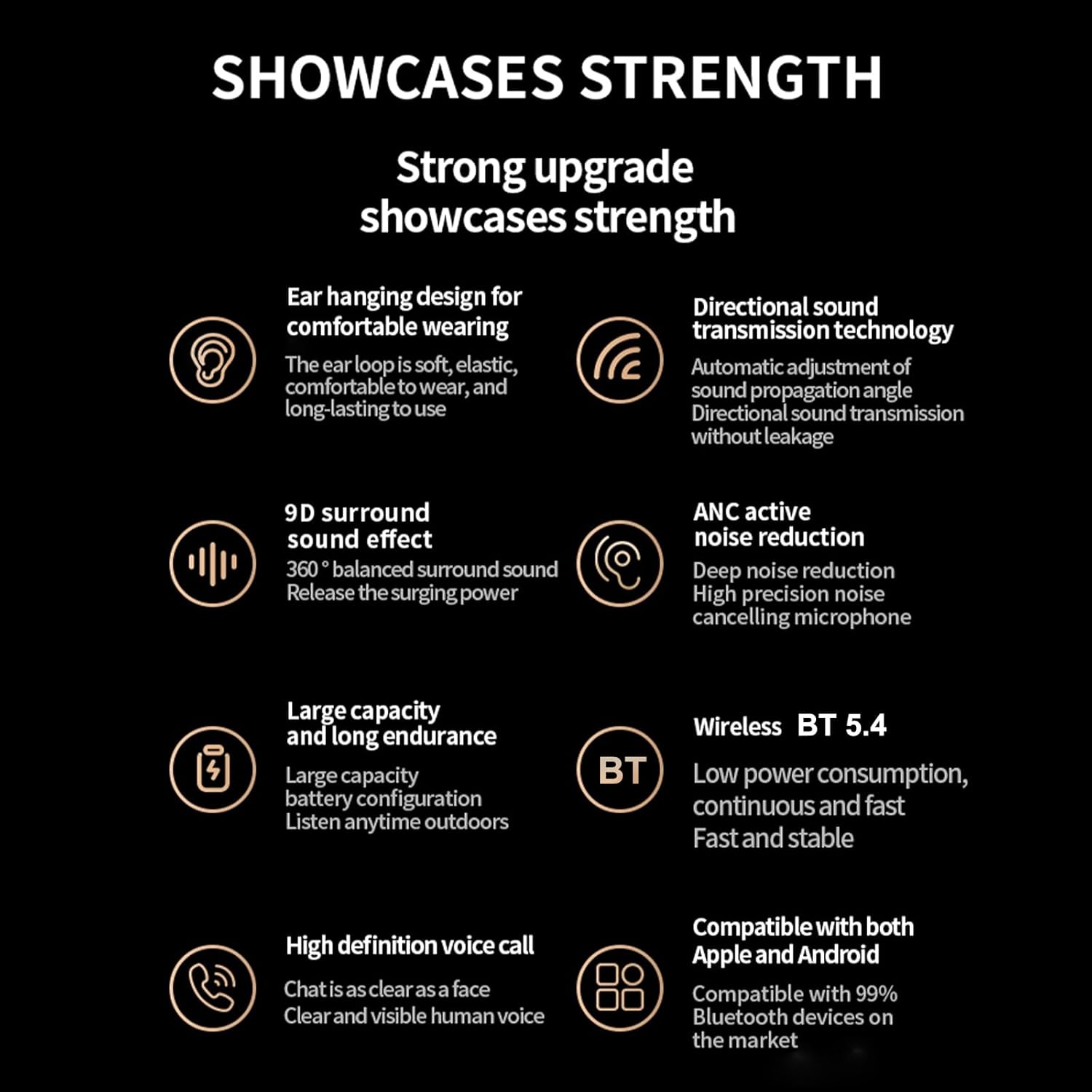
Image: An overview of the headphones' key features, including BT 5.4, 9D surround sound, ANC, and high-definition voice calls.
Warranty and Support
For warranty information and customer support, please refer to the documentation included with your purchase or visit the official Docooler website. Keep your proof of purchase for warranty claims.


