Introduction
This manual provides comprehensive instructions for the LEKATO 5.8GHz Guitar Wireless System, including setup, operation, maintenance, and troubleshooting. Designed for electric guitars, basses, and other compatible instruments, this system offers stable, low-latency wireless audio transmission. Please read this manual thoroughly before use to ensure optimal performance and longevity of your device.
What's in the Box
- 1x Wireless Transmitter
- 1x Wireless Receiver
- 1x Charging Case (with built-in 5000 mAh lithium battery)
- 1x USB-C Charging Cable
- 1x User Manual (this document)
Setup
1. Charging the Device
The wireless transmitter and receiver units are charged via the included charging case. The charging case itself has a built-in 5000 mAh lithium battery, allowing it to charge the units multiple times on the go. The case can also serve as a portable power bank for other mobile devices.
- Place the transmitter and receiver into their respective slots in the charging case.
- Press the power button on the charging case to initiate charging. The LED indicators on the case will show the current battery level.
- To charge the case, connect the provided USB-C cable to the input port on the case and a suitable USB power adapter (not included).
- The charging case can also provide 5V 2A output to charge other portable devices via its USB-A output port.


2. Power On and Pairing
The system features automatic pairing for ease of use.
- Long press the power button on both the transmitter and receiver units to turn them on.
- The units will automatically search for each other and pair. The indicator lights will stop blinking and remain solid when successfully paired.
3. Connecting to Instrument and Amplifier
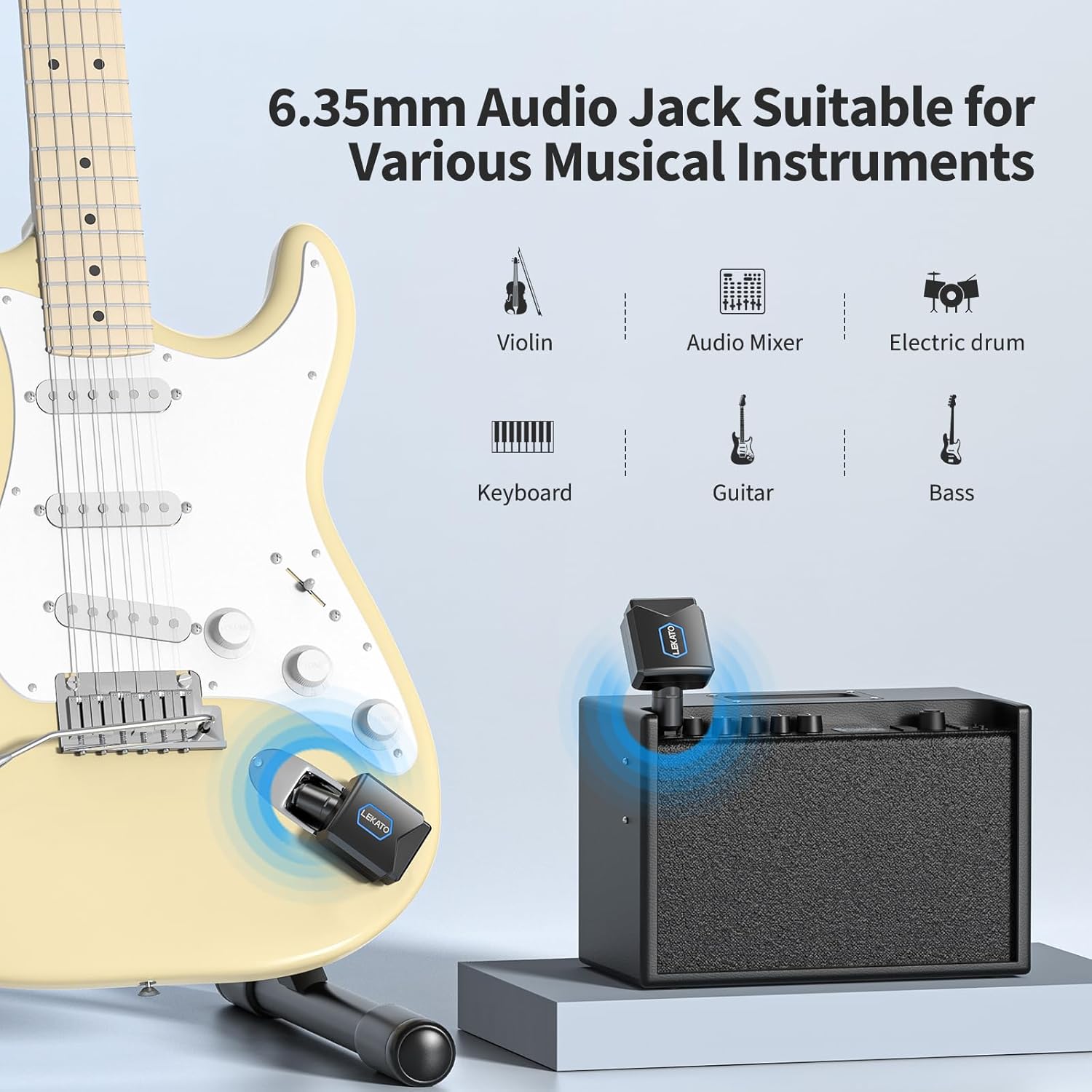
The units are compatible with most electric guitars, basses, multi-effect pedals, and various electronic instruments with 6.35mm audio output jacks.
- Plug the transmitter unit into your instrument's 6.35mm output jack. The jack on the transmitter is adjustable (rotates 220 degrees) to fit various instrument designs, including Stratocaster-style guitars with vibrato systems.
- Plug the receiver unit into your amplifier's input jack or the first pedal in your effects chain.


Operating Instructions
1. 5.8GHz Frequency Band
The LEKATO wireless system operates on the 5.8GHz frequency band. This band offers higher bandwidth, a faster transmission rate, and stronger anti-interference capabilities compared to the commonly used 2.4GHz band (occupied by Wi-Fi and Bluetooth devices), ensuring a more stable and clear audio signal.
2. Multiple Channels
The system supports 4 selectable frequency channels. This allows multiple wireless devices to be used simultaneously in the same area without interference. To switch channels, click the power button once on both the transmitter and receiver after they are paired. The indicator light will change color to indicate the new channel.
One transmitter can be paired with up to four receivers, making it suitable for setups with multiple effects or amplifiers.

3. Signal Transmission
The system provides stable and clear signal transmission with a range of over 20 meters (65 feet). It utilizes a 24bit / 48KHz stereo lossless digital transmission sampling rate, ensuring minimal signal loss and low transmission noise. The latency is less than 6ms, providing a responsive playing experience.
Maintenance
1. Battery Life
The transmitter and receiver units provide approximately 5 hours of continuous use on a full charge. The charging case, with its 5000 mAh battery, can fully recharge both units twice, extending the total usage time to over 10 hours. Always ensure the units are fully charged before extended use.
2. Cleaning and Storage
Wipe the units and charging case with a soft, dry cloth. Avoid using harsh chemicals or abrasive materials. Store the units in the charging case when not in use to protect them and keep them charged.
Troubleshooting
- No Sound: Ensure both the transmitter and receiver are powered on and successfully paired (solid indicator lights). Check all cable connections to the instrument and amplifier. Verify the instrument and amplifier volumes are not muted or set too low.
- Interference/Signal Dropouts: The 5.8GHz band is generally stable, but interference can occur. Try switching to a different channel by clicking the power button once on both units. Ensure the distance between the transmitter and receiver is within the specified 20-meter range and there are no major obstructions.
- Charging Issues: If units are not charging in the case, ensure the case itself is charged. If the case is not charging, check the USB-C cable and power adapter.
- Poor Audio Quality: Ensure the units are fully charged. Check for potential sources of electromagnetic interference nearby.
Specifications
- Frequency Band: 5.8GHz
- Sampling Rate: 24bit / 48KHz stereo lossless digital transmission
- Latency: <6ms
- Transmission Range: >20 meters (65 feet)
- Channels: 4 selectable channels
- Charging Case Battery: 5000 mAh Lithium Polymer
- Unit Battery: Lithium Polymer (provides approx. 5 hours per charge)
- Charging Case Output: 5V 2A (for other devices)
- Item Weight: 10.8 ounces
- Package Dimensions: 6.65 x 5.47 x 2.48 inches
Warranty and Support
For detailed warranty information, please refer to the official documentation provided with your product or visit the LEKATO website. If you encounter any issues or require technical assistance, please contact LEKATO customer support. Information regarding extended protection plans may be available from your retailer.


