
GABRYLLY GY01WPK
GABRYLLY Ergonomic Office Chair GY01WPK Instruction Manual
Model: GY01WPK
1. Introduction
This manual provides detailed instructions for the assembly, operation, and maintenance of your GABRYLLY Ergonomic Office Chair Model GY01WPK. Please read this manual thoroughly before assembly and use to ensure proper function and safety.
2. Safety Information
- Do not exceed the maximum weight capacity of 400 lbs.
- Use caution when adjusting the flip-up arms and headrest, ensuring all locking mechanisms are properly engaged.
- Follow all assembly instructions carefully to ensure stability and safety.
- Keep small parts away from children during assembly.
- Ensure all screws are tightened securely before use. Periodically check and re-tighten screws as needed.
3. Package Contents
Before beginning assembly, verify that all components are present and undamaged. Refer to the included parts list and diagrams for identification.

Image: All components of the GABRYLLY Ergonomic Office Chair laid out for assembly, including the seat, backrest, headrest, armrests, gas lift, base, and casters.
- Backrest with Headrest
- Seat Cushion
- Armrests (2)
- Chair Base (5-star)
- Casters (5)
- Gas Lift Cylinder
- Gas Lift Cover
- Mechanism Plate
- Assembly Tools (Allen wrench, screws)
4. Assembly Instructions
Assembly typically takes 15-20 minutes. An Allen wrench and all necessary screws are included. For a visual guide, please refer to the assembly video below.
Step-by-Step Guide:
- Attach Casters to Base: Insert the five casters into the holes at the end of each leg of the chair base. Push firmly until they click into place.
- Install Gas Lift: Place the gas lift cylinder into the center hole of the chair base. Cover it with the gas lift cover.
- Attach Mechanism to Seat: Align the mechanism plate with the screw holes on the underside of the seat cushion. Ensure the "FRONT" label on the mechanism points towards the front of the seat. Secure with screws using the provided Allen wrench.
- Attach Backrest to Seat: Connect the backrest to the seat assembly. Secure with screws.
- Attach Armrests: Secure the armrests to the sides of the seat and backrest using the designated screws.
- Connect Seat Assembly to Gas Lift: Carefully place the assembled seat and backrest onto the gas lift cylinder, ensuring it is centered and stable.
Video: A detailed guide demonstrating the assembly of the GABRYLLY Ergonomic Office Chair, showing each step from unboxing to final setup. This video highlights the ease of assembly, which can be completed in approximately 5 minutes.
5. Features and Adjustments
The GABRYLLY Ergonomic Office Chair is designed with multiple adjustable features to enhance comfort and support.
5.1. Adjustable Flip-Up Arms
The armrests can be folded up by 45° to save space, allowing the chair to be pushed closer to a desk. They also feature 1.8'' height adjustment.

Image: The chair's armrests shown in both the standard and 45-degree flipped-up positions, illustrating the space-saving feature.
5.2. Customizable Head Support
The headrest offers 3-mode adjustments for personalized comfort, allowing you to customize both its height (up to 6 inches) and angle (up to 45°) for optimal neck support.

Image: Close-up of the headrest showing the buttons and mechanisms for adjusting its height and angle.
5.3. 3-Level Tilt & Recline
The chair can recline and be locked at three different positions: 90° for working, 105° for reading, and 120° for resting. This allows for versatile seating preferences.

Image: Visual representation of the chair tilting to 90°, 105°, and 120° angles, indicating suitable activities for each position.
5.4. Wide and Curved Mesh Seat
The seat features a wide and curved design with breathable mesh, preventing discomfort in the thighs and ensuring softness. The mesh material promotes airflow, keeping you cool.
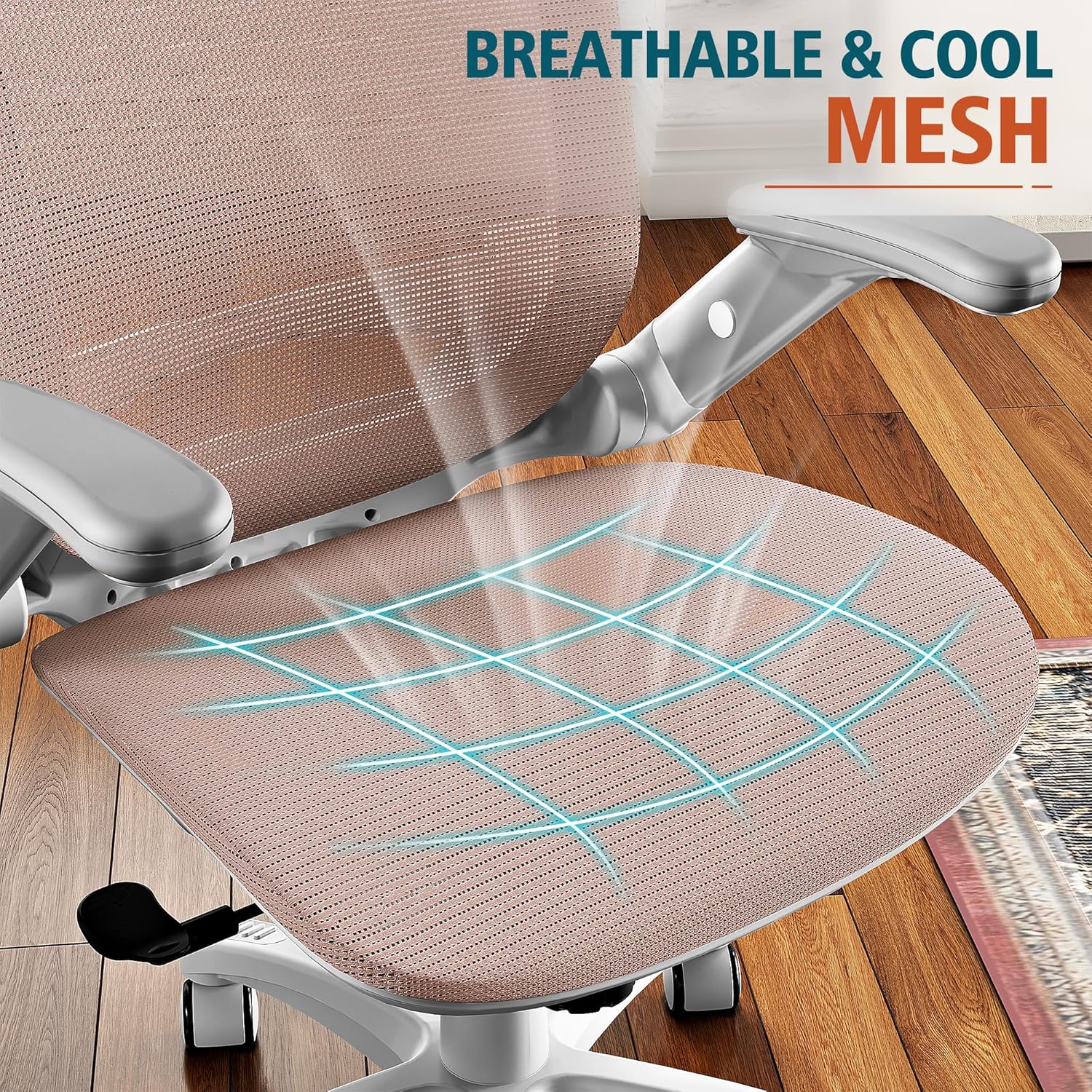
Image: A close-up view of the chair's breathable mesh seat, highlighting its texture and design for comfort and ventilation.
5.5. Ergonomic Lumbar Support
The chair includes ergonomic lumbar support designed to provide comfort during extended sitting periods.
6. Operating Instructions
Familiarize yourself with the chair's controls for optimal use.
- Seat Height Adjustment: Locate the lever on the right side beneath the seat. Pull the lever up to raise the seat. While seated, pull the lever up to lower the seat. Release the lever to lock the height.
- Tilt Lock and Tension: The lever on the left side beneath the seat controls the tilt lock. Push it in to lock the backrest in an upright position. Pull it out to allow the chair to recline. The round knob at the front center beneath the seat adjusts the tilt tension. Turn clockwise to increase tension (making it harder to recline) and counter-clockwise to decrease tension (making it easier to recline).
- Armrest Adjustment: To flip up the armrests, press the button on the side of the armrest and rotate them upwards. To adjust armrest height, press the button on the side and move the armrest up or down.
- Headrest Adjustment: To adjust the headrest height, press the two buttons on the headrest support and slide it up or down. To adjust the angle, simply pivot the headrest to your desired position.
Video: A demonstration of the GABRYLLY Ergonomic Office Chair's various adjustments, including seat height, tilt, armrest movement, and headrest positioning, showcasing its ergonomic capabilities.
7. Maintenance
To ensure the longevity and optimal performance of your GABRYLLY office chair, follow these maintenance guidelines:
- Cleaning: Wipe clean with a damp cloth. Avoid harsh chemicals or abrasive cleaners.
- Regular Checks: Periodically inspect all screws and connections to ensure they are tight. Re-tighten if necessary.
- Caster Care: Keep casters free of debris (hair, dust) to ensure smooth movement. The casters are suitable for hard floors, tile, and carpet.
8. Troubleshooting
If you encounter any issues with your GABRYLLY office chair, refer to the following common solutions:
- Chair Sinks or Does Not Adjust Height: Ensure the gas lift lever is fully engaged. If the issue persists, the gas lift cylinder may need replacement. Contact customer support.
- Chair Wobbles: Check all assembly screws and ensure they are securely tightened. Verify that the chair base is properly seated on the gas lift.
- Casters Not Rolling Smoothly: Inspect casters for trapped debris (hair, lint) and clean as needed.
- Backrest Does Not Recline/Lock: Check the tilt lock lever and ensure it is in the correct position for your desired function. Adjust tilt tension if the recline is too stiff or too loose.
9. Specifications
| Feature | Detail |
|---|---|
| Brand | GABRYLLY |
| Model Name | GY01WPK |
| Color | White Frame Pink Mesh |
| Product Dimensions | 24"D x 24"W x 40"H |
| Seat Size | 20"W x 20.5"D |
| Height Range | 46.5-57 inches (overall) |
| Back Style | High Back |
| Material | Mesh |
| Maximum Weight Recommendation | 400 Pounds |
| Special Features | 3-Stage Tilt Back, Adjustable Height, Adjustable Flip-Up Arms (45°), Easy Assembly, Ergonomic Lumbar Support |
| Reclining Position Count | 3 (90°, 105°, 120°) |
| Arm Style | Adjustable Flip-Up |
| Surface Recommendation | Hard Floor, Tile, Carpet |
| Item Weight | 42.8 pounds |
10. Warranty and Support
The GABRYLLY Ergonomic Office Chair comes with a 3-year warranty and part replacement service. For any questions, concerns, or support needs, please contact the GABRYLLY support team.
- Email: gabrylly-service@hotmail.com
- Phone: (818) 587-2772
- Warranty Details: The warranty covers manufacturing defects and ensures part replacement service.

Image: Customer service contact details and information regarding the 3-year warranty and BIFMA certification.
Related documentsGY01WPK

Ask a question about this manual
Ask about setup, troubleshooting, compatibility, parts, safety, or missing instructions. Manuals+ will review the question and use this page’s manual context to help answer it.