
Introduction
This manual provides detailed instructions for the safe and efficient operation of your Longer Ray5 20000mW Laser Engraver with Air Assist Kit. Please read this manual thoroughly before using the device to ensure proper setup, operation, and maintenance. Retain this manual for future reference.
Safety Information
WARNING: Laser engravers are powerful tools that can cause serious injury if not used correctly. Always follow these safety guidelines:
- Always wear appropriate laser safety goggles when operating the machine.
- Never look directly into the laser beam or at its reflection.
- Ensure the work area is well-ventilated to dissipate fumes and smoke.
- Keep flammable materials away from the laser's path.
- Do not leave the machine unattended during operation.
- Ensure the machine is placed on a stable, level surface.
- Keep children and pets away from the operating area.
- Disconnect power before performing any maintenance or adjustments.
- Familiarize yourself with emergency shutdown procedures.
Package Contents
Verify that all components are present in the package:
- Longer Ray5 20000mW Laser Engraver Unit
- Air Assist Pump
- Air Assist Nozzle and Tubing
- Power Adapter
- USB Cable
- Safety Goggles
- User Manual (this document)
- Material Samples (may vary)

Image: Air assist kit components including the pump, nozzle, and tubing.
Setup
- Unpacking: Carefully remove all components from the packaging.
- Assembly: Follow the included quick start guide for assembling the main laser engraver frame and attaching the laser module.
- Air Assist Installation:
- Connect the air assist pump to the designated port on the laser module using the provided tubing.
- Ensure the air assist nozzle is securely attached to direct airflow to the engraving/cutting point.
- Power Connection: Connect the power adapter to the engraver and then to a suitable power outlet.
- Computer Connection: Connect the engraver to your computer via USB, or prepare for Wi-Fi/TF card connection.

Image: The Longer Ray5 laser engraver with the air assist pump connected and ready for operation.
Operating Instructions
1. Software and Connectivity
The Longer Ray5 supports various software and connection methods:
- Compatible Software: LaserGRBL and LightBurn.
- Operating Systems: Supports Windows 7+, MacOS, and Linux.
- Connection Methods: Wi-Fi, USB, App, and TF card.
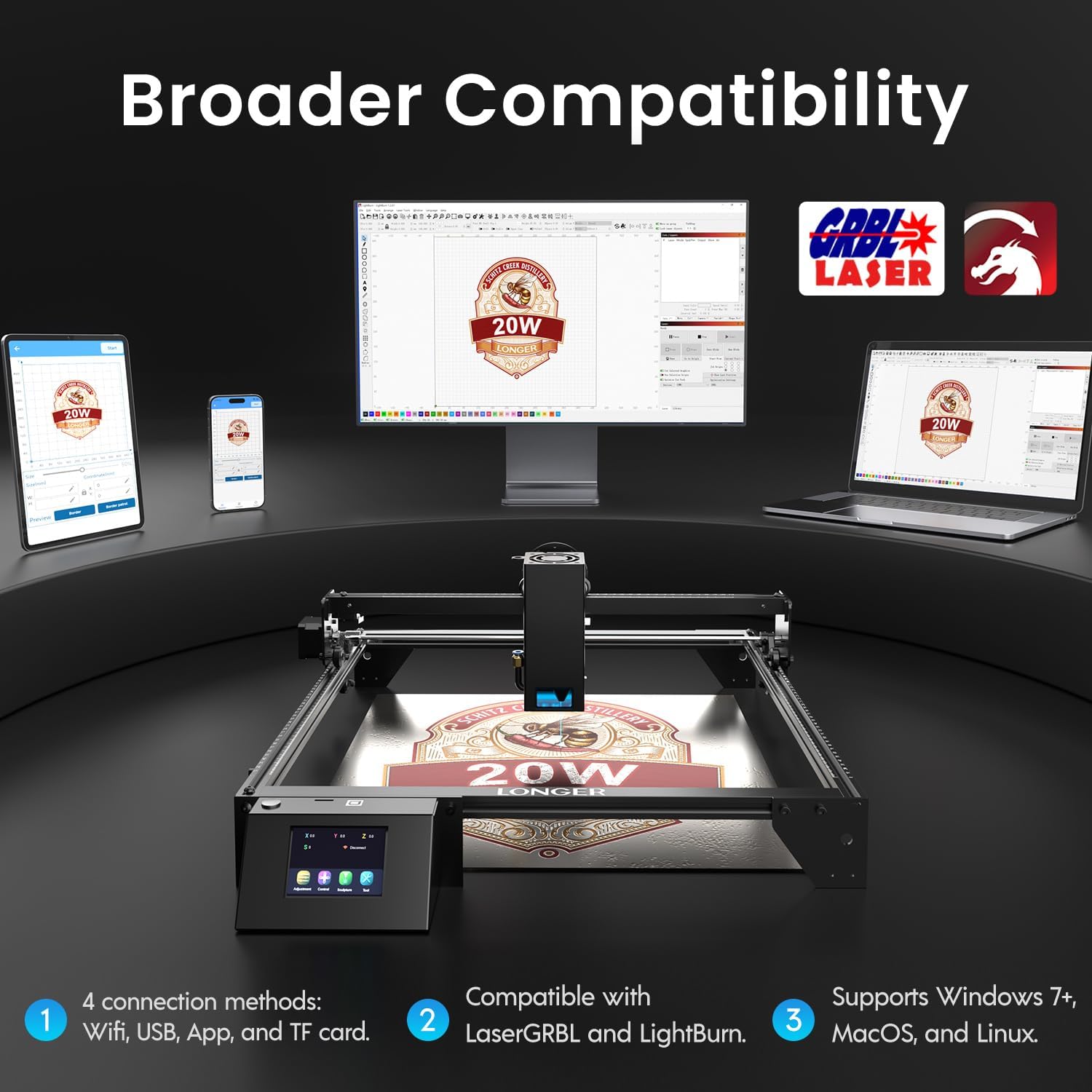
Image: Display showing the Longer Ray5's compatibility with LaserGRBL and LightBurn software, and various connection options including Wi-Fi, USB, App, and TF card across Windows, MacOS, and Linux operating systems.
2. Engraving and Cutting Capabilities
The 20W diode laser offers high-efficiency performance for various materials.
- Cutting: Capable of cutting up to 25mm of wood and 35mm of acrylic. It can also cut 0.05mm metal.
- Engraving: Engrave hundreds of colors on metallic steel and a wide range of other materials.
- Materials: Acrylic, metal, wood, stainless steel, and more.
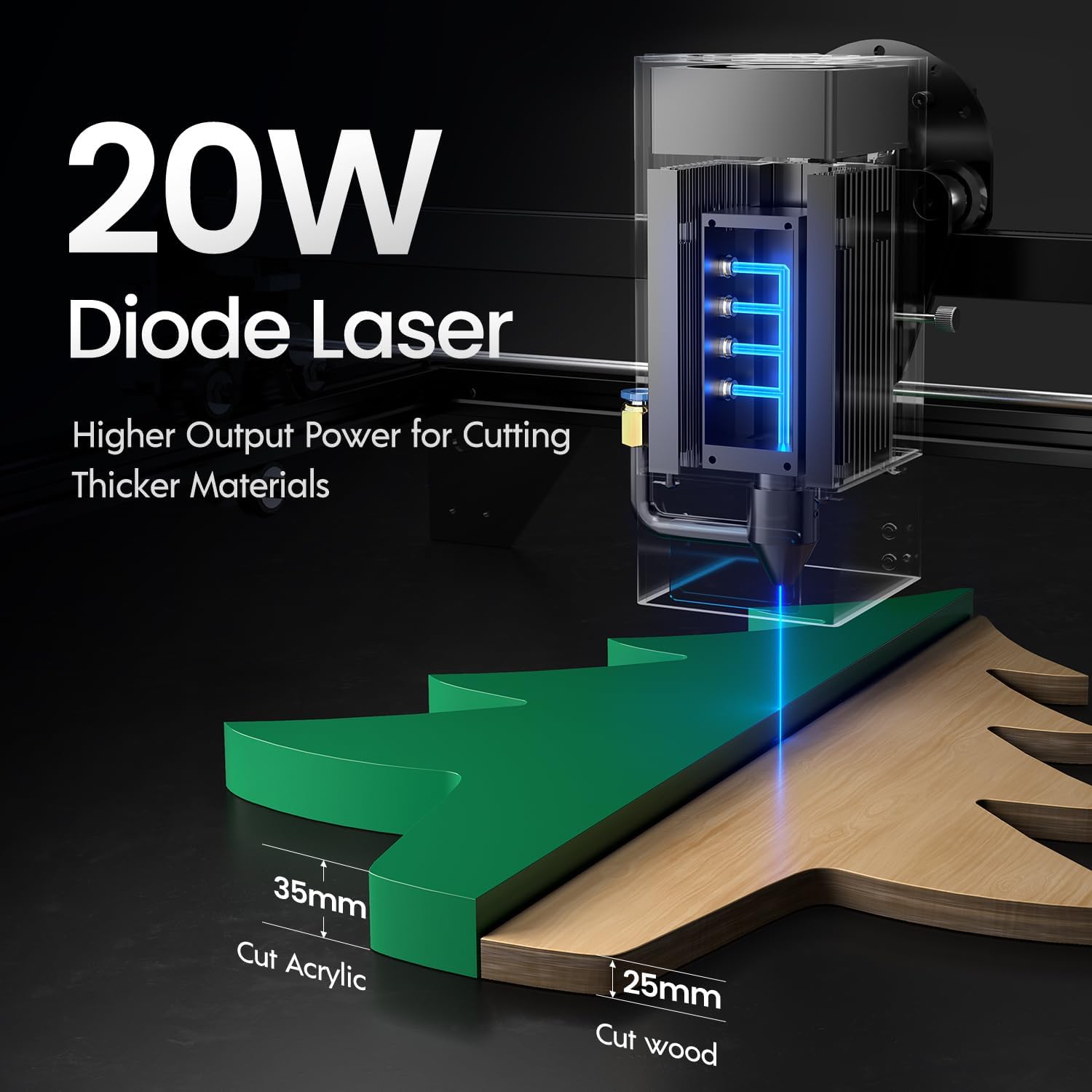
Image: Illustration demonstrating the 20W diode laser's capability to cut 25mm wood and 35mm acrylic.

Image: Examples of engraving capabilities, showcasing over 380 colors on metallic surfaces and other DIY artworks.

Image: A collection of various items demonstrating the versatile material selection for engraving and cutting, including wood, metal, and acrylic.
3. Air Assist Function
The integrated air assist kit significantly improves cutting and engraving quality.
- Enhanced Cutting: The adjustable airflow (10-30L/min) suppresses smoke and dust, preventing laser energy attenuation and ensuring cleaner, smoother edges.
- Reduced Yellowing: Air assist helps prevent charring and yellowing on materials during laser processing, especially for wood and acrylic.

Image: A visual comparison showing the benefits of air assist, resulting in cleaner cuts and reduced processing time (e.g., 12 minutes with air assist vs. 20 minutes without).
4. Continuous Operation
The Longer Ray5 is designed for powerful continuous working capacity, supporting 24/7 continuous engraving. A single computer can control multiple machines.

Image: Depiction of multiple Longer Ray5 machines working simultaneously, illustrating continuous operation and the ability for one computer to control several units.
Maintenance
Regular maintenance ensures optimal performance and extends the lifespan of your laser engraver.
- Clean the Laser Lens: Periodically clean the laser lens with a soft, lint-free cloth and lens cleaning solution to maintain beam quality.
- Clear Debris: Remove any accumulated dust or debris from the work area and machine components.
- Check Belts and Rails: Inspect drive belts for tension and wear. Keep linear rails clean and lubricated as per manufacturer recommendations.
- Air Assist Filter: If your air assist pump has a filter, clean or replace it regularly to ensure efficient airflow.
- Firmware Updates: Check the manufacturer's website for any available firmware updates to improve performance or add features.
Troubleshooting
This section addresses common issues you might encounter.
| Problem | Possible Cause | Solution |
|---|---|---|
| Laser not firing | Power not connected, software error, laser module fault. | Check power connections. Verify software settings. Contact support if laser module is suspected faulty. |
| Poor engraving/cutting quality | Incorrect focus, dirty lens, wrong power/speed settings, material issues, no air assist. | Adjust laser focus. Clean the laser lens. Optimize power/speed settings for the material. Ensure air assist is active. |
| Machine not connecting to computer | USB cable issue, driver not installed, Wi-Fi configuration error. | Try a different USB port/cable. Install necessary drivers. Reconfigure Wi-Fi connection. |
| Excessive smoke/fumes | Insufficient ventilation, air assist not active or weak. | Ensure proper ventilation. Check air assist pump and tubing for blockages. Increase air assist flow. |
Specifications
| Feature | Detail |
|---|---|
| Model Number | RAY5 |
| Laser Output Power | 20000mW (20W) |
| Laser Type | Diode Laser |
| Cutting Depth (Wood) | Up to 25mm |
| Cutting Depth (Acrylic) | Up to 35mm |
| Metal Cutting Capability | 0.05mm |
| Air Assist Flow | 10-30 L/min (Adjustable) |
| Touch Screen | 3.5 inches |
| Connectivity | Wi-Fi, USB, App, TF Card |
| Compatible Software | LaserGRBL, LightBurn |
| Supported OS | Windows 7+, MacOS, Linux |
| Manufacturer | Longer |
| Date First Available | August 1, 2024 |
Warranty and Support
For warranty information and technical support, please refer to the official Longer website or contact their customer service directly. Keep your purchase receipt as proof of purchase for warranty claims.
Online Resources: Visit the Longer Store on Amazon for additional product information and support.


