
1. Introduction
Thank you for purchasing the Alpicool P18 18L Portable Car Refrigerator Freezer. This versatile appliance is designed to keep your food and beverages chilled or frozen, whether you're on the road, camping, or at home. Featuring advanced compressor technology and efficient insulation, it offers reliable performance and convenience. Please read this manual thoroughly before use to ensure proper operation and maintenance.
2. Safety Instructions
- Ensure the power supply matches the voltage requirements of the unit (AC100V, DC12V/24V).
- Do not immerse the unit in water or expose it to excessive moisture.
- Keep ventilation openings clear of obstructions to prevent overheating.
- Avoid placing hot items directly into the freezer. Allow them to cool first.
- Do not use abrasive cleaners or sharp objects inside the unit.
- Keep out of reach of children.
- If the power cord is damaged, it must be replaced by the manufacturer or a qualified service agent to avoid hazards.
3. Package Contents
Verify that all items are present in the package:
- Alpicool P18 Portable Refrigerator Freezer
- AC Adapter
- AC Power Cable
- DC Power Cable (12V/24V)
- User Manual (this document)
4. Product Overview
The Alpicool P18 is a compact and efficient portable refrigerator freezer, ideal for various applications. It features German compressor technology for rapid cooling and a polyurethane foam insulation layer for excellent thermal retention, maintaining cold temperatures for over 24 hours. Its vertical design allows for placement in small spaces like car footwells or trunks. The unit is equipped with a retractable handle and high-density foam rubber casters for easy portability.

Figure 4.1: Alpicool P18 Portable Refrigerator Freezer

Figure 4.2: Alpicool P18 Capacity and Dimensions
Video 4.1: Demonstrating the portability, capacity, and usage scenarios of the Alpicool P18 portable refrigerator freezer, including temperature adjustment and phone charging.
5. Setup
5.1 Initial Placement
Place the refrigerator on a flat, stable surface. Ensure there is adequate ventilation around the unit, especially near the compressor and fan areas, to allow for proper heat dissipation.
5.2 Power Connection
The Alpicool P18 supports both AC and DC power inputs:
- AC Power (Home Use): Connect the AC adapter to the refrigerator's AC input port, then plug the AC power cable into the adapter and a standard 100V wall outlet.
- DC Power (Car Use): Connect the DC power cable to the refrigerator's DC input port, then plug the other end into your vehicle's 12V or 24V cigarette lighter socket.
5.3 Initial Operation
After connecting to power, press the power button on the control panel to turn on the unit. The display will show the current internal temperature. It is recommended to run the unit empty for a short period to allow it to reach the desired temperature before loading items.
6. Operating Instructions
6.1 Temperature Adjustment
The Alpicool P18 offers a wide temperature range from -20°C to 20°C. Use the '+' and '-' buttons on the control panel to set your desired temperature. The display will show the set temperature, then revert to the current internal temperature.
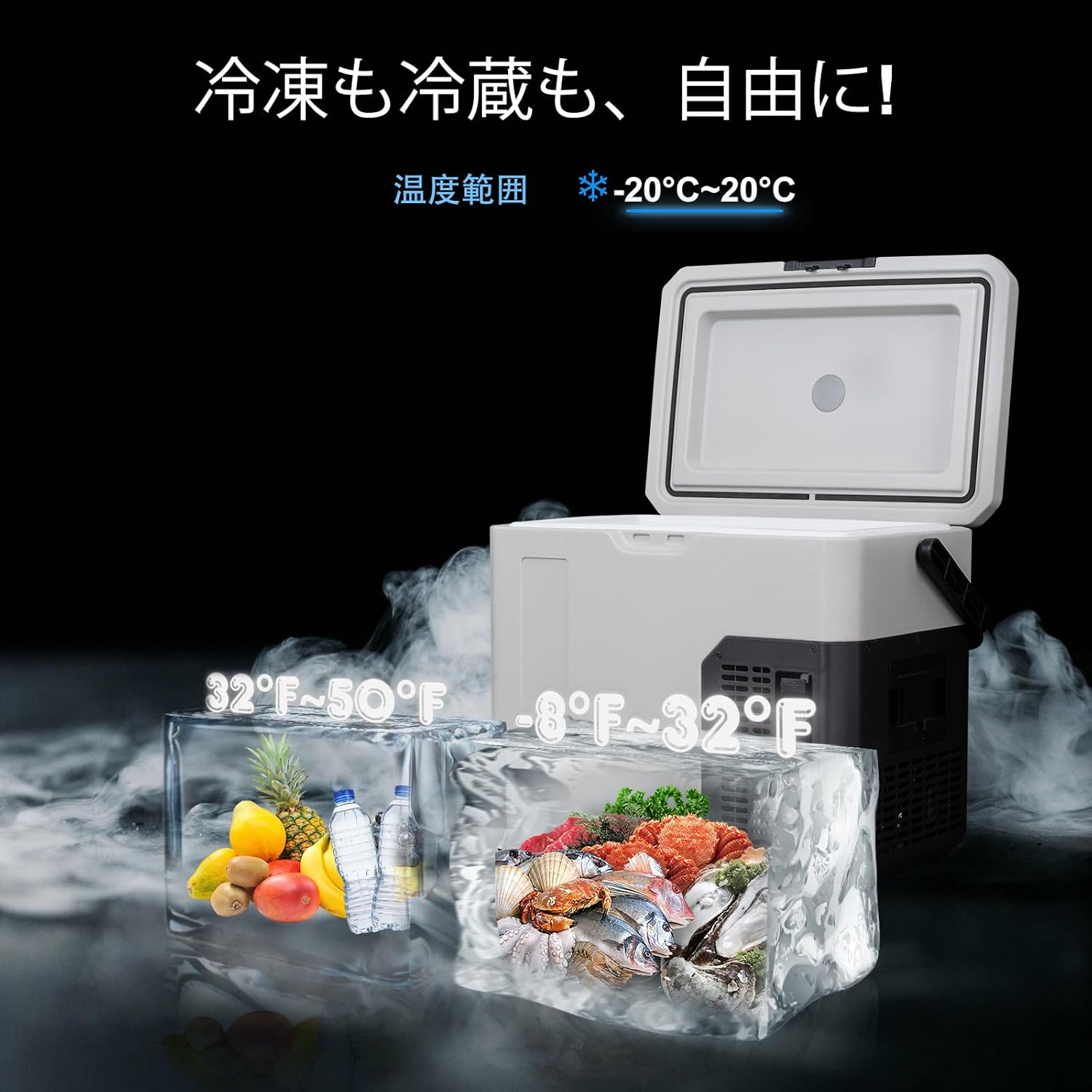
Figure 6.1: Temperature Range (-20°C to 20°C)
6.2 Cooling Modes
The unit features two cooling modes:
- ECO Mode (35W): Energy-saving mode with lower power consumption and quieter operation. Ideal for maintaining temperature over longer periods.
- MAX Mode (45W): High-speed cooling mode for rapid temperature reduction. Recommended for initial cooling or when quick freezing is required.
To switch between modes, press the 'Settings' button on the control panel until the desired mode is displayed.

Figure 6.2: ECO and MAX Cooling Modes
6.3 Rapid Cooling Performance
The Alpicool P18 can achieve rapid cooling, reaching -20°C in approximately 45 minutes when empty, thanks to its efficient compressor system. For quicker cooling, ensure the unit is in MAX mode.

Figure 6.3: Rapid Cooling Demonstration
6.4 USB Charging Port
The unit includes a USB port for charging small electronic devices like smartphones. Simply plug your device's USB cable into the port.
7. App Control
The Alpicool P18 can be controlled remotely via a dedicated smartphone app. The app allows you to monitor and adjust settings within a Bluetooth connection range of approximately 3-5 meters.
7.1 App Installation
Download the "CAR FRIDGE FREEZER" app from Google Play Store (for Android) or Apple App Store (for iOS).
7.2 Pairing Process
- Turn on Bluetooth on your smartphone.
- Launch the "CAR FRIDGE FREEZER" app and tap "Search" or "Connect".
- Press and hold the 'Settings' button on the refrigerator's control panel to initiate pairing.
- Once connected, you can control the refrigerator via the app.
7.3 App Functions
Through the app, you can:
- Check the current internal temperature.
- Adjust the target temperature.
- Switch between ECO and MAX cooling modes.
- Set battery protection modes.
- Activate the control panel lock function. Note: If the control panel is locked via the app, the refrigerator can only be controlled through the app.

Figure 7.1: Smartphone App Remote Control
8. Maintenance
8.1 Cleaning
- Always disconnect the power before cleaning.
- Wipe the interior and exterior surfaces with a damp cloth and mild detergent.
- Do not use abrasive cleaners, steel wool, or harsh chemicals.
- Ensure the unit is completely dry before reconnecting power.
8.2 Defrosting
The unit features an automatic defrost system. However, if excessive ice builds up, manually defrost by:
- Turning off the unit and disconnecting power.
- Emptying the contents.
- Leaving the lid open to allow ice to melt naturally.
- Wipe away melted water and dry the interior thoroughly before restarting.
9. Troubleshooting
If you encounter issues with your Alpicool P18, please refer to the following common problems and solutions:
- Unit not turning on: Check power connections (AC adapter, AC/DC cables, car socket). Ensure the power button is pressed.
- Not cooling effectively: Verify the temperature setting. Ensure ventilation openings are not blocked. Check if the unit is in ECO mode; switch to MAX for faster cooling. Ensure the lid is properly sealed.
- Unusual noise: A slight humming sound from the compressor is normal. If the noise is excessive or unusual, ensure the unit is on a stable surface and not vibrating against other objects.
- App connection issues: Ensure Bluetooth is enabled on your phone and the app is open. Check that the refrigerator's control panel is not locked via the app.
For persistent issues not resolved by these steps, please contact customer support.
10. Specifications
| Model | P18 |
| Capacity | 18 Liters |
| Temperature Range | -20°C to 20°C (-4°F to 68°F) |
| Cooling Method | Compressor |
| Power Input | AC100V (via adapter), DC12V/24V |
| Rated Power (MAX Mode) | 45W |
| Annual Energy Consumption | Approx. 1 kWh |
| Dimensions (L x W x H) | 47.8 cm x 32.4 cm x 41.3 cm (18.8 in x 12.8 in x 16.3 in) |
| Weight | Approx. 8.4 kg (18.5 lbs) |
| Insulation | Polyurethane Foam |
| Defrost System | Automatic |
| Door Opening | Right-opening |
| Adjustable Temperature Control | Yes |

Figure 10.1: Energy Efficiency
11. Warranty & Support
11.1 Product Warranty
Alpicool portable refrigerators come with a 24-month product warranty from the date of purchase. This warranty covers manufacturing defects and malfunctions under normal use.
11.2 Customer Support
If you encounter any problems, initial defects, or have technical questions, please contact our customer support team. To expedite service, please provide your order number when contacting us. We are committed to providing prompt assistance.
For further assistance, please visit the Alpicool brand store on Amazon or contact the seller directly through your order history.


