
1. Introduction
This manual provides detailed instructions for the installation, operation, programming, and maintenance of the Alarm Lock DL270019 Trilogy T2 Stand Alone Digital Lock. This electronic cylindrical lock is designed for commercial, institutional, and indoor use, offering robust security and convenient access control.
The DL2700-19 features a vandal-proof all-metal keypad, multi-level user codes, and a durable design suitable for various applications including schools, healthcare facilities, pharmacies, rental properties, offices, retail environments, and airports.
2. Safety Information
- Read all instructions carefully before installation and use.
- Do not attempt to modify or disassemble the lock. This may void the warranty and compromise security.
- Use only the specified battery type (5 AA Alkaline Batteries). Incorrect batteries may damage the device.
- Keep the keypad clean and free from debris to ensure proper function.
- Ensure all components are securely fastened during installation to prevent accidental injury or malfunction.
3. Package Contents
Verify that all components are present before beginning installation:
- Alarm Lock DL270019 Trilogy T2 Digital Lock Assembly
- 5 AA Alkaline Batteries
- Screws for Wood/Metal Jambs
- Installation Template (typically included, though not explicitly listed in provided data)
- User Manual (this document)
4. Setup and Installation
The DL2700-19 lock is designed for standard ANSI 161 Series door preparation and is non-handed, meaning it can be installed on left or right-hand doors without modification.
4.1 Door Preparation
- Ensure your door thickness is between 1-5/8 to 1-7/8 inches.
- Verify the door is prepared for a standard ANSI 161 Series cylindrical lock.
- The backset required is 2-3/4 inches.
4.2 Lock Installation
- Install the latch assembly into the door edge. The latch throw is 1/2 inch.
- Install the strike plate (ASA or T Strike, 1-1/8" x 2-3/4" or 1-1/4" x 4-7/8") on the door frame using the provided screws.
- Mount the exterior and interior lock assemblies, ensuring proper alignment and cable connection.
- Secure the lock with the through-bolts and screws.
4.3 Battery Installation
The lock operates on 5 AA Alkaline Batteries. These are included with the product.
- Locate the battery compartment, typically on the interior side of the lock.
- Insert the 5 AA batteries, observing correct polarity (+/-).
- Close the battery compartment cover securely.
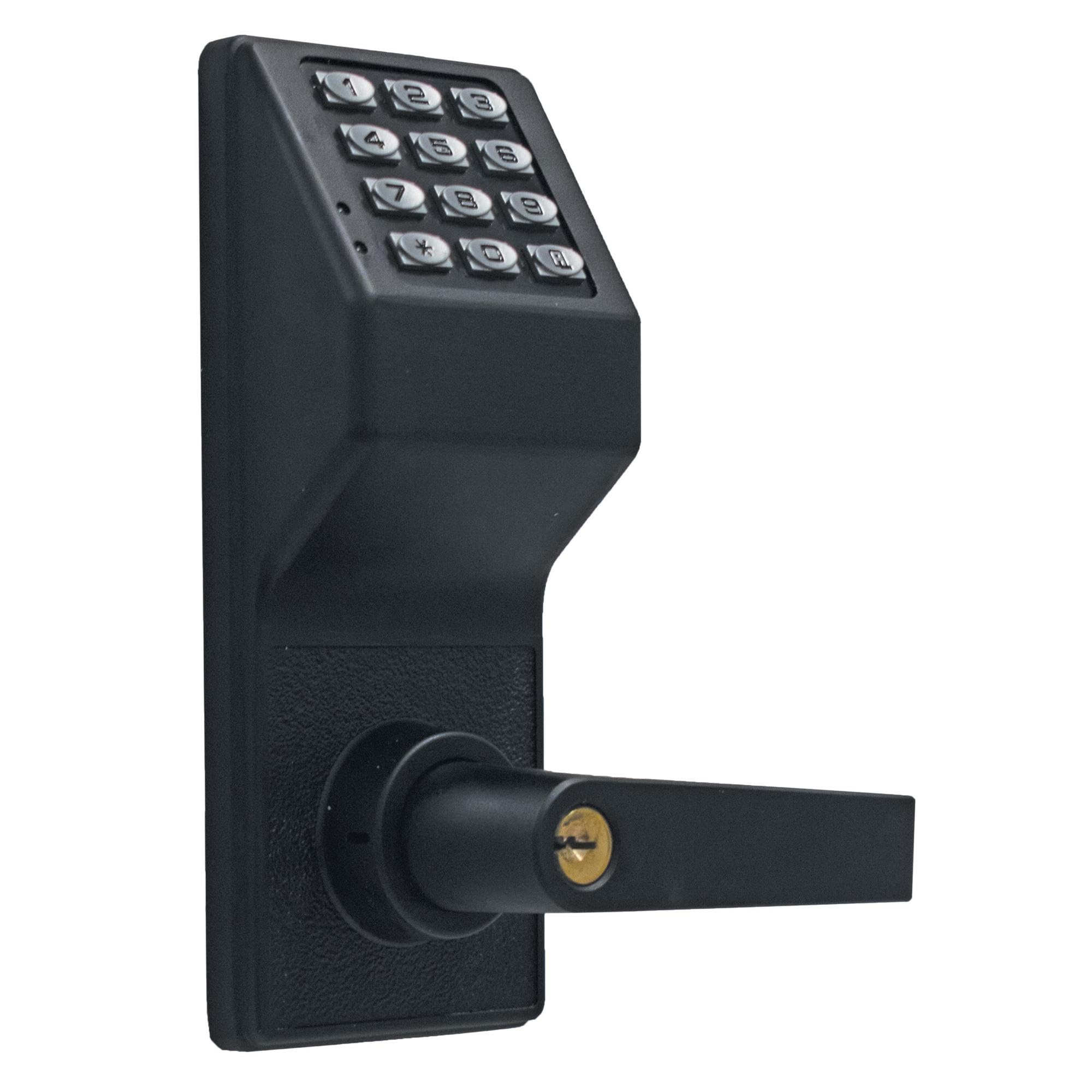
Figure 1: Alarm Lock DL270019 Trilogy T2 Digital Lock in Matte Black. This image shows the exterior keypad and lever assembly of the lock.
5. Operating Instructions
5.1 Unlocking the Door
- Using a Code: Enter a valid user code on the keypad. The lock will emit an audible signal, and the outside lever will engage. Turn the lever to retract the latch and open the door.
- Using a Key: Insert the Schlage C Series key into the cylinder and turn it to retract the latch.
- Remote Bypass: If configured, a 2-wire remote override can be used to unlock the door.
5.2 Locking the Door
The lock automatically re-locks after a short delay once the door is closed. The outside lever is free-turning when locked, preventing forced entry attempts by applying pressure to the lever.
5.3 Inside Egress
The inside lever provides instant egress at all times, allowing for immediate exit without requiring a code or key, even if the door is locked.
5.4 Low Battery Indicator
The lock features an audible low battery alert. When the batteries are low, the lock will emit a specific sound pattern to indicate that battery replacement is needed soon. Replace batteries promptly to ensure continuous operation.
6. Programming
The DL2700-19 supports up to 100 different multi-level user codes, including Master, Manager, User, and Service codes.
6.1 Master Code
The Master Code is used to access programming functions and manage other codes. It is recommended to change the default Master Code immediately after installation.
6.2 Manager Codes
Up to 10 Manager Codes can be programmed. Managers can add, delete, or modify User and Service codes, but cannot access Master programming functions.
6.3 User Codes
Up to 90 User Codes can be programmed for daily access. These codes only unlock the door and cannot access programming functions.
6.4 Service Codes
Up to 3 Service Codes can be programmed. These are typically temporary codes for maintenance personnel or visitors, often with time-limited access.
6.5 Programmable Relay
The lock includes a programmable relay, which can be configured for various functions such as controlling an external alarm, door operator, or other security devices. Refer to the full programming guide (available online or with the product documentation) for detailed instructions on relay configuration.
For detailed programming steps for each code type and advanced features, please consult the comprehensive programming manual provided by Alarm Lock or visit their official support website.
7. Maintenance
7.1 Battery Replacement
When the low battery indicator sounds, replace all 5 AA Alkaline Batteries promptly. Using fresh, high-quality alkaline batteries is recommended for optimal performance and battery life (approximately 200,000 cycles).
7.2 Cleaning
Clean the keypad and lock body with a soft, damp cloth. Do not use abrasive cleaners or solvents, as these can damage the finish or electronic components.
7.3 Key Cylinder Maintenance
Periodically lubricate the key cylinder with a graphite-based lubricant if the key becomes difficult to turn. Do not use oil-based lubricants.
8. Troubleshooting
| Problem | Possible Cause | Solution |
|---|---|---|
| Lock does not respond to keypad entry. | Dead batteries; incorrect code entered; keypad malfunction. | Replace batteries; re-enter code carefully; contact support if issue persists. |
| Low battery alert sounds. | Batteries are low. | Replace all 5 AA Alkaline Batteries immediately. |
| Lever turns but does not retract latch. | Lock is in a locked state (outside lever free-turning); mechanical issue. | Ensure a valid code or key is used to engage the clutch; inspect for obstructions or damage. |
| Cannot program new codes. | Incorrect Master or Manager code used; programming sequence error. | Verify Master/Manager code; review programming instructions carefully. |
9. Specifications
| Feature | Detail |
|---|---|
| Product Type | Electronic Cylindrical Lock |
| Model Number | DL2700-19 |
| Finish | Matte Black (622/US19) |
| Material | Metal |
| Keypad | Vandal-Proof All Metal Keypad |
| User Codes | 1 Master, 10 Managers, 90 Users, 3 Service Codes (Total 100) |
| Power Source | 5 AA Alkaline Batteries |
| Battery Life | Approx. 200,000 cycles |
| Door Thickness | 1-5/8 to 1-7/8 inches |
| Backset | 2-3/4 inches |
| Latch Throw | 1/2 Inch |
| Strike Type | ASA; T Strike |
| Keyway | Schlage C Series |
| Handing | Non-Handed |
| Operating Temperature | -31 to 151°F (-35 to 66°C) |
| Standards | BHMA Certified, UL Listed, FCC Certified, ANSI/BHMA Grade 1 |
| ADA Compliant | Yes |
| Dimensions (L x W x H) | 4 x 2 x 9 inches |
| Item Weight | 9 pounds |
10. Warranty and Support
10.1 Warranty Information
The Alarm Lock DL270019 Trilogy T2 Digital Lock comes with a 2-Year Warranty from the date of purchase. This warranty covers defects in materials and workmanship under normal use. Please retain your proof of purchase for warranty claims.
The warranty does not cover damage resulting from improper installation, misuse, abuse, unauthorized modification, or natural disasters.
10.2 Customer Support
For technical assistance, programming questions, or warranty service, please contact Alarm Lock customer support. You can typically find contact information on the manufacturer's official website or through your authorized dealer.
When contacting support, please have your product model number (DL2700-19) and proof of purchase readily available.


