
Important Safety Information
Please read all instructions carefully before assembly and use. Keep this manual for future reference.
- Ensure all components are securely fastened before use.
- Do not exceed the maximum load capacity of 150 kg (330 lbs).
- Keep children and pets away from the chair during assembly.
- Avoid placing the chair near heat sources or in direct sunlight for prolonged periods.
- Use only original replacement parts if needed.
Package Contents
Verify that all parts are present before beginning assembly. If any parts are missing or damaged, contact Devoko customer support.

Image: Various packaging boxes containing the components of the Devoko Gaming Chair. Each box is labeled with SKU and weight information, indicating a complete set of parts for assembly.
- Backrest
- Seat Cushion
- Armrests (Left and Right)
- Five-star Base
- Casters (5 pcs)
- Gas Lift Cylinder
- Mechanism Plate
- Headrest Pillow
- Lumbar Support Pillow (with massage function)
- Footrest
- Hardware Kit (screws, washers, Allen wrench)
- Power Cable for LED and Massage
- Remote Control for LED
- User Manual
Setup and Assembly
Follow these steps carefully to assemble your Devoko Gaming Chair. It is recommended to have a second person assist with some steps.
- Attach Casters to Base: Insert each of the five casters into the holes at the end of each leg of the five-star base until they click securely into place.
- Install Gas Lift Cylinder: Place the gas lift cylinder into the center hole of the five-star base. Ensure it is seated firmly.
- Attach Mechanism Plate to Seat: Align the mechanism plate with the pre-drilled holes on the underside of the seat cushion. Secure it using the provided screws and Allen wrench. Ensure the front of the mechanism plate faces the front of the seat.
- Attach Armrests to Seat: Secure the left and right armrests to the sides of the seat cushion using the designated screws. Ensure they are oriented correctly (L for left, R for right).
- Connect Seat to Gas Lift: Carefully place the assembled seat cushion onto the gas lift cylinder, ensuring the center hole of the mechanism plate aligns with the top of the gas lift.
- Attach Backrest to Seat: Align the backrest with the metal brackets on the seat cushion. Secure it using the provided screws. Ensure a tight fit.
- Install Headrest and Lumbar Pillows: Attach the headrest pillow to the top of the backrest using its straps. Position the lumbar support pillow (with massage function) at the lower back area and secure it with its straps. Connect the USB cable from the lumbar pillow to a power source (e.g., a USB port on your computer or a USB wall adapter) for the massage function.
- Install Footrest: Slide the footrest into the designated slots under the seat. Ensure it can extend and retract smoothly.
- Connect LED Lighting: Locate the LED power cable, typically extending from the backrest or seat. Connect it to a USB power source. Use the provided remote control or mobile app to operate the LED lights.

Image: An exploded diagram illustrating the various components of the gaming chair and their assembly order, including the base, gas lift, seat, backrest, and armrests.
Operating Instructions
Familiarize yourself with the various adjustable features of your Devoko Gaming Chair for optimal comfort and support.
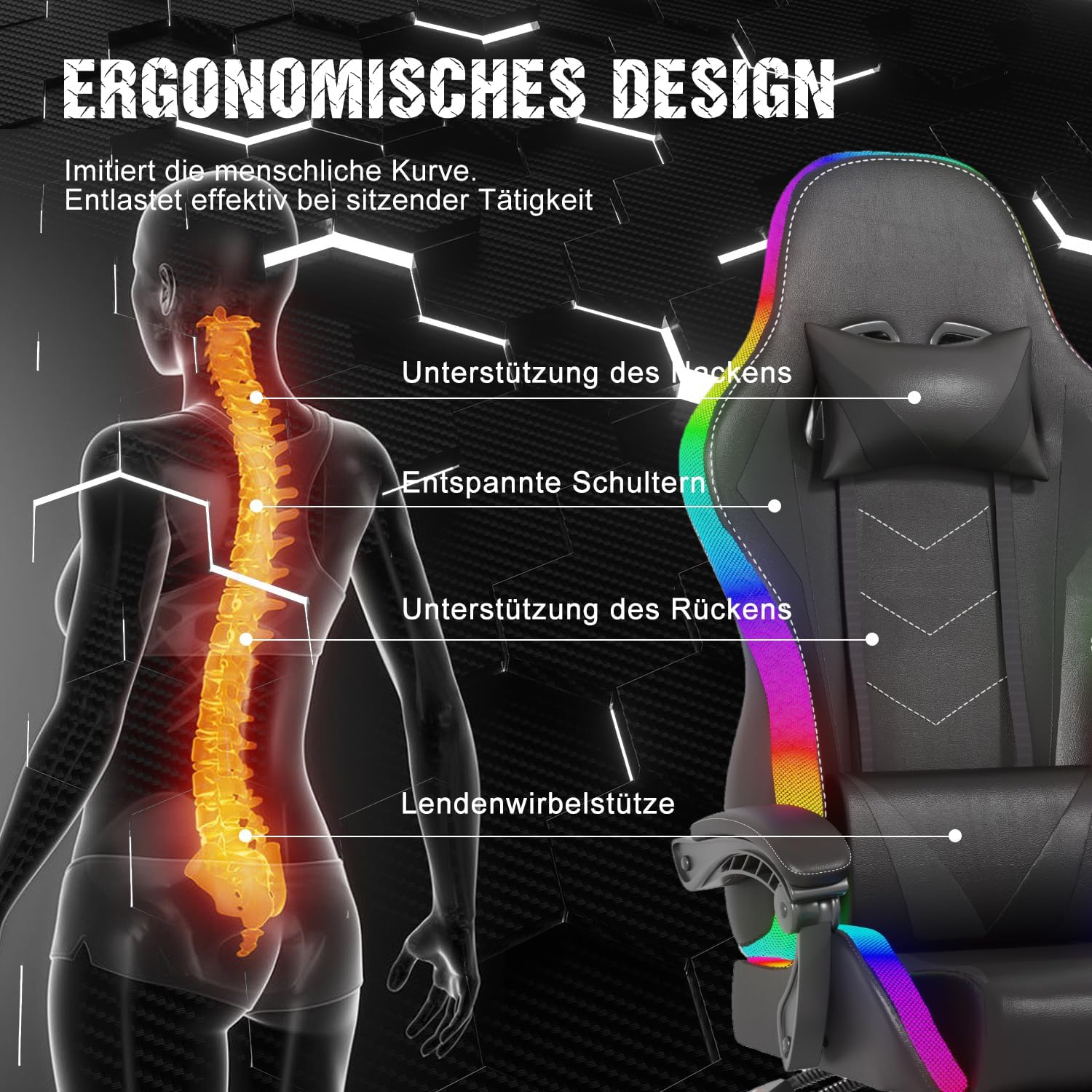
Image: A black Devoko Gaming Chair featuring vibrant RGB LED lighting along its edges and a lumbar pillow with visible massage nodes. The chair also has a retractable footrest.
- Height Adjustment: Locate the lever on the right side, under the seat. Pull the lever up to raise the seat. To lower the seat, pull the lever up while seated.
- Backrest Recline (90°-135°): Use the recline lever on the right side of the chair. Pull the lever up to adjust the backrest angle. Release the lever to lock the backrest in your desired position between 90 and 135 degrees.

Image: A diagram showcasing the adjustable recline range of the gaming chair, from an upright 90-degree position to a reclined 135-degree position, highlighting the flexibility for various activities.
- Footrest Operation: Pull the footrest out from under the seat to extend it. Push it back in to retract. Use it for leg support when reclining.
- Massage Function: The lumbar pillow features a massage function. Connect its USB cable to a power source. Use the integrated controls or remote (if provided) to activate and adjust massage modes.
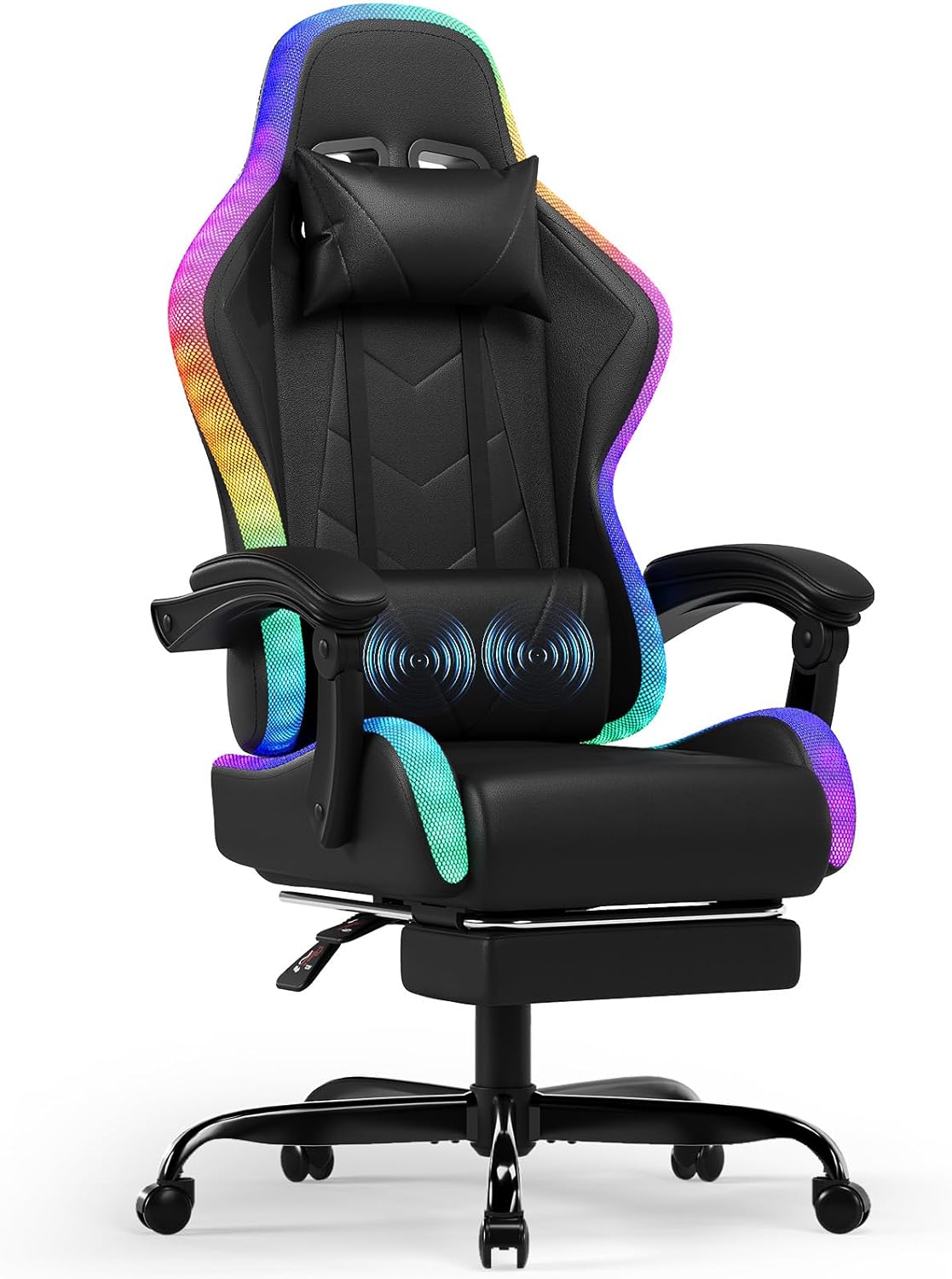
Image: A close-up view of the Devoko Gaming Chair's lumbar pillow, showing animated blue circles indicating the active massage function. This pillow provides targeted relief to the lower back.
- LED Lighting Control: Connect the LED power cable to a USB power source. Use the provided remote control to select from over 366 RGB preset modes, adjust brightness, and speed. Some models may also support mobile app control.

Image: A remote control specifically designed for the LED lighting of the gaming chair, displaying buttons for auto-RGB modes, 366 dynamic modes, speed/brightness adjustment, and 12 direct color selection options.
- Swivel Function: The chair features a 360-degree swivel function, allowing for easy rotation.
Maintenance and Care
Proper maintenance will extend the life and appearance of your Devoko Gaming Chair.
- Cleaning: Wipe the chair's surface with a soft, damp cloth. For stubborn stains on the PU leather, use a mild soap solution and wipe dry immediately. Avoid abrasive cleaners or solvents.
- Hardware Check: Periodically check all screws and bolts to ensure they are tight. Re-tighten if necessary to maintain stability.
- Caster Care: Clean casters regularly to remove dust and debris that can hinder smooth movement. You may use a small brush or vacuum.
- LED and Electrical Components: Ensure all electrical connections (USB cables for LED and massage) are secure and free from damage. Do not expose electrical components to liquids.
- Storage: If storing the chair for an extended period, keep it in a cool, dry place away from direct sunlight and extreme temperatures.
Troubleshooting
Refer to this section for common issues and their solutions.
| Problem | Possible Cause | Solution |
|---|---|---|
| Chair wobbles or is unstable. | Loose screws; uneven floor; damaged base. | Check and tighten all assembly screws. Ensure the chair is on a flat surface. Inspect the base for damage. |
| Gas lift does not adjust height. | Gas lift cylinder malfunction; mechanism plate issue. | Ensure the height adjustment lever is fully engaged. If the issue persists, the gas lift may need replacement. Contact support. |
| LED lights are not working. | Power cable disconnected; remote control battery low; LED strip damage. | Check if the USB power cable is securely connected to a power source. Replace remote control batteries. Inspect LED strips for visible damage. |
| Massage function is not working. | USB power cable disconnected; internal motor issue. | Ensure the USB cable for the massage pillow is securely connected to a power source. If still not working, contact support. |
| Footrest does not extend/retract smoothly. | Obstruction in the sliding mechanism; bent rails. | Check for any obstructions. Ensure the rails are not bent. Apply a silicone-based lubricant if needed. |
Specifications
| Brand | Devoko |
| Model Number | 15460549031 |
| Color | Black |
| Material | PU Leather, Foam, Metal |
| Product Dimensions (D x W x H) | 20.47"D x 20.87"W x 50.39"H |
| Item Weight | 41.8 pounds (18.96 kg) |
| Maximum Load Capacity | 150 kg (330 lbs) |
| Backrest Recline Angle | 90° to 135° |
| Special Features | RGB LED Lighting (366+ modes), Massage Function (lumbar), Telescopic Footrest, Ergonomic Design, 360° Swivel |
| Gas Lift Certification | SGS Certified |
Warranty and Support
Devoko provides customer support for their products. For warranty claims, technical assistance, or replacement parts, please contact Devoko directly.
- Refer to your purchase documentation for specific warranty terms and duration.
- Keep your proof of purchase (receipt or order number) as it may be required for warranty service.
- For common issues, please refer to the Troubleshooting section of this manual.
- You can visit the official Devoko store on Amazon for more information: Devoko Store


